
Pairing & Usage: Csasan J90 Pro True Wireless Earbuds User Manual
Content
Csasan J90 Pro True Wireless Earbuds
Introduction
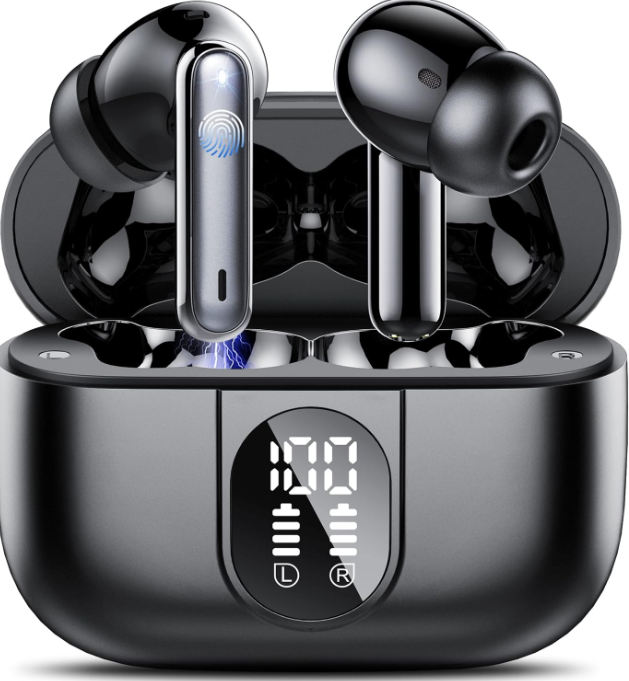
Immerse yourself in high-quality audio with the **Csasan J90 Pro True Wireless Earbuds**, designed for music lovers, gamers, and multitaskers alike. These earbuds combine cutting-edge Bluetooth 5.3 technology with superior Hi-Fi sound, ensuring seamless connections and crystal-clear audio. With a total battery life of up to 40 hours, they are perfect for extended use, whether you're commuting, working out, or enjoying your favorite games. The ergonomic design provides a comfortable fit, and the IPX7 waterproof rating makes them ideal for outdoor activities or intense workouts. Compatible with both iOS and Android devices, the Csasan J90 Pro earbuds offer a universal listening experience. Targeted at individuals seeking affordable yet high-quality wireless earbuds, the Csasan J90 Pro is available for purchase in a price range of approximately €23 to €30, making them an excellent value for those looking for reliable Bluetooth earbuds. They are available on platforms like Amazon and eBay, offering a competitive price point compared to similar products in the market.
Product Specification
- Bluetooth Version:
- 5.3
- Support:
- HFP/A2DP/HSP/AVRCP
- Charging Port:
- Typc-C
- Battery life:
- 6-8 hours (earbuds) + over 30 hours (Charging box)
- Charging time:
- 1.5 hours for carbuds / 1.5 hours for charging case
- Transmission range:
- 15 meters (without obstacles)
How do I pair two headphones with my phone?
Please make sure both the earbuds and the charging case are fully charged before first use.
Step 1
- Take both earbuds out of the charging case, and both earbuds will power on and start pairing automatically. y
- (If the earbuds are not connected to your device for more than 5 minutes, the earbuds will automatically turn off. Press the MFB button for about 3 seconds to manually turn on the earbuds when prompted "Power on".)
- The indicator light of one earbud will flash white alternately, and the other earbud will slowly flash white whthe en 2 earbuds are paired successfully.
Step 2
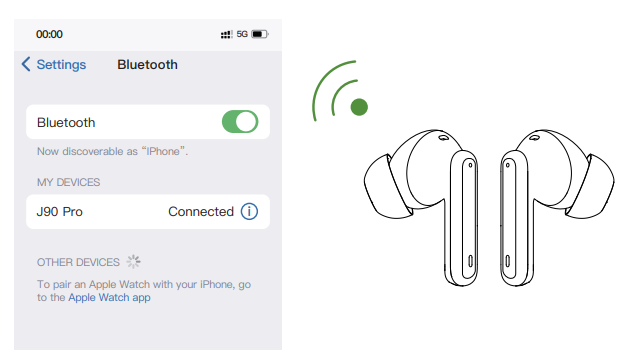
- Enable the Bluetooth pairing mode on your phone device, search for nd select "J90 Pro" to connect. (You should hear a voice prompt "Connected" when wearing earbuds).
- If the indicator light of the earbud is off, it means the phone is connected.
Automatic connection
By default, the earbuds will connect to the last paired phone automatically when powered on.
Prompt
- If you have any problem pairing the two earbuds with your phone, put the earbuds back in the charging case and repeat the above steps.
Or refer to the reset steps of Frequently Asked Questions in the manual. - These earbuds can be used not only together, but also individually
If you want to use a single earbud, just take one earbud out of the case and connect it to your phone. Or when using two earbuds, manually turn off one earbud or put one back in the charging case, and you'll be able to use the other one earbud alone.
Charging
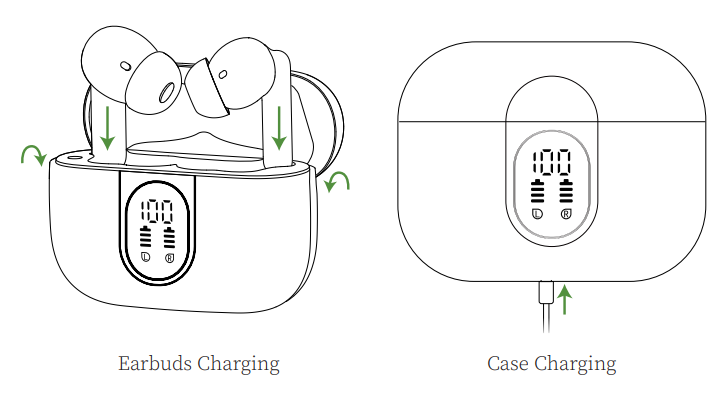
Earbuds Charging
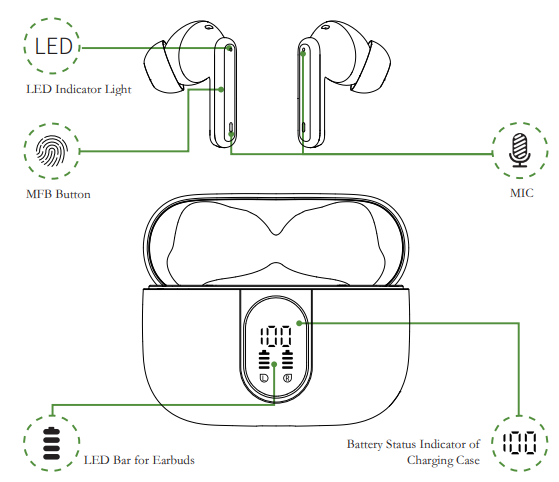
The earbuds will only be charged when you correctly place them in the charging slots and close the lid. (You can charge the charging case and the earbuds at the same time, or you can charge the charging case first and then the earbuds. When the earbuds are charging in the charging case, the LED bar of the case will keep blinking. The charging case will stop charging automatically, and the indicator light on the earbuds will go out when fully charged.
Case Charging
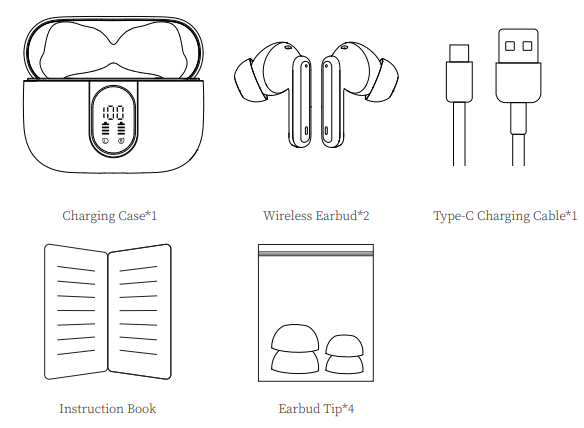
There is a Type-C USB charging cable in the package. Please use it to charge the case directly. During charging, the digital display will flash and display the battery level in real time. When fully charged, the number shows 100.
Storage and Maintenance
- If the earbuds have not been used for more than 3 months, we recommend that you charge them.
- Please use a charger approved by the (Federal Communications Commission).
- Children aged 12 and under require adult supervision.
- Do not expose the earbuds to high or low temperatures, and do not use the earbuds during a thunderstorm.
- Avoid free fall or violent shock to the device. Keep the device away from sources of fire and do not place the device in water.
- Do not disassemble the earbuds.
Activation & Warranty
Permanent replacement of damaged, defective items or missing components. Please activate via email within 15 days. ys
Troubleshooting
Common issues with the Csasan J90 Pro earbuds include connectivity problems or reduced battery life. Here are some troubleshooting tips:
- Connection Issues: Ensure that your device's Bluetooth is enabled and that the earbuds are properly paired. Restart both your device and the earbuds if necessary.
- Reduced Battery Life: Check the charging case and ensure it is fully charged. Avoid overcharging, as this can affect battery longevity.
For more persistent issues, refer to the user manual or contact Csasan support for assistance. The warranty typically covers manufacturing defects for a specified period after purchase.
Pros & Cons of Csasan J90 Pro Earbuds
Pros
- Superior Sound Quality: Hi-Fi audio with deep bass ensures an immersive listening experience.
- Long Battery Life: Up to 40 hours of total battery life, perfect for extended use.
- Waterproof Design: IPX7 rating for protection against water and sweat.
- Fast Charging: Quick 10-minute charge provides immediate power.
- Universal Compatibility: Works seamlessly with both iOS and Android devices.
Cons
- No Apt-X Codec: May not support high-quality audio codecs for some users.
- Material Build: Constructed from plastic, which may not be as durable as other materials.
Overall, the Csasan J90 Pro earbuds offer excellent value for their price, providing a balance of quality sound and affordability.
Customer Reviews
Customers praise the **Csasan J90 Pro True Wireless Earbuds** for their impressive sound quality, long battery life, and comfortable fit. Common praises include the effective noise cancellation and robust bass. However, some users have noted that the lack of Apt-X codec support might be a drawback for audiophiles. The earbuds have received five-star reviews on platforms like Amazon, with many users recommending them for their value and performance. Despite minor complaints about the plastic build, the Csasan J90 Pro remains a popular choice for those seeking affordable, high-quality wireless earbuds.
Conclusion
The **Csasan J90 Pro True Wireless Earbuds** are an excellent choice for anyone looking for reliable, high-quality earbuds at an affordable price. With their advanced features and user-friendly design, they are perfect for music enthusiasts, gamers, and those who value convenience and durability in their audio devices.
Faqs
How do I set up Csasan J90 Pro True Wireless Earbuds for the first time?
What should I do if Csasan J90 Pro True Wireless Earbuds are not connecting to my device?
Can Csasan J90 Pro True Wireless Earbuds be used with both iOS and Android devices?
How often should I clean and maintain Csasan J90 Pro True Wireless Earbuds?
What are the key features that make Csasan J90 Pro True Wireless Earbuds different?
How do I optimize the audio quality of Csasan J90 Pro True Wireless Earbuds?
Can Csasan J90 Pro True Wireless Earbuds be used for gaming?
How do I resolve issues with Csasan J90 Pro True Wireless Earbuds not charging properly?
More csasan manuals
Leave a Comment