
Setup: Dreo Air Purifier Macro AP414 User Manual
Content
Dreo Air Purifier Macro AP414: Comprehensive Product Manual and Review Guide

Introduction to Dreo Air Purifier Macro AP414
The Dreo Air Purifier Macro AP414 is a compact, high-performance tabletop air purifier designed to deliver clean, fresh air in small to medium spaces. Featuring advanced 3-in-1 HEPA filtration, it captures 99.97% of airborne contaminants as small as 0.3 microns, including dust, dander, pollen, pet hair, and allergens, ideal for easing asthma, allergies, and sensitivities during pollen or wildfire seasons. With a powerful CADR of 119 CFM, the Dreo Air Purifier Macro AP414 effectively cleans up to 774 sq. ft. per hour or cycles air 4.8 times hourly in 155 sq. ft. rooms, making it perfect for bedrooms, offices, pet-heavy households, or nurseries.
Key benefits include ultra-quiet operation down to 22 dB in Sleep mode, powered by an efficient DC motor that saves over 50% energy compared to traditional AC motors, plus. Its sleek design (12.99'' x 7.6'' x 8.4'', 4.4 lbs) blends seamlessly into modern homes.
The estimated price range is $80-$120, available at retailers like Kohl's, Chewy, and Dreo's official site. This best tabletop air purifier for allergies and pets offers exceptional value with a 1-year limited warranty, transforming everyday breathing into a healthier experience.
Dreo Air Purifier Macro AP414 Specifications and Key Features
The **Dreo Air Purifier Macro AP41 boasts robust specs for reliable performance in medium rooms up to 744-774 sq. ft. Here's a detailed breakdown:
- CADR: 119 CFM (clean air delivery rate), cycles 155 sq. ft. room 4.8 times per hour
- Filtration: 3-in-1 True HEPA filter removes 99.97% of 0.3µm particles like dust, pollen, pet dander, and smoke
- Room Coverage: Up to 774 sq. ft. per hour or 744 sq. ft. for medium room
- Noise Levels: As low as 22 dB in Sleep mode; turbo mode remains quiet (under 50 dB average)
- Modes: 4 fan speeds, Normal/Sleep modes, Auto mode adjusts based on air quality, timer, child lock (long press 3 second
- Features: 7-color ambient light, built-in aroma pad tray (includes 2 pads), DC motor for 50%+ energy savings
- Dimensions & Weight: 12.99'' x 7.6'' x 8.4'', 4.4 lbs; 72-inch cord, 60 Hz
- Inclusions: Air purifier, filter, QSG, user manual, 2 aroma pads; Model DR-HAP004
Compared to similar products like the Dreo Macro AP314 (CADR 100 CFM), the AP414 offers higher airflow and aromatherapy, outperforming basic models in energy efficiency and customization for HEPA air purifier needs for small rooms.
Knowing Your Appliance

Using Your Appliance
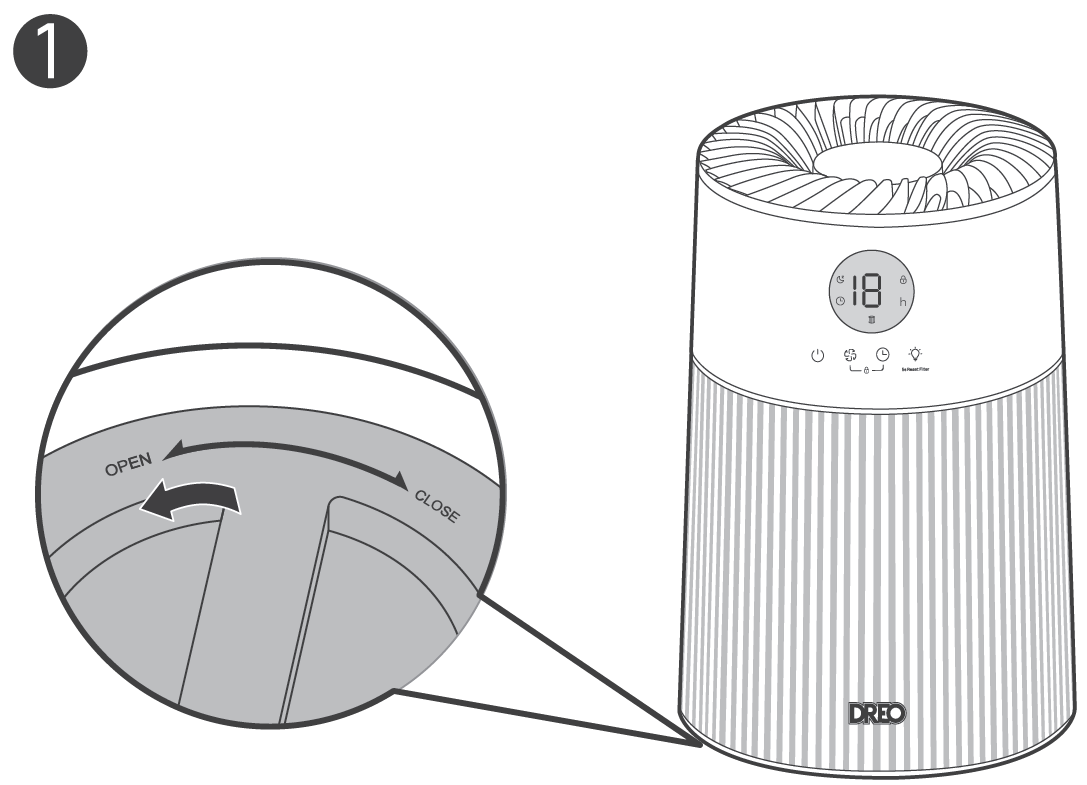
Put it upside down. Rotate the bottom cover to unlock and take the cover off.
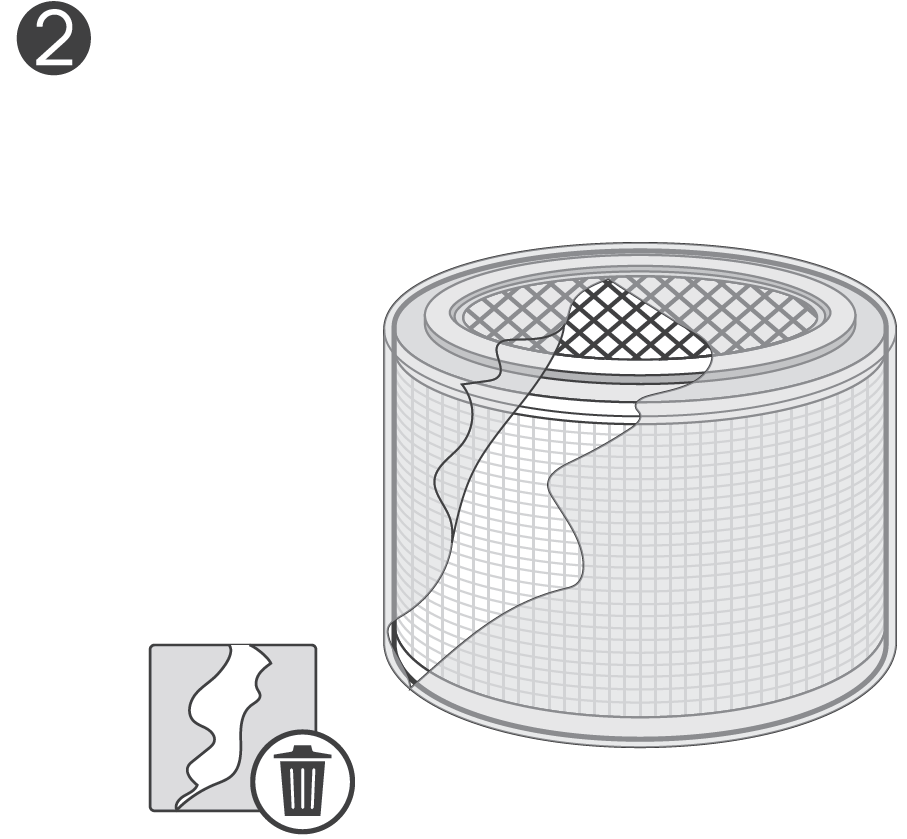
Remove the filter from its packaging, then put the filter back.
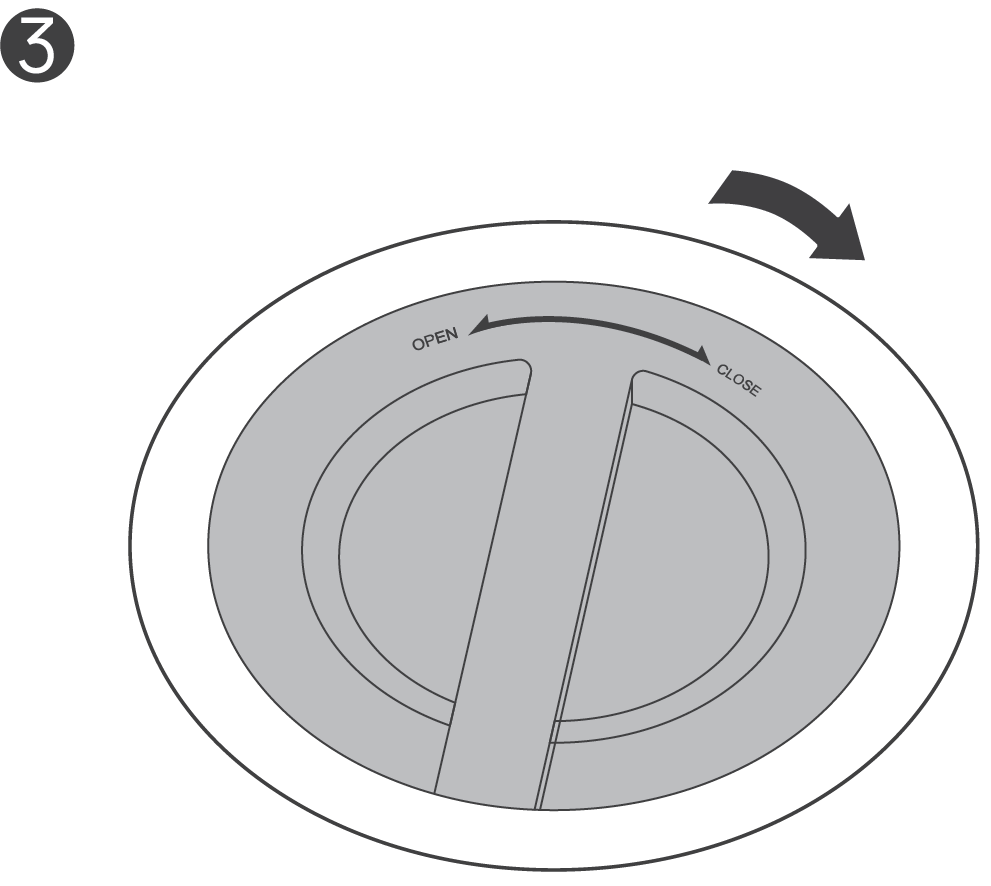
Rotate the bottom cover clockwise to lock it back in place. (You'll hear a "click".)
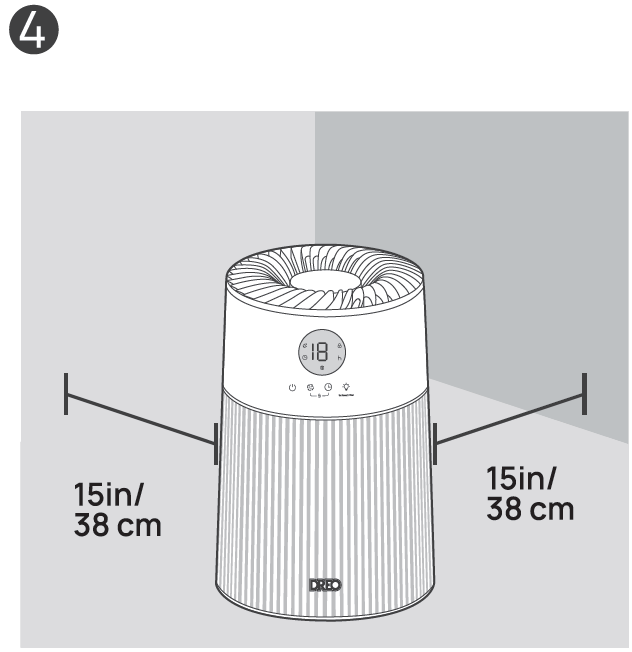
Return to upright position on a flat, stable, and clear surface.
Control Panel
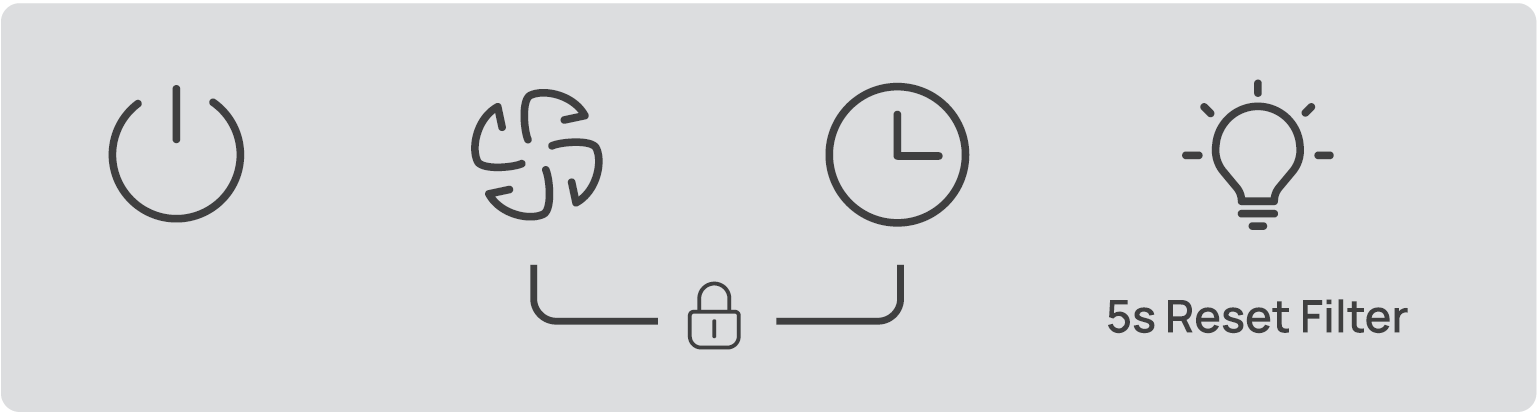
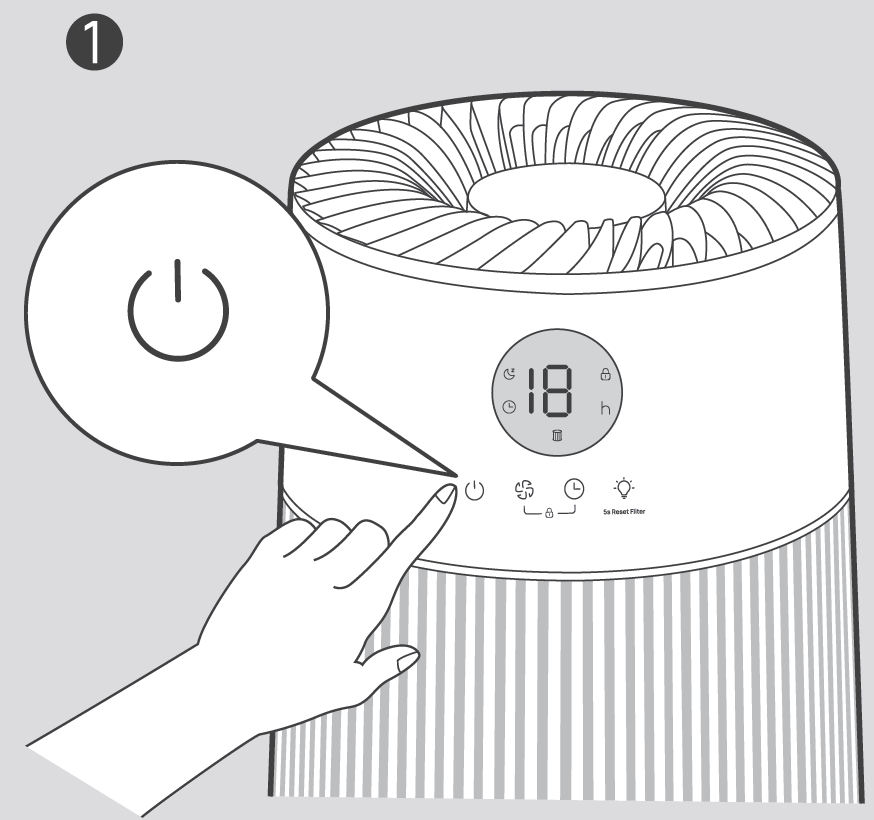
 Power Button: Turn power on/off
 Purifying Speed Button: Adjust purifying speed across levels 1- 2 - 3 - 4 - Sleep.
 Timer Button: Select to set a timer (0H-12H). Note: The timer hour is shown on the LED display.
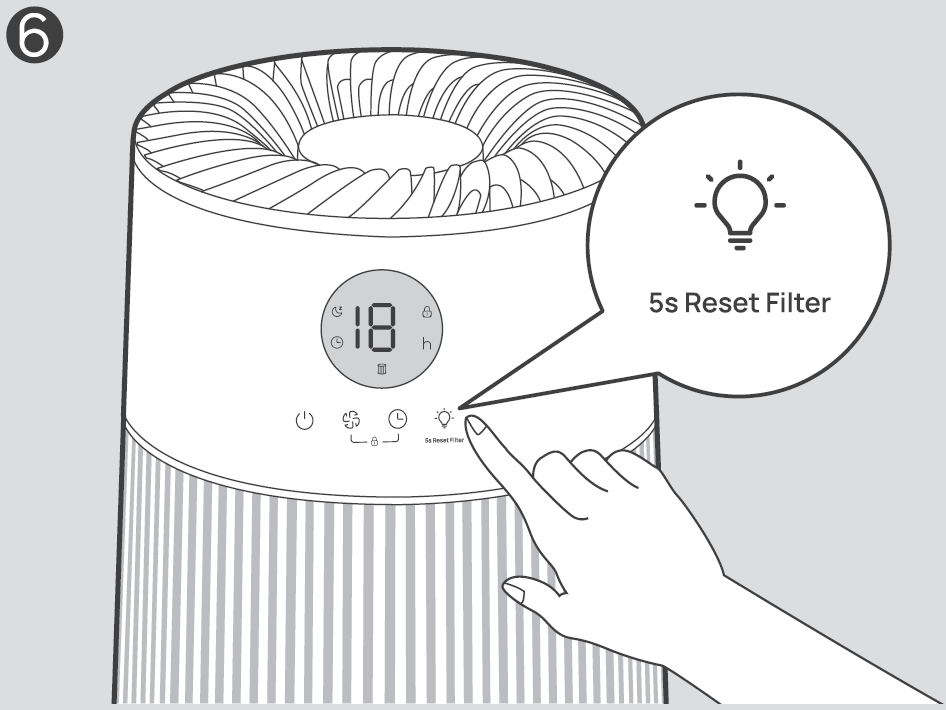
 ROB Light Button/ Filter Reset (5s):
- Touch to turn the RGB light on; the light color will start cycling.
- Touch again to locka color.
- Touch a third time to turnoff.
- Long press for 5 seconds to reset the filter change reminder.
- Child Lock: Long press
 and
 for 3 seconds to activate/deactivate the Child Lock function. When activated, the
 on the display will light up, and all the buttons on the appliance will be locked.
Note: Long press  and
 for 10 seconds to purify at the highest power setting (The LED display will show "H"). Overall, the Dreo Air Purifier Macro AP414 provides superior value for money in small-room use, balancing features and price better than many alternatives.
LED Display
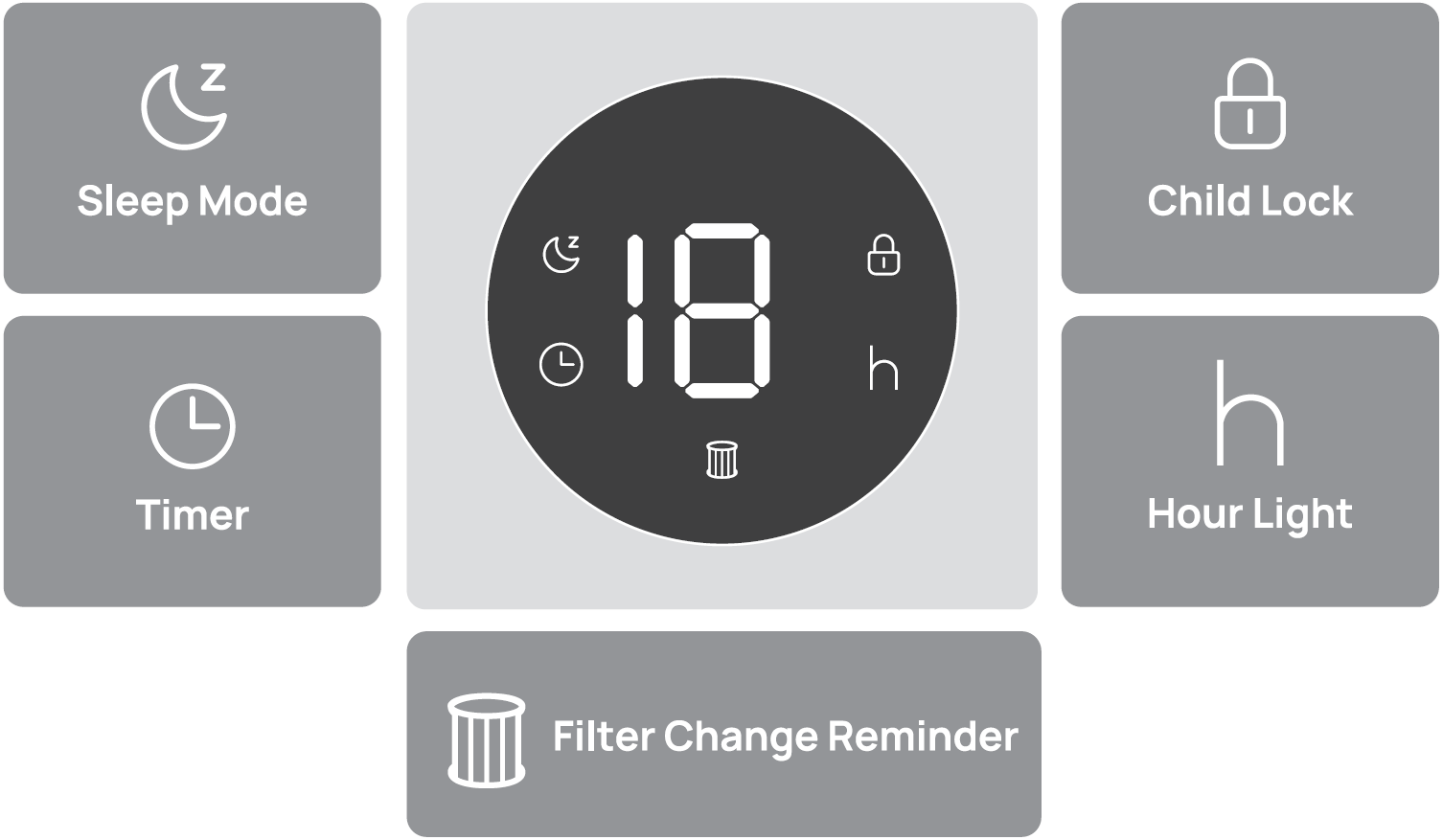
Additional Features
 Long press
 and
 for 3 seconds to activate/deactivate the Child Lock function. When activated, the light
 on the display will light up, and all the buttons on the appliance will be locked.
 When the appliance is ON/OFF, touch the timer button repeatedly to set a timer (from OH to 12H) for the appliance to turn ON/OFF.
 If the appliance is turned OFF or disconnected from power, it will operate under the previous settings (except the Child Lock function/timer setting) when it is turned ON again.
 The display turns off after 1 minute. Wake up the display with any button.
Cleaning and Maintenance
The filter life is measured by the appliance's algorithm, which is based on the working mode, fan speed, run time, and indoor air quality. It's recommended to replace the filter every 6-8 months or when the filter change reminder alerts.
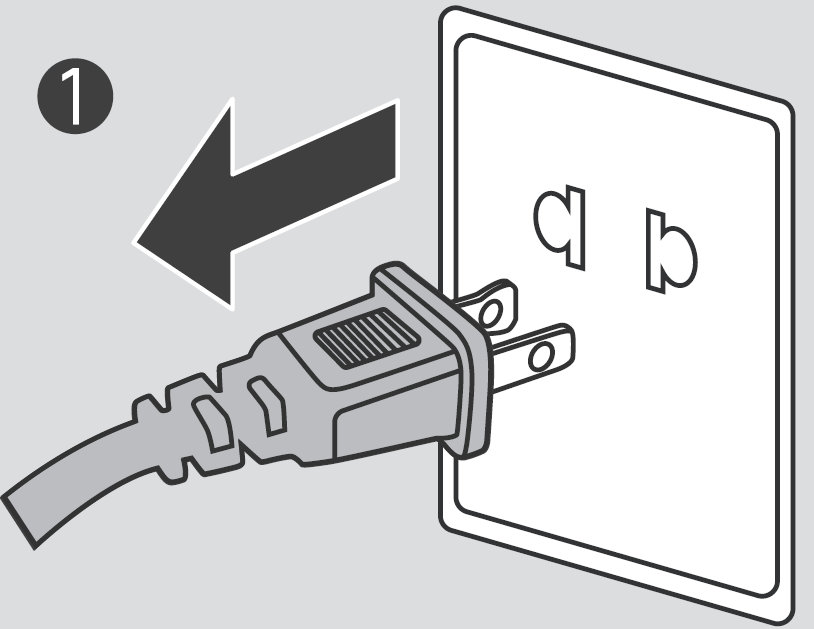
The Filter Change Reminder will flash when the filter needs to be replaced. Turn off and unplug the appliance.
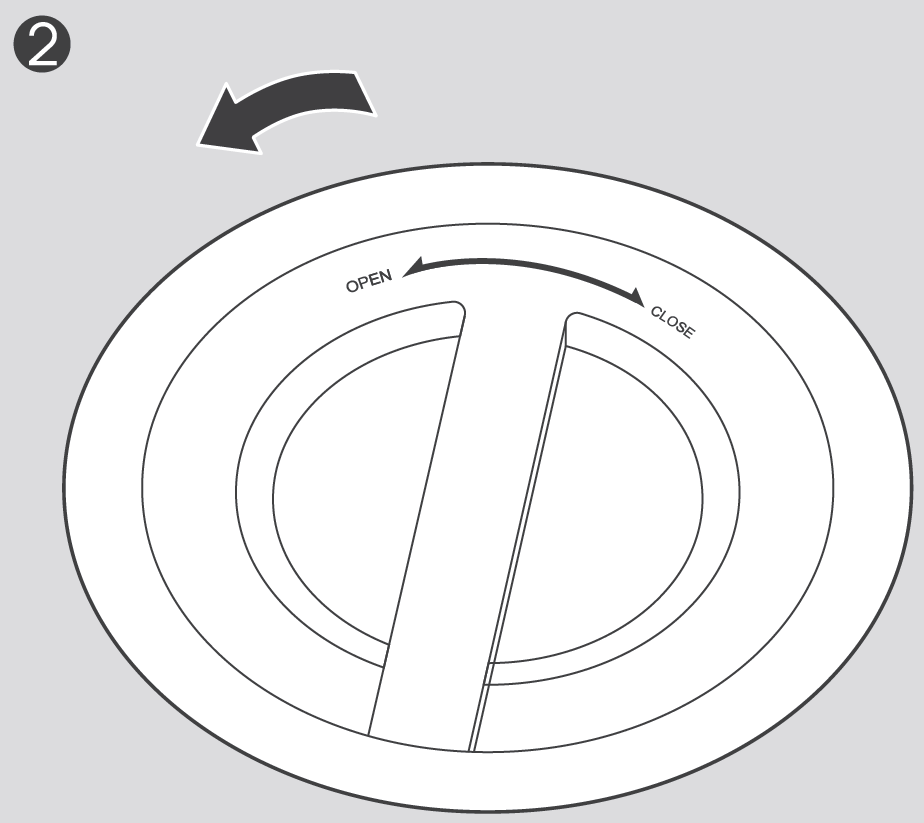
Rotate the bottom cover to unlock, then take the cover off.
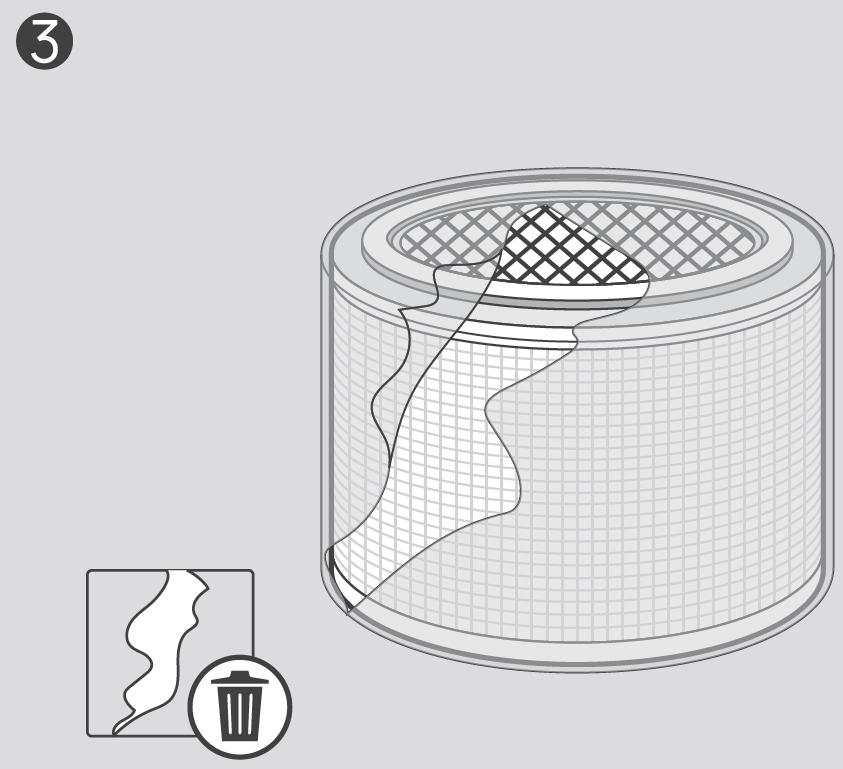
Remove the plastic packaging.
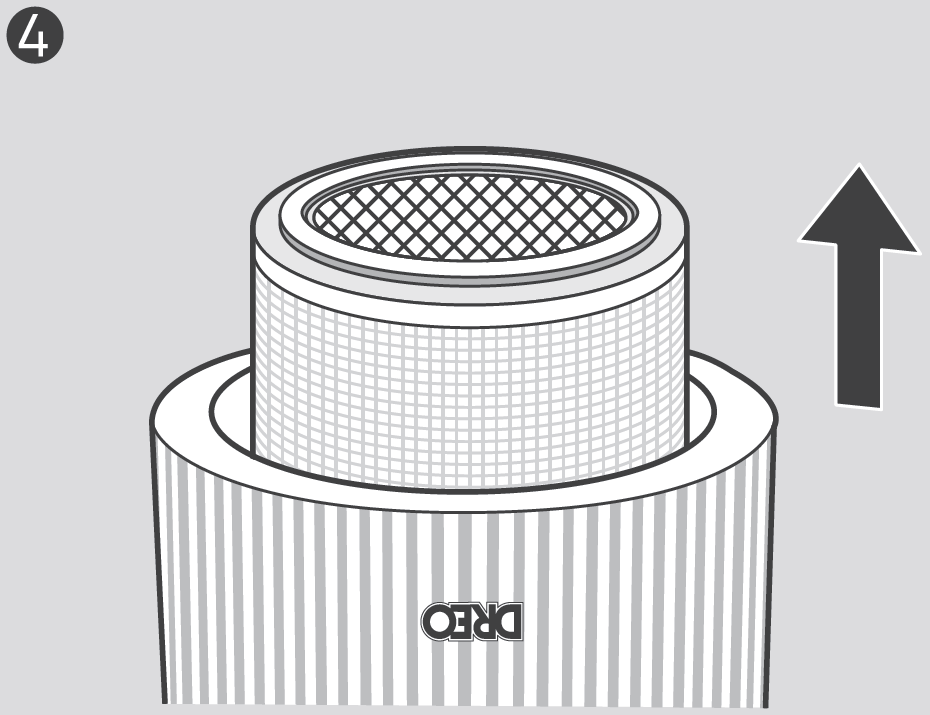
Remove the old filter, then put the new filter in place.
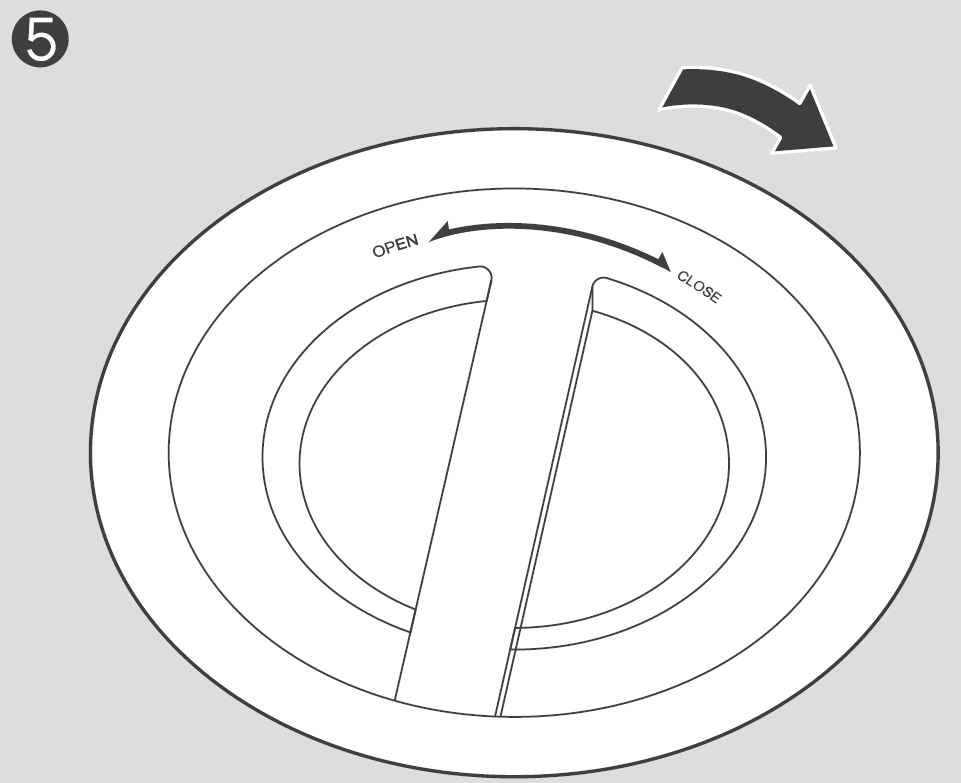
Rotate the bottom cover clockwise to lock it back in place. (You'll hear a "click".)
Return to the upright position and long-press the for 5 seconds until it beeps, to reset the filter change reminder.
Cleaning the Inside & Outside
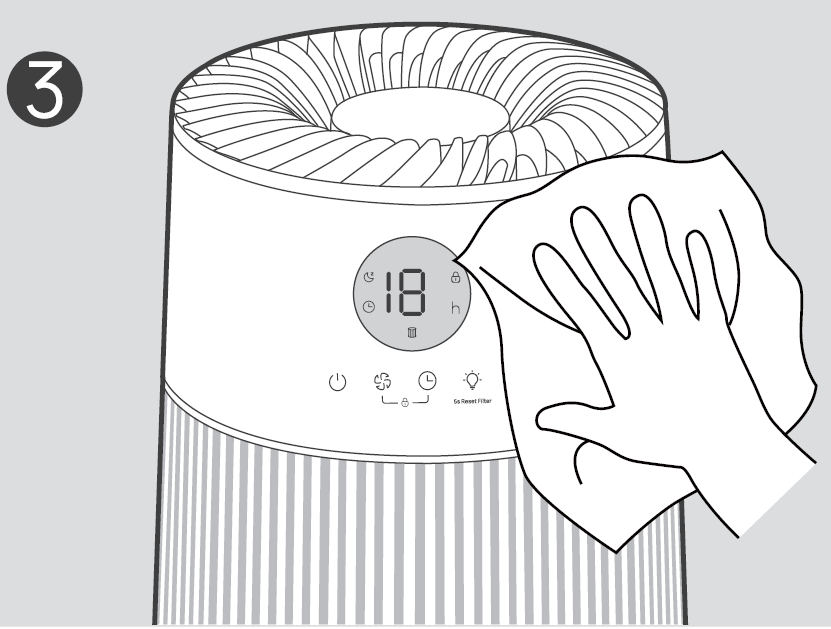
Wipe clean the housing with a dry, soft, non-abrasive cloth.
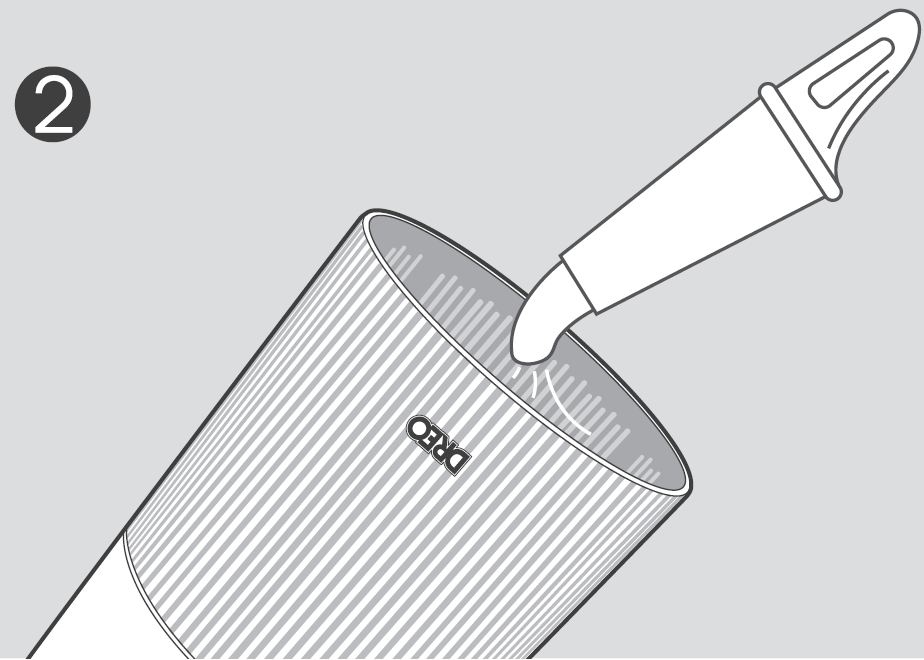
Cleaning the Filter
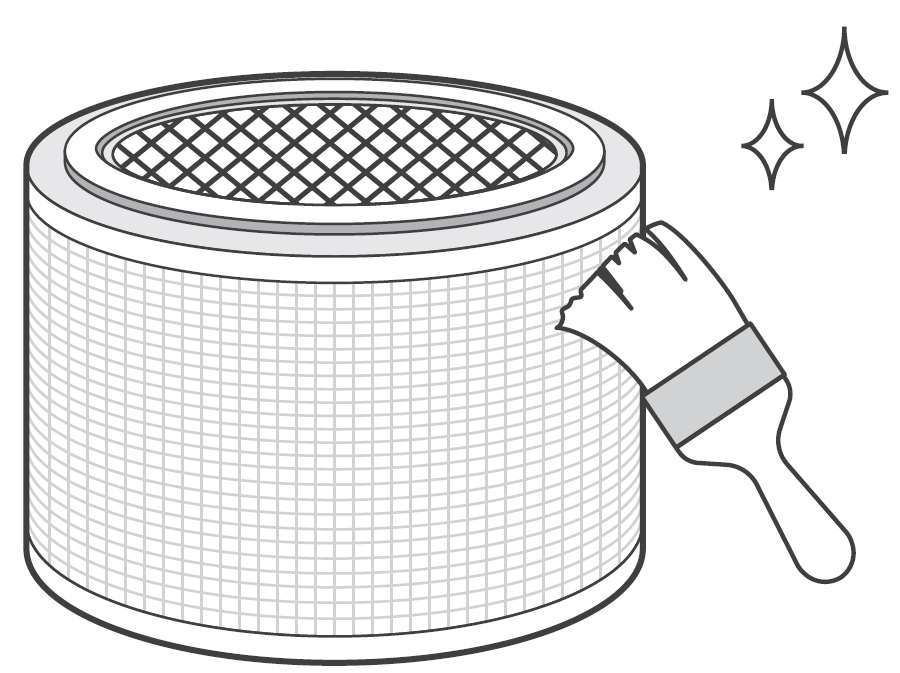
- For optimal use, the outer pre-filter can be cleaned with a soft, dry brush once every 2-4 weeks.
- Keep away from water and humid areas. Moisture will allow mold to grow.
Troubleshooting
Related to Filter
- Where can I buy a new filter? Please purchase directly from the OREO official website at www.dreo.com or through the OREO app.
- I changed the filter, but the Filter Change, Reminder is still on: The Filter Change Reminder will not automatically reset. Please long-press the for 5s to reset the reminder; the indicator will turn off after reset.
- The Filter Change Reminder has not turned on for a long period of time: Several factors can impact the filter life, including the indoor air quality level, length of operation, and particle density in the air. If your room has a better air quality level and/or you don't use your appliance often, the reminder will take longer to light up.
Related to Use
- Why is my appliance not working? : Check if the power is connected, the power cord is damaged, or the electrical outlet is powered.
- The airflow from my appliance is too weak:
- Make sure that there is enough space around the appliance.
- Check if the filter packaging has been removed.
- Replace the filter if it is clogged and overloaded.
- My appliance doesn't improve the air quality:
- Check if the filter packaging has been removed.
- Use within 155 ft2 areas for optimal air refresh rate (4.BXair changes per hour).
- Make sure the windows are closed as polluted air may continue coming in from outside of the windows.
- The overloaded filter will make the fan work harder to pass the air through. Consider replacing the filter if it is clogged.
- Do not place in crowded areas and corners.
- Check if air outlet and inlet are obstructed.
- Why is my appliance making an unusual noise?:
- Make sure the appliance is operating on a flat, stable surface.
- Check if the filter is placed properly or the filter packaging has been removed.
- If the unusual noise still exists, there may be external objects blocking the air openings. Please contact our customer support.
- Why is my appliance making a loud noise?: Switch the appliance to sleep mode or lower purifying speeds.
- Why does my appliance produce an unpleasant smell?:
- During the initial few days, new appliances produce a plastic smell, which is normal and will dissipate eventually.
- Do not add essential oils or diffusers into the appliance or use in an excessively humid area. Humidity will cause mold to grow.
- If the filter has absorbed pollutants to its maximum capacity, then the smell may come from the dirty filter. Please replace the filter when necessary.
Pros and Cons of Dreo Air Purifier Macro AP414
Pros
- Exceptional air purification performance with 99.97% HEPA filtration, ideal for allergies and pets—users report fresher air in minutes
- Ultra-quiet at 22 dB in Sleep mode, perfect for bedrooms; even turbo is whisper-quiet (~40-50 dB)
- Customizable with ambient lights, aroma pad, and Auto mode for hands-free operation—great value at $80-$120[1][6]
- Energy-efficient DC motor saves 50% power; compact design fits anywhere, outperforming bulkier competitors like basic Honeywell units
- Easy setup and child lock enhance safety and usability
Cons
- Limited to 155-774 sq. ft.; not ideal for large open spaces compared to Dreo Macro Pro (1358 sq. ft.)
- No smart app or PM2.5 sensor in base model—manual controls only, unlike higher-end Dreo 505S
- Filter replacements add ongoing cost (~$20-30 every 6-12 months); some note light bleed in dark rooms
Customer Reviews and Feedback for Dreo Air Purifier Macro AP414
Customers rave about the **Dreo Air Purifier Macro AP414**, averaging 4.7/5 stars across retail sites for its quiet power and allergy relief. "This little unit cleans my 150 sq. ft. bedroom silently—air feels fresher, perfect for my asthma," says one Chewy reviewer.[7] Praises highlight the HEPA filter's effectiveness against pet dander and the ambient light's mood-enhancing vibe: "Love the aroma pad and colors; runs all night at 22 dB without waking me."[1][4]
Common complaints include occasional louder turbo mode (~50 dB) during heavy pollution and desire for app control.[4] Frequently mentioned issues like filter reset are easily fixed per manual.[8] Most recommend it for **best air purifier for pet owners and allergies**, with testimonials noting reduced sneezing: "Game-changer for wildfire smoke—highly buy!"[1] Dreo's responsive support adds to satisfaction.
Faqs
How do I set up the dreo Air Purifier Macro AP414 for the first time?
What should I do if the dreo Air Purifier Macro AP414 filter light stays on after replacement?
How do I activate child lock on dreo Air Purifier Macro AP414 to prevent accidental changes?
Is the dreo Air Purifier Macro AP414 compatible with smart home devices or apps?
How does Sleep mode work on dreo Air Purifier Macro AP414 for quiet nighttime use?
What room size is best for dreo Air Purifier Macro AP414 performance and optimization?
How often should I replace the filter in dreo Air Purifier Macro AP414 and how to maintain it?
Why is my dreo Air Purifier Macro AP414 making unusual noise and how to fix it?
More dreo manuals
- Setup: Dreo Smart Air Purifier Macro AP606S User Manual
- Setup: Dreo PTC Fan Heater DR-HSH007 User Manual
- Setup: Dreo Cool & Warm Mist Humidifier DR-HHM003S User Manual
- Setup: Dreo Smart PTC Fan Heater DR-HSH004S User Manual
- Setup: Dreo Portable Air Conditioner AC516S User Manual
- Setup: Dreo Tower Heater DR-HSH013 User Manual
Leave a Comment