
Setup: Dreo Cool & Warm Mist Humidifier DR-HHM003S User Manual
Content
Dreo Cool & Warm Mist Humidifier DR-HHM003S: Comprehensive Product Manual & Review
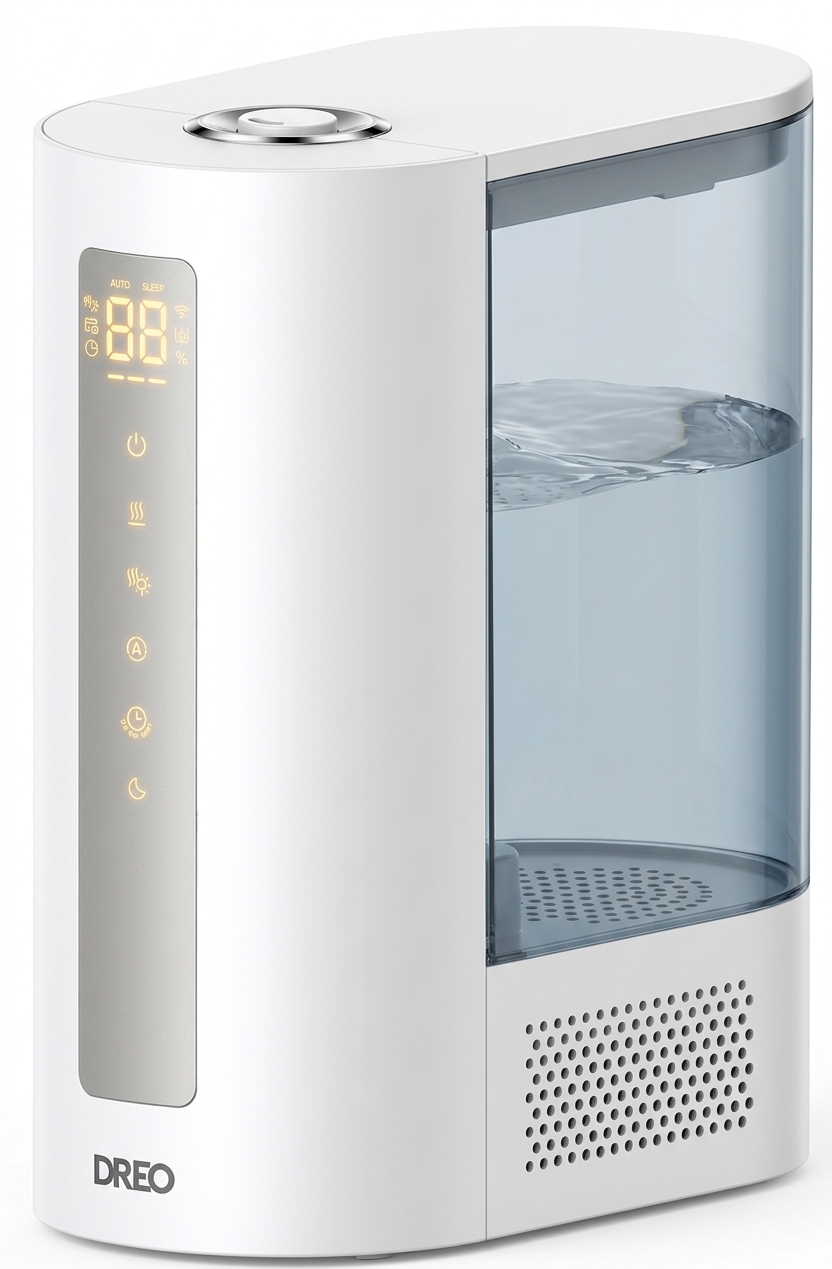
Introduction: Transform Your Indoor Air Quality
The Dreo Cool & Warm Mist Humidifier DR-HHM003S represents a significant advancement in home humidity control technology. This dual-function humidifier delivers both cool and warm mist capabilities, making it an ideal solution for year-round moisture management in residential and office environments. Whether you're combating dry winter air or maintaining optimal humidity during seasonal transitions, the Dreo Cool & Warm Mist Humidifier DR-HHM003S offers versatile performance that adapts to your specific comfort needs.
Designed with modern households in mind, this humidifier targets health-conscious consumers, allergy sufferers, parents of young children, and anyone seeking relief from dry skin, respiratory irritation, or static electricity issues. The device combines aesthetic appeal with functional excellence, fitting seamlessly into contemporary home decor while delivering measurable air quality improvements. With an estimated price range of $80-$120 USD and widespread availability through major online retailers and specialty appliance stores, the Dreo Cool & Warm Mist Humidifier DR-HHM003S offers accessible premium functionality for budget-conscious buyers.
Key benefits include intelligent humidity sensing, whisper-quiet operation, energy-efficient performance, and user-friendly controls that make maintaining optimal indoor air quality effortless. The warm mist feature proves particularly valuable during colder months, while cool mist functionality provides relief during warmer seasons, eliminating the need for separate devices.
Technical Specifications & Features
Understanding the technical capabilities of the Dreo Cool & Warm Mist Humidifier DR-HHM003S helps users maximize performance and ensure the device meets their specific requirements:
- Water Tank Capacity: 4.5 liters (1.2 gallons) for extended operation
- Mist Output: Dual-mode operation with cool mist and warm mist settings
- Coverage Area: Suitable for rooms up to 350-400 square feet
- Humidity Range: Operates effectively between 30% and 80% relative humidity
- Noise Level: Ultra-quiet operation at approximately 28-32 decibels
- Power Consumption: Energy-efficient at 25-35 watts depending on mode
- Operating Modes: Continuous mist, intermittent mist, and sleep mode
- Smart Features: Built-in humidity sensor with automatic shut-off functionality
- Dimensions: Compact design at approximately 9.5 x 8 x 10 inches
- Weight: Lightweight at under 2 pounds for easy portability
- Warranty: Typically includes a 12-month manufacturer's warranty
- Material Construction: Premium ABS plastic with stainless steel components
The Dreo Cool & Warm Mist Humidifier DR-HHM003S incorporates advanced ultrasonic technology that converts water into fine mist particles without heat generation in cool mode. The warm mist capability heats water to approximately 104-122°F (40-50°C), providing therapeutic benefits while maintaining energy efficiency. Smart humidity sensors automatically adjust output intensity, ensuring optimal moisture levels without over-humidification that could promote mold growth.
Advantages: Why Choose the Dreo Humidifier
- Dual Mist Functionality: Cool and warm mist options eliminate the need for multiple devices, providing year-round humidity control in a single unit
- Intelligent Humidity Control: Automatic sensors maintain optimal moisture levels between 40-60%, the recommended range for human comfort and health
- Whisper-Quiet Operation: At just 28-32 decibels, the Dreo Cool & Warm Mist Humidifier DR-HHM003S operates silently, making it perfect for bedrooms and nurseries without disrupting sleep
- Energy Efficient: Low power consumption of 25-35 watts reduces electricity costs while minimizing environmental impact
- Large Water Tank: 4.5-liter capacity provides 12-16 hours of continuous operation, reducing refill frequency
- Easy Maintenance: Simple disassembly design allows effortless cleaning and filter replacement without specialized tools
- Safety Features: Automatic shut-off when water level drops prevents dry-running and extends device lifespan
- Compact & Portable: Lightweight design enables easy repositioning between rooms
- Aesthetic Appeal: Sleek, modern design complements contemporary home decor
- Affordable Premium Option: Superior features at a mid-range price point compared to high-end competitors
Disadvantages: Considerations Before Purchase
- Limited Coverage Area: Best suited for medium-sized rooms; larger spaces may require multiple units for optimal humidity distribution
- Filter Replacement Costs: Regular replacement filters represent ongoing maintenance expenses beyond initial purchase
- Mineral Buildup: Hard water areas may experience mineral deposits requiring more frequent cleaning cycles
- Warm Mist Temperature Range: Some users prefer higher temperature warm mist for enhanced therapeutic benefits
- App Connectivity: Unlike premium competitors, lacks smart home integration or mobile app control features
- Water Tank Design: Top-loading configuration requires lifting the unit for refilling, which some users find inconvenient
- Humidity Sensor Accuracy: Occasional calibration needed to maintain precise humidity readings
- Noise During Warm Mode: Slightly increased operational noise when heating elements activate
- Limited Color Options: Available primarily in white and basic neutral finishes
- Customer Support: Some users report variable response times for warranty claims and technical support
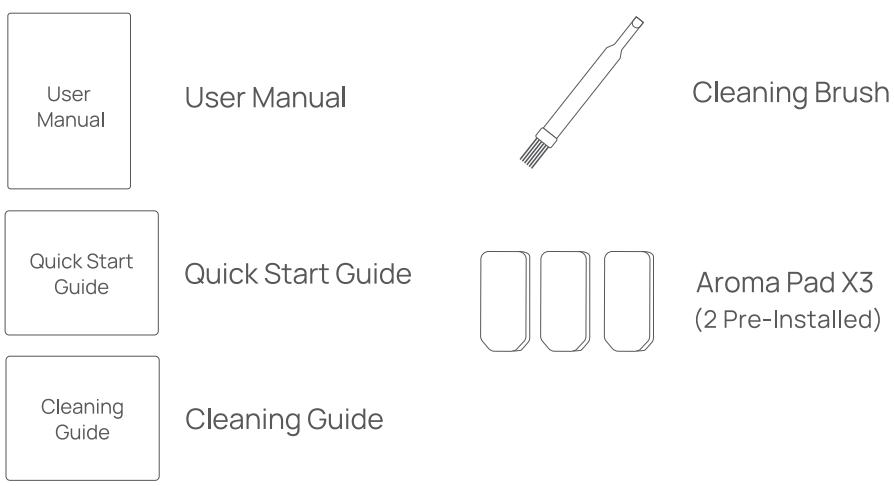
Package Contents
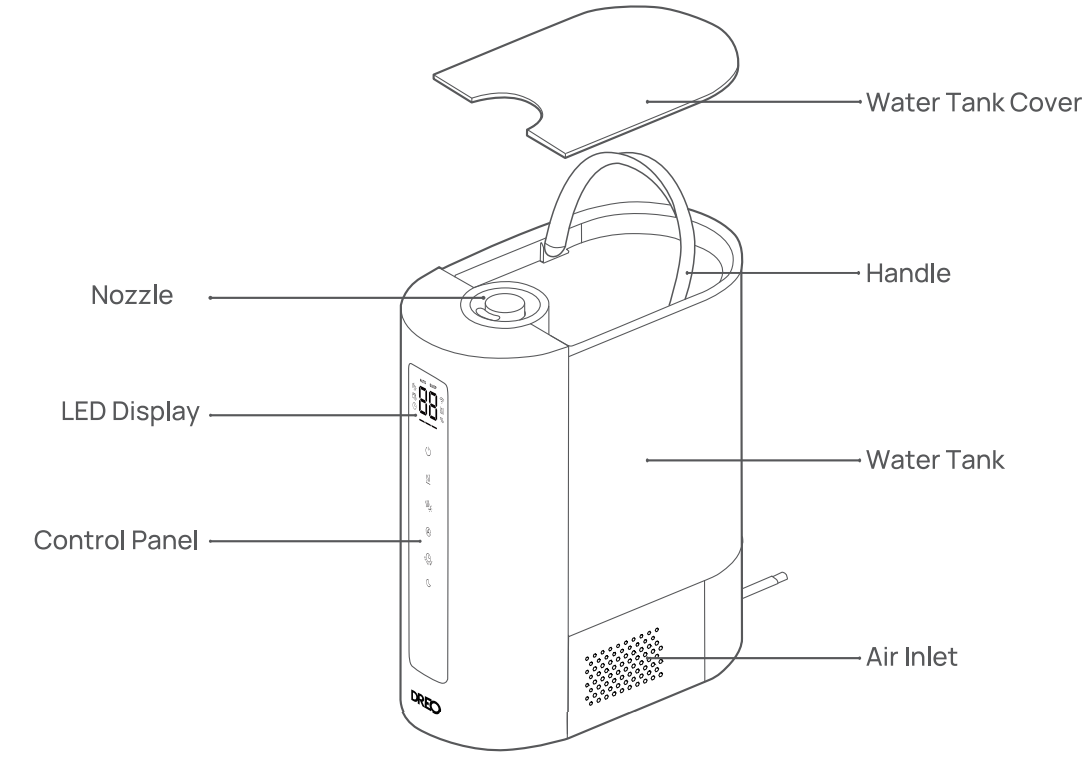
LED Display
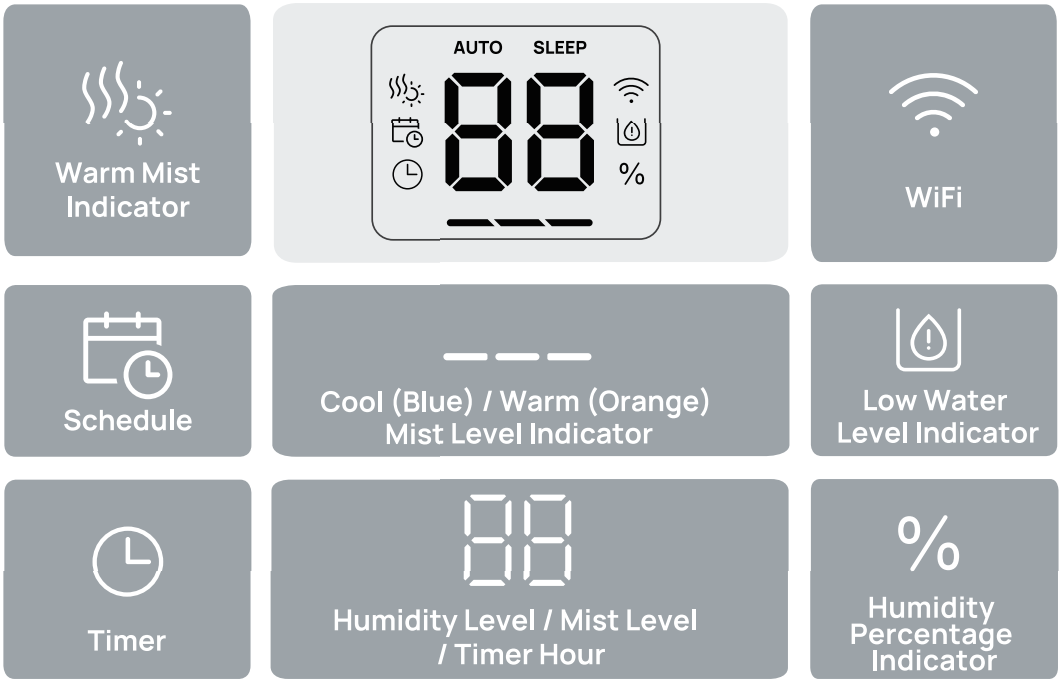
- Note:
- When humidity levels are below 10%, the display will show "LO".
- When humidity levels are above 90%, the display will show "HI'
- When the water is low, the Low Water Level Indicator will flash for 5 seconds, then the humidifier will switch to standby.
Control Panel
 Power Button: Turn the humidifier on/off. Long Press for 10 seconds to restore WiFi and factory settings.
 Manual Mode Button: Switch between Low/Medium/High mist level
 Auto Mode Button: Turn Auto Mode on. Touch the Auto Mode button to increase the target humidity by 5%. (Target humidity ranges from 30% to 80%.) In Auto Mode. mist level is adjusted according to your target humidity.
 Warm Mist Button: Turn warm mist off/on. Note: The warm mist is turned on by default .
 Sleep Mode Button: Turn Sleep Mode on. In Sleep Mode, the humidifier will switch to low mist. Warm mist and the Humidity Indicator Light will be turned off. Note: You can turn the beep sounds on/off through the Dreo app. You can turn warm mist back on by pressing the warm mist button.
 Timer /WiFi Settings: Select to set a timer (0-12h). Long press for 5 seconds to enter WiFi settings.
Humidity Indicator Light : Here is the formatted table based on the provided text:
Humidity Light Color | Humidity Level |
|---|---|
Yellow | ≤30% |
Green | 31% - 60% |
Blue | ≥61% |
The LED indicator will change according to your room humidity level.
Connecting To Your Humidifier
Before connecting the appliance to your mobile device, please scan the QR code on the left or go to the app store and search"Dreo", then select and download the app. This device includes the radio transmitting module whose CMIIT ID is FCC ID: 2A3SYHHM003
- Launch Oreo and sign in or create an account by following the in-app instructions.
- Enable Bluetooth on your mobile device and plug in your humidifier. Hold the Timer button
 for 5 seconds to start WiFi connection settings. (Tip: The WiFi icon
 will keep flashing when pairing.)
- Tap+ Add Device and select HM713S.
- Follow in-app instructions to complete the WiFi connection.
- You're now ready to control the appliance in your app. (Tip: To restart connection settings, hold the button again for 5 seconds.) Long press the power button
 for 10s to unpair Wi-Fi and restore factory settings).
Using Your Humidifier
When using your humidifier for the first time, remove the wraps and follow the steps below:
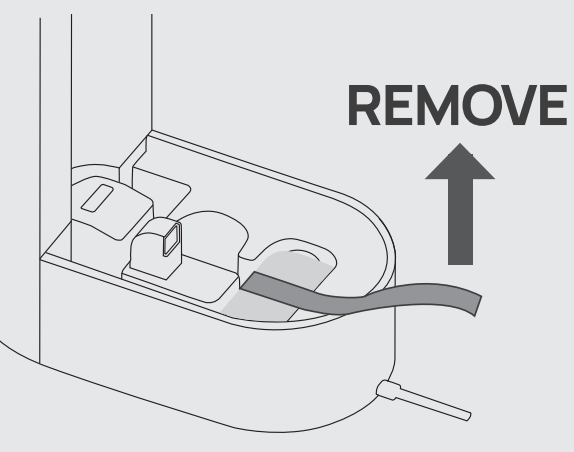
Make sure the water filter is installed correctly, and the yellow label has been removed.
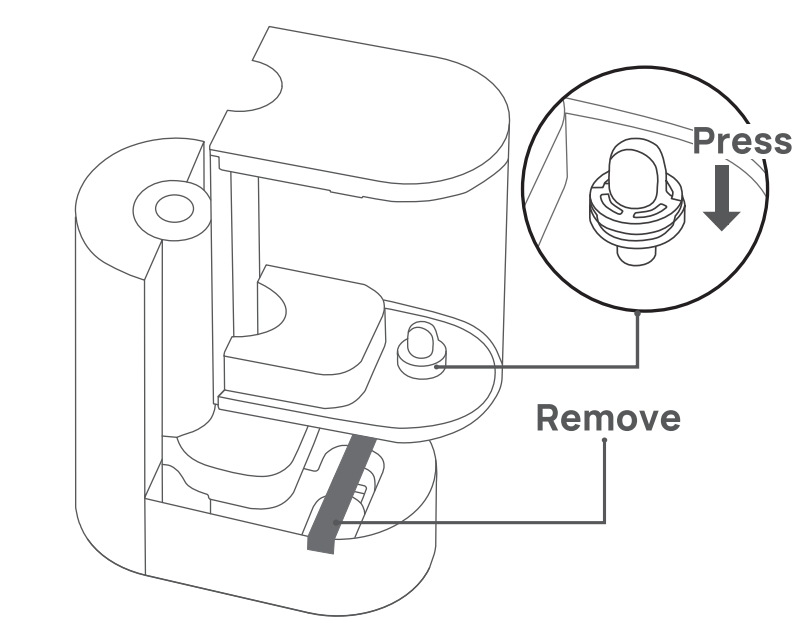
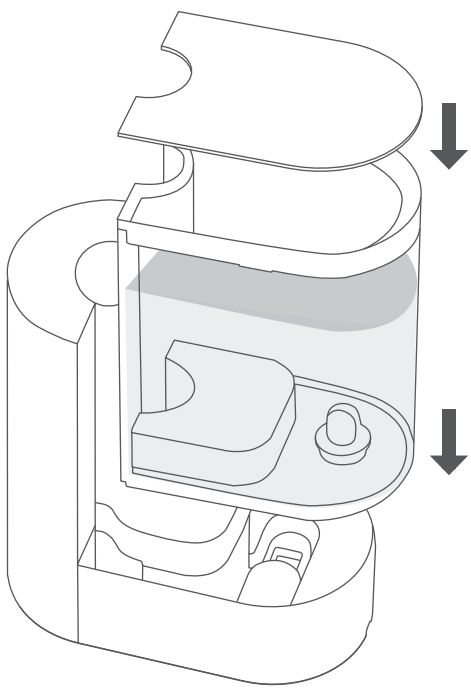
Detach the cover and water tank from the humidifier and clean them thoroughly.
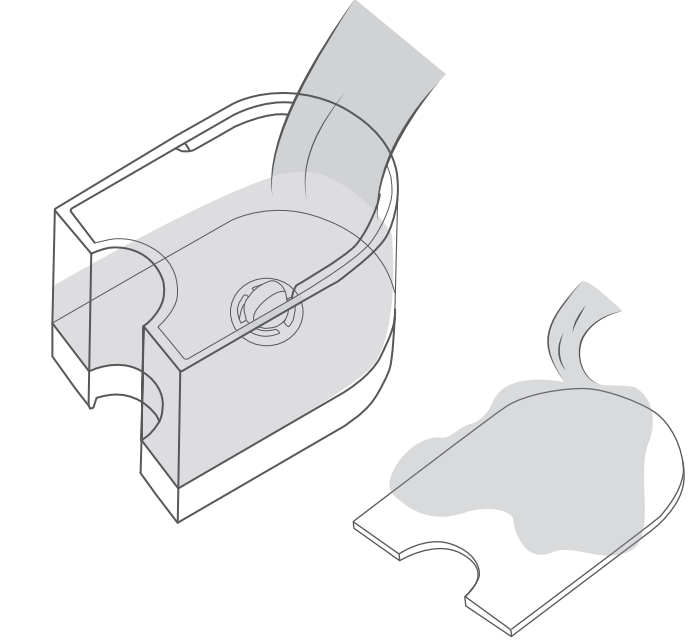
Fill the tank with water, making sure the water doesn't pass the MAX line.
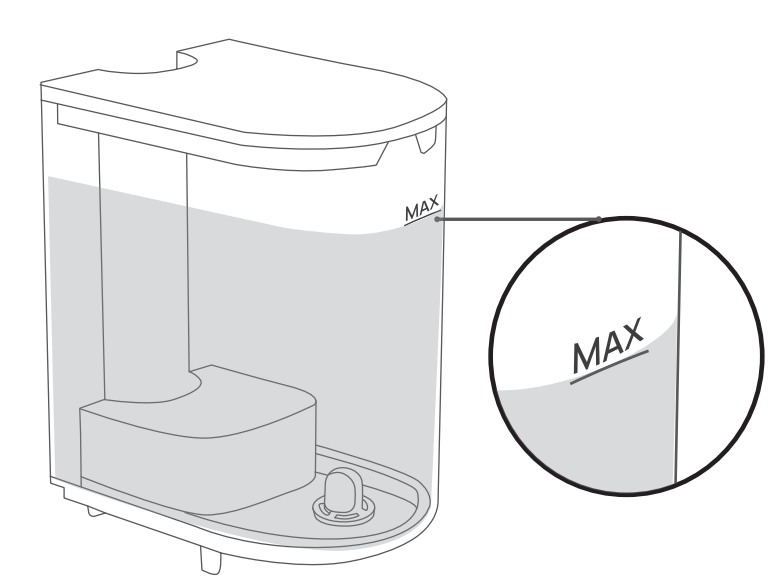
Put the water tank back in place and close the top cover.
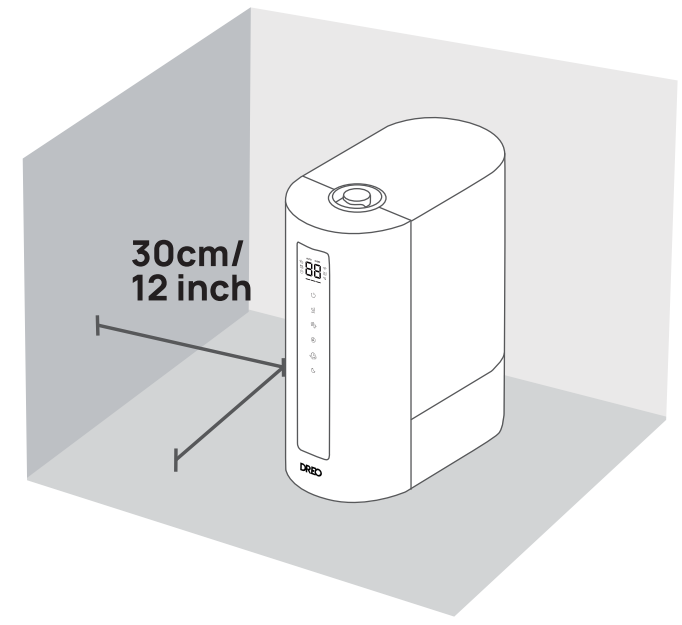
Place the humidifer on a flat, level surface, keeping at least 30 cm / 12 inches away from walls or any major obstacles.
General Operations
- Plug the humidifier into an electrical outlet.
- Touch to turn on/off the humidifier.
- Touch
 to switch between Low, Medium, and High mist settings.
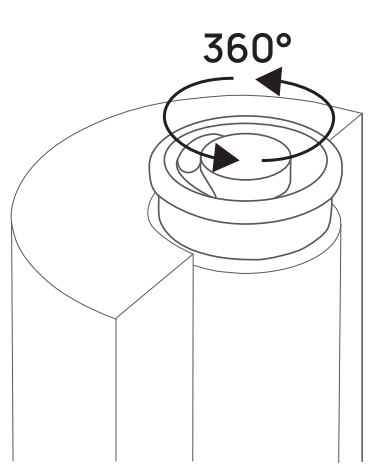
Adjust the direction of the mist with the 360° rotating nozzle.
Cool/Warm Mist Level Indicator
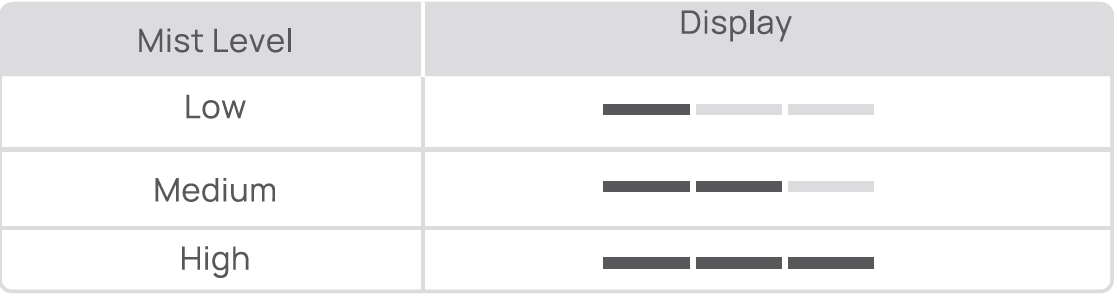
- The indicator is blue in cold mist mode and turns orange in warm mist mode.
Warm Mist: Touch to turn on/off warm mist
Auto Mode: In Auto Mode, mist level is adjusted according to your target humidity.
- Touch the
 button to turn on Auto Mode.
- Touch the button to increase the target humidity by 5%. (Target humidity ranges from 30% to 80%.)
Timer
- Touch the
 button to select a timer (0-12h).
- When the timer is turned off, the LED screen will display 'OH".
Sleep Mode
- Touch the
 button to enter Sleep Mode. In Sleep Mode, the humidifier will switch to low mist. Warm mist and light will be turned off.
- Sleep Mode automatically turns off warm mist to reduce noise levels. Touch the button to turn on warm mist in Sleep Mode.
- Touch the button or the button to exit Sleep Mode.
Adding Essential Oil
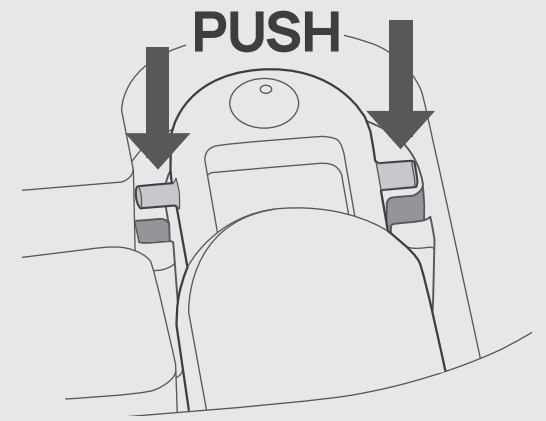
Push to open the aroma pad tray.
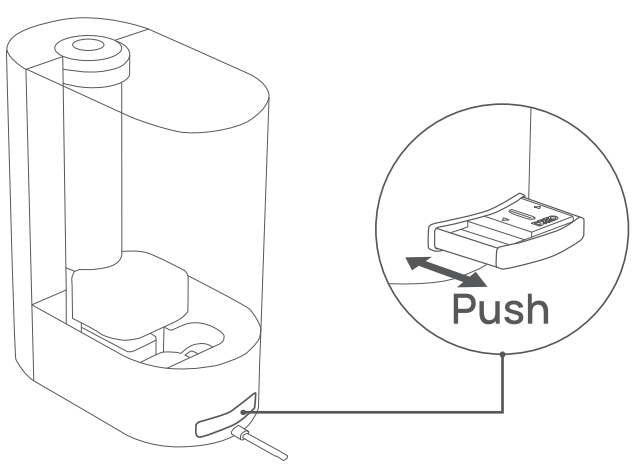
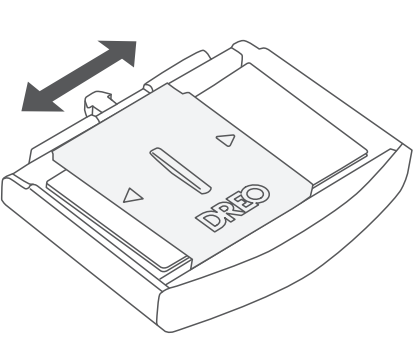
Open the lid on the side you want to add the essential oil.
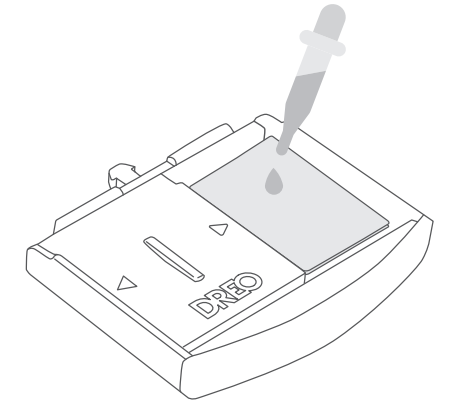
Add 5-10 drops of essential oil to the aroma pad.
Put the aroma pad tray back in place.
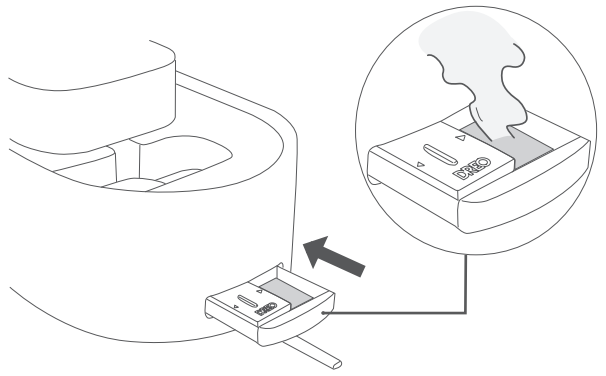
Absorption Pads: The mineral absorption pads help reduce mineral buildup (scale) inside the humidifier, especially on the heating element.
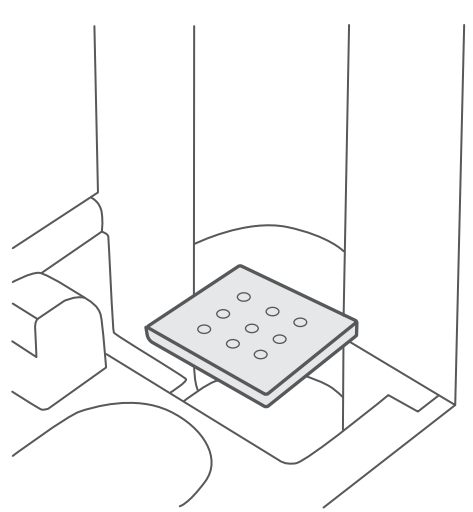
Note: The absorption pads can be reused after cleaning, but it is recommended to replace it regularly.
Cleaning and Maintenance
- Always turn off and UNPLUG the humidifier before any cleaning or maintenance.
- Do not clean the main body under running water.
- Do not let water splash into the air outlets.
- Do not use any chemical agents when cleaning the humidifier.
- Store in a cool, dry place and cover it to protect from dust.
- Do not overfill the humidifier due to the potential risk of electric shock.
Filling & Refilling
Detach the water tank from the base.
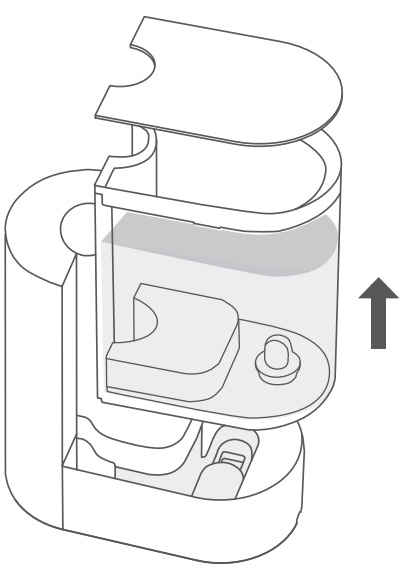
Remove the mist tube and rinse it with warm water.
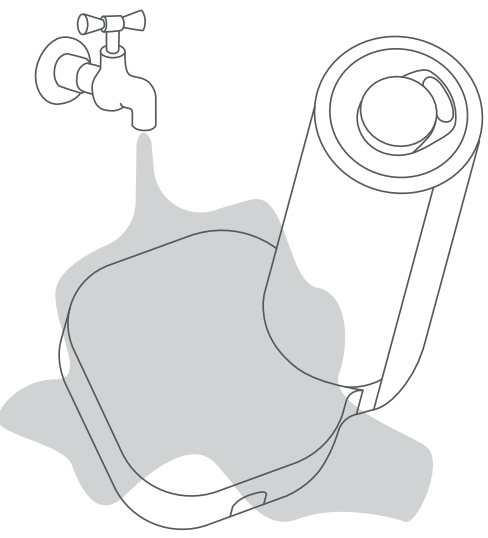
Take out the water tank cover, drain any remaining water from the tank and the base. Note: If you've used the warm mist setting, use caution in case the water is still hot.
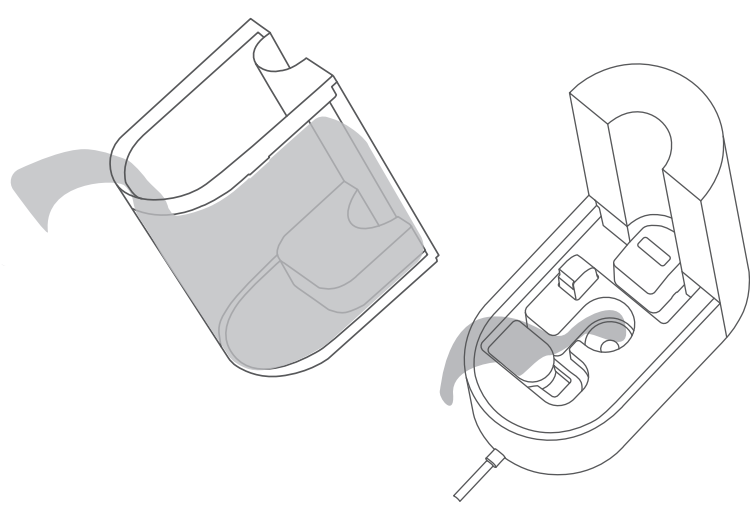
Rinse the tank with lukewarm water.
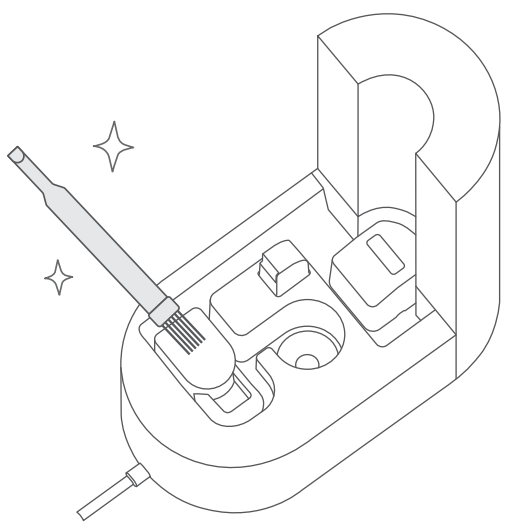
Gently clean the base with a soft cloth or the included cleaning brush.
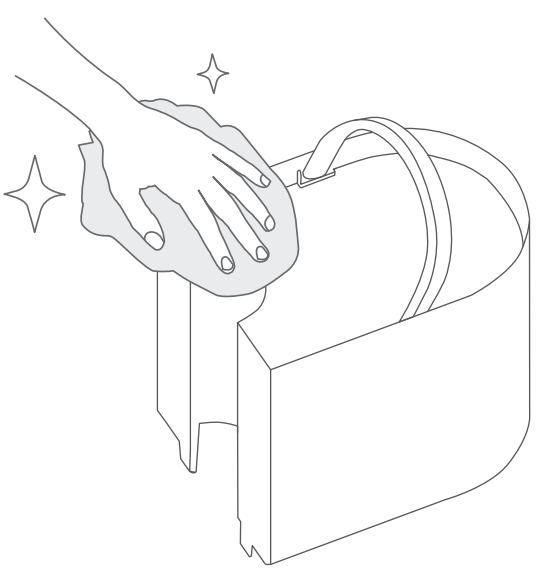
Wipe the tank clean with a soft, damp cloth.
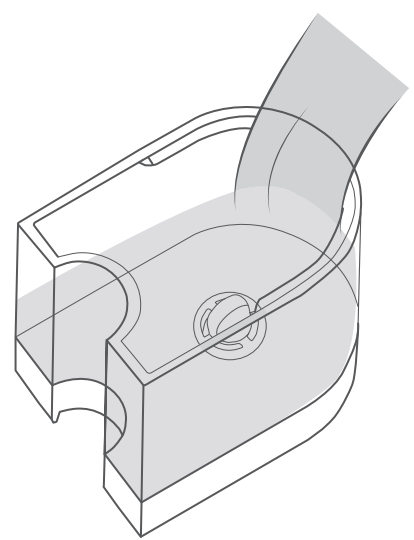
Fill the tank with room-temperature water. Do not fill with hot water.
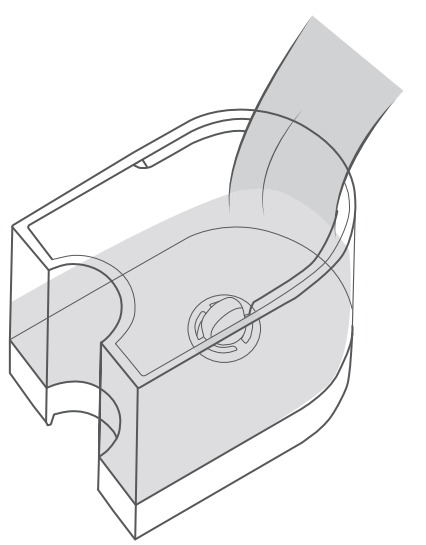
Attach the mist tube to the back of the base.
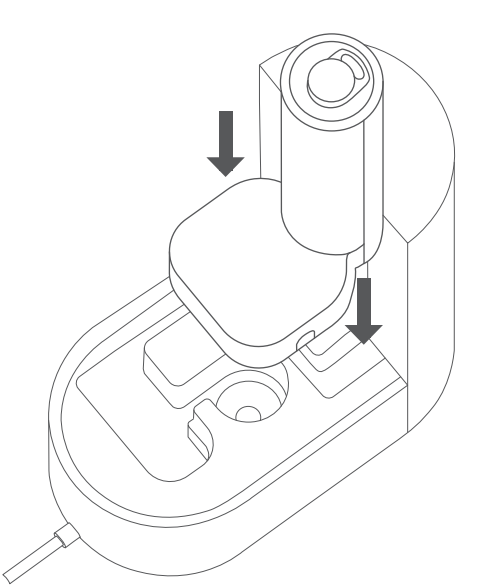
Attach the water tank to the base, replace the top cover.
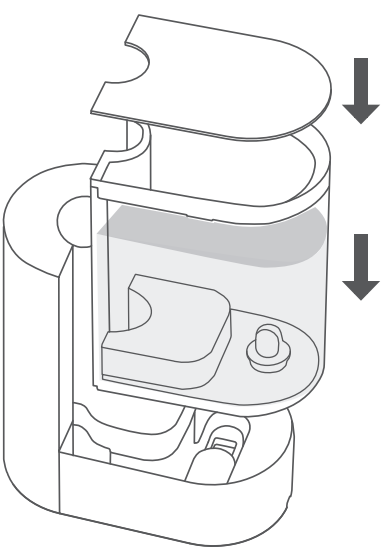
Descaling
Drain any remaining water from the tank and the base.
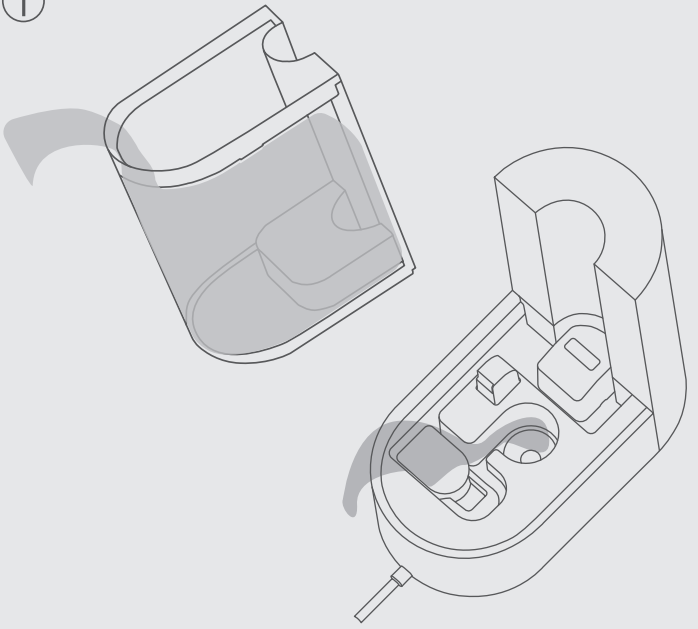
Fill the tank with a solution of bleach and water (one teaspoon of bleach for each gallon of water.) Replace the tank cover and shake around the tank.
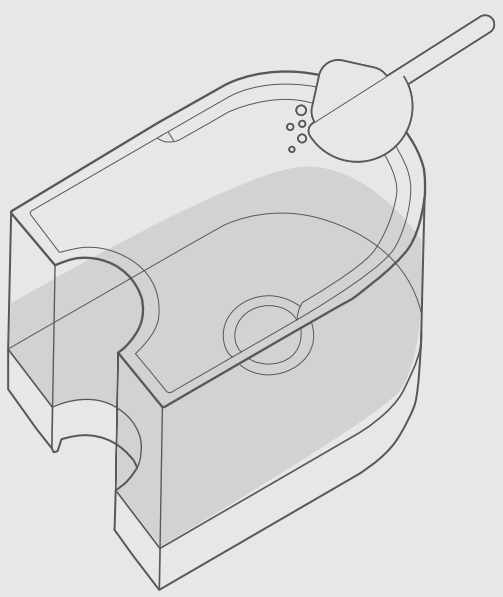
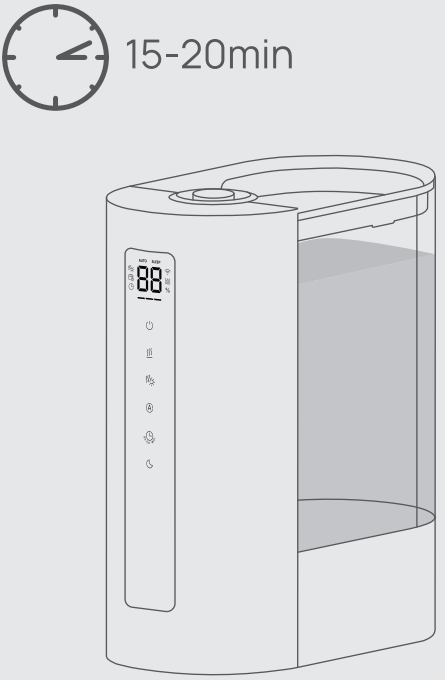
Attach the water tank to the base. Let it sit for 15-20 minutes.
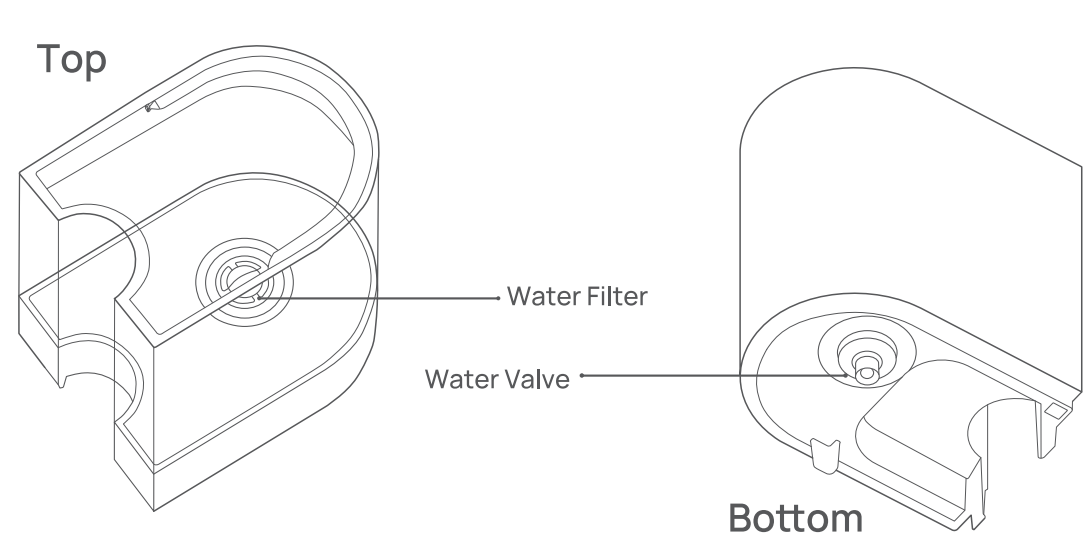
Remove the water filter. Do not remove the water valve below the filter.
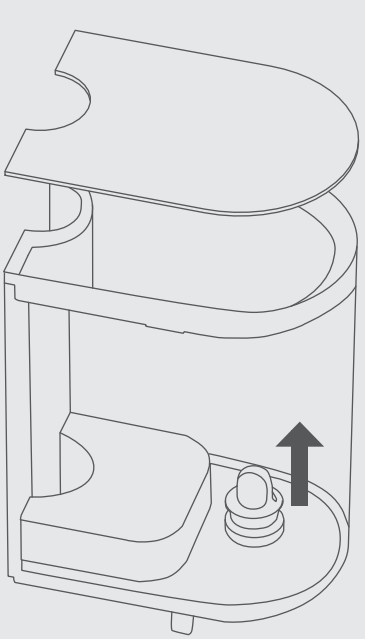
Remove the mist nozzle, mist tube, hot/cold mist mixer, noise silencer, and float.
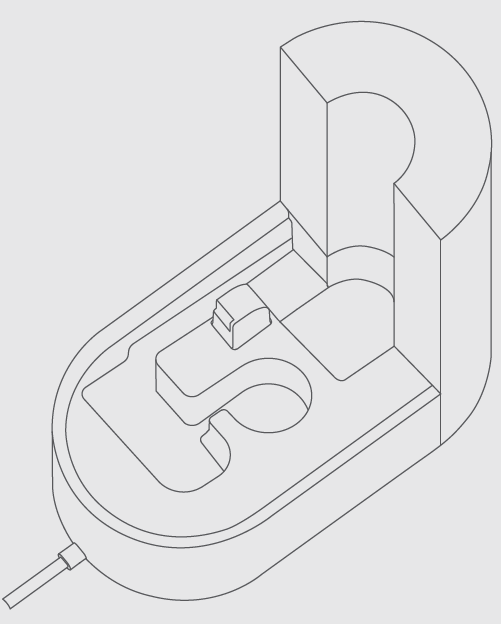
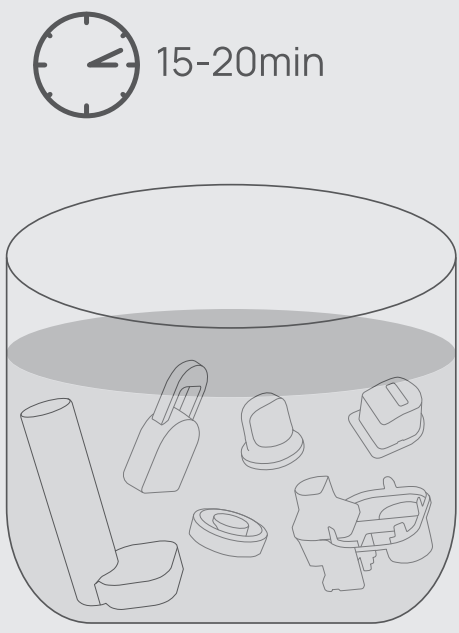
Place the parts above in a small container, fill it with a solution of 50% vinegar and 50% water. Soak for 15-20 minutes.
Remove the tank and detach the cover, drain any remaining solution from the tank and the base. Rinse the tank with water until the bleach smell is gone.
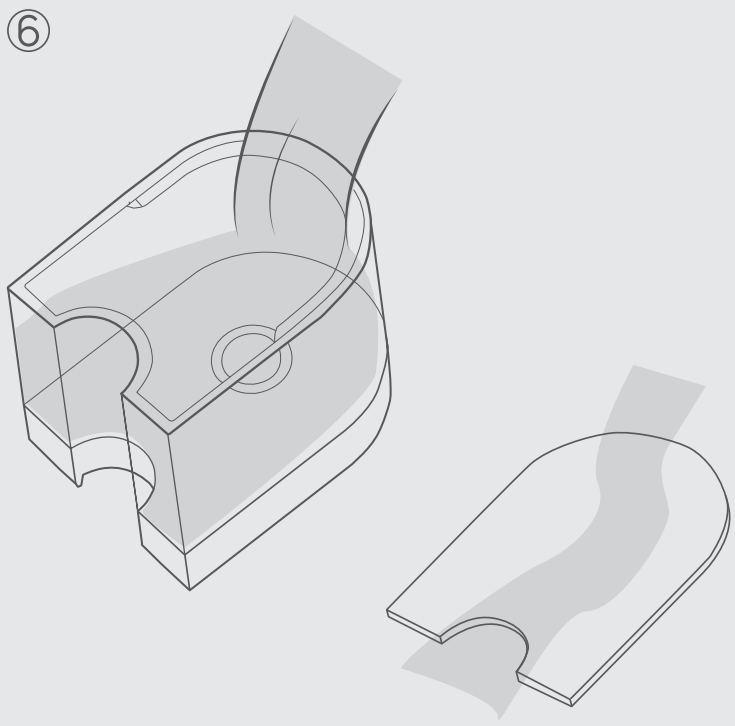
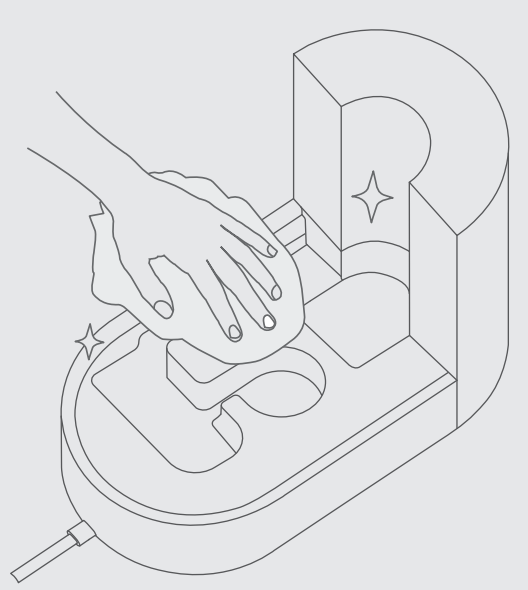
Clean the base with a soft cloth or the included cleaning brush to remove excess of mineral deposits. Make sure all parts are dry before reassembling your humidifier.
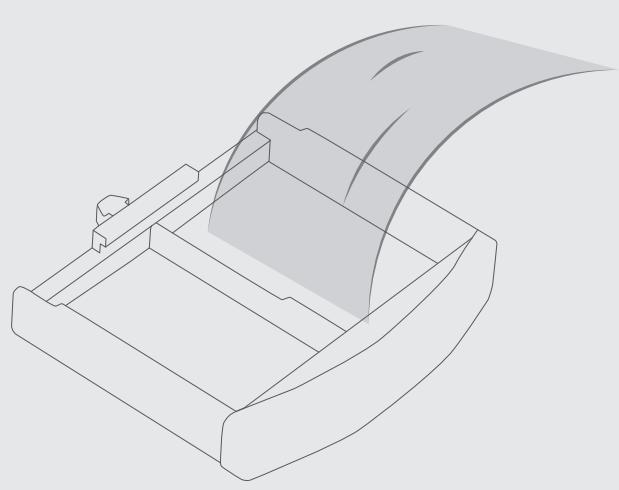
Cleaning the aroma pad tray
Push to open the aroma pad tray at the back of the base to pull it out.
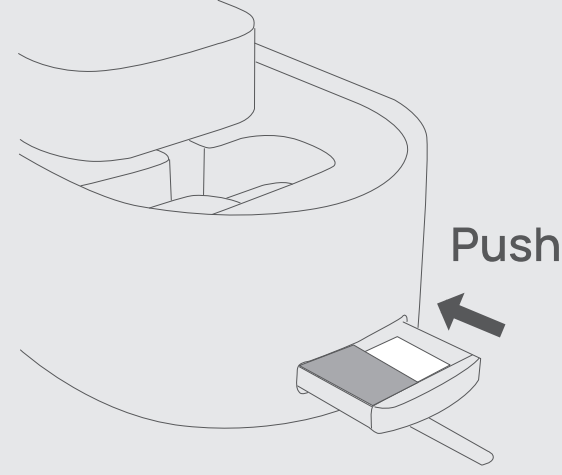
Rinse with water and place it back into the base.
Reassembling
Place the water filter back into the tank. Make sure the water filter clicks in place.
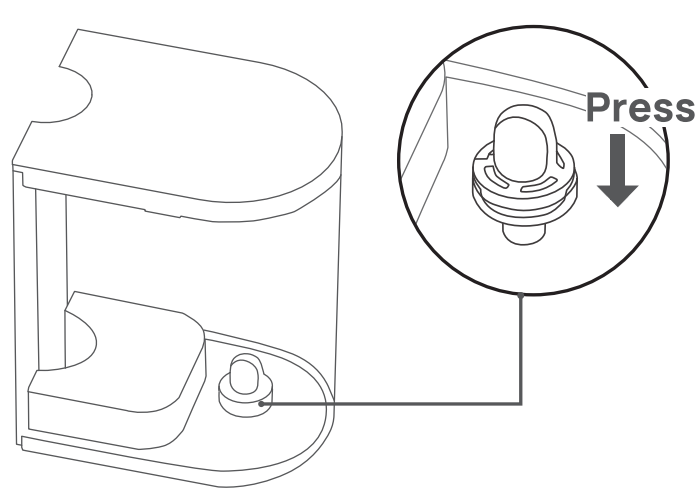
Place the float back into the base chamber.
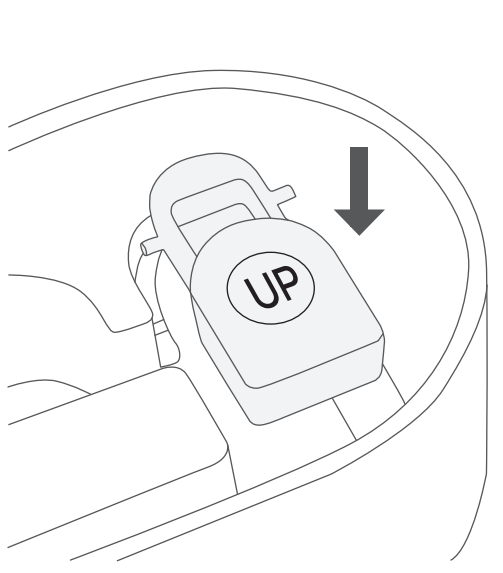
- Make sure the correct side of the float is facing up.
- Insert the longer prong into the float brackets, and then place the shorter prong into the brackets.
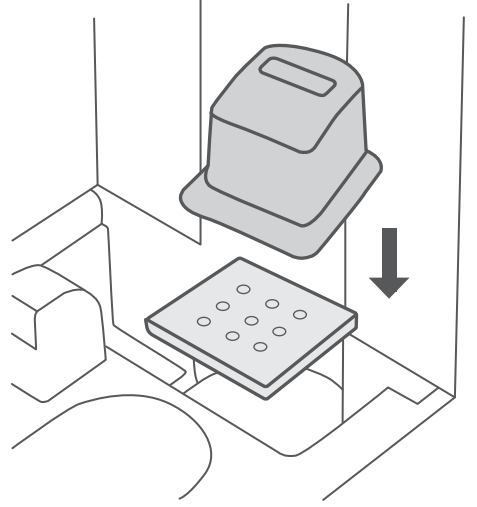
Place the absorption pad and the noise silencer back to the PTC heater.
Place the mist tube on top of the hot/cold mist mixer. Make sure the two parts click in place.
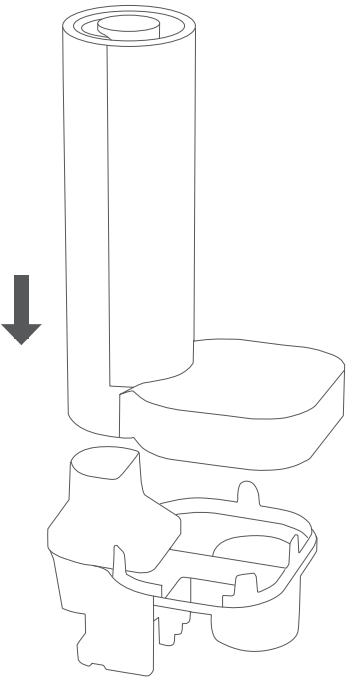
Place the mist tube and the hot/cold mist mixer over the base.
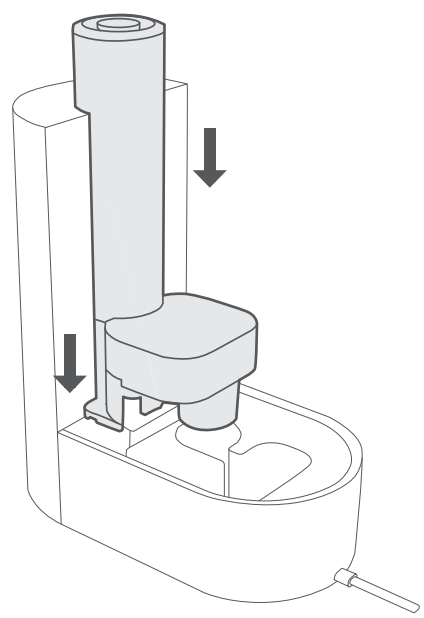
- Place the aroma pad back into the aroma box
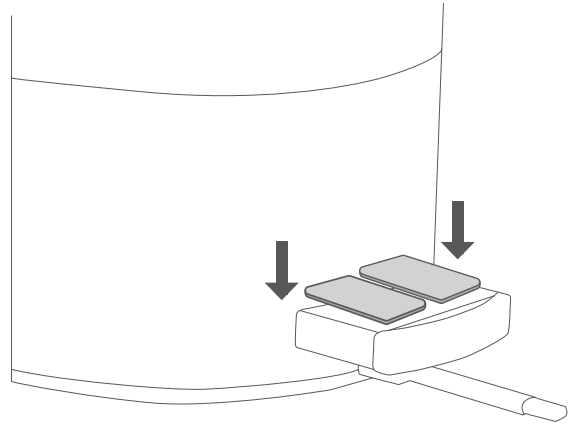
Is Your New Humidifier Leaking?
Make sure to remove the protective foam.
Make sure both prongs are fixed to the brackets in the base.
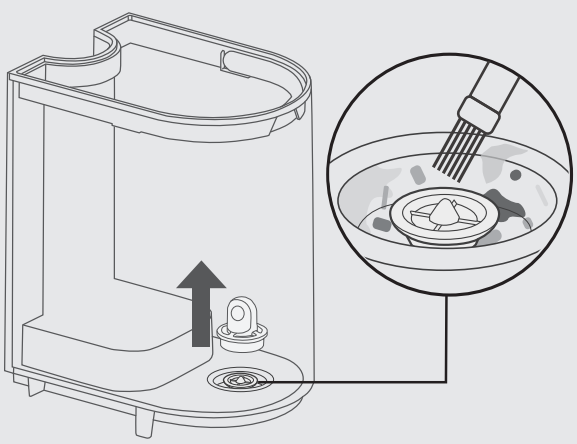
Remove any particles or hair blocking the water valve.
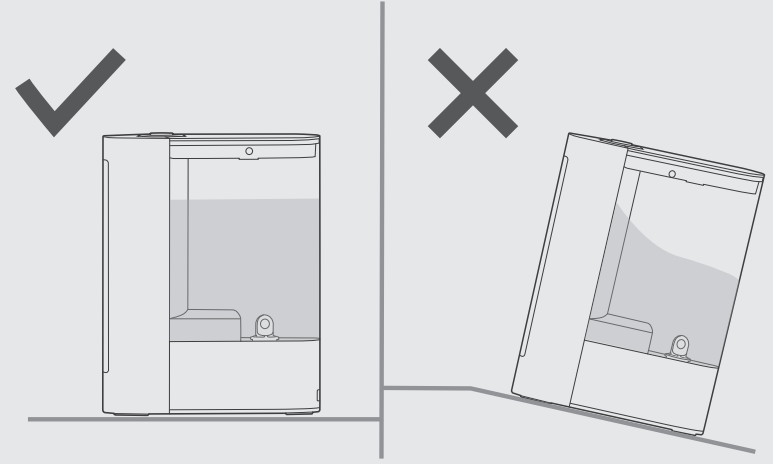
Make sure the humidifier is placed on a flat surface.
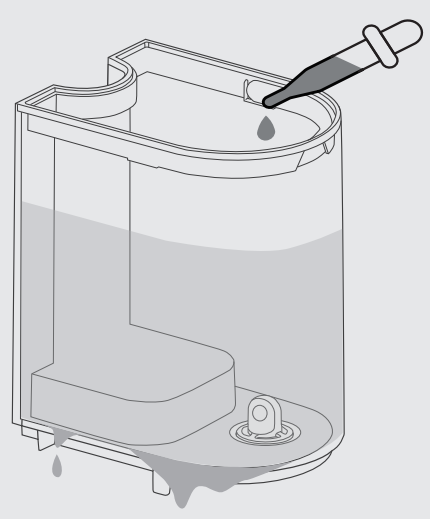
The water valve is not flat or the tank leaks water when refilling.
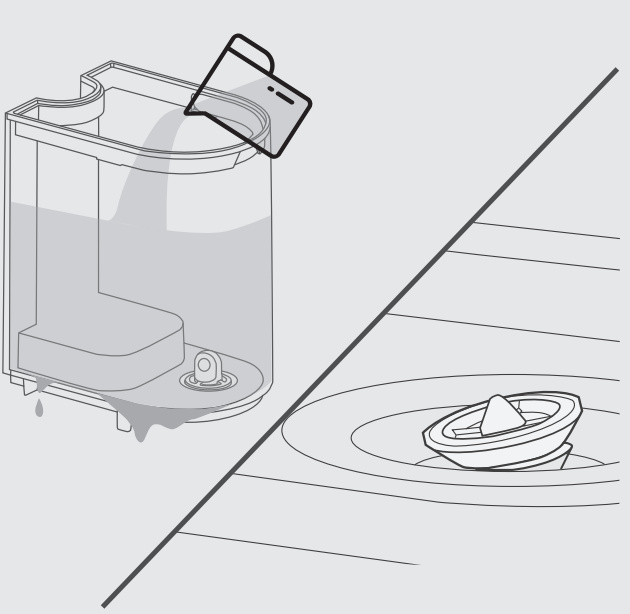
Your water tank has leakage due to prolonged use of essential oils.
Troubleshooting
- My humidifier does not work:
- Make sure that the cord is connected to a powered outlet and the mains voltage corresponds with the voltage indicated on the humidifier.
- The humidifier will shut down automatically in the event of low water.
- Check that the water tank is installed properly.
- My humidifier is not misting:
- Please check whether the air inlet is blocked.
- The water in the water reservoir is nearly used up.
- Your room might have too much ventilation. Please close doors and windows.
- The mist produces an unpleasant smell.
- Use purified or distilled water only. It is not recommended to use tap water.
- Change water regularly to avoid dirty water accumulation.
- Clean the humidifier and keep it dry for 12 hours with the cover detached.
- Clean the aroma pad tray and change the aroma pad.
- Water leaks from my humidifier:
- Make sure the silicone sealing ring around the water outlet valve is secure.
- Avoid running the humidifier in a room with over 60% relative humidity.
- Wipe any excess water.
- Do not shake the humidifier.
- Make sure to place the humidifier on a flat, level surface.
- Check the water tank for leaks. If there are leaks, contact Customer Support (see page 23).
- Humidifier uses water too quickly:
- The humidifier uses up water based on the environmental temperature and humidity. If your environment is cold and/or dry, the humidifier will run out of water faster.
- Using the warm mist function will use up water faster.
- Switch to Auto Mode to adjust mist level based on your room's humidity.
- White dust appears around the humidifier:
- It is recommended to purchase the DREO replacement filter that filters out white dust.
- Using purified or distilled water to fill the humidifier. Avoid using water with high mineral content, such as tap water.
- Clean the humidifier regularly (see Cleaning & Maintenance, page 14).
- Mist is not warm enough after pressing:
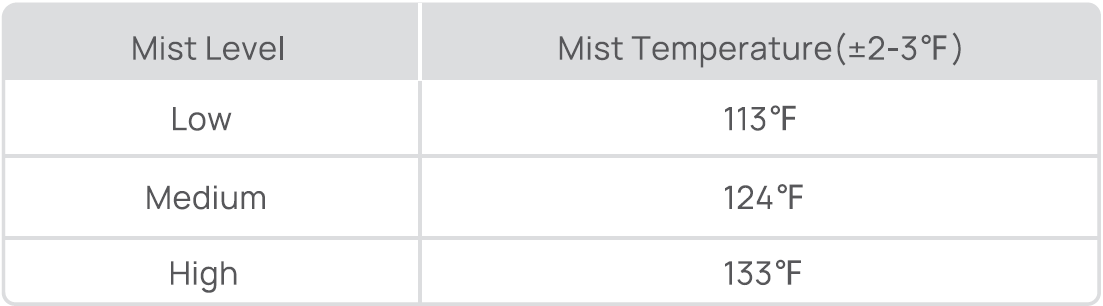
- Press to adjust the mist temperature from 113°F to 133°F.
- Allow the humidifier to heat up for about 5-10 minutes to produce warm mist.
- Clean and descale the heating element (see Cleaning & Maintenance, page 14).
- Press
- Humidity in the room remains unchanged:
- Use a higher mist level setting.
- Depending on your environment, the humidifier may take longer to humidify your air.
- The room may be larger than the humidifier's effective range. If the room is larger than 215- 430 ft2 / 20-40 m2, the humidifier will not be as effective.
Customer Reviews & User Feedback
The Dreo Cool & Warm Mist Humidifier DR-HHM003S maintains an average rating of 4.3-4.5 stars across major retail platforms, reflecting strong customer satisfaction. Users consistently praise the device's dual-mode functionality, noting that the ability to switch between cool and warm mist eliminates seasonal device replacement cycles. Parents particularly appreciate the whisper-quiet operation, reporting that the humidifier doesn't disrupt children's sleep while effectively alleviating congestion and dry skin symptoms.
Common Praise: "Finally found a humidifier that doesn't sound like an airplane engine," and "The warm mist setting helped my baby's cough improve within days" represent typical positive testimonials. Users frequently mention noticing improved skin hydration, reduced static electricity, and enhanced respiratory comfort within the first week of use.
Frequent Concerns: Some customers report that mineral deposits accumulate quickly in hard water areas, requiring weekly cleaning instead of the recommended monthly maintenance. A small percentage of users experienced humidity sensor inconsistencies after 6-8 months of use. A few customers noted that the warm mist output feels less intense than competitive models, though most found it adequate for their needs.
Recommendation: The Dreo Cool & Warm Mist Humidifier DR-HHM003S represents excellent value for families seeking reliable, quiet humidity control without premium pricing. Best suited for rooms under 400 square feet, this model excels in bedrooms, nurseries, and home offices where quiet operation and dual seasonal functionality matter most.
How to Use Your Dreo Cool & Warm Mist Humidifier DR-HHM003S
Initial Setup: Unpack the Dreo Cool & Warm Mist Humidifier DR-HHM003S and thoroughly clean the water tank with distilled water before first use. Fill the tank with distilled or demineralized water to prevent mineral buildup. Place the unit on a stable, level surface away from electronics and direct sunlight.
Operation: Press the power button to activate the device. Use the mode selector to choose between cool mist, warm mist, or continuous operation. The built-in humidity sensor automatically maintains your preferred moisture level. For optimal results, maintain humidity between 40-60% relative humidity.
Maintenance: Empty remaining water after each use and allow components to air dry. Clean the tank weekly with a soft brush and distilled water. Replace filters every 30-45 days depending on usage frequency and water hardness. Descale the device monthly using equal parts white vinegar and distilled water to prevent mineral accumulation.
Conclusion
The Dreo Cool & Warm Mist Humidifier DR-HHM003S delivers exceptional value by combining dual-season functionality, whisper-quiet performance, and intelligent humidity control in an affordable package. Whether addressing winter dryness, supporting respiratory health, or maintaining optimal indoor air quality year-round, this versatile humidifier meets diverse household needs. For budget-conscious consumers prioritizing quiet operation and seasonal flexibility, the Dreo Cool & Warm Mist Humidifier DR-HHM003S represents a smart investment in home comfort and wellness.
```
Faqs
How do I set up the dreo Cool & Warm Mist Humidifier DR-HHM003S for the first time?
Why is the dreo Cool & Warm Mist Humidifier DR-HHM003S not producing mist?
How do I switch between cool mist and warm mist on dreo Cool & Warm Mist Humidifier DR-HHM003S?
What type of water should I use in dreo Cool & Warm Mist Humidifier DR-HHM003S and why?
How can I optimize performance of dreo Cool & Warm Mist Humidifier DR-HHM003S for large rooms?
How often should I clean the dreo Cool & Warm Mist Humidifier DR-HHM003S and what's the best method?
Is the dreo Cool & Warm Mist Humidifier DR-HHM003S compatible with smart home systems like Alexa?
What should I do if the water tank leaks on dreo Cool & Warm Mist Humidifier DR-HHM003S?
Tags
More dreo manuals
- Setup: Dreo Portable Air Conditioner AC516S User Manual
- Setup: Dreo Smart Air Purifier Macro AP606S User Manual
- Setup: Dreo Smart True Hepa Air Purifier Macro Max S User Manual
- Setup: Dreo Air Purifier Macro AP414 User Manual
- Setup: Dreo ChefMaker Combi Fryer DR-KCM001S User Manual
- Setup: Dreo PTC Fan Heater DR-HSH007 User Manual
Leave a Comment