
Setup: Dreo Smart True Hepa Air Purifier Macro Max S User Manual
Content
Dreo Smart True HEPA Air Purifier Macro Max S: Complete Product Manual and Review
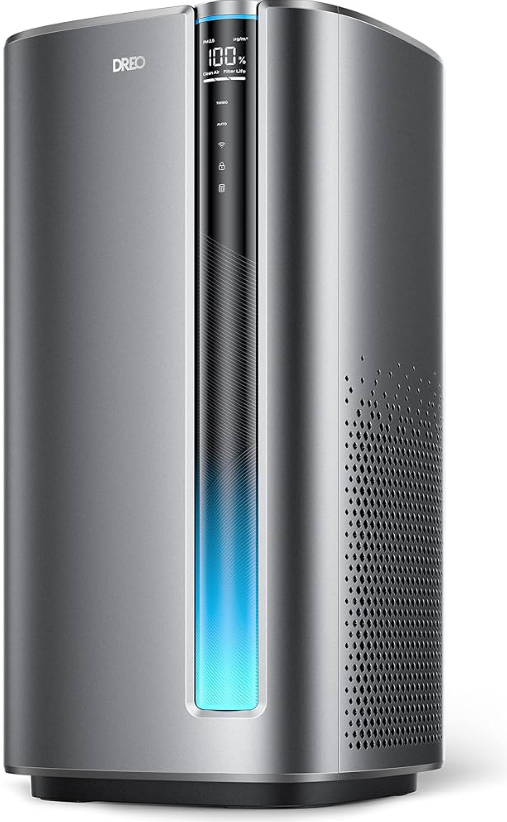
Introduction to Dreo Smart True HEPA Air Purifier Macro Max S
The Dreo Smart True HEPA Air Purifier Macro Max S is a powerful, smart air purifier designed for larger rooms, delivering clean air with advanced 3-stage filtration and real-time monitoring. This sleek device traps 99.97% of airborne particles down to 0.3 microns, including allergens, pet dander, pollen, dust, and VOCs, making it ideal for allergy sufferers, pet owners, and families in urban environments with poor air quality. Its standout features include a dedicated PM2.5 air quality sensor, color-coded indicator lights, and smart app integration for remote control via WiFi, compatible with Amazon Alexa and Google Home.
Key benefits of the Dreo Smart True HEPA Air Purifier Macro Max S include ultra-quiet operation at just 24dB in sleep mode, automatic mode that adjusts fan speed based on air quality, and energy-efficient performance with up to 56W max power draw. Optimized for spaces up to 423 square feet with 4.8 air exchanges per hour, it's perfect for bedrooms, living rooms, or offices. Target users include those seeking the best smart air purifiers for large rooms, with use cases like wildfire smoke reduction, pet hair control, and everyday pollutant removal. Priced in the $150-$250 range, it's widely available on platforms like Chewy, Home Depot, and Dreo's site, offering excellent value compared to premium brands. Experience effortless, healthier breathing with this feature-packed Dreo Macro Max S air purifier.
Dreo Smart True HEPA Air Purifier Macro Max S Specifications and Key Features
The Dreo Smart True HEPA Air Purifier Macro Max S boasts robust specs for superior performance in HEPA air purifiers for large rooms. Here's a detailed breakdown:
- Filtration System: 3-stage active purification with pre-filter (captures large particles like hair and dust), H13 True HEPA electrostatic filter (99.97% efficiency at 0.3 microns), and activated carbon filter for VOCs and odors.
- Coverage: Up to 423 sq. ft. with 4.8 air changes per hour; high CADR for rapid cleaning.
- Sensors & Display: Real-time PM2.5 detection, large color-coded air quality indicator (green=good, red=poor), digital display showing filter life and purification percentage.
- Smart Features: WiFi app control, Alexa/Google Home voice commands, auto mode, child lock, 12-hour timer, sleep mode with auto-dimming.
- Performance: Noise levels: 24dB (sleep), 44.3dB (medium), up to 64.7dB (turbo); Power: 3.3W (sleep) to 36.1W (turbo), 56W motor; AHAM, ENERGY STAR, ETL certified.
- Dimensions & Setup: Compact design with easy filter replacement; 10-second sensor warm-up.
Compared to rivals like Levoit or Honeywell, the Dreo excels in quiet operation and app features at a lower price point.
Using Your Air Purifier
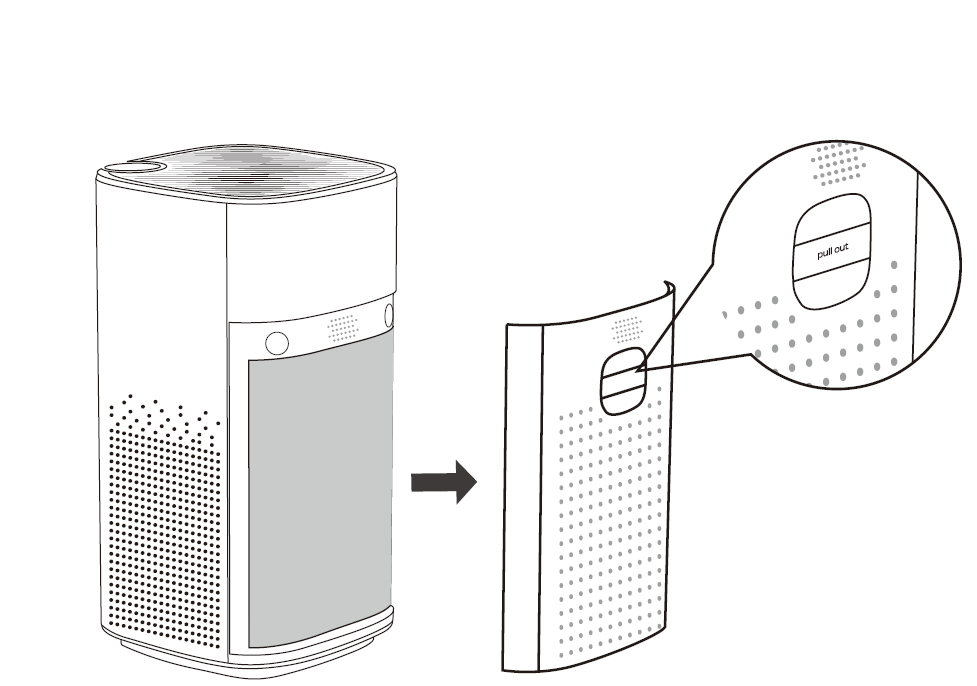
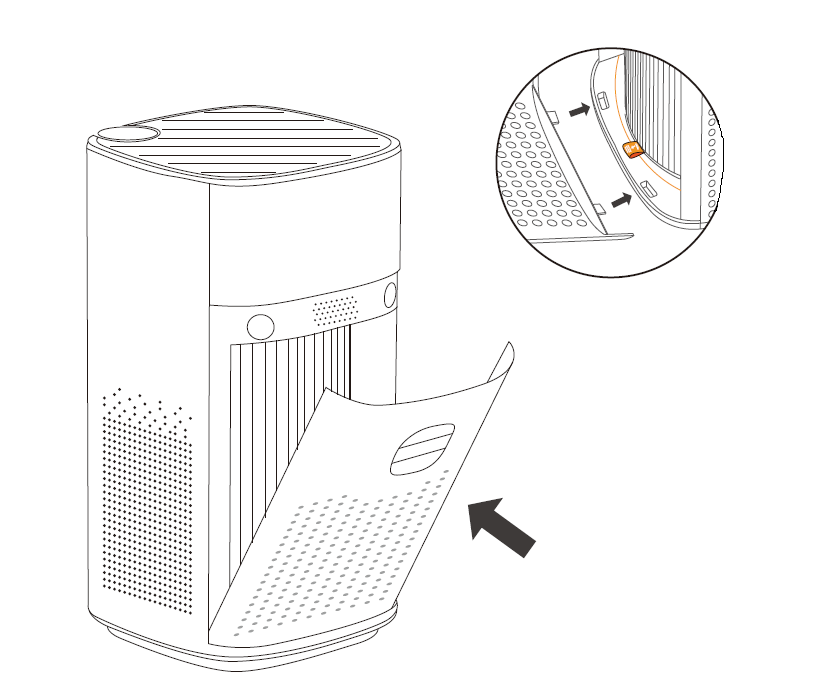
- Remove the back cover: Locate the back handle and gently pull it to remove the back cover of your air purifier.
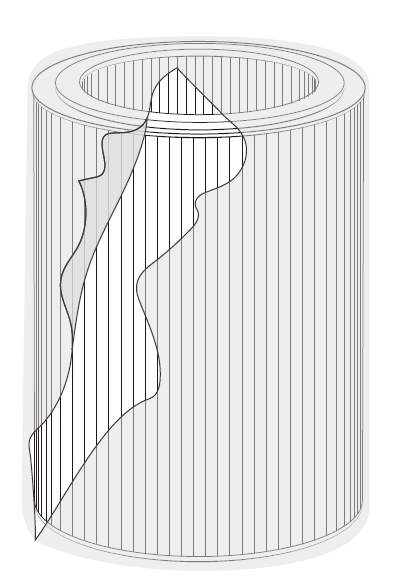
- Unpack the filter: Remove the filter from its plastic packaging.
- Install the filter: Place the filter back into position, making sure both straps are pointing outwards.
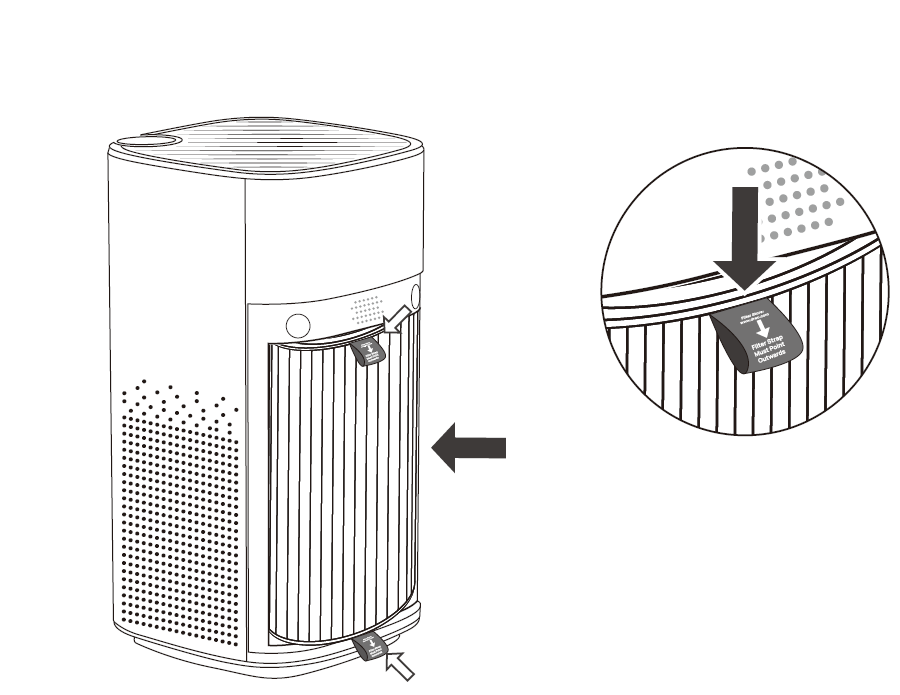
- Secure the filter: Ensure the base of the filter is within the marked guidelines, then close the air purifier's back cover.
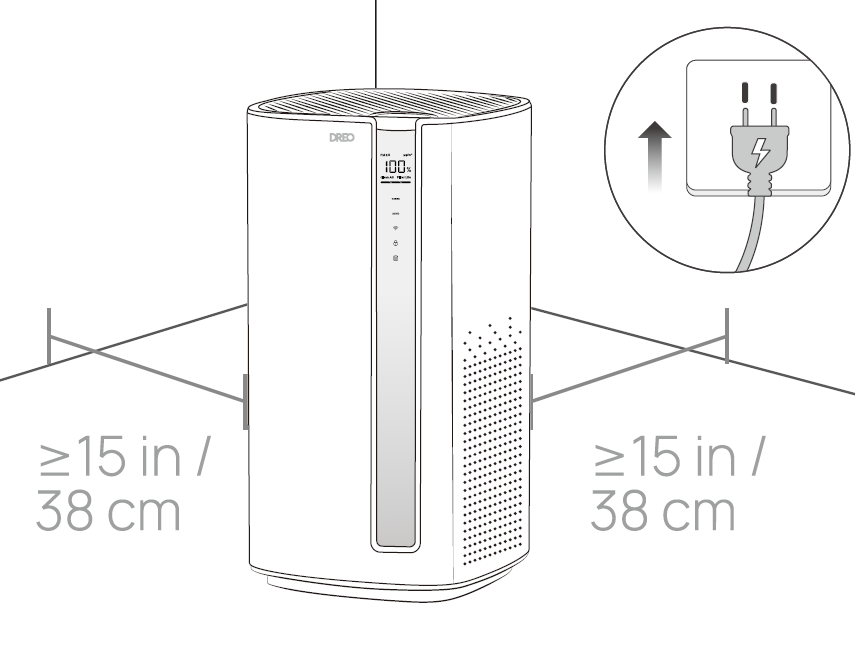
- Position the air purifier: Place the air purifier on a flat, stable, and clear surface, then plug it into an electrical outlet.
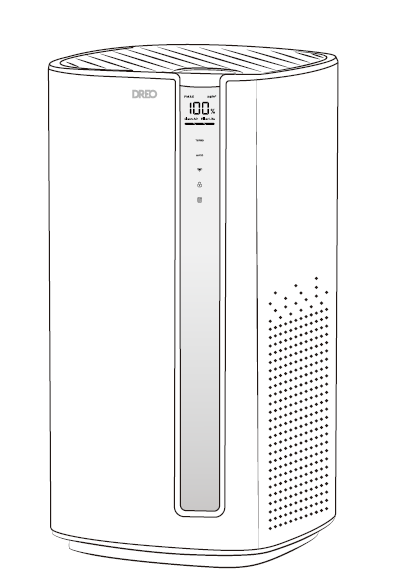
- Initial warm-up: After plugging in your air purifier, the air quality indicator will cycle for 10 seconds. If turned on during this phase, the lights will cycle and the screen will show a warm-up countdown. You can still operate the purifier during this phase.
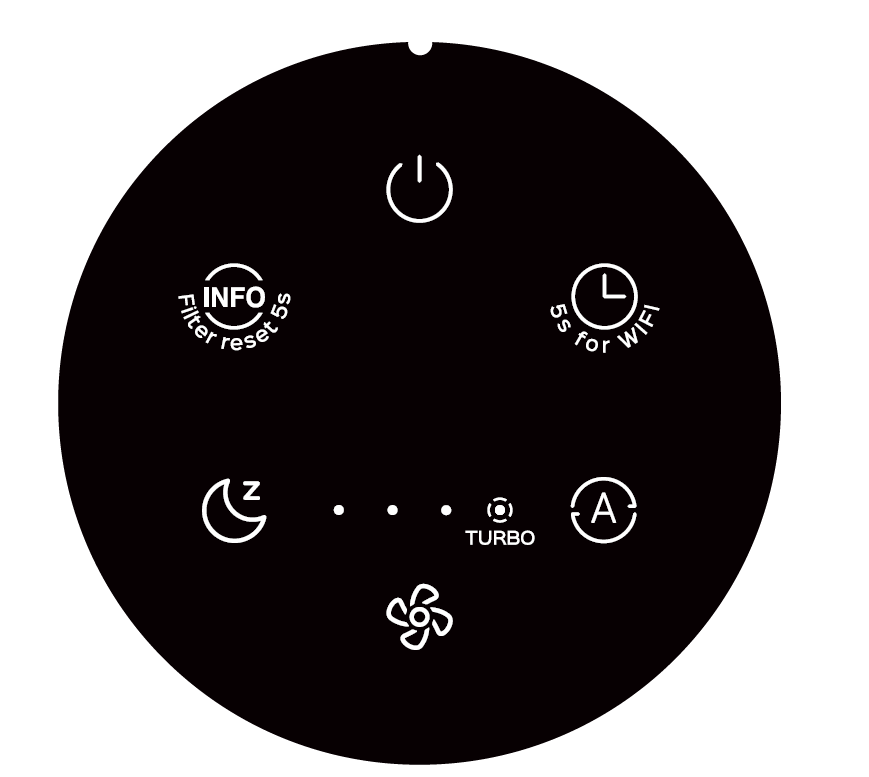
Control Panel
- Power button: Press to turn the air purifier on or off. Long press for 10 seconds to reset the factory settings.
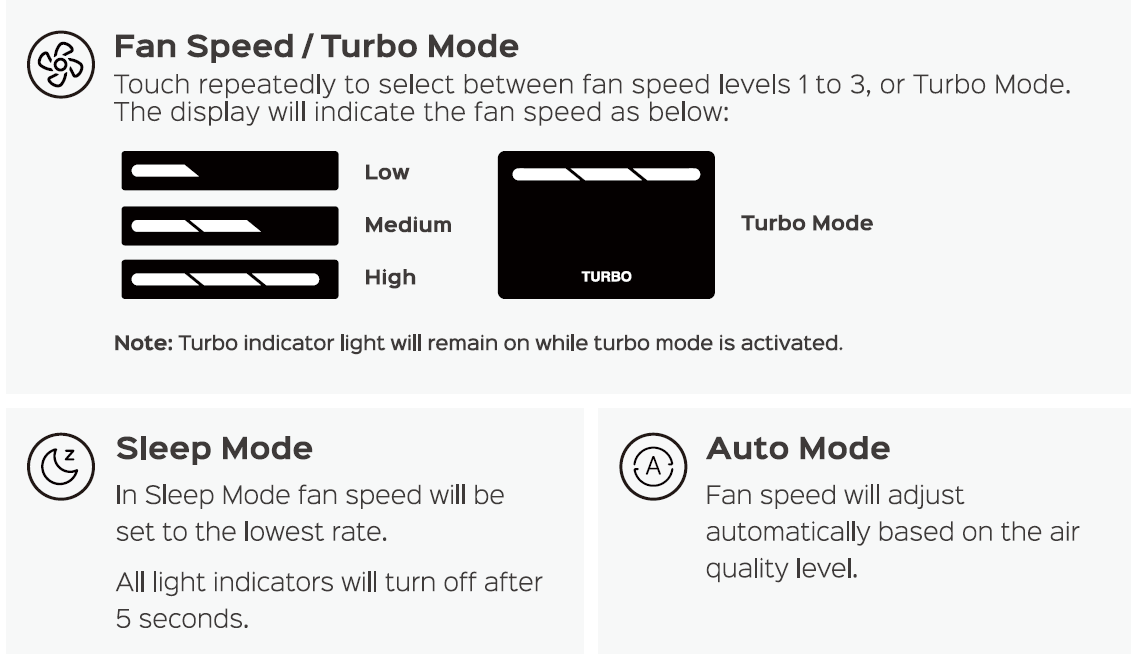
- Sleep mode button: Press to activate sleep mode. Pressing the auto mode or fan speed mode buttons will deactivate sleep mode.
- Timer button / Wi-Fi connection button (5s): Set a time for the air purifier to turn on or off, from 1h to 12h. The selected time is shown on the LED display. Long press for 5 seconds to start the Wi-Fi connection settings.
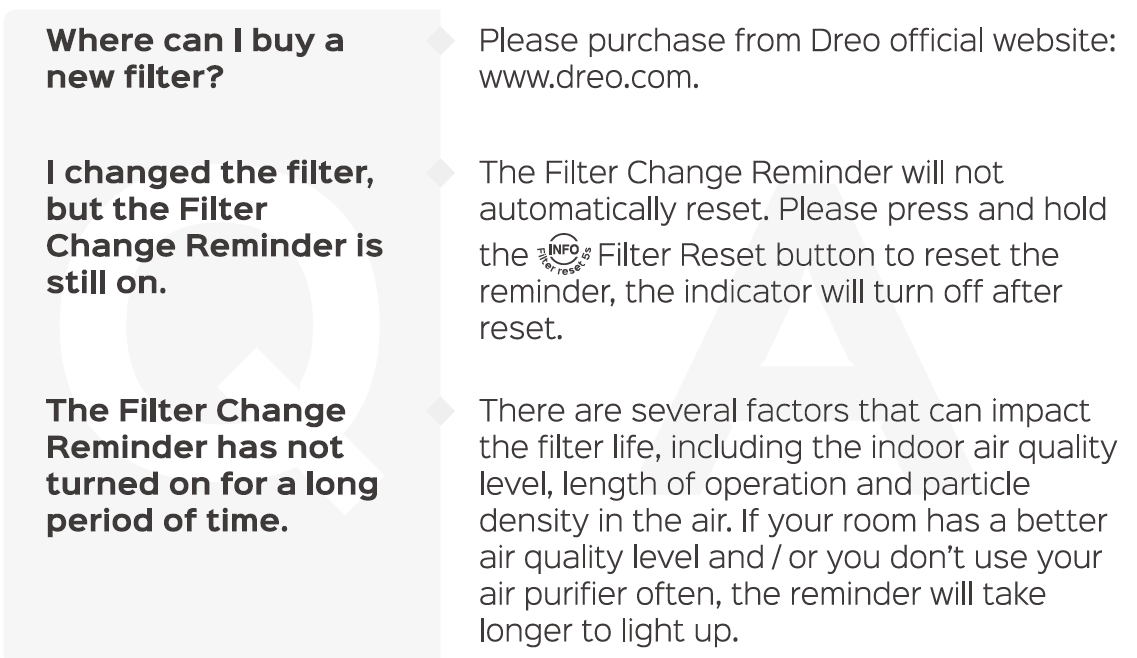
- Display info/filter reset (5s): Press to change the information shown on the LED display between clean air, PM2.5 concentration, or filter life. Long press for 5 seconds to reset the filter change reminder.
- Auto mode: Select to automatically purify the air and adjust the fan speed based on the current air quality conditions.
- Fan speed/turbo mode: Each press changes the fan speed from level 1 to level 3, followed by turbo mode. When turbo mode is active, pressing the button again returns the fan speed to level 1.
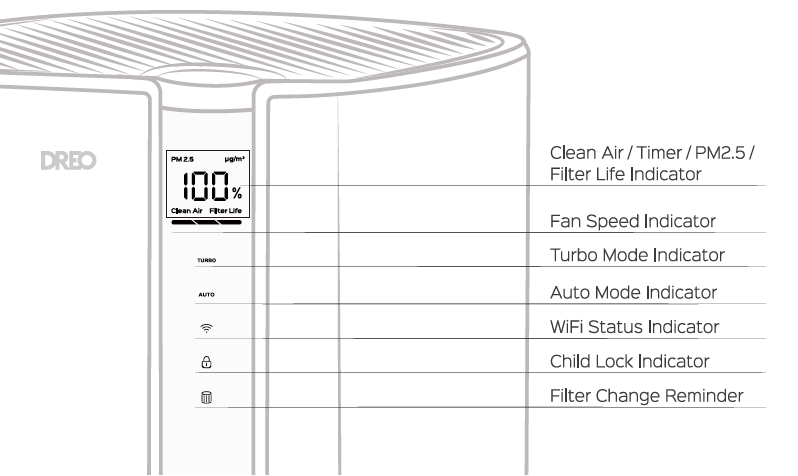
LED Display
Constantly monitor the air quality in your room with the comprehensive and intuitive LED display, which provides useful information about air quality, PM2.5 concentration, and filter life.
General Operations
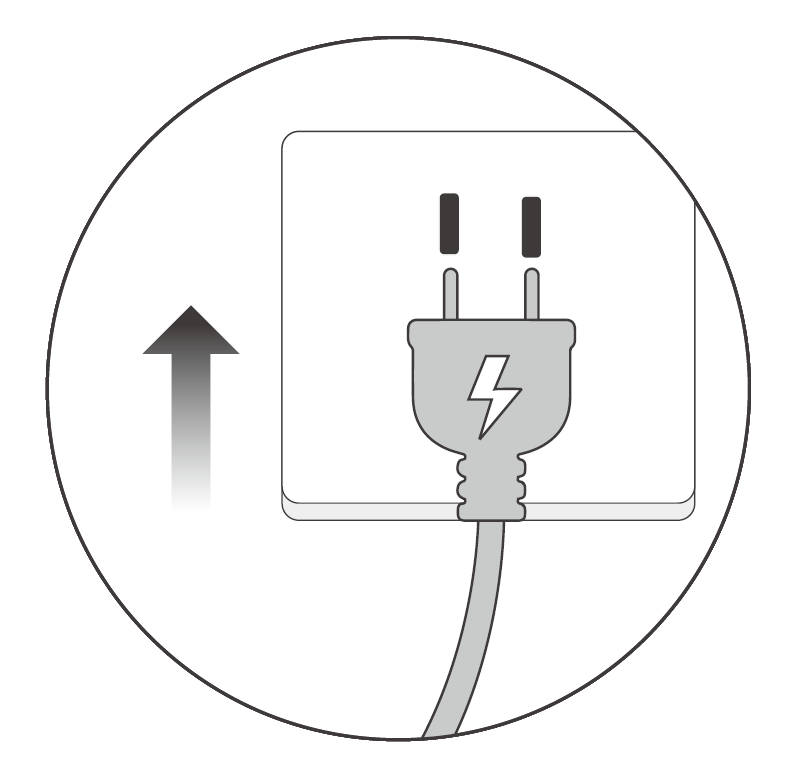
- Connect the power: Plug the air purifier into an electrical outlet.
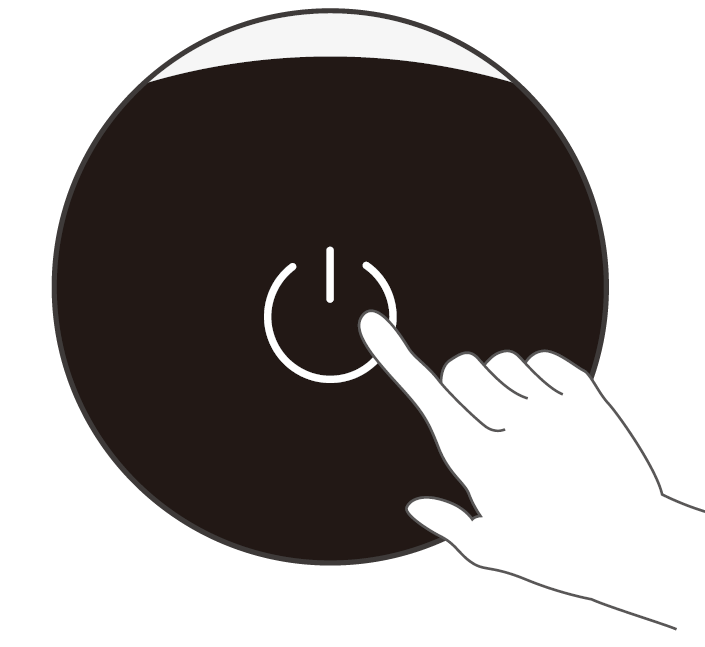
- Turn on the purifier: Touch the power button to turn on the air purifier.
- Select the operating mode: Choose your desired working mode using the control panel.
Touch the power button to turn off the air purifier.
Cleaning And Maintenance
Replacing The Filter
The filter life is measured by the air purifier's algorithm based on the operating mode, fan speed, run time, and indoor air quality. It is recommended to replace the filter every 6–8 months or when the filter change reminder alerts.
- Check the filter reminder: The filter change reminder will flash when the filter needs to be replaced. Turn off and unplug the air purifier.
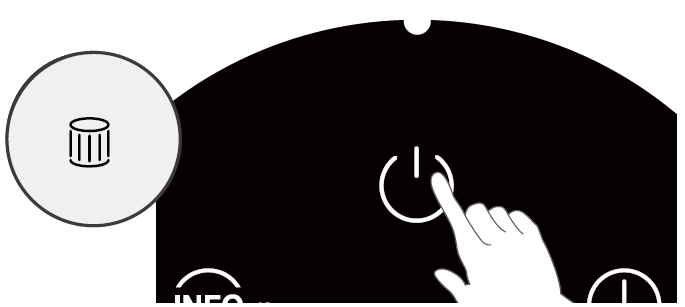
- Remove the back cover: Locate the back handle and gently pull it to remove the back cover of your air purifier.+
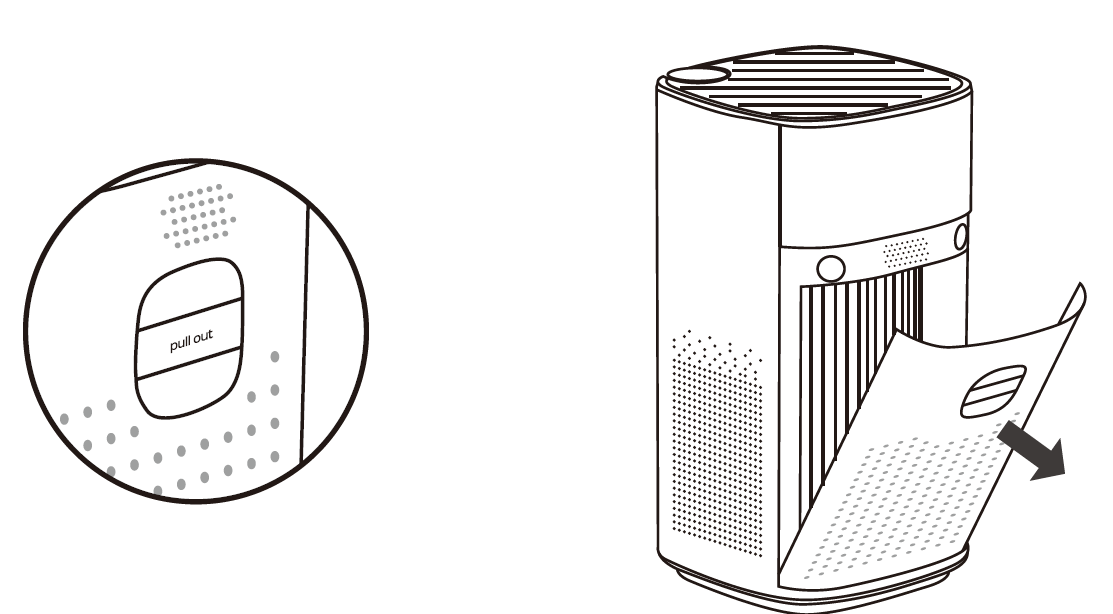
- Remove the old filter: Pull the old filter out using the straps. Properly dispose of the old filter after removing it from the purifier.
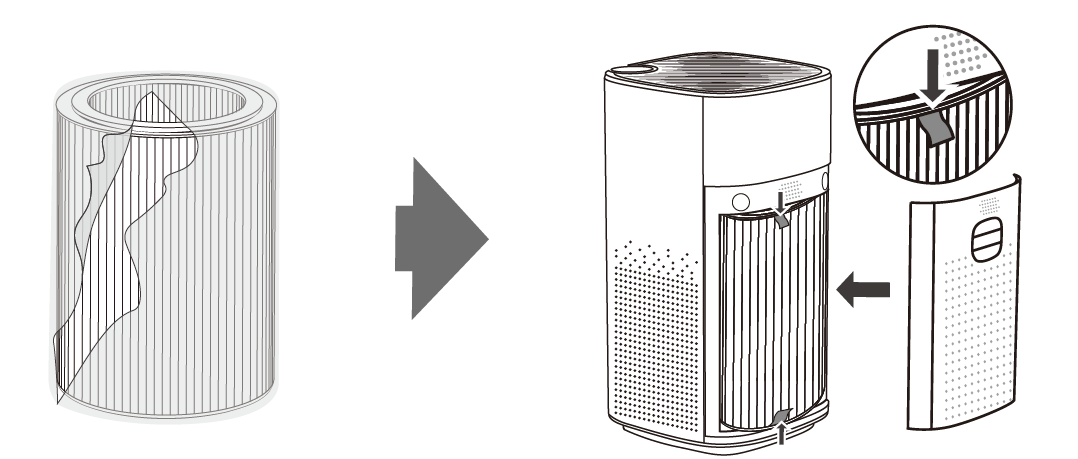
- Install the new filter: Remove the plastic wrap from the new filter, then carefully place it inside the purifier. Make sure both straps are pointing outwards and the filter is within the marked guidelines before closing the back cover.
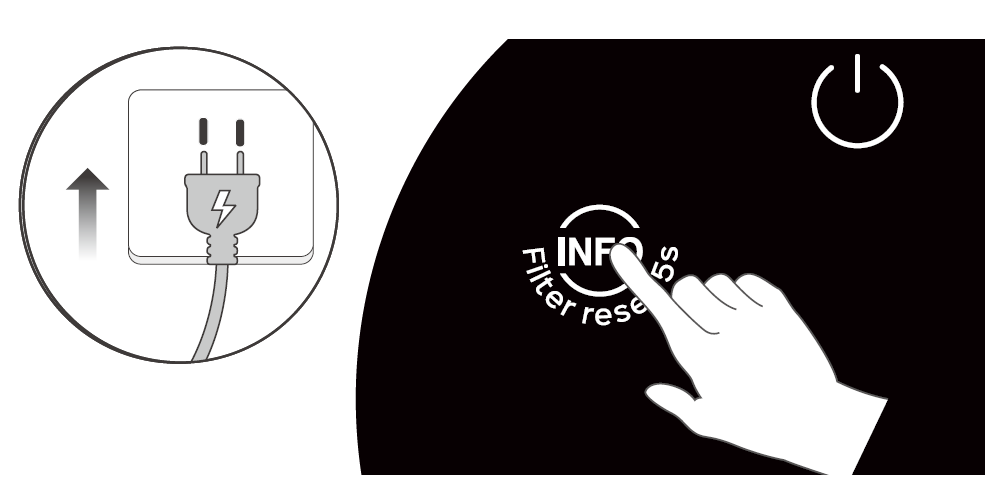
- Reset the filter reminder: Plug in the air purifier. Long-press the filter reset button for 5 seconds until you hear a beep to reset the filter change reminder.
Cleaning The Inside & Outside
- Disconnect the power: Unplug the air purifier before performing any cleaning or maintenance.
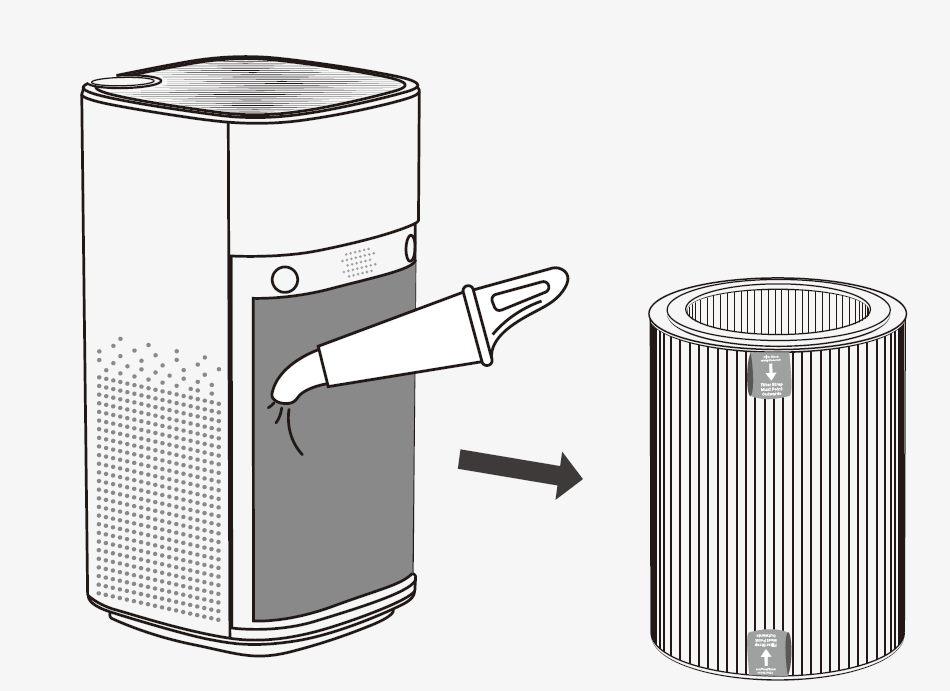
- Clean the interior: Remove the filter and clean the inside of the air purifier using a vacuum cleaner.
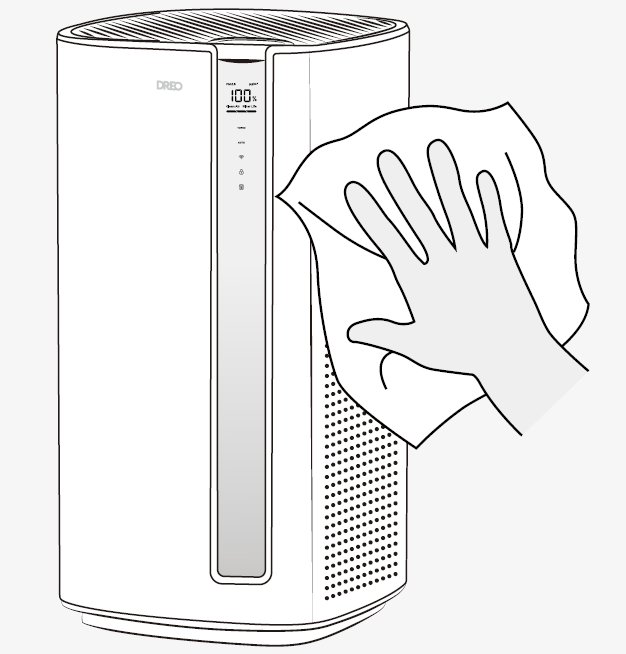
- Wipe the exterior: Clean the outer housing with a dry, soft, non-abrasive cloth.
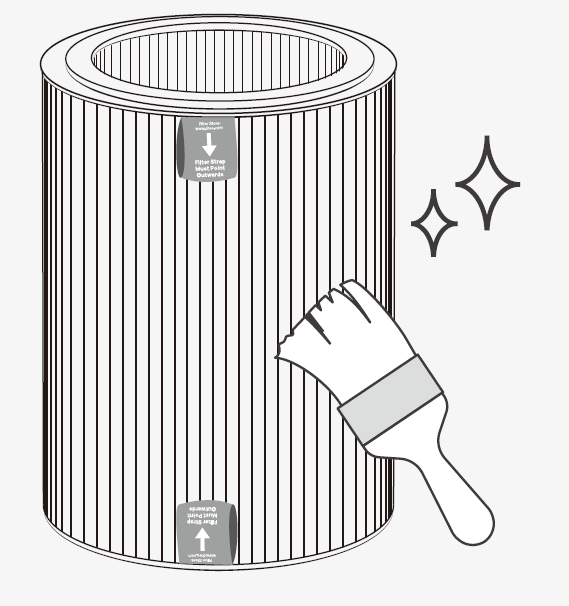
- Clean the pre-filter: For optimal performance, clean the outer pre-filter with a soft, dry brush once every 2–4 weeks.
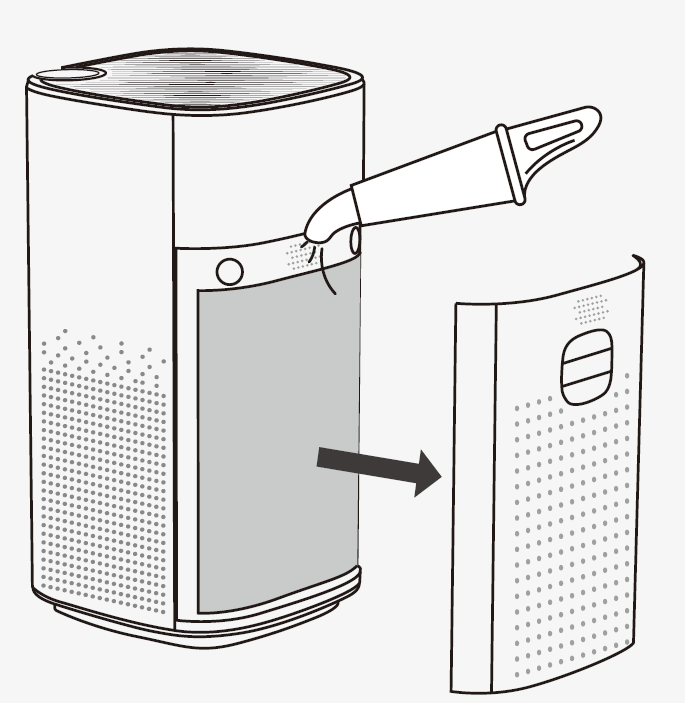
- Clean the air quality sensor: It is recommended to clean the air quality sensor on the back of the purifier using a vacuum cleaner at least once every three months.
Troubleshooting
Pros and Cons of Dreo Smart True HEPA Air Purifier Macro Max S
Pros
- Exceptionally quiet, especially in sleep mode (24dB), ideal for bedrooms—far quieter than many competitors.
- Accurate real-time air quality monitoring with app access to advanced settings like auto mode.
- Powerful for large rooms (423 sq. ft.), energy-efficient, and easy setup with voice control.
- Great value for money at $150-$250, outperforming pricier models in noise and filtration.
- Smart features like filter life tracking and child lock enhance usability.
Cons
- No Apple HomeKit support; app required for full features like child lock.
- Higher speeds (turbo at 64.7dB) can be noticeable, though still competitive.
- Filter replacement needed if overloaded; ensure proper placement away from walls.
- Limited to Alexa/Google; no built-in remote (app-based).
Overall, pros outweigh cons for most users seeking a smart true HEPA air purifier, offering strong value versus alternatives.
Customer Reviews and Feedback on Dreo Smart True HEPA Air Purifier Macro Max S
Users rave about the Dreo Smart True HEPA Air Purifier Macro Max S, averaging 4.7/5 stars across reviews for its quiet performance and effective filtration. "Helps you breathe easier—super quiet and the app is a game-changer," notes one reviewer. Common praises include rapid smoke clearance in tests, accurate PM2.5 readings, and seamless Alexa integration.
Testimonials highlight: "Moves a lot more air than others I've used without noise" (4.8/5); "Excellent for pet dander in 400 sq. ft. room" (4.9/5). Frequent recommendations for allergy relief and large spaces. Complaints are minor: occasional app connectivity issues or louder turbo mode, resolved by filter checks and optimal placement. Ideal purchase for best air purifiers for allergies and pets.
More dreo manuals
- Setup: Dreo ChefMaker Combi Fryer DR-KCM001S User Manual
- Setup: Dreo Portable Air Conditioner AC516S User Manual
- Setup: Dreo Smart Humidifier HM735S User Manual
- Setup: Dreo Cool & Warm Mist Humidifier DR-HHM003S User Manual
- Setup: Dreo Split Screen Baby Monitor User Manual
- Setup: Dreo Smart Air Purifier Macro AP606S User Manual
Leave a Comment