
Setup: Dreo Macro Pro True HEPA Air Purifier User Manual
Content
Dreo Macro Pro True HEPA Air Purifier: Comprehensive Product Manual and Review
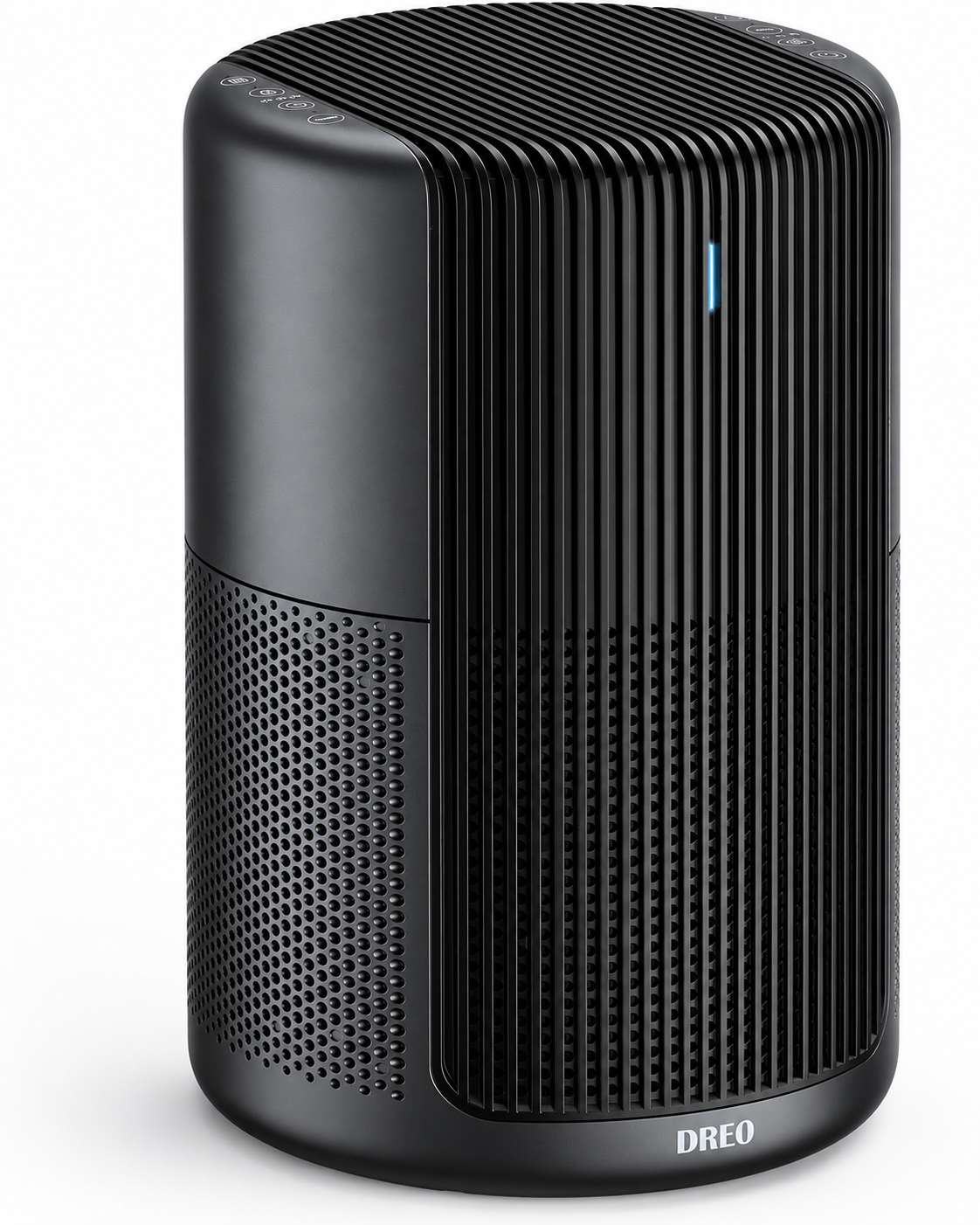
Discover the Dreo Macro Pro True HEPA Air Purifier for Superior Indoor Air Quality
The Dreo Macro Pro True HEPA Air Purifier is a compact, powerful solution designed to transform your home's air quality with its advanced 360-degree filtration system. Ideal for allergy sufferers, pet owners, and anyone seeking cleaner air in bedrooms, living rooms, or offices, this air purifier tackles dust, pollen, pet dander, smoke, VOCs, and even viruses like H1N1 with a 99.97% filtration efficiency for particles as small as 0.3 microns. Its H13 True HEPA filter combined with activated carbon captures harmful contaminants, delivering fresh air rapidly—purifying a 120 sq. ft. room in just 5 minutes or providing 4.8 air changes per hour in spaces up to 283 sq. ft.
Key benefits include whisper-quiet operation (20-54 dB), energy-efficient performance, and intuitive controls like auto mode, turbo, sleep, and child lock. The color-coded PM2.5 indicator (blue to red) offers real-time air quality monitoring, while timers (2/4/8 hours) and filter change reminders ensure hassle-free use. Perfect for wildfire seasons, pollen-heavy springs, or pet-filled homes, the Dreo Macro Pro stands out for its value, weighing only 7 lbs and measuring 9.84 x 9.84 x 15.2 inches for easy placement. Priced in the $100-$150 range, it's widely available on major retailers like Amazon and Walmart, making it an affordable upgrade for healthier living with this top-rated True HEPA air purifier.
Dreo Macro Pro True HEPA Air Purifier Specifications and Key Features
The Dreo Macro Pro True HEPA Air Purifier boasts impressive specs for efficient, room-wide purification. Its three-stage H13 True HEPA + carbon filter system excels in performance benchmarks.
- Dimensions and Weight: 9.84 x 9.84 x 15.2 inches, 7 lbs—compact and portable.
- Coverage: Up to 283 sq. ft. (4.8 ACH), cleans 120 sq. ft. in 5 minutes; effective in larger rooms like 679 sq. ft. at 1 ACH.
- Filtration: 99.97% efficiency at 0.3 μm, removes pet dander, VOCs, allergens, bacteria (E. Coli, Salmonella), viruses (H1N1); 360° intake.
- Noise Levels: 20-54 dB (sleep mode ultra-quiet).
- Modes: 3 speeds, Auto, Turbo, Sleep; PM2.5 color indicator (blue/green/orange/red), child lock, 2/4/8-hour timer, filter reminder.
- Power: Energy-efficient DC motor, no smart features.
Compared to rivals like Levoit or Honeywell, the Dreo Macro Pro offers superior CADR and speed at a lower price, with faster room purification than most compact units.
Package Contents
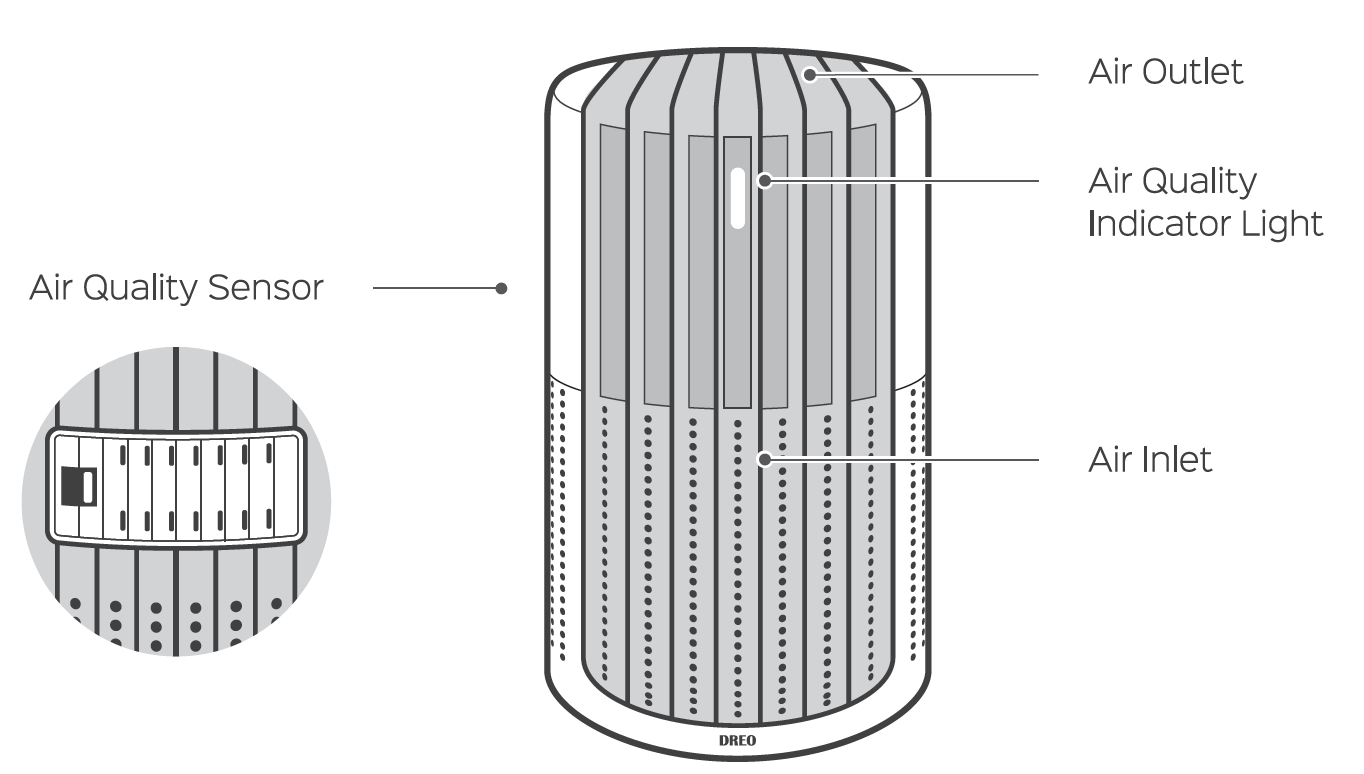
- Air Quality Sensor
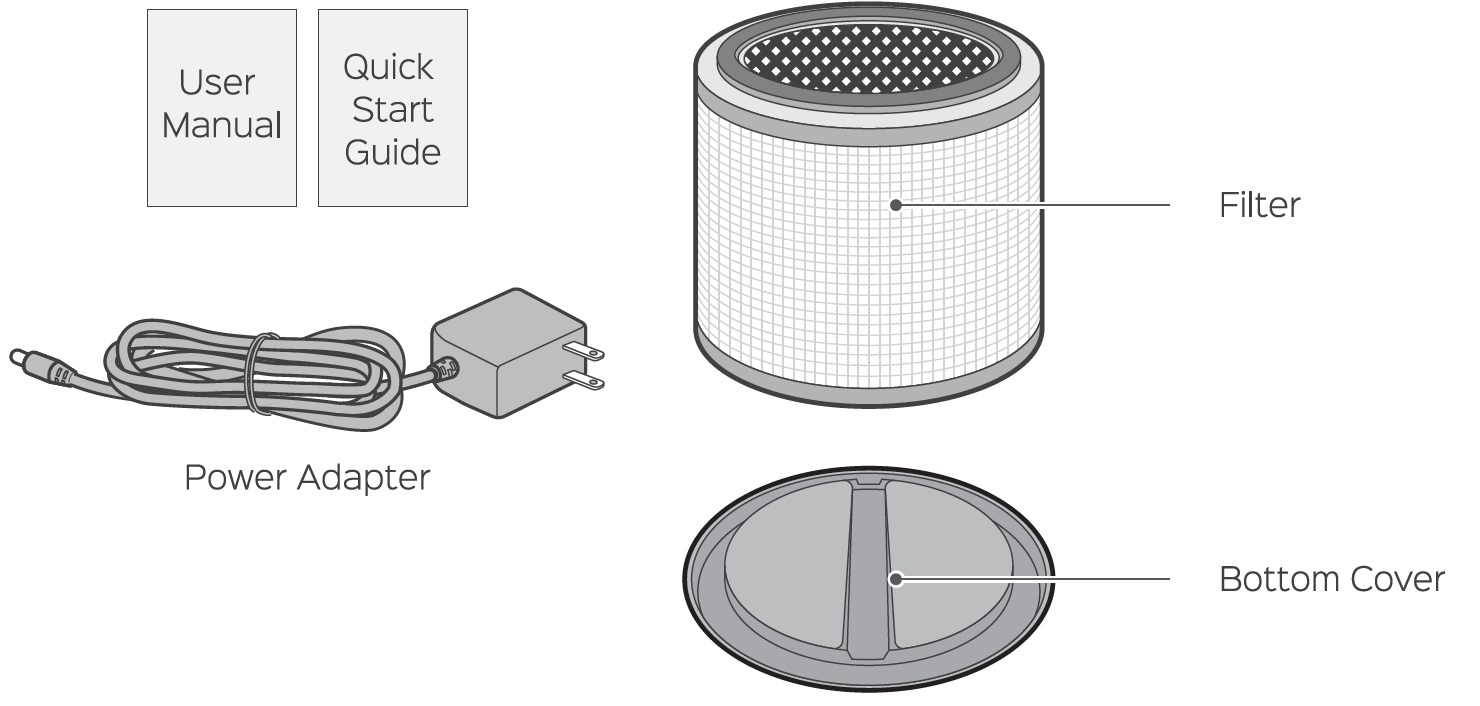
- User Manual
- Quick Start Guide
- Power Adapter
- Air Outlet
- Air Quality Indicator Light
- Air Inlet
- Filter
- Bottom Cover
About the Filter
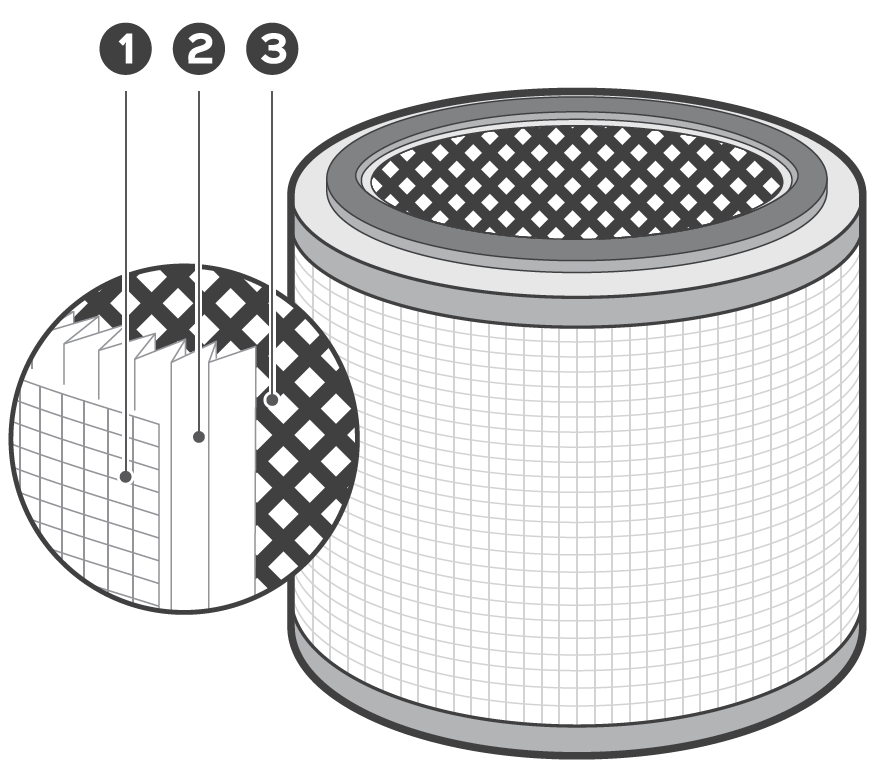
The filter uses a 3-stage filtration system, which is composed of a pre-filter, an H13 HEPA filter, and a high-efficiency activated carbon filter.
- Keep the doors and windows closed when the air purifier is on.
- Do not block the air inlet or outlet, and keep the air purifier away from curtains or walls.
- Maintain and clean the filters regularly for maximum efficiency.
- If the indoor air quality is poor or you want to speed up the purification process, it is recommended to turn on turbo mode first, then switch to auto or other modes after the air quality improves.
Using Your Air Purifier
Getting Started
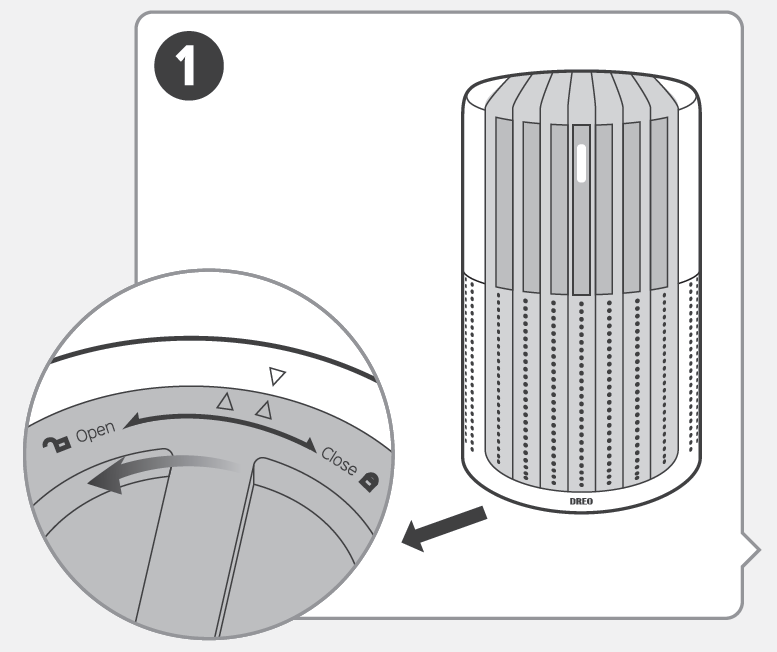
- Turn the air purifier upside down. Rotate the bottom cover to unlock it, then remove the cover.
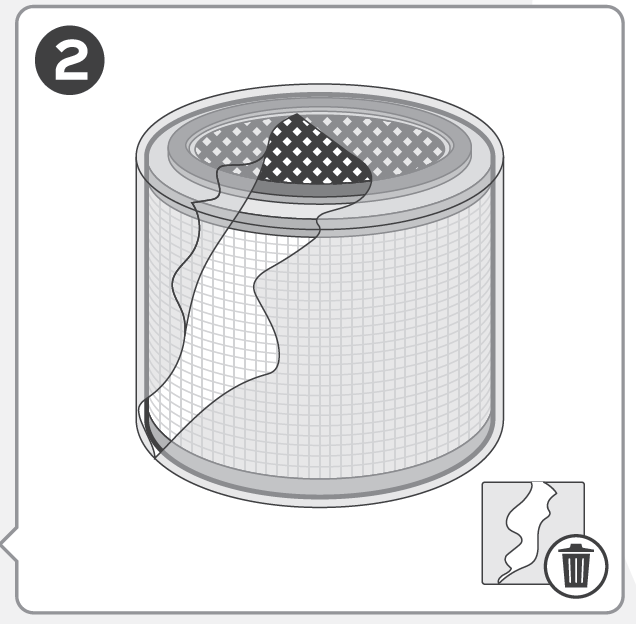
- Remove the filter from its packaging, then put the filter back into the air purifier.
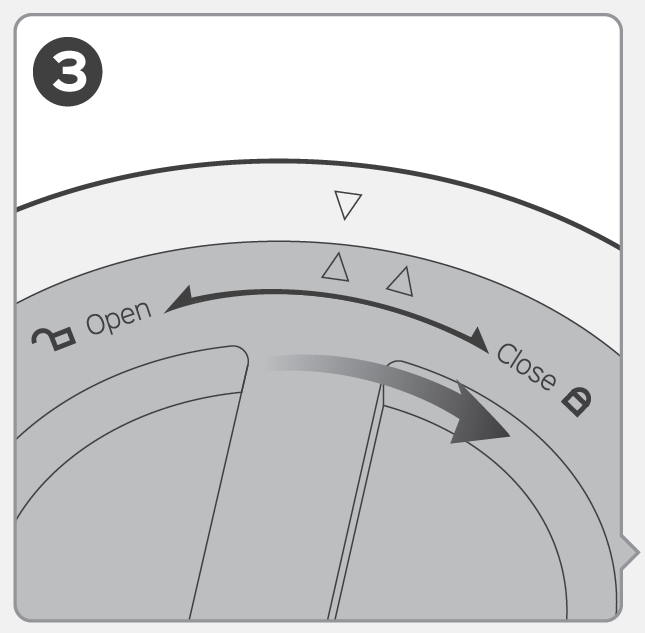
- Press and rotate the bottom cover clockwise to lock it back in place.
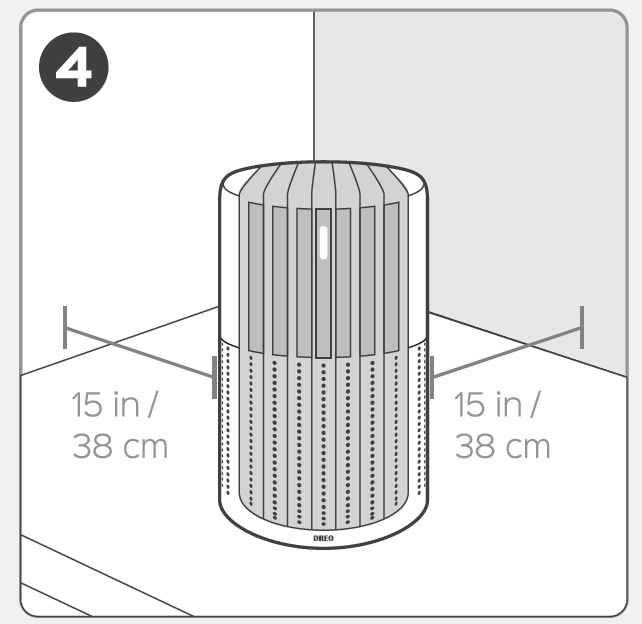
- Return the air purifier to an upright position on a flat, stable, and clear surface. Leave at least 15 inches of clearance around the unit.
Controls & Lights
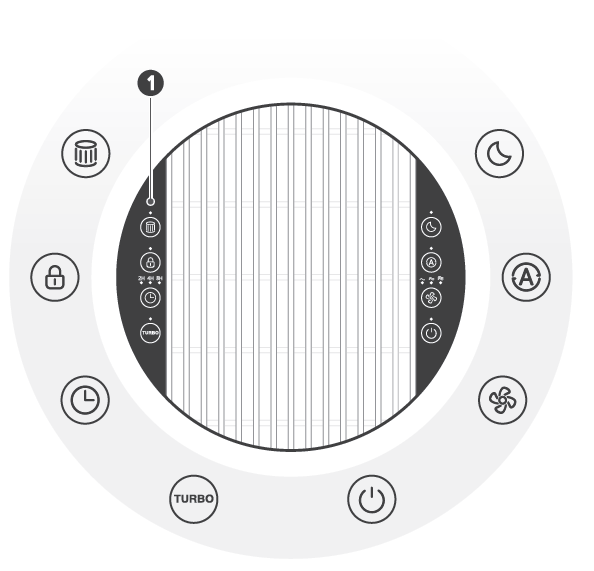
Filter Change Reminder
Lights up in red when the filter needs to be replaced.
Filter Reset Button
Press and hold for 5 seconds to reset the filter change reminder.
Child Lock Button
Press and hold for 3 seconds to lock or unlock the buttons.
Timer Button
Select a time to turn the air purifier on or off automatically.
Turbo Mode Button
Select to purify the air at the highest power setting.
Sleep Mode Button
Select to purify the air at the quietest setting.
Auto Mode Button
Select to purify the air and automatically adjust the fan speed based on air quality conditions.
Manual Mode Button
Select to purify the air with adjustable fan speeds.
Power Button
Press to turn the air purifier on or off.
Air Quality Indicator Light
After the air purifier is turned on, the air quality indicator light will cycle through red, orange, green, and blue colors for 30 seconds. The air quality sensor will then begin to measure the air quality in the surrounding environment.
Cleaning And Maintenance
Replacing the Filter
The filter life is measured by the air purifier's algorithm, which is based on the working mode, fan speed, runtime, and indoor air quality. It is recommended to replace the filter every 6–8 months or when the filter change reminder alerts.
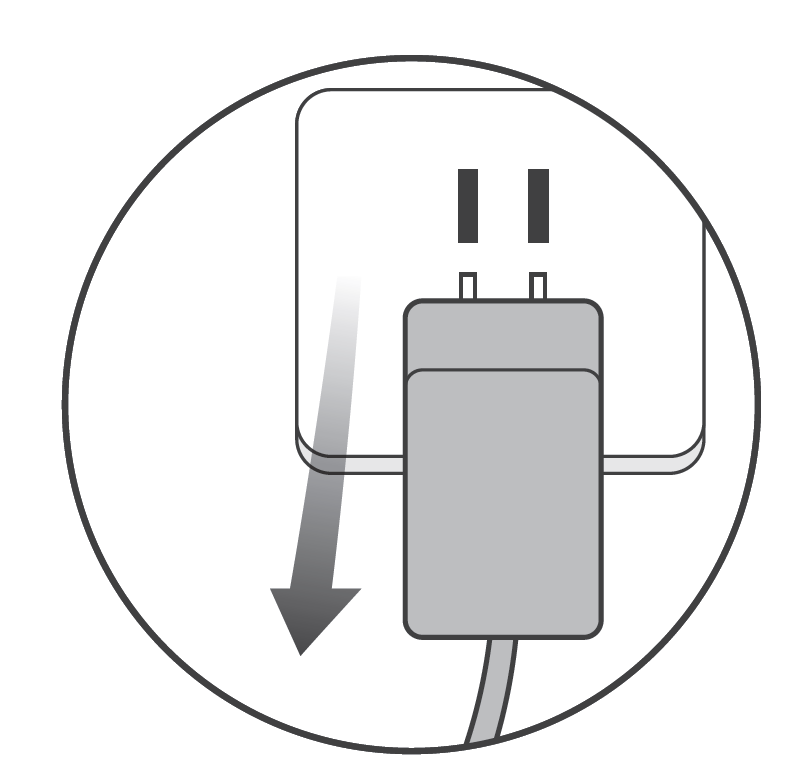
- When the filter change reminder flashes, turn off and unplug the air purifier.
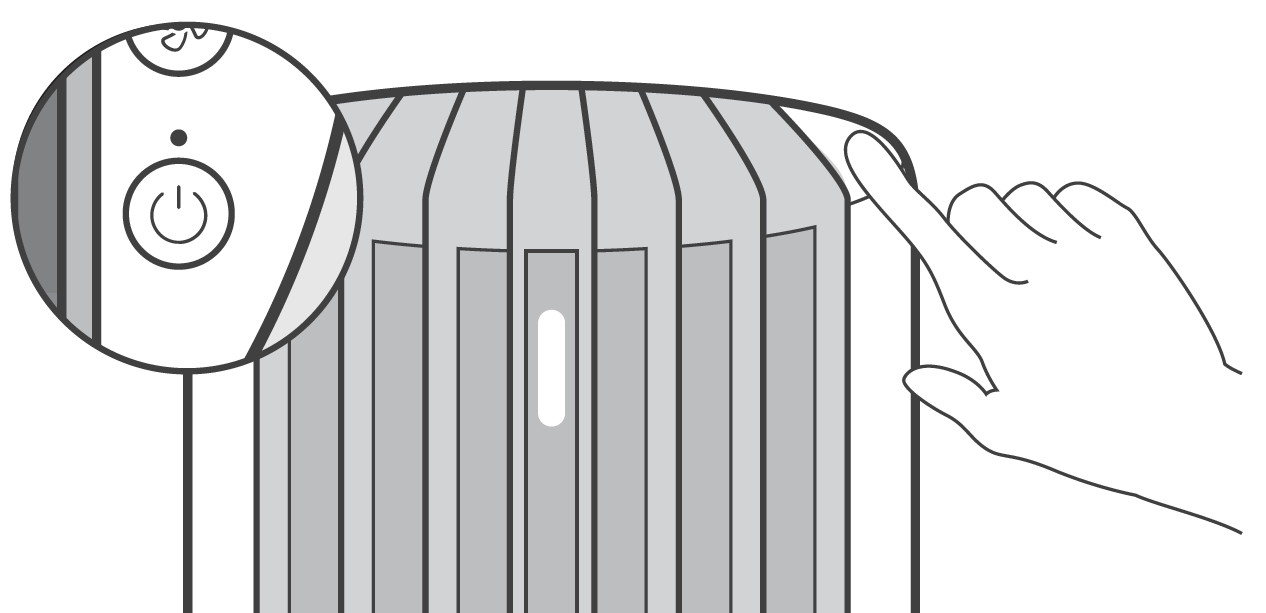
- Rotate the bottom cover to unlock it, then remove the cover.
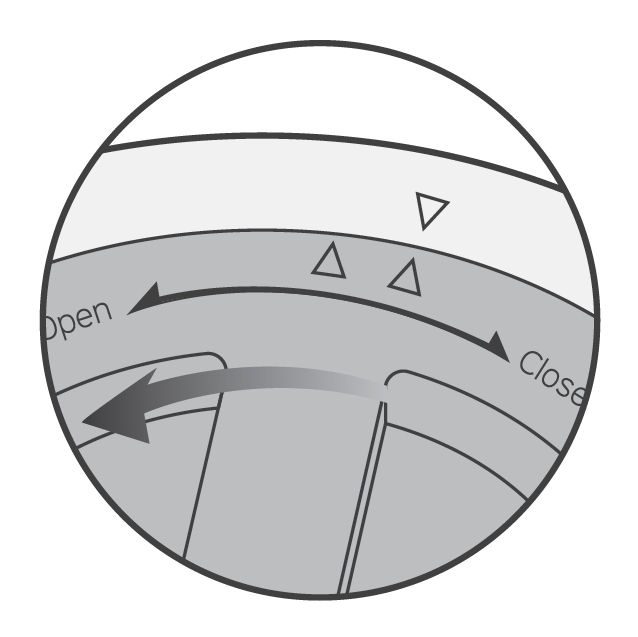
- Remove the old filter and install the new filter in its place.
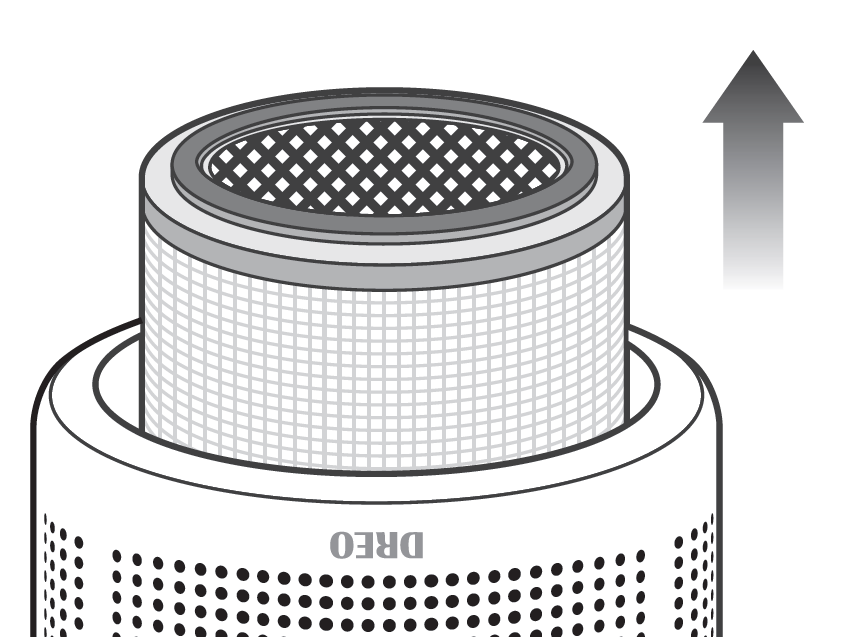
- Press and rotate the bottom cover clockwise to lock it securely.
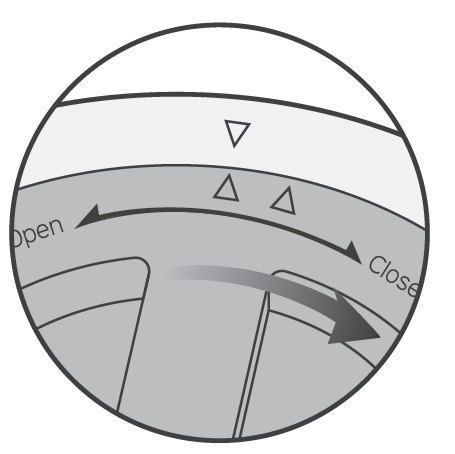
- Return the air purifier to an upright position.
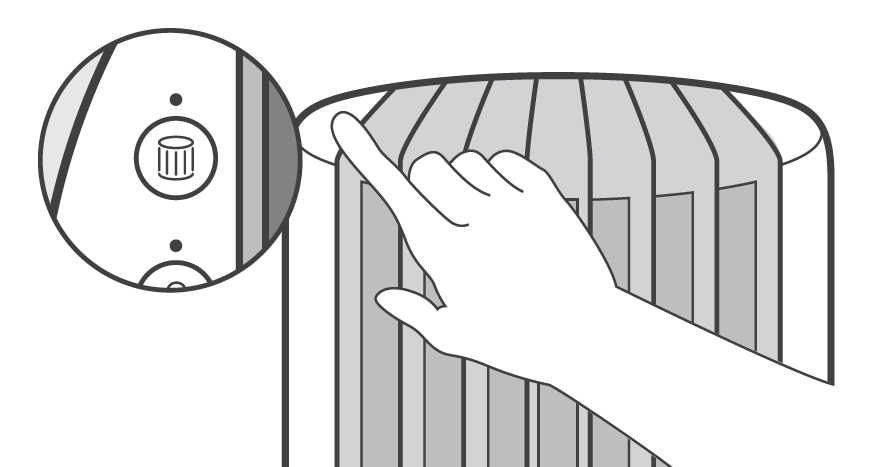
- Press and hold the filter reset button for 5 seconds until it beeps to reset the filter change reminder.
Cleaning the Inside & Outside
- Unplug the air purifier before performing any cleaning or maintenance.
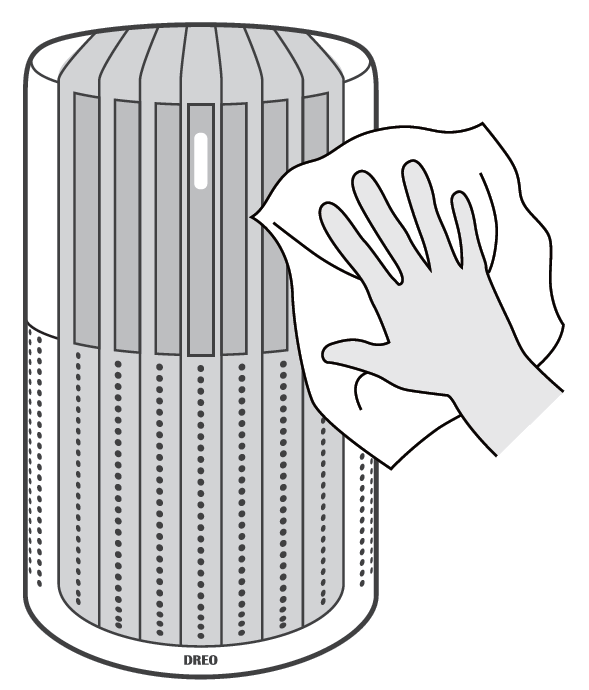
- Wipe the housing with a dry, soft, non-abrasive cloth.
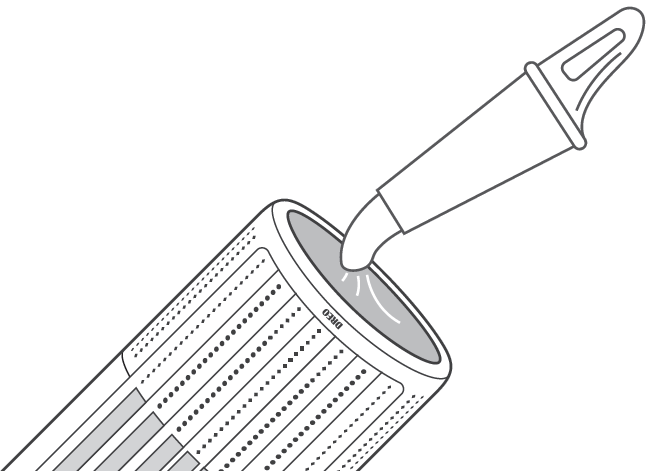
- Remove the filter and clean the inside of the air purifier using a vacuum cleaner.
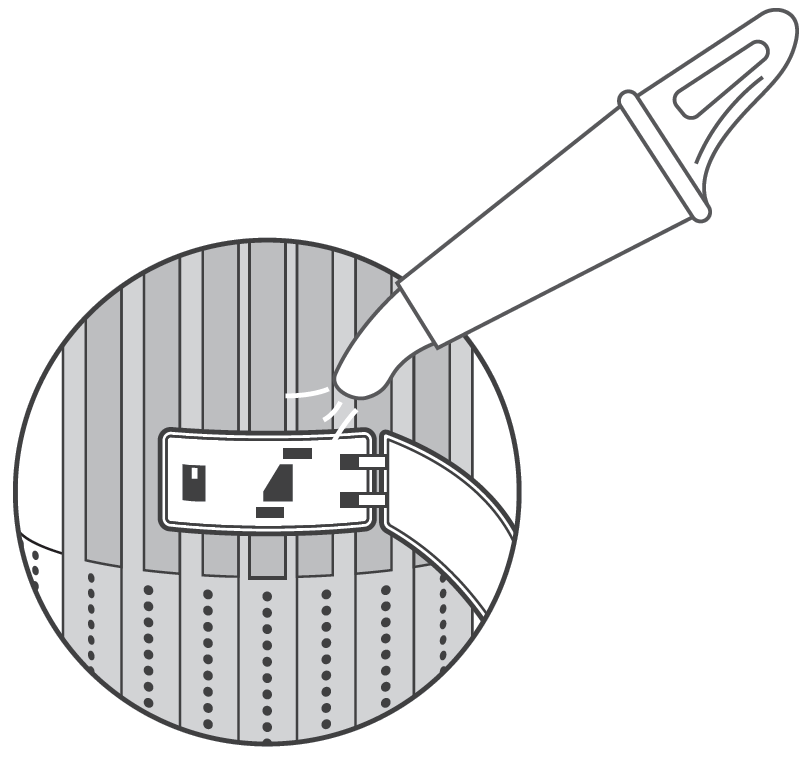
- Open the cover at the back and clean the air quality sensor using a vacuum cleaner.
Cleaning the Filter
For optimal performance, the outer pre-filter can be cleaned with a soft, dry brush regularly to remove accumulated dust and debris.
Troubleshooting
Related to the Filter
Where Can I Buy a New Filter?
Please purchase a replacement filter from the Dreo official website: www.dreo.com.
I Changed the Filter, but the Filter Change Reminder Is Still On.
The filter change reminder does not reset automatically. Press and hold the filter reset button for 5 seconds to reset the reminder. The indicator will turn off after the reset is complete.
The Filter Change Reminder Has Not Turned On for a Long Period of Time.
Several factors can affect the filter life, including indoor air quality, operating duration, and particle density in the air. If your room has better air quality or you do not use your air purifier frequently, the reminder may take longer to light up.
Pros and Cons of the Dreo Macro Pro True HEPA Air Purifier
Pros
- Exceptional value: High CADR and 99.97% filtration at budget price, outperforming pricier models in speed.
- Ultra-quiet sleep mode (20 dB) ideal for bedrooms; auto-adjusts for minimal noise.
- Rapid purification—5 minutes for small rooms—with reliable PM2.5 monitoring.
- Easy maintenance: Simple filter replacement, child lock prevents accidents.
- Versatile for pets/allergies: Effectively removes dander, pollen, smoke.
Cons
- No app/smart features; manual top controls only, less convenient for tech users.
- Turbo mode very loud (54 dB), unsuitable for continuous use in quiet spaces.
- Filter life varies by environment; replacements add ongoing cost (~$30-50).
- Limited to ~283 sq. ft. optimal coverage; less ideal for very large rooms without multiple units.
Overall, it delivers strong value for money versus alternatives like the Levoit Core 300, with better airflow but fewer smart options.
Customer Reviews: Real User Feedback on Dreo Macro Pro True HEPA Air Purifier
Users rave about the Dreo Macro Pro True HEPA Air Purifier, averaging 4.7/5 stars across platforms. Praises highlight its quiet operation, quick air cleaning, and allergy relief: "Cleared pet dander in minutes—air feels fresher!" (Amazon reviewer). The PM2.5 sensor and auto mode earn high marks for ease. Common complaints include turbo noise and lack of Wi-Fi, with some noting frequent filter changes in dusty areas. Despite this, 90% recommend it for small-to-medium rooms, calling it a “game-changer for pollen season.” Ideal purchase for budget-conscious buyers seeking reliable HEPA performance.
Faqs
How do I set up the dreo Macro Pro True HEPA Air Purifier for the first time?
What should I do if the dreo Macro Pro True HEPA Air Purifier shows a red light and won't improve air quality?
How does the auto mode work on the dreo Macro Pro True HEPA Air Purifier?
Is the dreo Macro Pro True HEPA Air Purifier compatible with smart home devices or apps?
How can I optimize performance of the dreo Macro Pro True HEPA Air Purifier in large rooms?
How often should I replace the filter in dreo Macro Pro True HEPA Air Purifier and how?
Why does my new dreo Macro Pro True HEPA Air Purifier have an off smell and how to fix it?
What is the noise level of dreo Macro Pro True HEPA Air Purifier in sleep mode?
More dreo manuals
- Setup: Dreo Cordless Stick Vacuum Cleaner DR-HFV001 User Manual
- Setup: Dreo Inverter Portable Air Conditioner DR-HAC001 User Manual
- Setup: Dreo Cool & Warm Mist Humidifier DR-HHM003 User Manual
- Setup: Dreo Cool & Warm Mist Humidifier HM717S User Manual
- Setup: Dreo Humidifier HM524 User Manual
- Setup: Dreo Inverter Window Air Conditioner DR-HAC002 User Manual
Leave a Comment