
Hisense 4K-HDR Smart TV User Manual
Content
Hisense 4K-HDR Smart TV Overview
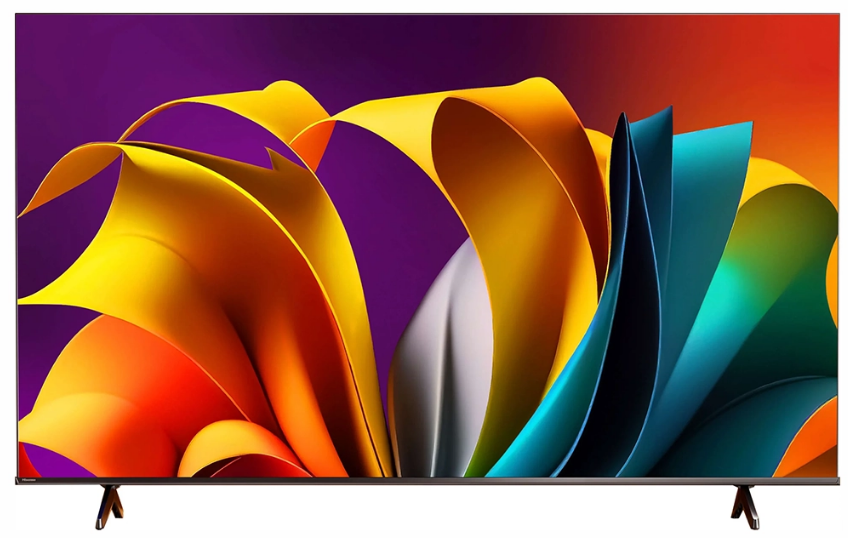
The Hisense 4K-HDR Smart TV is a strong choice for shoppers who want modern smart features, sharp 4K resolution, and high dynamic range performance without paying premium-brand prices. In many Hisense 4K HDR models, you get Ultra HD 3840 × 2160 picture quality, HDR support such as HDR10, HDR10+, Dolby Vision, and HLG, plus smart TV platforms that make streaming from Netflix, YouTube, Disney+, and other apps easy and convenient. This makes the TV well suited for everyday entertainment, gaming, sports, and family viewing.
One of the biggest selling points of a Hisense 4K-HDR Smart TV is value for money. Depending on screen size, series, and retailer, estimated prices typically range from about $250 to $900, with larger or more advanced models costing more. Availability is generally wide through major electronics stores and online marketplaces, especially in 43-inch, 50-inch, 55-inch, 65-inch, and 75-inch sizes. Many models also include useful extras such as HDMI ARC or eARC, Bluetooth, Wi-Fi, voice control, and game-friendly features like low input lag and VRR support on select versions.
For buyers comparing LCD, LED, QLED, and premium OLED alternatives, the Hisense 4K-HDR Smart TV stands out as a practical middle ground. It is ideal for first-time 4K buyers, budget-conscious families, casual gamers, and anyone upgrading from an older Full HD television. If the goal is a feature-rich smart TV with strong HDR performance at a competitive price, this lineup delivers a compelling balance of picture quality, connectivity, and affordability.
Pros and Cons of the Hisense 4K-HDR Smart TV
Pros
- Excellent value for money, especially compared with Samsung, LG, and Sony models in the same size range.
- 4K Ultra HD resolution produces crisp text, detailed streaming video, and clean upscaling for lower-resolution content.
- HDR support improves contrast and color depth in compatible movies, shows, and games.
- Smart TV features make app access simple, with built-in Wi-Fi, Bluetooth on many models, and easy casting support.
- Good for gaming on select models, with low input lag, VRR, ALLM, and HDMI 2.0 or HDMI 2.1 depending on the series.
- Available in many screen sizes, which helps buyers match the TV to bedrooms, living rooms, or media spaces.
Cons
- Picture quality can vary by series, with entry-level versions offering less brightness and weaker black levels than premium TVs.
- Built-in speakers are often acceptable for casual use, but many users prefer a soundbar for fuller audio.
- Some models may have limited viewing angles compared with higher-end panels.
- Smart interfaces can feel slower on lower-tier versions than on premium competitors.
- Compared with OLED alternatives, contrast and cinematic performance are more limited in dark rooms.
Overall, the Hisense 4K-HDR Smart TV is one of the best budget-friendly options for buyers who want modern features without overspending. It competes well against TCL and entry-level Samsung or LG models, especially when the focus is streaming value and everyday performance rather than elite home theater quality.
Customer Reviews for Hisense 4K-HDR Smart TV
Customer feedback for the Hisense 4K-HDR Smart TV is generally positive, with many owners praising the picture quality, easy setup, and strong feature set for the price. A common sentiment is that it feels like a “great TV for the money,” especially for streaming and casual viewing. Star ratings on popular retail platforms often cluster around 4.4 to 4.7 out of 5 for similar Hisense 4K HDR models.
Typical praise includes vibrant colors, simple app navigation, and fast access to streaming services. One buyer comment often summarized as: “The picture looks excellent for the price, and setup took only a few minutes.” Common complaints include occasional Wi-Fi instability, slower menus on some lower-end models, and speakers that lack deep bass. Another frequent note is that motion handling and brightness may not match premium brands in bright rooms.
For most shoppers, the recommendation is clear: buy a Hisense 4K-HDR Smart TV if you want solid performance, strong smart features, and excellent value. If top-tier cinematic contrast or high-end gaming features are the priority, stepping up to a premium QLED or OLED model may be worth the extra cost.
Faqs
How do I set up a hisense 4K-HDR Smart TV for the first time?
Why is my hisense 4K-HDR Smart TV not connecting to Wi-Fi, and how can I fix it?
What picture settings should I use on a hisense 4K-HDR Smart TV for movies and gaming?
Which devices are compatible with a hisense 4K-HDR Smart TV through HDMI, USB, or Bluetooth?
Why does my hisense 4K-HDR Smart TV picture look blurry or stretched?
How can I improve the sound quality on a hisense 4K-HDR Smart TV without buying a new sound system?
How do I keep my hisense 4K-HDR Smart TV running smoothly and updated?
What is the best way to clean and care for a hisense 4K-HDR Smart TV screen?
More hisense manuals
- Hisense DH5020K1G Dehumidifier User Manual
- Hisense Soundbar HS312 User Manual
- Installation: Hisense AP0722CW1W Portable Air Conditioner User Manual
- How to Setup: Hisense Dehumidifier DH5022K1W User Manual
- Setup: Hisense HBE3501CPS Electric Range User Manual
- Setup & Features: Hisense HWF3S8514 Series 3 8.5kg Front Load Washer User Manual
Leave a Comment