
Hisense Soundbar HS312 User Manual
Content
Hisense Soundbar HS312 Review and Product Manual
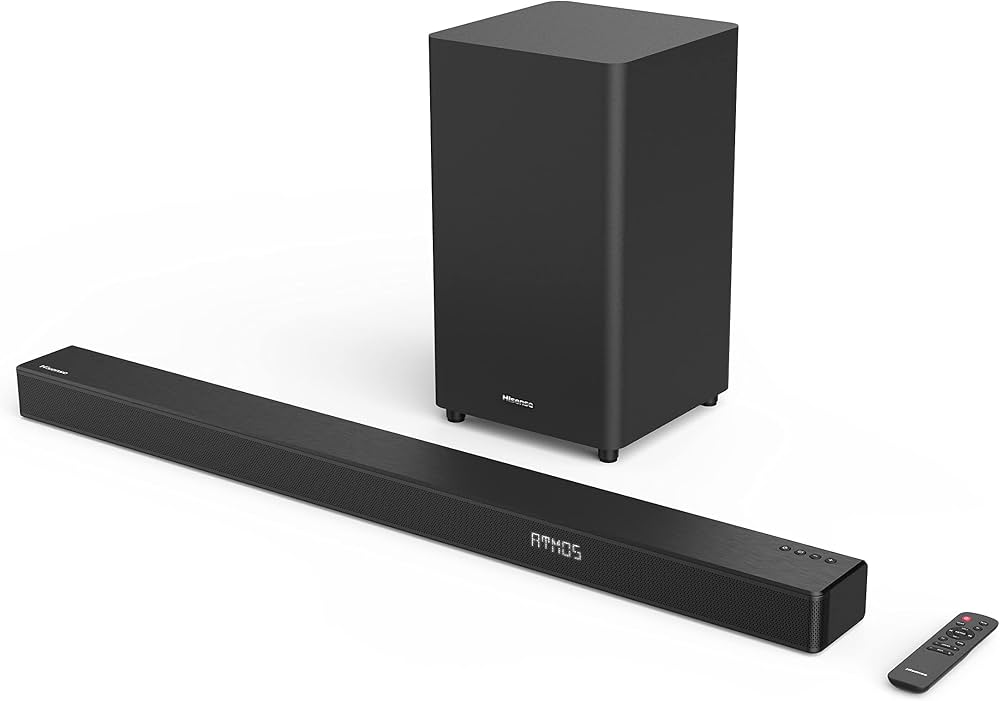
The Hisense Soundbar HS312 is a 3.1-channel soundbar system designed to deliver clearer dialogue, stronger bass, and a more immersive home theater experience than built-in TV speakers. With a wireless subwoofer and a 300W total output, the Hisense Soundbar HS312 is built for users who want an affordable Dolby Atmos soundbar that improves movies, sports, and gaming without a complicated setup. Its slim soundbar profile also makes it easy to place under most TVs, while the separate subwoofer adds low-end impact for action scenes and music playback.
This model is especially appealing to TV owners who want a simple upgrade for living rooms, apartments, and medium-sized entertainment spaces. The HDMI ARC connection, optical input, Bluetooth, USB, and additional wired inputs make it flexible for different setups, including smart TVs, streaming devices, consoles, and older audio sources. The Hisense Soundbar HS312 is also a practical choice for anyone looking for a budget-friendly Dolby Atmos soundbar with wireless subwoofer support and a straightforward setup process.
In terms of pricing, the Hisense Soundbar HS312 typically sits in the budget-to-midrange category, with availability varying by region and retailer. Current market listings suggest an estimated price range of about $180 to $300 USD, though some international stores may price it differently depending on promotions, local taxes, and bundle offers. For shoppers searching for a value-oriented home audio upgrade, this soundbar remains a strong contender thanks to its combination of power, features, and ease of use.
Pros and Cons of the Hisense Soundbar HS312
Pros
- Powerful 300W output with a 3.1-channel layout, making it a noticeable upgrade over standard TV speakers.
- Wireless subwoofer adds deeper bass for movies, music, and gaming without extra cabling.
- Supports Dolby Atmos, Dolby Digital Plus, Dolby Digital, and Dolby TrueHD for more cinematic audio playback.
- Flexible connectivity, including HDMI ARC, optical, coaxial, AUX, USB, and Bluetooth, which helps it work with modern and older devices.
- Good value for money for buyers wanting a feature-rich soundbar without entering premium price territory.
Cons
- Atmos performance is more subtle than what premium Dolby Atmos soundbars deliver, so height effects are limited.
- Best suited for small to medium rooms; larger rooms may need a more powerful system for a wider soundstage.
- No Wi-Fi streaming or app-based ecosystem, which may disappoint users looking for smart-home integration.
- Compared with alternatives from Samsung, Sony, or JBL, the sound tuning is less refined for critical listeners.
- Dialogue enhancement is useful, but some users may still prefer manual EQ tuning for voice-heavy content.
Overall, the Hisense Soundbar HS312 offers strong value for buyers who want a balanced soundbar and subwoofer package at an accessible price. It competes well against similarly priced 3.1 soundbars, especially when bass impact and simple installation matter most.
Customer Reviews and User Feedback on the Hisense Soundbar HS312
Customer feedback for the Hisense Soundbar HS312 is generally positive, with many users giving it around 4 out of 5 stars for sound quality, setup ease, and bass performance. Buyers frequently praise the wireless subwoofer, saying it adds a satisfying punch to action movies and music playback. A common testimonial theme is that it “transforms TV sound instantly” and makes dialogue much easier to hear at moderate volume levels.
Common complaints usually focus on Atmos performance being less dramatic than expected and the lack of Wi-Fi streaming features. Some users also mention that the soundbar sounds best when paired with the correct TV audio settings and HDMI ARC connection. For most shoppers, the Hisense Soundbar HS312 is a recommended purchase if the goal is simple setup, stronger bass, and dependable everyday home theater sound rather than audiophile-grade surround immersion.
Faqs
How do I set up hisense Soundbar HS312 for the first time with HDMI ARC?
Why is my hisense Soundbar HS312 not producing sound from the TV?
How do I pair the wireless subwoofer on hisense Soundbar HS312?
What sound modes does hisense Soundbar HS312 offer, and when should I use them?
Is hisense Soundbar HS312 compatible with 4K HDR TVs and gaming consoles?
Why does my hisense Soundbar HS312 sound out of sync with the TV?
Can I stream music to hisense Soundbar HS312 from my phone over Bluetooth?
How should I clean and maintain hisense Soundbar HS312 for long-term use?
More hisense manuals
- Hisense 4K-HDR Smart TV User Manual
- How to Setup: Hisense Dehumidifier DH5022K1W User Manual
- Hisense DH5020K1G Dehumidifier User Manual
- Setup & Features: Hisense HWF3S8514 Series 3 8.5kg Front Load Washer User Manual
- Installation: Hisense AP0722CW1W Portable Air Conditioner User Manual
- Setup & Features: Hisense HS218 2.1ch Soundbar with Wireless Subwoofer User Manual
Leave a Comment