
Hisense 55U7NQ Mini-LED 4K Ultra HD Smart TV User Manual
Content
Hisense 55U7NQ Mini-LED 4K Ultra HD Smart TV Review and Manual
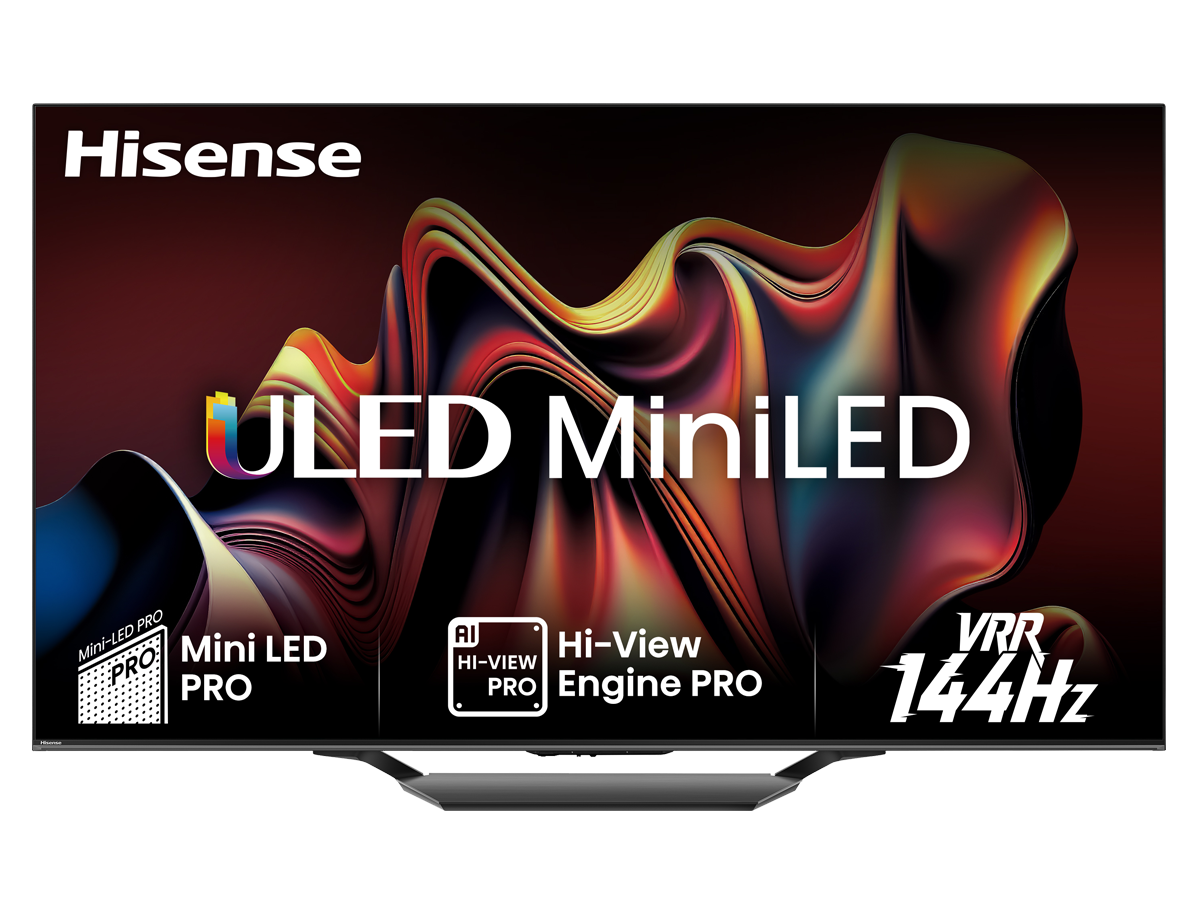
Introduction to the Hisense 55U7NQ Mini-LED 4K Ultra HD Smart TV
The Hisense 55U7NQ Mini-LED 4K Ultra HD Smart TV is a strong mid-range entertainment display built for users who want premium picture quality without stepping into flagship pricing. It combines Mini-LED backlighting, 4K Ultra HD resolution, Quantum Dot color, and a high refresh rate for a viewing experience that works well for movies, sports, and gaming. With its 55-inch screen size, the Hisense 55U7NQ Mini-LED 4K Ultra HD Smart TV is a practical choice for living rooms, bedrooms, and gaming setups where sharp detail and bright HDR performance matter most.
One of its biggest strengths is the balance between brightness, contrast, and motion handling. Features such as Full Array Local Dimming, Dolby Vision support, HDR10+, and Game Mode Pro help it stand out among other 55-inch Mini-LED televisions in its class. It is especially appealing to gamers thanks to HDMI 2.1 connectivity, VRR support, and a 144Hz panel on many versions. For streamers, the VIDAA smart TV platform provides access to major apps and straightforward navigation.
Estimated pricing generally falls in the upper mid-range segment, typically around $700 to $1,100 depending on region, promotions, and retailer stock. Availability is usually broad through electronics stores, online marketplaces, and regional Hisense distributors. For shoppers searching for a bright, feature-rich 4K Mini-LED television, this model offers excellent value and versatility.
Specifications for Hisense 55U7NQ Mini-LED 4K Ultra HD Smart TV
- Screen size: 55 inches / 139 cm
- Resolution: 4K Ultra HD 3840 x 2160
- Display technology: Mini-LED with Quantum Dot color
- Panel type: VA panel on many regional versions
- Refresh rate: up to 144Hz depending on market variant
- HDR support: Dolby Vision, HDR10, HDR10+, and HLG
- Local dimming: Full Array Local Dimming for improved contrast
- Gaming features: Game Mode Pro, VRR, ALLM, HDMI 2.1
- Smart TV platform: VIDAA
- Connectivity: Wi-Fi, Bluetooth, multiple HDMI ports, USB ports, and eARC on supported models
- Audio features: enhanced TV sound processing with support for external sound systems via HDMI eARC
- Typical brightness performance: strong HDR brightness with peak values around the 1300-nit class on some versions
- Comparison: brighter and more contrast-rich than many standard LED TVs, and often more affordable than premium OLED alternatives
In everyday use, the Hisense 55U7NQ Mini-LED 4K Ultra HD Smart TV competes closely with other mid-range Mini-LED models from TCL and Samsung, while often undercutting them on price. It is a good fit for users who want higher brightness than OLED and better dimming performance than conventional LED sets.
Setup Guide for Hisense 55U7NQ 55-Inch Mini-LED Smart TV
Begin by carefully unpacking the TV and placing it on a stable surface or compatible wall mount. Use the included stand or a VESA-compatible mount that matches the rear mounting pattern. Make sure the television is positioned away from direct heat, moisture, and unstable furniture. Keep the screen protected while lifting and avoid pressing on the display surface.
Connect the power cable, then attach your external devices such as a game console, soundbar, or streaming box using HDMI. For the best gaming and picture performance, use the HDMI 2.1 ports when connecting next-generation consoles or high-performance PCs. If you use a soundbar, connect it through the eARC port for higher-quality audio pass-through.
Turn on the television and follow the on-screen setup wizard to select language, region, Wi-Fi, and account preferences. Pair Bluetooth accessories if needed, then check for firmware updates before changing picture settings. For troubleshooting, restart the TV if Wi-Fi setup fails, reconnect HDMI cables if no signal appears, and confirm the correct input source is selected. Do not block the ventilation openings, and avoid using damaged power cables or unstable extension leads.
Troubleshooting Hisense 55U7NQ Mini-LED 4K Ultra HD Smart TV Problems
Common issues usually involve connectivity, sound, or picture configuration. If the screen shows no image, confirm that the correct HDMI input is selected and that the source device is powered on. If the TV does not connect to Wi-Fi, move the router closer, restart the router, or re-enter the network password. When colors look dull, switch to a brighter picture mode or verify that HDR is active on the connected device.
If audio is missing from a soundbar, check whether HDMI eARC is enabled and verify that the sound output setting is not fixed to the internal speakers. Some users may also encounter temporary app freezes on the smart platform; clearing cached data or restarting the TV usually helps. Error codes can vary by region, but network and HDMI handshake issues are the most common and are typically resolved through a power cycle or factory reset.
To prevent future problems, keep the TV’s firmware updated, avoid overcrowding HDMI ports with poorly shielded cables, and perform occasional restarts. The model usually includes a manufacturer warranty that varies by country, commonly one to two years. For help, contact Hisense customer support through the official regional service center, retailer support desk, or authorized repair partner listed in your user manual.
Pros and Cons of the Hisense 55U7NQ 55-Inch Mini-LED 4K TV
Pros
- Excellent brightness and strong HDR performance for movies and sports
- Mini-LED backlighting delivers better contrast than standard LED TVs
- 144Hz gaming support makes it attractive for PS5, Xbox Series X, and PC gaming
- HDMI 2.1, VRR, and ALLM improve responsiveness in fast-paced games
- Good value for money compared with many OLED and premium Mini-LED alternatives
- VIDAA smart TV interface is simple and responsive for everyday streaming
Cons
- Some regional versions differ in refresh rate and port layout, which can confuse buyers
- Black levels are strong for an LCD TV but still not as perfect as OLED
- The smart TV app selection may be less extensive than some competing platforms
- Audio quality is solid for casual use but may still need a soundbar for home theater setups
- Blooming can appear in challenging high-contrast scenes, especially in dark rooms
For shoppers comparing the Hisense 55U7NQ Mini-LED 4K Ultra HD Smart TV with cheaper standard LED models, the upgrade in picture quality is clear. Compared with OLED alternatives, it offers better brightness and often a lower price, though not the same perfect black performance.
Customer Reviews of the Hisense 55U7NQ Mini-LED 4K Ultra HD Smart TV
Overall user feedback is typically positive, with many owners giving it around 4.3 out of 5 stars for picture quality, gaming features, and value. Buyers frequently praise the bright display, strong HDR impact, and smooth motion during sports and gaming sessions. A common testimonial is: “The picture is far brighter than my old TV, and the gaming mode feels fast and responsive.”
Common complaints usually focus on the smart TV app selection, occasional software lag, and the need for careful picture tuning to get the best image. Some users also note that built-in sound is adequate but not exceptional. Despite these issues, many reviewers recommend it as a smart purchase for users who want a feature-rich 55-inch Mini-LED TV without paying flagship prices.
Frequently mentioned issues include minor blooming in dark scenes and differences in specifications across countries. For most households, however, the combination of performance, size, and price makes it a popular buy for streaming, console gaming, and daily TV viewing.
Faqs
How do I set up the hisense 55U7NQ Mini-LED 4K Ultra HD Smart TV for the first time?
What picture settings give the best gaming performance on the hisense 55U7NQ Mini-LED 4K Ultra HD Smart TV?
Why is my hisense 55U7NQ Mini-LED 4K Ultra HD Smart TV screen flickering or losing signal on HDMI?
Does the hisense 55U7NQ Mini-LED 4K Ultra HD Smart TV support Dolby Vision, HDR10+, and gaming features?
Can I connect a soundbar and keep all HDMI features working on the hisense 55U7NQ Mini-LED 4K Ultra HD Smart TV?
How do I improve brightness, contrast, and black levels on the hisense 55U7NQ Mini-LED 4K Ultra HD Smart TV?
What should I do if apps are slow or the smart TV menu feels laggy on the hisense 55U7NQ Mini-LED 4K Ultra HD Smart TV?
How should I clean and maintain the hisense 55U7NQ Mini-LED 4K Ultra HD Smart TV to avoid damage?
More hisense manuals
Leave a Comment