
Setup: Honeywell Home 7-Day Solar Progammable Wall Switch User Manual
Content
Honeywell Home 7-Day Solar Programmable Wall Switch: Complete Product Manual
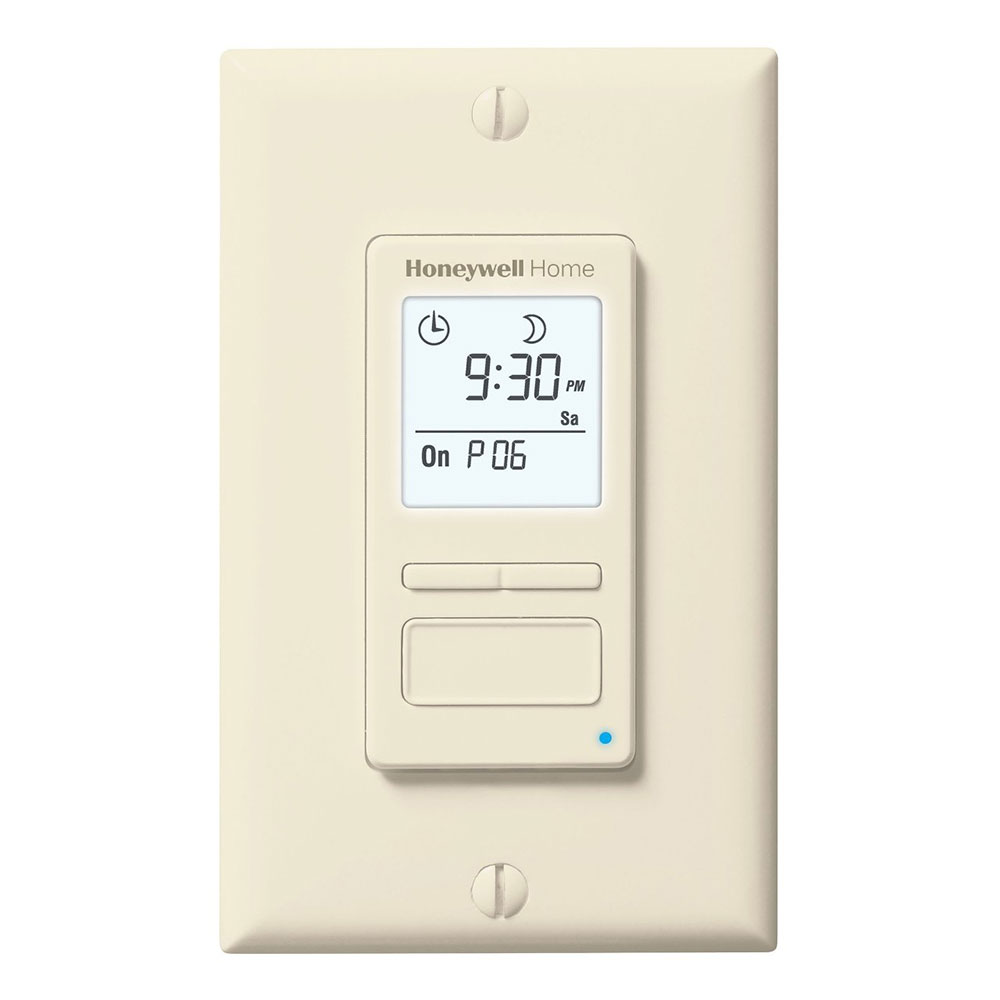
Introduction to the Honeywell Home 7-Day Solar Programmable Wall Switch
The Honeywell Home 7-Day Solar Programmable Wall Switch (model RPLS740B1008/U) is a versatile, energy-efficient timer designed for automating indoor and outdoor lights, motors, ceiling fans, bathroom fans, pond pumps, and pool pumps. This programmable wall switch features a solar time table for precise sunset and sunrise programming, automatic daylight savings updates, and up to 7 customizable on/off schedules per week, making it ideal for homeowners seeking convenience and savings on energy bills.
Key benefits include its sleek, flush-mount design that fits standard wall plates, a large backlit screen for easy nighttime viewing, and compatibility with LED, CFL, incandescent, halogen, and fluorescent bulbs, plus motors up to 3/4 HP or 1 HP on 120V (max load 1800W). With three operating modes—manual, automatic, and random on/off—it offers flexibility for security and daily routines. Target users include busy families, vacation homeowners, and anyone automating holiday lights, porch fixtures, or ventilation systems.
Unique selling points are its simple 3-button interface, weatherproof construction for outdoor use, and no minimum wattage requirement, unlike some alternatives. Estimated price range is $20-$30, widely available at Home Depot, Walmart, and Honeywell stores. This Honeywell Home 7-Day Solar Programmable Wall Switch simplifies smart home automation without needing Wi-Fi, promoting energy savings through scheduled operation and dusk-to-dawn control.
Specifications
- Supply: 120 V ~ 60 Hz
- Maximum load: 1800 watts
- Operating temperature range: -15°C to 50°C (5°F to 122°F)
- Storage temperature range: -40°C to 60°C (-40°F to 140°F)
- Power outage: The screen is blank. Only the time must be set if the outage lasts more than 4 hours; all other settings and programs are permanently saved.
- Latitude range: -65° to +65°
- Solar table precision: ±11 minutes (within ±60° latitude)
- Certification: UL (cULus)
Installation
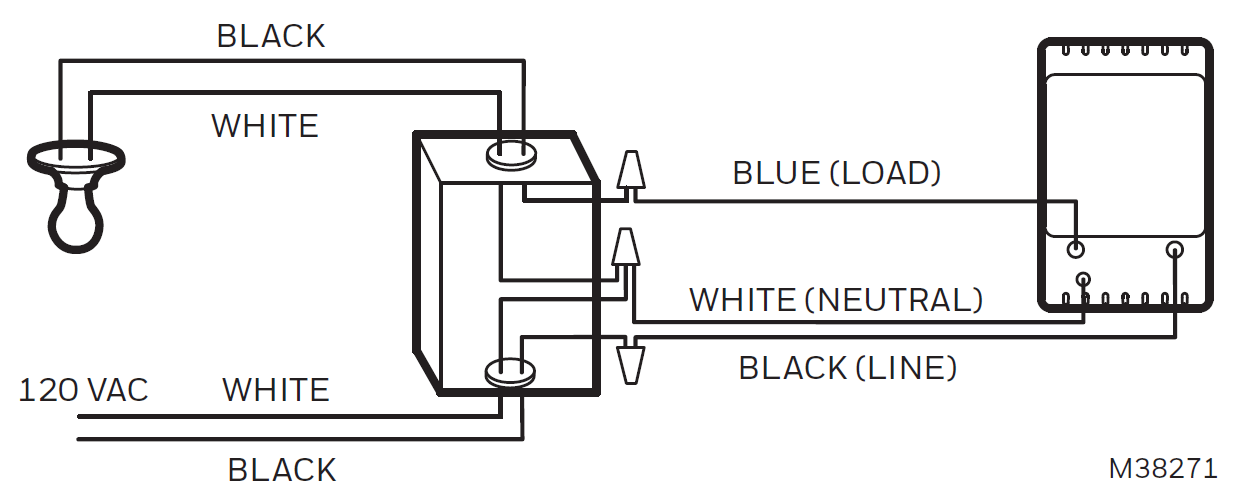
Note: This switch cannot be used if there is no neutral wire (white wires joined together) inside the electrical box.
- Cut power at the circuit breaker to avoid electric shock.
- Remove the existing switch.
- Install the new switch.
- Apply power at the circuit breaker.
Operation
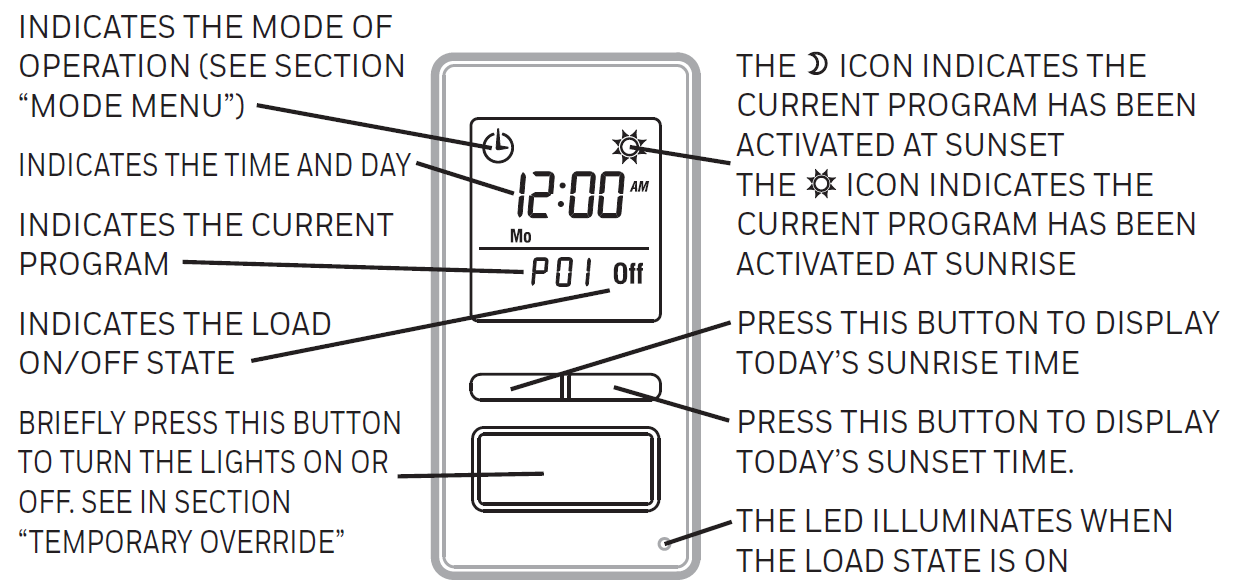
- Indicates the mode of operation (see section "Mode menu").
- Indicates the time and day.
- Indicates the current program.
- Indicates the load on/off state.
- Briefly press this button to turn the lights on or off. See section "Temporary override".
- Press for 3 seconds to enter the setup menus.
- The sunset icon indicates the current program has been activated at sunset.
- The sunrise icon indicates the current program has been activated at sunrise.
- Press this button to display today's sunrise time.
- Press this button to display today's sunset time.
- The LED illuminates when the load state is on.
Setup menus
Refer to the menu flowchart sheet on how to navigate the menus.
Mode menu
You can use the mode menu to select one of the three modes of operation (see sections "Manual mode" to "Random mode").
Manual mode
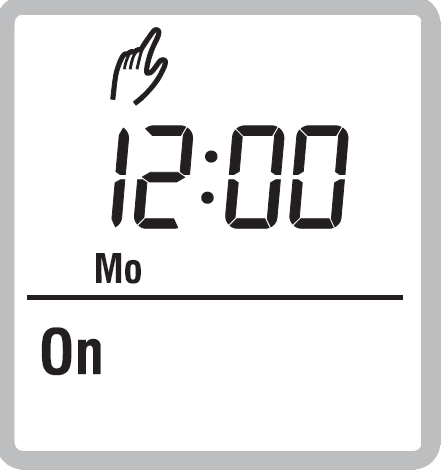
In manual mode, the RPLS740B/RPLS741B operates like a regular switch. To turn the lights on or off, briefly press the main button. The manual mode icon appears when the switch is in manual mode.
Automatic mode
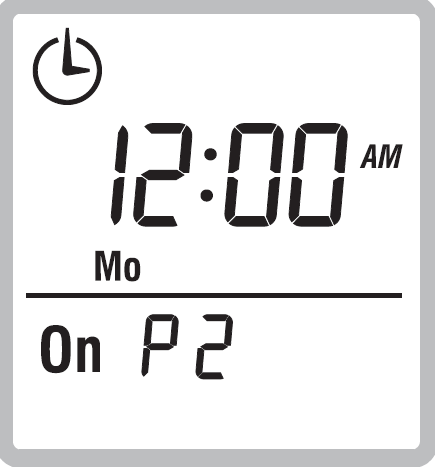
In automatic mode, the RPLS740B/RPLS741B turns the lights on or off according to the set programs (see section "Program menu (Prog)"). The automatic mode icon, as well as the current program number, is displayed.
Random mode
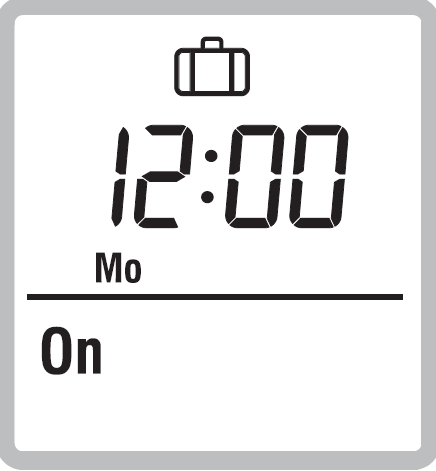
In random mode, the RPLS740B/RPLS741B has no specific times to turn the lights on or off. This mode is designed to give the impression that the house is occupied during your absence. It is similar to automatic mode, except there is no fixed program. The programs are automatically set to different times by the RPLS740B/RPLS741B every day. The random mode icon appears when the switch is in random mode. The first "On" program occurs at sunset. Each "On" program lasts between 1 hour and 1 hour and 30 minutes; each "Off" program lasts between 15 and 30 minutes. The last "Off" program occurs between 10:30 pm and midnight.
Temporary override
When the RPLS740B/RPLS741B is in automatic or random mode, you can press the main button at any time to override the default state for the current program. The lights will turn off if they are on and vice versa. The icon (On or Off) of the new state flashes to indicate that the state is temporary. The new state is maintained until you press the main button again or until the next "On" or "Off" program.
Time menu (Time)
The time display flashes on the screen when the time has not yet been set or after a 4-hour power outage. Use the time menu to select the time format (12-hour or 24-hour) and to set the clock and date..
Configuration menu (Conf)
Use the configuration menu to set the following parameters (see sections "Backlight mode (SCRN)" to "Correction factor (ADJ)").
Backlight mode (SCRN)
The screen is lit at high intensity for 8 seconds when you press any button. The rest of the time, depending on the backlight mode selected, the screen behaves as follows:
- Scrn off: The screen is not lit.
- Scrn on HI: The screen is lit at high intensity.
- Scrn on LO: The screen is lit at low intensity (default mode).
Automatic daylight savings time changeover (DLS)
When automatic daylight savings time changeover is on (DLS On), the RPLS740B/RPLS741B changes to daylight savings time (summer time) at 2:00 am on the second Sunday of March and changes back to normal time (winter time) at 2:00 am on the first Sunday of November. This function is enabled (DLS On) by default.
Latitude and longitude coordinates (LAT and LONG)
The coordinates are used to turn the lights on at sunset and off at sunrise. The latitude is set to +45 and longitude to -75 by default. These settings provide approximate sunset and sunrise times for most North American cities. To obtain your city's coordinates (or those of a nearby city), see the coordinates table. You can also obtain this information at www.geonames.org or with a global positioning system (GPS) device. The accuracy of the sunset and sunrise times depends on the accuracy of the coordinates you enter for your city.
Troubleshooting the Honeywell Home 7-Day Solar Programmable Wall Switch
Common issues with the Honeywell Home 7-Day Solar Programmable Wall Switch include blank screens after power outages (lasting over 4 hours), inaccurate sunset/sunrise times, or failure to operate loads. For blank screens, reset the time only—programs and settings are permanently saved; press the clock button to adjust. If sunset/sunrise is off by up to 11 minutes (solar table precision within ±60° latitude), update latitude (-65° to +65°) and longitude coordinates via the menu (default: +45° lat, -75° long).
Device not turning on/off? Verify single-pole installation, 120V AC supply, and load under 1800W/15A (motors 3/4 HP). Error-like behaviors: Check offsets (-70 to +70 min in 10-min increments) for programs; reset to factory defaults if needed (P01 On/Off at sunset/sunrise for all days). Preventive measures: Install in -15°C to 50°C (5°F to 122°F) range, disconnect power when changing bulbs, and avoid overloads.
Honeywell offers a limited warranty (details in manual); contact Resideo support at 1-800-468-1502 or visit honeywellhome.com for assistance. Download the PDF manual for full reset flowchart.
Pros and Cons of the Honeywell Home 7-Day Solar Programmable Wall Switch
Pros
- Energy Savings and Automation: Schedules up to 7 programs weekly with solar sunset/sunrise accuracy, reducing bills via automatic on/off for lights and motors.
- Versatile Compatibility: Works with LED/CFL (no min wattage), incandescent, halogen, fans, and pumps up to 1800W/3/4 HP—ideal for indoor/outdoor use.
- User-Friendly Design: Large backlit screen, 3-button programming, random mode for security, and easy single-pole install in minutes.
- Reliable Features: Auto daylight savings, weatherproof, permanent program memory post-outage—great value at $20-$30 vs. smart alternatives.
Cons
- Latitude Limitations: Solar precision ±11 min beyond ±60°; manual coordinate tweaks needed for extreme locations.
- No Multi-Gang Native Support: Single-pole only; 3-way requires separate wiring, unlike some competitors.
- Basic Interface: No app/Wi-Fi integration; programming via buttons may feel dated for tech-savvy users.
- Load Restrictions: Max 1800W—fine for most homes but not heavy-duty pools.
Overall, excellent value for money in programmable timers, outperforming basic mechanical switches and budget rivals like basic dusk-to-dawn models.
Customer Reviews: Honeywell Home 7-Day Solar Programmable Wall Switch
Users rate the Honeywell Home 7-Day Solar Programmable Wall Switch highly, averaging 4.5/5 stars across Home Depot and Walmart, praising its reliability for outdoor security lights: “On at dusk, off at dawn—never worry if we're away!” Common praises include easy install, energy savings on fans/pumps, and bright backlight.
Testimonials highlight: "Works great with LED bulbs, looks sleek on the wall" (5 stars); "Simple programming saved our holiday lights hassle" (4 stars). Frequent complaints: Occasional solar time tweaks for non-default latitudes and no 3-way out-of-box (fixable with wiring). Most recommend for vacation homes or porches, noting better motor support than lights-only timers like RPLS540A. Addresses key issues like power outage recovery effectively.
More honeywell home manuals
- Setup: Honeywell Home T6 Pro Programmable Thermostat User Manual
- Setup: Honeywell Home D6 Pro Smart Ductless Controller User Manual
- Setup: Honeywell Home T1 Pro Non-Programmable Thermostat Instruction Guide
- Setup: Honeywell Home VisionPRO 8000 Smart Thermostat User Manual
- Setup: Honeywell Home T10 or T10+ Pro Smart Thermostat User Manual
- Setup: Honeywell Home X8S Smart Thermostat User Manual
Leave a Comment