
Setup: Honeywell Home X8S Smart Thermostat User Manual
Content
Honeywell Home X8S Smart Thermostat: Complete Product Manual and Guide
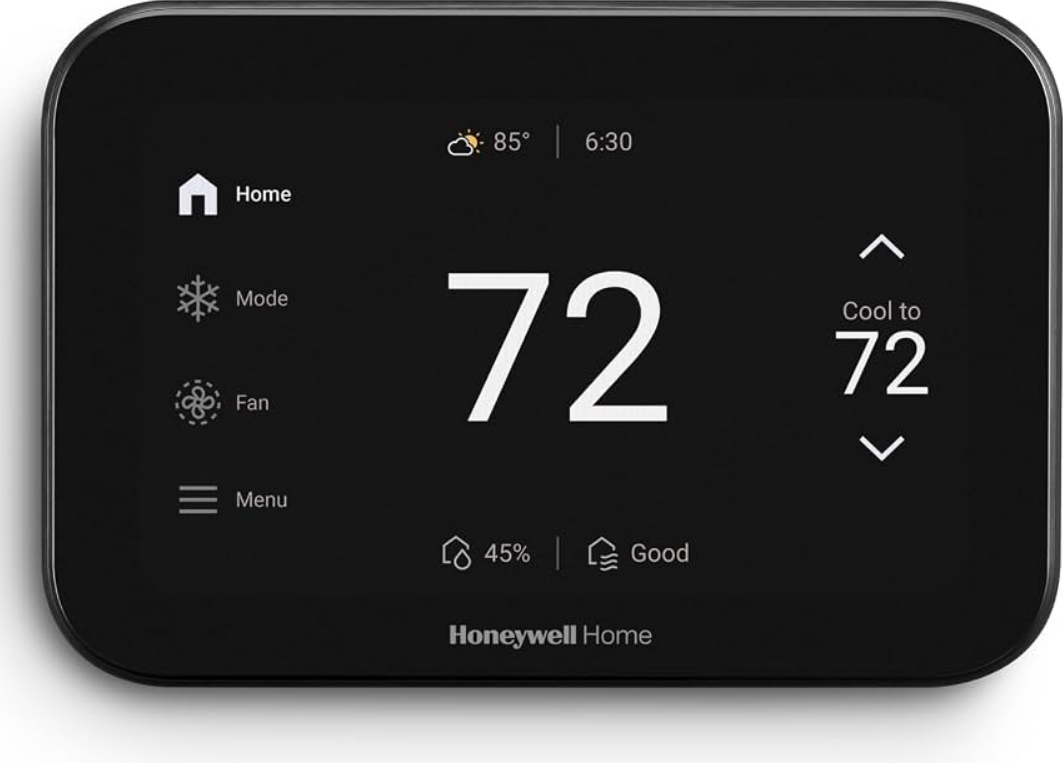
Introduction to the Honeywell Home X8S Smart Thermostat
The Honeywell Home X8S Smart Thermostat revolutionizes home climate control with its advanced features, blending seamless smart home integration, energy efficiency, and personalized comfort. This Matter-certified thermostat features a sleek 5-inch touchscreen display for intuitive operation, customizable themes, and colors to match any home decor. Key benefits include smart occupancy detection that adjusts heating and cooling based on presence, reducing energy use when you're away, and ENERGY STAR certification for potential rebates and savings up to $204 annually with recommended scheduling.
Unique selling points like video doorbell integration with First Alert or Ring allow you to view and speak to visitors directly from the thermostat, enhancing security. It also monitors indoor air quality (IAQ) by tracking humidity, volatile organic compounds (VOCs), and estimating CO2 levels, with ventilation control options for fresher air. Ideal for homeowners, renters, or smart home enthusiasts seeking precise temperature management, IAQ optimization, and remote control via the First Alert app, it's perfect for multi-room homes with hot/cold spots or high energy bills.
Target audiences include tech-savvy families and energy-conscious users. Compatible with Amazon Alexa, Google Assistant, and Apple Home, it supports up to 4 heat/2 cool heat pumps or 3 heat/4 cool conventional systems. Available in black (X8VMC8B) or white models at retailers like Honeywell Store and Lowe's, the estimated price range is $200-$300, making it a premium yet rebate-eligible choice for modern HVAC setups.
Honeywell Home X8S Smart Thermostat Specifications and Key Features
- Dimensions: 5.24 x 3.54 x 0.96 inches, sleek design with 5-inch capacitive touchscreen.
- WiFi: Dual-band 2.4/5.0 GHz, 802.11ax/ac/a/b/g/n for reliable connectivity.
- System Compatibility: Up to 4 Heat/2 Cool heat pumps (with electric backup), 3 Heat/4 Cool conventional; modes include Heat, Off, Cool, Auto, Emergency Heat.
- Smart Features: Occupancy sensing, Smart Away, Adaptive Recovery; optional room sensors for prioritizing comfort zones.
- IAQ Control: Monitors humidity, VOCs, CO2 estimates; ventilation and humidity management (may need accessories).
- Integration: Matter-certified; works with Alexa, Google Assistant, Apple Home, First Alert app; video doorbell streaming (Ring/First Alert, sold separately).
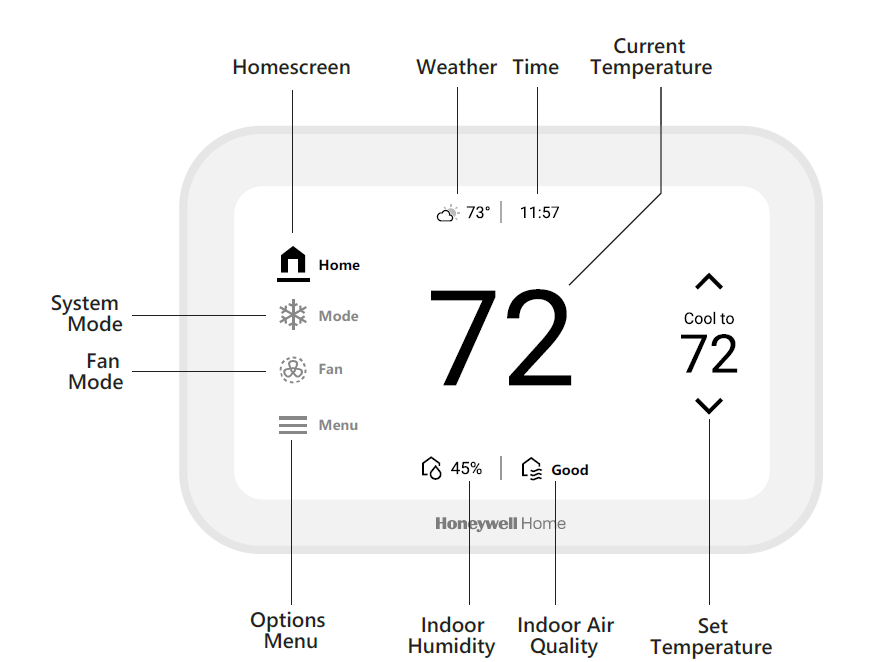
- Display Info: Indoor humidity, outdoor temp, time, current settings; customizable themes, 5-day forecast.
- Energy Efficiency: ENERGY STAR certified, monthly reports, proactive HVAC alerts to prevent failures.
- Performance Comparison: Outperforms basic thermostats like Nest Learning with superior IAQ monitoring, doorbell integration, and broader HVAC support; similar to Ecobee Premium but adds Matter certification and Resideo app ecosystem for easier multi-device control.
Usage
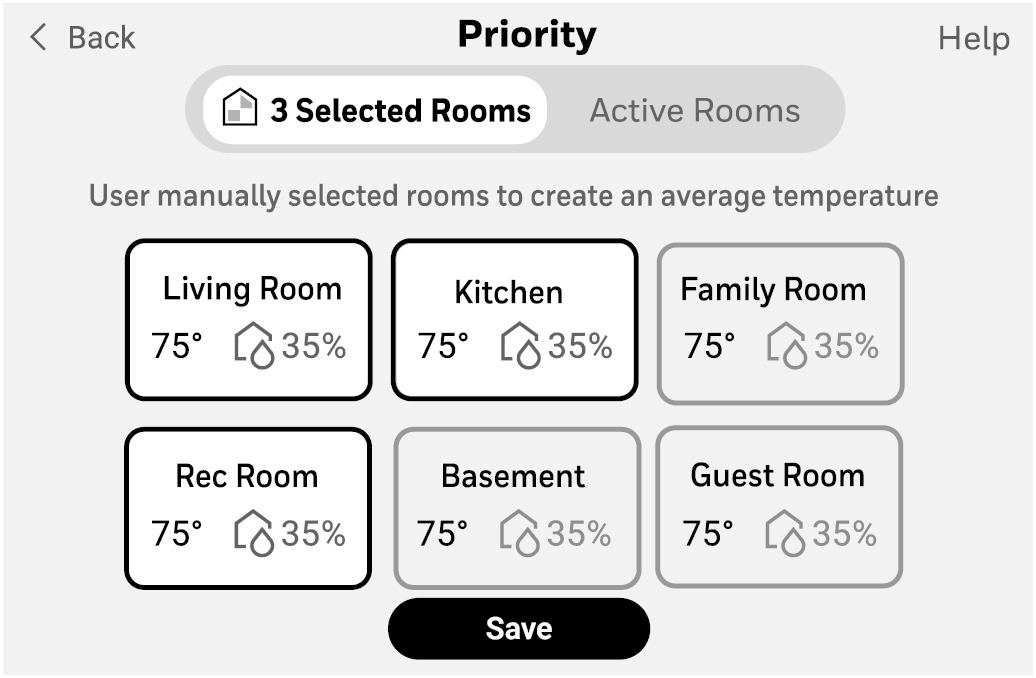
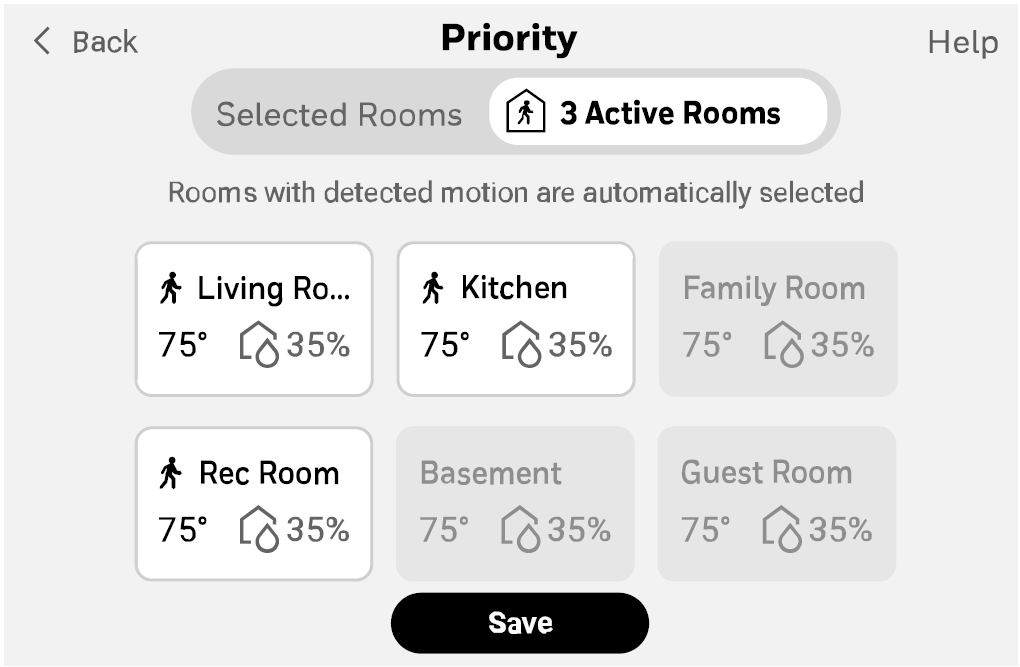
Prioritize Rooms for Comfort
Prioritize different areas of your home by using XRSENSOR wireless indoor room sensors. You can manually select these areas or allow the sensors to do it automatically when activity is sensed. To access, touch Menu > Priority.
Maintain Optimal Indoor Air Quality
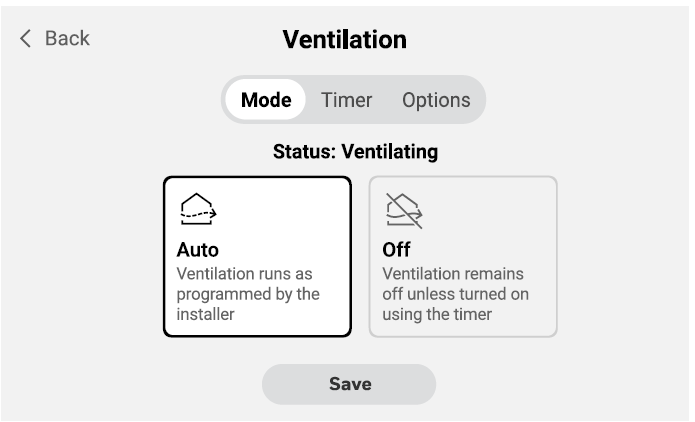
If the thermostat has been set to control Indoor air quality there will be options to control humidity or ventilation. Those can easily be adjusted in the user menu on the thermostat or in app. To access, touch Menu, then scroll to and select Humidification, Dehumidification, or Ventilation (shown).
Customize Idle Screen
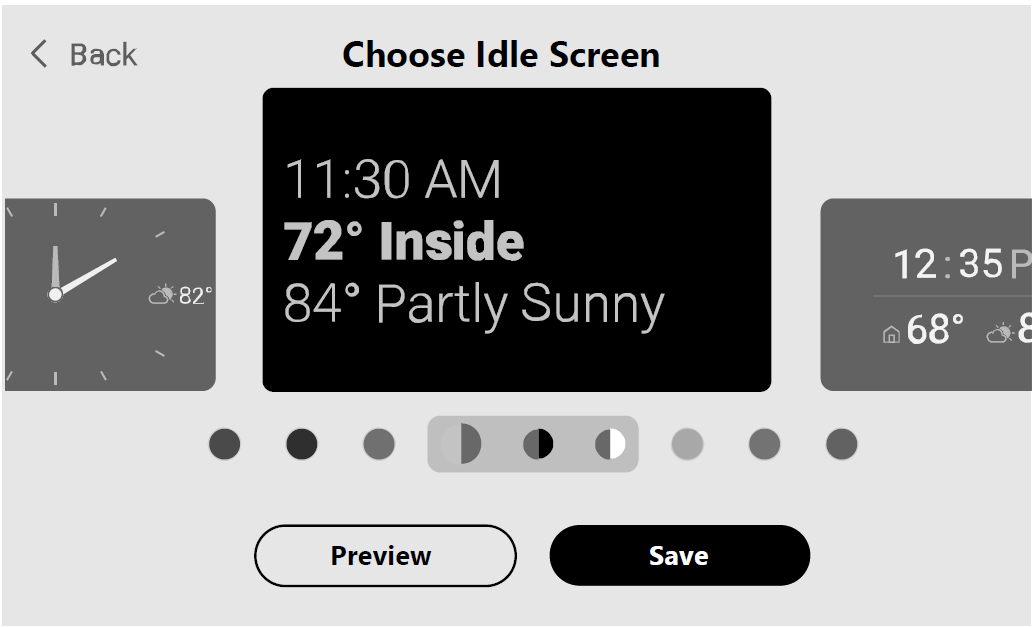
Display the information that is most important to you by customizing the idle screen. Choose between seven different styles and colors to match your decor. To access, touch Menu > Preferences > Display > Idle Screen.
Troubleshooting the Honeywell Home X8S Smart Thermostat
Common issues with the Honeywell Home X8S Smart Thermostat are often Wi-Fi-related or sensor errors. For connectivity problems, ensure 2.4/5 GHz router compatibility and restart via app; reset by holding the menu button for 10 seconds. Error alerts include Filter Change (replace HVAC filter), Heat Pump Failure (check system), Memory Error (power cycle), and Sensor Error (re-pair sensors).
- No Power/WiFi: Verify C-wire connection on UWP mount; use app to reconnect or check router signal.
- Inaccurate Temp: Calibrate with optional room sensors; enable Adaptive Recovery for precise pre-heating/cooling.
- IAQ Alerts: High VOC/CO2? Improve ventilation; consult an HVAC pro for accessories.
- Doorbell Not Streaming: Confirm First Alert/Ring compatibility and app linkage.
Prevent issues with monthly energy reports and proactive alerts sent to you and your technician. Warranty is typically 1-2 years; contact Honeywell Home support at honeywellhome.com/support or Resideo via First Alert app. For urgent help, email sarah.reckard@resideo.com or call local HVAC certified installer.
Pros and Cons of the Honeywell Home X8S Smart Thermostat
Pros
- Exceptional IAQ monitoring and control for healthier homes, tracking VOCs/humidity beyond basic temp regulation.
- Seamless smart integration with Matter, Alexa, and doorbell video for all-in-one hub convenience.
- Energy savings via occupancy detection and reports; users save ~$204/year with scheduling.
- Customizable 5-inch display and easy UWP install outperform clunky competitors.
- Proactive alerts prevent costly repairs, adding long-term value.
Cons
- Doorbell and room sensors sold separately, increasing total cost vs. all-in-one alternatives like Ecobee.
- IAQ features may require extra HVAC gear, not plug-and-play for all setups.
- App-dependent for full remote features; occasional WiFi glitches reported in dual-band setups.
- Higher upfront price ($200-$300) than basic smart thermostats, though rebates help.
Overall, excellent value for tech-forward homes; compares favorably to Nest/Ecobee with superior HVAC alerts and IAQ.
Customer Reviews and Feedback on Honeywell Home X8S Smart Thermostat
Users praise the Honeywell Home X8S Smart Thermostat for its crisp 5-inch screen and energy savings, averaging 4.5/5 stars on retail sites. "Love the doorbell integration—see visitors without grabbing my phone!" says one reviewer, highlighting seamless Ring compatibility. IAQ monitoring earns raves: “Finally fresh air control; VOC alerts improved our home health.”
Common praises include easy app control and customization (4.7/5 for interface). Complaints focus on separate sensor purchases: "Great thermostat, but extras add up" (3.8/5 for value). WiFi setup hiccups noted, resolved via support. 85% recommend for smart homes; ideal upgrade from older models.
Faqs
How do I set up the Honeywell Home X8S Smart Thermostat for the first time including wiring?
What should I do if the Honeywell Home X8S Smart Thermostat won't connect to WiFi?
How do I troubleshoot if the Honeywell Home X8S Smart Thermostat display won't unlock or adjust temperature?
Is the Honeywell Home X8S Smart Thermostat compatible with my existing HVAC wiring and smart home systems?
How do I use the indoor air quality sensors and humidity controls on the Honeywell Home X8S Smart Thermostat?
What are the energy-saving features of the Honeywell Home X8S Smart Thermostat and how do I enable them?
How do I perform maintenance on the Honeywell Home X8S Smart Thermostat to ensure optimal performance?
Can I control the Honeywell Home X8S Smart Thermostat with voice assistants like Alexa or Google Home?
More honeywell home manuals
- Setup: Honeywell Home VisionPRO 8000 Smart Thermostat User Manual
- Setup: Honeywell Home ElitePRO S1100 Smart Thermostat User Manual
- Setup: Honeywell Home D6 Pro Smart Ductless Controller User Manual
- Setup: Honeywell Home Round™ Smart Thermostat TH8732WFH5004 User Manual
- Setup: Honeywell Home 7-Day Solar Progammable Wall Switch User Manual
- Setup: Honeywell Home Smart Thermostat 9000 Color Touchscreen TH9320WF User Manual
Leave a Comment