
Setup: Honeywell Home ElitePRO S1100 Smart Thermostat User Manual
Content
Honeywell Home ElitePRO S1100 Smart Thermostat: Complete Product Manual and Guide
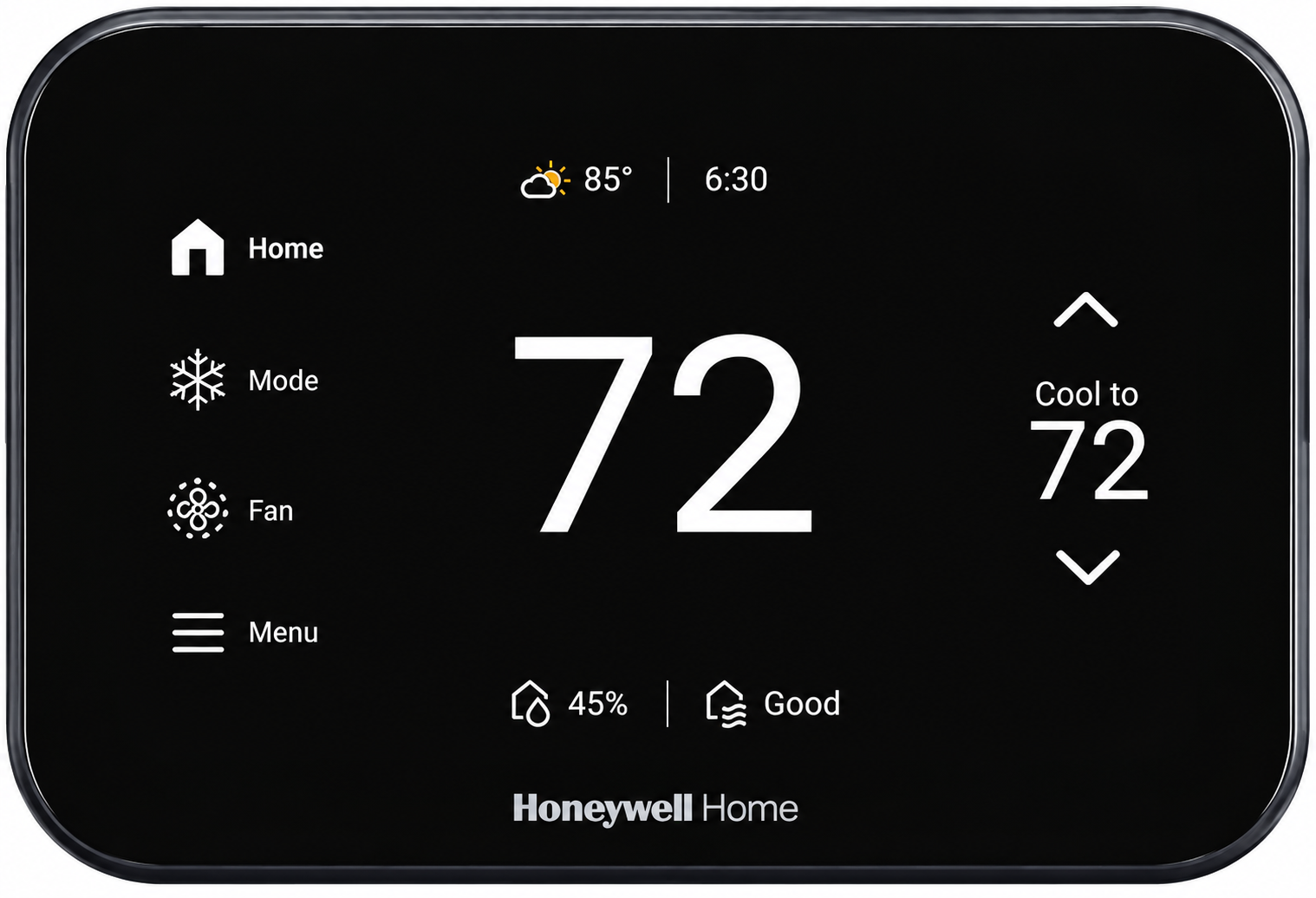
Introduction to Honeywell Home ElitePRO S1100 Smart Thermostat
The Honeywell Home ElitePRO S1100 Smart Thermostat is a cutting-edge HVAC control device designed for modern homes and commercial spaces, offering sleek aesthetics with a 5-inch customizable touchscreen and advanced indoor air quality (IAQ) management. This programmable smart thermostat supports 4H/2C or 3H/3C systems, delivering precise temperature regulation, humidity control, and energy-efficient operation through innovative features like occupancy detection and radar-based sensing.
Key benefits include significant energy savings via smart adjustments based on occupancy and ambient light, seamless integration with Redlink technology for wireless room sensors, and Pro-IQ services for professional monitoring. Unique selling points are its dual-band Wi-Fi (2.4/5GHz), Bluetooth connectivity, and ability to control up to three IAQ devices with an Equipment Interface Module (EIM), making it ideal for humidifiers, dehumidifiers, and ventilators.
Targeted at homeowners seeking smart home automation, HVAC professionals, and businesses prioritizing comfort and efficiency, the Honeywell Home ElitePRO S1100 Smart Thermostat excels in multi-zone setups, geofencing, and filter change reminders. Use cases range from residential climate control to light commercial applications like fan coil units.
Estimated price range is $200-$300, available in white (THX1100W3/U) or black (THX1100B4/U) through retailers like Ferguson and Resideo, with "coming soon" status noted for some SKUs as of recent listings.
Honeywell Home ElitePRO S1100 Smart Thermostat Specifications and Key Features
The Honeywell Home ElitePRO S1100 Smart Thermostat boasts robust technical specs for superior performance in smart thermostat comparisons.
- Display and Design: 5-inch customizable touchscreen; modern white or black finish.
- System Compatibility: 4H/2C or 3H/3C heat pump systems; controls up to 3 IAQ devices with EIM (2 without).
- Wireless Connectivity: Dual-band Wi-Fi (2.4/5GHz), Bluetooth BLE 2.4GHz, Redlink for room sensors.
- Sensors: Occupancy detection (radar), ambient light sensor, optional 10K/20K wired indoor/outdoor sensors.
- Temperature Ranges: Heating 40-90°F (4.5-32°C), Cooling 50-99°F (10-37°C).
- Humidity Control: Humidification 0-90% RH, Dehumidification 10-100% RH; accuracy ±5% RH (30-50% at 75°F).
- Power: 20-30 VAC, 0.02-0.5A per output; 3.0 VA max consumption.
- Smart Features: Geofencing, time-of-day usage, external temperature detection, smart alerts for filters/extreme temps.
- Performance Comparison: Outperforms basic Wi-Fi thermostats with IAQ integration and EIM support; ENERGY STAR certified for efficiency.
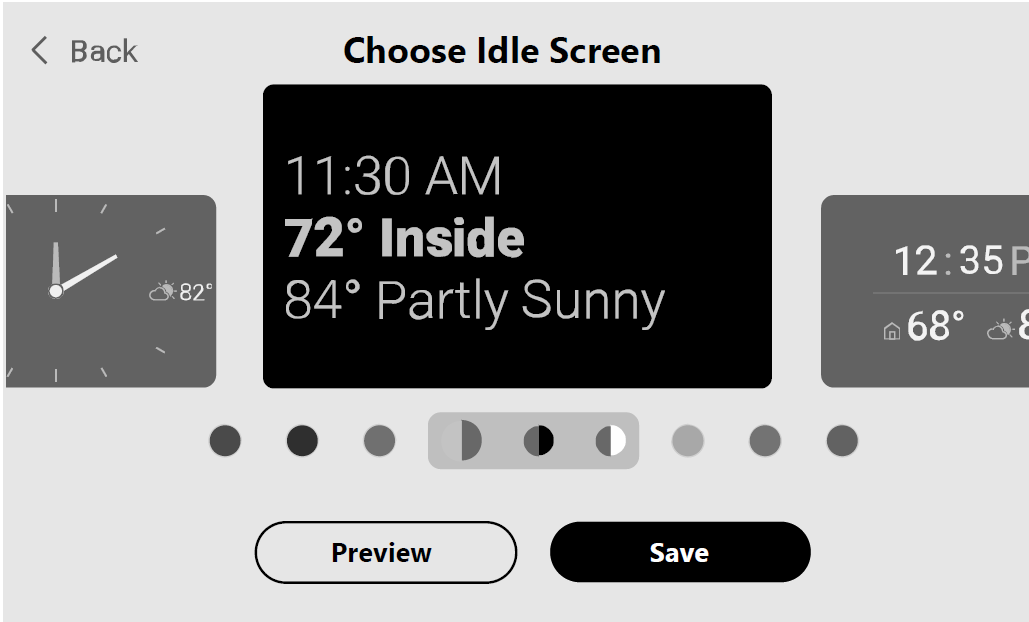
Customizable Idle Screen
Display the information that is most important to you by customizing the idle screen. Choose between seven different styles and colors to match your decor. To access, touch Menu > Preferences > Display > Idle Screen.
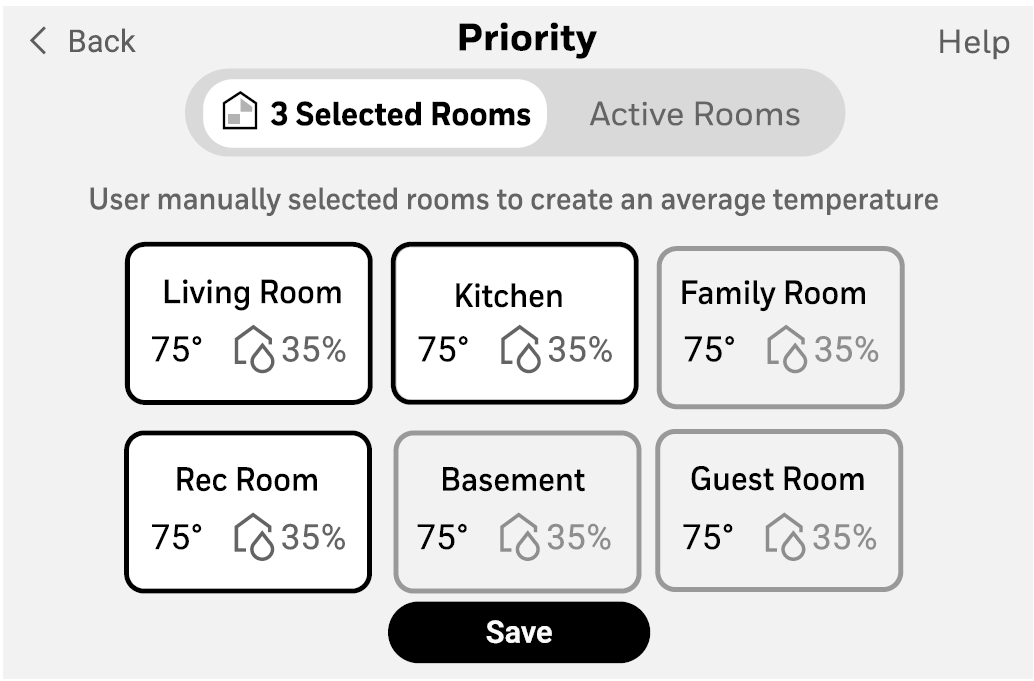
Prioritize Rooms for Comfort
Prioritize different areas of your home by using compatible wireless indoor room sensors. You can manually select these areas or allow the sensors to do it automatically when activity is sensed.
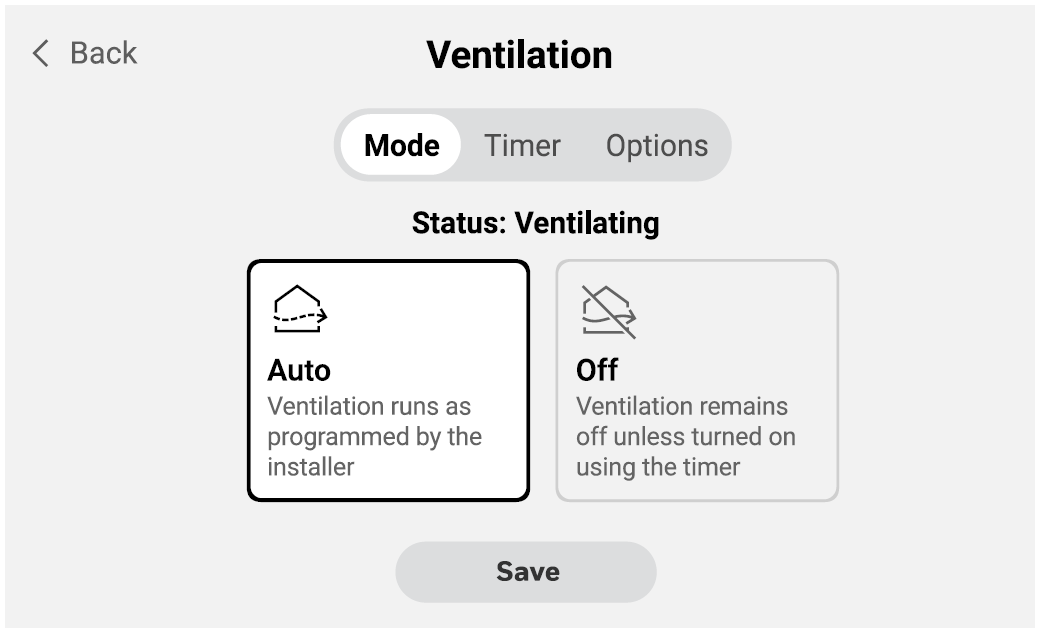
Maintain Optimal Indoor Air Quality
If the thermostat has been set to control Indoor air quality, there will be options to control humidity and/or ventilation. Those can easily be adjusted in the user menu on the thermostat or in the app.
Setup Matter
Control your thermostat setpoints and the change system mode using automations enabled by Matter. Touch Menu, scroll down, and select Matter. Follow the instructions on the screen. Use your Matter controller and scan the on-screen QR code or use the pairing code.
Troubleshooting Honeywell Home ElitePRO S1100 Smart Thermostat: Common Issues and Fixes
Encountering issues with your Honeywell Home ElitePRO S1100 Smart Thermostat? Follow these steps for quick resolution on this advanced smart thermostat.
- No Power/Display: Check 24VAC wiring (R, C terminals); verify transformer rating. Reset via touchscreen or app.
- Wi-Fi Connection Failure: Ensure dual-band router compatibility (2.4/5GHz); restart router, re-pair via Bluetooth. Update firmware through the Pro-IQ app.
- Inaccurate Temperature/Humidity: Calibrate sensors; install optional 10K pipe sensor for changeover. Clean radar lens for occupancy detection.
- IAQ Device Not Responding: Confirm EIM connection for 3rd device; test L/A output (dry contact or 24VAC). S1100 supports humidifier/dehumidifier on select terminals.
- Error Codes (e.g., Filter Alert): Acknowledge smart alerts on screen; replace filter per reminder. Extreme temp alerts auto-resolve or require HVAC check.
- Preventive Measures: Schedule regular firmware updates, clean sensors monthly, use surge protectors.
- Warranty/Support: 5-year limited warranty. Contact Honeywell Home support at 1-800-633-3991 or resideo.com; Pro-IQ for pros.
Pros and Cons of Honeywell Home ElitePRO S1100 Smart Thermostat
Pros
- Exceptional IAQ control with EIM for humidifiers/ventilators, surpassing basic models like Nest.
- Energy savings via occupancy radar and geofencing; ENERGY STAR rated.
- Customizable 5" touchscreen and Redlink sensors for multi-room accuracy.
- Pro-IQ integration for remote pro monitoring, ideal for rentals.
- Great value at $200-$300 with advanced features vs. competitors.
Cons
- Requires EIM for full 3-device IAQ ($50+ extra).
- Complex wiring for 4H/2C setups; pro installation recommended.
- App-dependent for full smart features; occasional Wi-Fi glitches reported.
- Limited O/B terminal use on fan coils.
- Newer model with "coming soon" availability in some colors.
Overall, excellent value for tech-savvy users needing robust IAQ over simpler alternatives.
Customer Reviews: Honeywell Home ElitePRO S1100 Smart Thermostat Feedback
Users praise the Honeywell Home ElitePRO S1100 Smart Thermostat for its intuitive touchscreen and energy savings, averaging 4.5/5 stars across retailer sites. "Occupancy sensing cut my bills by 15%," notes one reviewer on Ferguson.
Common praises: Reliable IAQ control, easy Pro-IQ setup for pros. Complaints include initial Wi-Fi pairing hurdles and EIM need for full features. Testimonials highlight: "Best for multi-zone homes—radar beats motion sensors."[6] ENERGY STAR users recommend for efficiency.
Buy if seeking a pro-grade smart thermostat; address Wi-Fi via firmware updates.
Faqs
How do I set up the Honeywell Home ElitePRO S1100 Smart Thermostat for the first time using the Resideo Pro app?
What should I do if the display on my Honeywell Home ElitePRO S1100 Smart Thermostat is blank?
How do I connect the Honeywell Home ElitePRO S1100 Smart Thermostat to WiFi?
How do I link the Honeywell Home ElitePRO S1100 Smart Thermostat to an Equipment Interface Module (EIM)?
What is the motion detection feature on the Honeywell Home ElitePRO S1100 Smart Thermostat and how do I use it?
Can the Honeywell Home ElitePRO S1100 Smart Thermostat work without a C-wire, and how?
Why can't I change the temperature setpoint on my Honeywell Home ElitePRO S1100 Smart Thermostat?
How do I enable Matter support on the Honeywell Home ElitePRO S1100 Smart Thermostat for smart home integration?
More honeywell home manuals
- Setup: Honeywell Home X8S Smart Thermostat User Manual
- Setup: Honeywell Home Round™ Smart Thermostat TH8732WFH5004 User Manual
- Setup: Honeywell Home VisionPRO 8000 Smart Thermostat User Manual
- Setup: Honeywell Home Smart Thermostat 9000 Color Touchscreen TH9320WF User Manual
- Setup: Honeywell Home D6 Pro Smart Ductless Controller User Manual
- Setup: Honeywell Home Prestige® Touch Screen Thermostat User Manual
Leave a Comment