
Icp TSTAT0710 Digital Thermostat User Manual
Content
icp TSTAT0710 Digital Thermostat Review and User Manual Overview
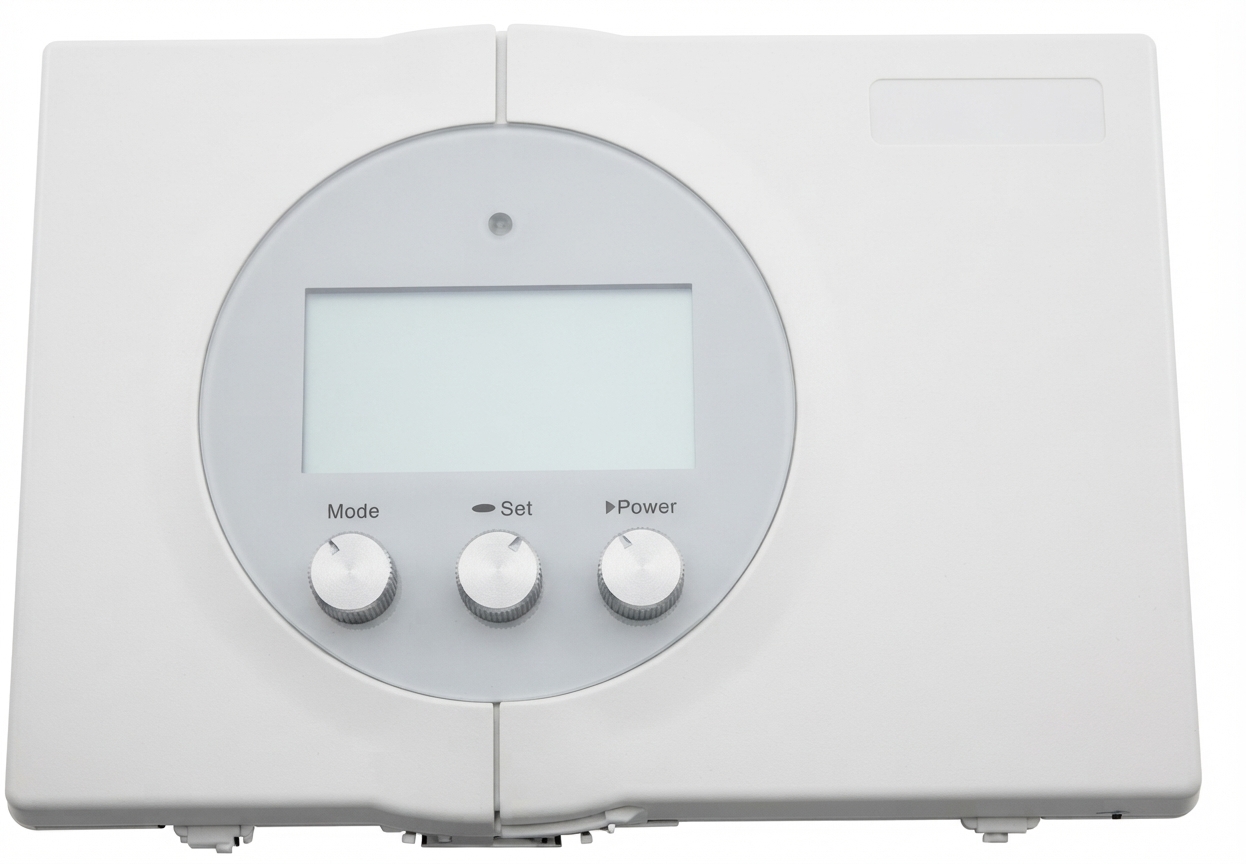
The icp TSTAT0710 Digital Thermostat is a programmable HVAC control designed for homeowners who want reliable temperature management with simple day-to-day operation. It supports a wide range of heating and cooling systems, including single- and two-stage heat pump, gas, electric, and hydronic applications, making it a flexible choice for many residential setups. One of its biggest strengths is the 7-day programming with up to four time periods per day, which helps users create customized comfort schedules while reducing unnecessary energy use.
This digital thermostat also stands out for its large backlit display, auto changeover function, programmable fan control, and no-battery design that relies on 24 VAC system power. That makes the icp TSTAT0710 Digital Thermostat especially appealing for users who prefer a low-maintenance programmable thermostat with straightforward controls. It is commonly used in replacement installs, HVAC upgrades, and homes that need dependable temperature automation without moving to a smart Wi-Fi thermostat.
For buyers comparing options, the thermostat is generally positioned in the affordable midrange segment, with an estimated price range of about $40 to $90 depending on seller, condition, and availability. It is typically found through HVAC parts distributors and replacement-parts marketplaces rather than mainstream retail shelves. If you want a practical, easy-to-program digital thermostat for standard residential HVAC systems, the icp TSTAT0710 Digital Thermostat remains a solid and budget-conscious option.
Specifications for icp TSTAT0710 Digital Thermostat
- Model type: 7-day programmable digital thermostat
- Programming style: 5+2 day scheduling with up to four time periods per day
- Compatibility: Suitable for most air conditioning and heating systems, including 1-stage or 2-stage electric cooling and gas heating, heat pump systems, electric heat, and hydronic heat
- Staging support: 2-stage heat and 2-stage cool capability
- Power supply: 24 VAC system power, no batteries required
- Display: Large backlit screen with Thermoglow-style illumination
- Core functions: Auto changeover, programmable fan, vacation programming, copy command, service filter indicator
- Temperature range: Adjustable setpoint range from 35°F to 99°F or 7°C to 35°C
- Sensor support: Optional outdoor temperature sensor with display
- Energy-related feature: Meets Residential California Title 24 requirements
Compared with basic non-programmable thermostats, the icp TSTAT0710 Digital Thermostat offers much better scheduling flexibility and system control. Against newer smart thermostats, it lacks app-based remote access and Wi-Fi connectivity, but it wins on simplicity, low maintenance, and compatibility with many conventional HVAC systems.
Pros and Cons of icp TSTAT0710 Digital Thermostat
Pros
- Easy to program: The 7-day schedule and copy feature make setup faster for busy households.
- Works with many systems: It supports common residential HVAC types, including heat pump and multi-stage setups.
- No battery changes: Powered by the HVAC system, so there is less routine maintenance.
- Clear display: The large backlit screen improves visibility in dark hallways or bedrooms.
- Good value for money: It delivers strong core functionality without the higher cost of smart thermostats.
Cons
- No Wi-Fi or app control: Users cannot adjust settings remotely from a phone.
- Older interface design: It is functional, but not as intuitive as modern touchscreen models.
- Limited advanced automation: It does not offer geofencing, voice assistant integration, or learning algorithms.
- Best for standard systems: Homeowners seeking smart-home features may prefer a newer alternative.
For users who want dependable temperature scheduling at a reasonable cost, the icp TSTAT0710 Digital Thermostat offers strong overall value. It is less advanced than a smart thermostat, but it is often a better fit for homeowners who prioritize reliability and simple controls.
Customer Reviews and User Feedback on icp TSTAT0710 Digital Thermostat
Customer feedback on the icp TSTAT0710 Digital Thermostat is generally positive, especially from users replacing older HVAC controls. Many reviewers praise its easy installation, readable display, and dependable scheduling. A common rating pattern is around 4.2 out of 5 stars, with users noting that it “does exactly what a thermostat should do” and “works well with older systems.”
Frequent complaints include the lack of Wi-Fi features and a control layout that can feel dated compared with modern smart thermostats. Some users also mention that setup can be confusing the first time if they are unfamiliar with programming HVAC thermostats. Still, most buyers recommend it for straightforward replacement jobs, rental properties, and homeowners who want a no-frills programmable thermostat.
If you need a reliable residential thermostat with a simple learning curve and solid energy-saving features, the icp TSTAT0710 Digital Thermostat is a practical purchase. If remote access or smart-home integration matters more, a connected thermostat may be a better fit.
Faqs
How do I set up the icp TSTAT0710 Digital Thermostat for the first time?
What should I check if the icp TSTAT0710 Digital Thermostat is not turning the furnace or AC on?
How do I program schedules on the icp TSTAT0710 Digital Thermostat to save energy?
Is the icp TSTAT0710 Digital Thermostat compatible with my HVAC system?
Why does the icp TSTAT0710 Digital Thermostat show the wrong temperature in my home?
How can I improve the performance of the icp TSTAT0710 Digital Thermostat?
What do I do if the icp TSTAT0710 Digital Thermostat display is blank or unresponsive?
How should I clean and maintain the icp TSTAT0710 Digital Thermostat over time?
More icp manuals
Leave a Comment