
Ilife V5s Pro Robotic vacuum cleaner User Manual
Content
ILIFE V5s Pro Robotic Vacuum Cleaner Review and User Manual Guide
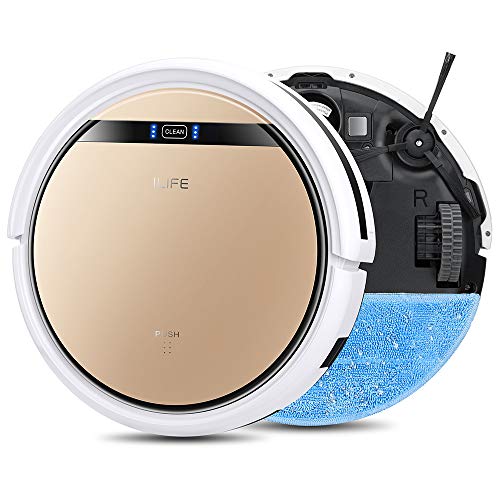
The ILIFE V5s Pro robotic vacuum cleaner is a compact 2-in-1 cleaning robot designed for everyday dust removal and light mopping on hard floors. It combines vacuuming and wet mopping in one slim body, making it a practical choice for apartments, bedrooms, kitchens, and homes with low-pile carpets or mostly hard surfaces. With a low-profile design of about 7.6 to 8.1 cm in height, it can slide under many sofas, beds, and cabinets where full-size vacuums cannot reach.
One of the biggest advantages of the ILIFE V5s Pro robotic vacuum cleaner is its simplicity. It offers remote-control operation, scheduled cleaning, automatic recharging, cliff detection, and multiple cleaning modes such as auto, edge, spot, and mop-focused cleaning. The dustbin and water tank are both around 300 ml, which is enough for light daily maintenance. Its battery runtime is commonly listed around 110 to 150 minutes, depending on mode and floor type, while charging usually takes about 4 to 5 hours. It is built for users who want convenient cleaning without app setup or complex smart-home integration.
This model is a strong fit for budget-conscious buyers, first-time robot vacuum owners, pet owners needing regular surface cleanup, and households that want a simple robot mop vacuum combo for tile, laminate, vinyl, and sealed wood floors. The ILIFE V5s Pro robotic vacuum cleaner typically falls in the budget category, with availability usually ranging from about $100 to $200 depending on seller, region, and stock. It is widely sold online, but pricing can fluctuate because older robot vacuums often go in and out of availability. For users who want a low-cost robot vacuum and mop with basic automation, the V5s Pro remains a recognizable value option.
Pros and Cons of the ILIFE V5s Pro Robotic Vacuum Cleaner
Pros
- Affordable price point makes it a good entry-level robot vacuum and mop combo for budget shoppers.
- Slim design helps it clean under furniture, which is useful in bedrooms and living rooms with low-clearance spaces.
- 2-in-1 dry and wet cleaning adds versatility for everyday dust and light spills on hard floors.
- Simple remote control and scheduling are easy to use for people who do not want app-based controls.
- Automatic docking and basic obstacle and cliff sensors improve convenience during routine cleaning.
- Good value for money compared with many higher-priced robot vacuums that do not include mopping.
Cons
- Random navigation is less efficient than mapping-based alternatives such as more advanced Roborock or iRobot models.
- Best suited to hard floors and low-pile carpet; it is not ideal for deep carpet cleaning.
- Water tank and dustbin are small, so larger homes may require more frequent emptying and refilling.
- No mobile app or voice assistant support, which may disappoint buyers seeking smart-home features.
- Cleaning performance is good for maintenance, but not comparable to premium robot vacuums with stronger suction and mapping.
Overall, the ILIFE V5s Pro robotic vacuum cleaner offers solid value for basic home cleaning. Compared with premium alternatives, it sacrifices smart navigation and app control, but it remains attractive for users who want a low-cost robot vacuum mop for simple daily upkeep.
Customer Reviews: What Buyers Say About the ILIFE V5s Pro
Customer feedback for the ILIFE V5s Pro robotic vacuum cleaner is generally positive, especially from users who want an affordable, easy-to-operate cleaning robot. Many buyers rate it around 4 out of 5 stars for its ability to handle dust, pet hair, and light mopping on tile or wood floors. A common praise is that it cleans effectively in both dry and wet modes and is easy to set up with the remote control.
Frequent complaints include limited navigation, occasional missed spots, and the lack of Wi-Fi or app control. Some users also note that the mopping function is best for maintenance cleaning rather than deep stain removal. One typical comment is: “Great for daily dust pickup and light mopping, but it is not a replacement for a full-sized vacuum.” Another common opinion is: “Excellent value for the price, especially for apartments and hard floors.”
For buyers comparing budget robot vacuum and mop combos, the ILIFE V5s Pro is usually recommended for simple, routine cleaning rather than advanced smart cleaning. If you want a basic automatic vacuum cleaner with mopping support and do not need mapping or app controls, this model remains a practical purchase.
ILIFE V5s Pro Robotic Vacuum Cleaner Specifications at a Glance
- Cleaning type: Vacuuming and mopping
- Navigation: Random navigation with basic sensors
- Dustbin capacity: About 300 ml
- Water tank capacity: About 300 ml
- Battery runtime: About 110 to 150 minutes
- Charging time: About 4 to 5 hours
- Noise level: Typically under 65 dB
- Dimensions: About 30 x 30 x 7.6 to 8.1 cm
- Best for: Hard floors, low-pile carpets, pet hair, daily maintenance cleaning
- Control method: Remote control
Who Should Buy the ILIFE V5s Pro?
The ILIFE V5s Pro robotic vacuum cleaner is best for users who want a simple, low-cost robot cleaner for everyday maintenance. It is a smart choice for apartments, small homes, and households with mostly hard flooring. It is also suitable for buyers who prefer a straightforward remote-controlled device over app-connected smart appliances.
If you need advanced room mapping, stronger deep-clean performance, or premium navigation, a more modern robot vacuum may be a better fit. But if your goal is convenient daily dust pickup and light mopping at a budget-friendly price, the ILIFE V5s Pro remains a dependable and practical option.
Faqs
How do I set up the ilife V5s Pro Robotic vacuum cleaner for the first time?
Why is my ilife V5s Pro Robotic vacuum cleaner not charging or returning to the dock?
Can the ilife V5s Pro Robotic vacuum cleaner vacuum and mop at the same time?
What floors are compatible with the ilife V5s Pro Robotic vacuum cleaner?
How can I improve suction power on my ilife V5s Pro Robotic vacuum cleaner?
Why does my ilife V5s Pro Robotic vacuum cleaner keep getting stuck?
How often should I clean and maintain the ilife V5s Pro Robotic vacuum cleaner?
What should I do if the ilife V5s Pro Robotic vacuum cleaner is making unusual noises?
More ilife manuals
Leave a Comment