
Insignia 24" Led TV NS-24F201NA26 User Manual
Content
Insignia 24" LED TV NS-24F201NA26: Complete Product Manual and Buyer Guide
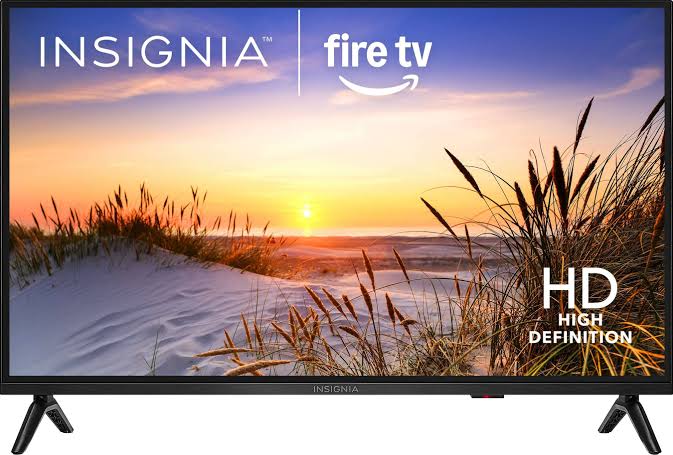
The insignia 24" Led TV NS-24F201NA26 is a compact smart Fire TV built for bedrooms, dorm rooms, kitchens, guest rooms, and small apartments. It combines a 24-inch LED display, HD 720p resolution, Alexa voice control, and streaming-friendly smart features in a space-saving design that is easy to place on a stand or mount on a wall. For shoppers who want a small-screen television that handles everyday viewing without taking up much space, this model offers a practical balance of size, simplicity, and value.
One of the biggest advantages of the insignia 24" Led TV NS-24F201NA26 is its straightforward setup and broad connectivity. The TV includes two HDMI ports, USB, composite AV, optical audio output, headphone jack, coaxial input, and Wi-Fi support, making it easy to connect streaming devices, game consoles, cable boxes, soundbars, or older media equipment. It also supports Alexa voice navigation through the included voice remote, which makes searching for apps, changing inputs, and controlling playback faster and more convenient.
This model is best suited for users who want an affordable secondary TV rather than a premium theater display. It is especially appealing for students, renters, families needing a bedroom TV, and anyone looking for a reliable entry-level smart television. Estimated pricing typically falls around the budget range of about $61.99 to $69.99 depending on condition, retailer, and promotions, with new and open-box availability commonly seen online and through major electronics sellers. For small-space entertainment, the insignia 24" Led TV NS-24F201NA26 remains a strong value choice.
Specifications for Insignia 24-Inch LED Smart Fire TV
- Screen size: 24 inches class
- Display type: LED
- Resolution: HD 720p
- Smart platform: Fire TV
- Voice assistant support: Alexa built-in through remote control
- HDR support: No
- Backlight type: Direct-lit
- HDMI ports: 2
- Other connections: USB, composite AV, optical audio, headphone jack, coaxial input
- Wireless connectivity: Wi-Fi
- Wall mounting: VESA 100 x 100 compatible
- Audio: Integrated speakers with immersive virtual surround support
In everyday use, this compact LED TV is designed for basic HD streaming, live TV, and casual gaming rather than high-end cinematic performance. Compared with similar 24-inch budget models, the biggest strengths are the smart Fire TV interface, voice control, and flexible connection options. Compared with a 1080p competitor, the main trade-off is lower resolution, but the price is usually more accessible and the feature set remains competitive for secondary-room viewing.
Setup Guide: How to Set Up the Insignia 24" LED TV NS-24F201NA26
Start by placing the television on a stable surface or mounting it using a compatible VESA 100 x 100 bracket. Keep the back panel clear for ventilation and avoid installing it near heat sources, sinks, or direct moisture. Attach the stand if you are using a tabletop setup, then connect the power cord securely before turning the TV on.
Next, follow the on-screen setup wizard. Select your language, connect to Wi-Fi, and sign in to your Amazon account to access Fire TV apps and streaming services. Pair the voice remote when prompted by inserting the batteries and following the remote pairing instructions. Then connect any external devices, such as a game console, cable box, soundbar, or streaming stick, using the HDMI or audio ports.
For troubleshooting during setup, restart the TV if Wi-Fi does not connect on the first attempt, and confirm that your router password is correct. If a device is not recognized, try another HDMI port or use a different cable. Never block ventilation openings, overload power strips, or place liquids on or near the unit. For best results, complete software updates during the initial setup process.
Troubleshooting the Insignia 24 Inch LED TV NS-24F201NA26
Common issues are usually easy to fix. If the screen is blank, confirm the power indicator is on, check the wall outlet, and make sure the input source is correct. If the TV has sound but no picture, reduce brightness, disconnect external devices, and restart the set. If Wi-Fi keeps dropping, move the router closer or reboot the network equipment.
Because this model uses a smart TV interface, many problems are software-related rather than hardware failures. A frozen screen can often be resolved by unplugging the TV for 30 seconds and restarting it. If apps will not load, clear the app cache, check your internet connection, or install updates. If the remote stops responding, replace the batteries and re-pair it.
Prevent issues by keeping the TV updated, using surge protection, and cleaning dust from the vents regularly. For support, check the retailer’s warranty terms and the manufacturer’s product support resources. If the television is still under warranty, contact the original seller or Insignia support channel listed in the product documentation for repair or replacement help.
Pros and Cons of the Insignia 24" LED TV NS-24F201NA26
Pros
- Affordable price point for a smart 24-inch TV
- Compact size fits bedrooms, dorms, offices, and kitchens
- Fire TV platform offers easy access to popular streaming apps
- Alexa voice remote adds convenient search and control features
- Multiple ports make it flexible for consoles and cable boxes
- VESA mounting support improves placement options
Cons
- 720p resolution is lower than 1080p alternatives
- No HDR support
- Sound quality is adequate but not premium
- Small screen size is not ideal for large living rooms
- Smart performance is fine for basic use, but not flagship-level
Overall, the value for money is strong if the goal is a budget-friendly secondary TV. Compared with other compact models, the insignia 24" Led TV NS-24F201NA26 stands out for its smart features and easy setup, while full HD competitors may deliver sharper detail at a higher price. It is a practical option for buyers who want convenience over advanced display performance.
Customer Reviews and Real-World Feedback
Average user sentiment for the insignia 24" Led TV NS-24F201NA26 is generally positive, with many buyers rating it around 4 out of 5 stars for value and convenience. Customers often praise the easy setup, compact footprint, and simple Fire TV navigation. A common positive comment is that it works well as a bedroom or kitchen TV without taking up much space.
Frequent complaints usually focus on the 720p resolution and modest speaker output. Some users also mention that smart features can feel slower than those on more expensive TVs. Still, many reviews describe it as a solid purchase for everyday streaming and casual viewing. Typical user feedback includes comments such as, “Perfect size for my guest room,” and “Great little TV for the price.” For budget-conscious shoppers, this model is often recommended as a dependable entry-level smart television.
Frequently Asked Questions
Is the Insignia 24-inch TV good for streaming?
Yes. The Fire TV platform provides access to popular streaming services and supports voice search through Alexa.
Can the TV be wall mounted?
Yes. It is compatible with a VESA 100 x 100 wall mount pattern.
How many HDMI ports does it have?
It includes two HDMI ports, which is enough for common devices like game consoles and streaming boxes.
Is this TV suitable for gaming?
It is suitable for casual gaming and small setups, but not for users who need advanced display performance or a large screen.
Faqs
How do I set up the Insignia 24" Led TV NS-24F201NA26 for the first time?
What should I do if the Insignia 24" Led TV NS-24F201NA26 has no picture or no sound?
Which devices are compatible with the Insignia 24" Led TV NS-24F201NA26?
Does the Insignia 24" Led TV NS-24F201NA26 support wall mounting, and what mount size do I need?
How do I connect Wi‑Fi and use streaming apps on the Insignia 24" Led TV NS-24F201NA26?
Why is the picture quality on the Insignia 24" Led TV NS-24F201NA26 not as sharp as expected?
How do I use Alexa voice control on the Insignia 24" Led TV NS-24F201NA26?
What maintenance and cleaning routine is best for the Insignia 24" Led TV NS-24F201NA26?
More insignia manuals
Leave a Comment