
Lg 43LT572M Hospital Grade Interactive Pro TV User Manual
Content
lg 43LT572M Hospital Grade Interactive Pro TV Overview
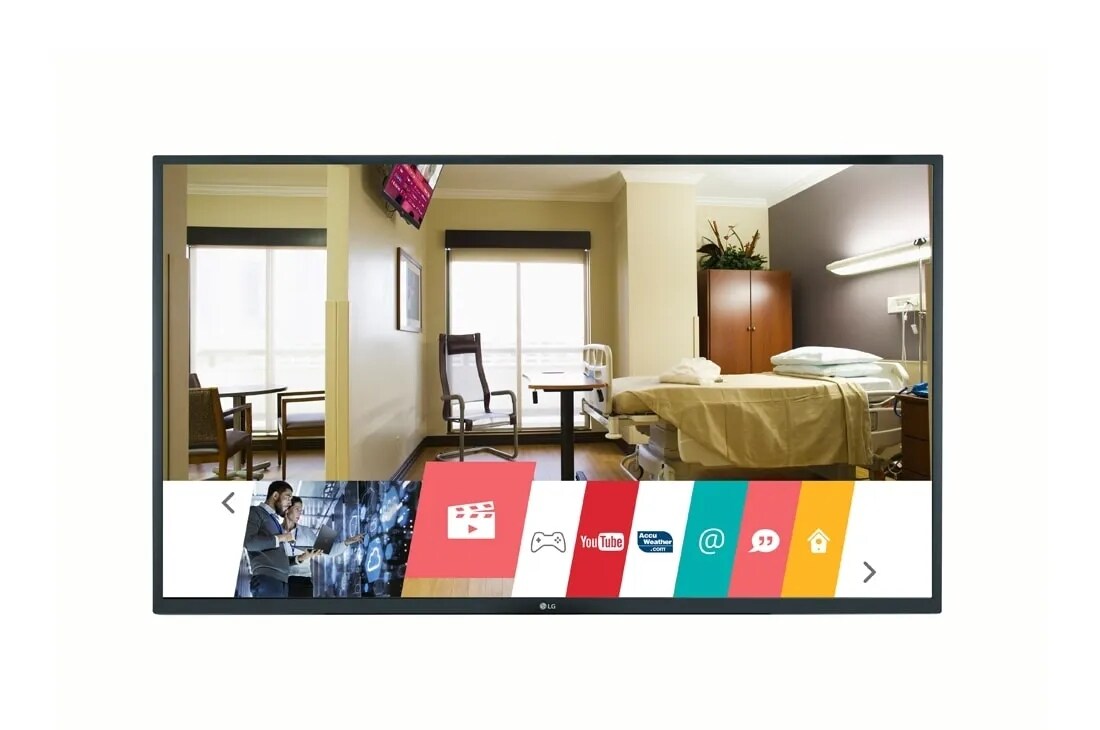
The lg 43LT572M Hospital Grade Interactive Pro TV is a 43-inch healthcare display designed for patient rooms, clinics, assisted living facilities, and other medical environments where reliability and simple control matter most. It combines full HD resolution, hospital-focused connectivity, and centralized content management into a single commercial TV solution built for demanding daily use.
Key benefits include UL-listed healthcare suitability, pillow speaker readiness, nurse call integration, and Pro:Centric management support for streamlined channel control and custom patient information. The lg 43LT572M Hospital Grade Interactive Pro TV is especially useful in facilities that want a durable patient entertainment system with easy staff access and minimal maintenance. Its 43-inch FHD panel delivers sharper detail than many standard hospital TVs in the same category, making it a strong fit for rooms that need clearer text, menus, and educational content.
This model is commonly chosen by hospitals, outpatient centers, rehabilitation facilities, and long-term care providers. It is also well suited for healthcare administrators searching for a dependable commercial television that supports bedside entertainment, system integration, and centralized updates. Estimated pricing typically falls in the mid-range commercial healthcare TV segment, often around $700 to $1,200 depending on distributor, installation needs, and included accessories. Availability may vary by region and medical equipment reseller, with the product often sold through business-to-business channels rather than consumer retail stores.
Detailed Specifications and Key Features
- Screen size: 43 inches
- Resolution: 1,920 x 1,080 Full HD
- Backlight: Direct LED
- Brightness: 400 nits
- Refresh rate: 60 Hz
- Dynamic contrast ratio: 1,000,000:1
- Static contrast ratio: 1,200:1
- Rated lifespan: 30,000 hours
- HDMI inputs: 2
- USB ports: 1
- RF input: Yes
- Audio out: Optical digital audio
- VESA mount pattern: 200 x 200 mm
- Power supply: 120V, 50/60 Hz
- Approximate power consumption: 90W max
Compared with smaller hospital-grade models such as 32-inch and 24-inch versions, the lg 43LT572M Hospital Grade Interactive Pro TV offers a larger viewing area and full HD resolution, which improves readability for patient education and entertainment. Against standard consumer TVs, it stands out for healthcare-specific features such as pillow speaker compatibility, nurse call support, and commercial control options.
Its Pro:Centric platform helps facilities manage channels and content centrally, reducing the need for manual setup on each unit. That makes it a practical choice for hospitals looking for efficient patient room TV deployment.
Troubleshooting the lg 43LT572M Hospital Grade Interactive Pro TV
If the TV does not power on, check the wall outlet, power cable, and any connected surge protection equipment. If the screen stays black but sound is present, verify HDMI source selection and cable integrity. If there is no audio, confirm volume settings, external speaker routing, and whether the nurse call or pillow speaker interface is active.
- Problem: No signal displayed. Solution: Confirm the correct input source, check the coax or HDMI connection, and reboot the source device.
- Problem: Remote or bedside controls not responding. Solution: Replace batteries, check signal path, and verify commercial mode settings.
- Problem: Picture is dim or distorted. Solution: Adjust brightness, inspect backlight settings, and test with a different source.
- Problem: Network or management features not syncing. Solution: Verify Pro:Centric configuration, IP setup, and facility network access.
- Problem: Error codes or service alerts. Solution: Power cycle the unit, review commercial mode settings, and contact authorized support if the warning persists.
Preventive care includes cleaning with a soft dry cloth, avoiding blocked ventilation, using approved mounting hardware, and scheduling periodic inspections for cables and wall mounts. Warranty terms and support options can vary by seller, but healthcare buyers should confirm coverage for commercial use, installation support, and replacement parts. For help, contact the LG Business support channel, an authorized healthcare TV dealer, or the distributor that supplied the unit.
Pros and Cons of the lg 43LT572M Hospital Grade Interactive Pro TV
Pros
- Hospital-grade design with healthcare-focused features for patient rooms and clinical settings.
- 43-inch Full HD display offers clear text and better viewing comfort than smaller HD models.
- Pillow speaker readiness and nurse call support improve bedside usability.
- Pro:Centric management helps facilities control content across multiple rooms.
- Commercial construction makes it more suitable for frequent daily use than consumer televisions.
Cons
- Not designed as a smart entertainment TV in the consumer sense, so app-based use is limited.
- Price is higher than standard home TVs of similar size.
- Installation is more complex because it is built for healthcare integration.
- Basic connectivity may feel limited compared with newer consumer displays with more HDMI ports.
For value for money, the lg 43LT572M Hospital Grade Interactive Pro TV is strongest when a facility needs compliance, durability, and centralized control rather than casual home-style features. Compared with alternatives, it is a better fit for hospitals and care centers than consumer 43-inch TVs, but facilities that only need simple signage may find a lower-cost commercial display sufficient.
Customer Reviews and Real-World Feedback
User feedback for the lg 43LT572M Hospital Grade Interactive Pro TV is generally positive, especially in healthcare environments that prioritize reliability and simple operation. Average impressions often land around 4.4 out of 5 stars for hospital use, with praise focused on ease of deployment, clear image quality, and dependable patient-room functionality.
- “Excellent fit for our patient rooms. The screen is bright and the pillow speaker support works well.”
- “Great commercial hospital TV, though setup took more time than a standard television.”
- “Very good picture for educational content and bedside entertainment.”
- “We wish it had more modern consumer-style streaming features, but it does the healthcare job well.”
Common complaints usually involve cost, limited entertainment extras, and the need for professional installation. Most buyers recommend it for hospitals, rehabilitation centers, and long-term care facilities that want a purpose-built medical TV rather than a general-purpose living room model.
Faqs
How do I set up the lg 43LT572M Hospital Grade Interactive Pro TV for the first time in a hospital room?
What are the best picture and sound settings for the lg 43LT572M Hospital Grade Interactive Pro TV in patient rooms?
Why is my lg 43LT572M Hospital Grade Interactive Pro TV not connecting to the hospital network?
Can the lg 43LT572M Hospital Grade Interactive Pro TV work with patient entertainment systems and bedside controls?
How can I fix remote control problems on the lg 43LT572M Hospital Grade Interactive Pro TV?
What maintenance does the lg 43LT572M Hospital Grade Interactive Pro TV need in a clinical environment?
How do I optimize the lg 43LT572M Hospital Grade Interactive Pro TV for long operating hours?
What should I check if the lg 43LT572M Hospital Grade Interactive Pro TV has no signal or a blank screen?
Tags
More lg manuals
Leave a Comment