
How to Use: Molekule Air Purifier User Manual
Content
Introduction to the Molekule Air Purifier
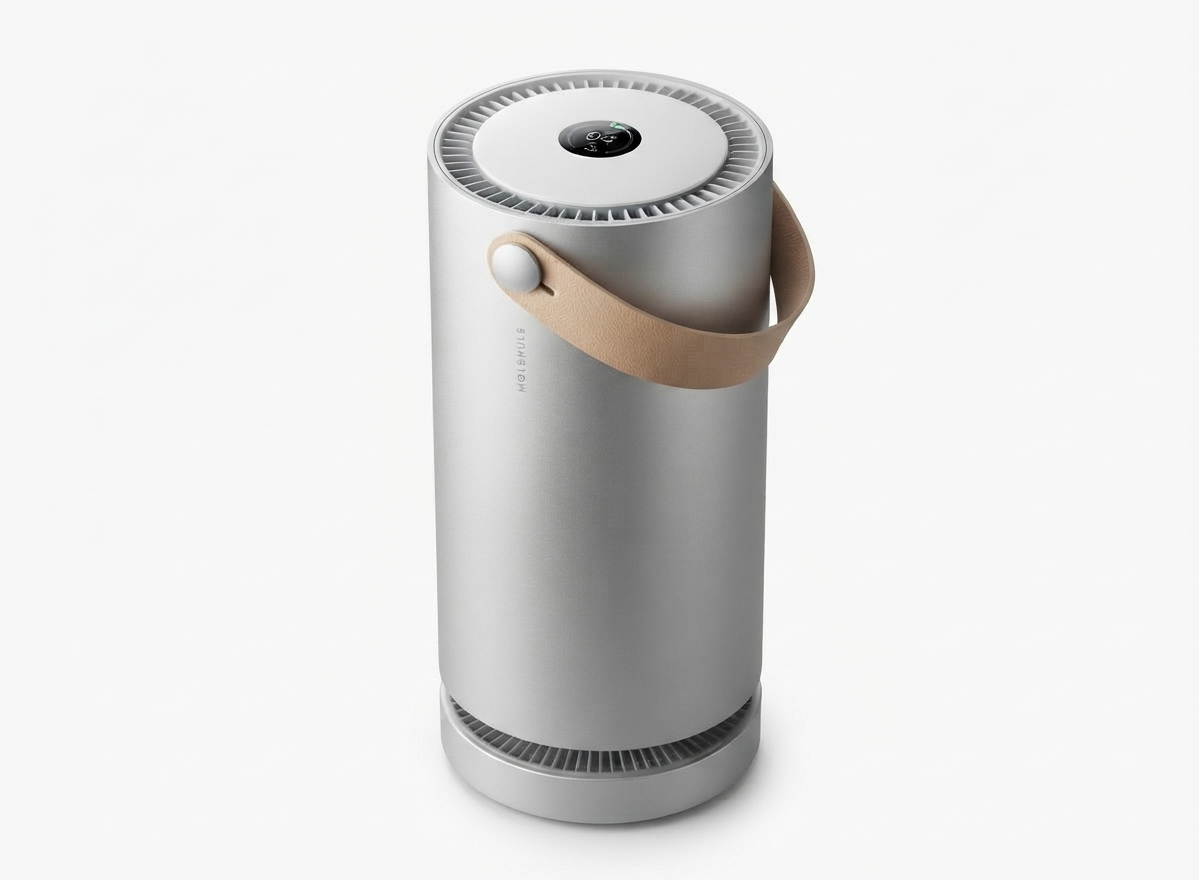
The Molekule Air Purifier represents a breakthrough in indoor air quality technology, designed to cleanse your living spaces with advanced PECO (Photo Electrochemical Oxidation) technology. Unlike traditional HEPA filters that trap pollutants, Molekule actively destroys airborne toxins such as viruses, bacteria, mold, allergens, and volatile organic compounds (VOCs) at a molecular level. This cutting-edge approach ensures cleaner, healthier air for users in their homes, offices, or any indoor environment.
Targeted primarily at health-conscious individuals and families dealing with allergies, asthma, or pollution concerns, the Molekule Air Purifier excels in medium to large rooms up to 600 square feet. Its sleek, modern design fits elegantly into living rooms, bedrooms, and workspaces, providing continuous air purification without compromising aesthetic appeal.
With smartphone app integration, real-time air quality monitoring, and multiple operating modes including Auto, Boost, Silent, and Dark Mode, the Molekule Air Purifier offers both convenience and customizable performance. The estimated price range is typically between $700 and $900, reflecting its premium build and advanced features, and it is widely available through the Molekule website and major retailers.
Detailed Specifications of the Molekule Air Purifier
- Technology: PECO (Photo Electrochemical Oxidation) combined with True HEPA filtration capturing 99.97% of particles as small as 0.3 microns.
- Coverage Area: Up to 600 square feet, suitable for large living rooms and primary bedrooms.
- Dimensions & Weight: 8.25 inches in diameter, 23 inches tall, weighing approximately 18 pounds.
- Operating Modes: Auto Mode (automatic fan speed based on air quality), Boost Mode (full power cleaning), Silent Mode (~40 dB noise level), Dark Mode (all lights off for undisturbed sleep).
- Air Quality Monitoring: Real-time particulate sensor detecting smoke (<1 micron), dust (<2.5 microns), and pollen (<10 microns) with updates via LED indicators and smartphone app.
- Connectivity: Wi-Fi enabled with Molekule mobile app for remote operation, filter status alerts, and air quality reports.
- Filter System: Multi-stage PECO-HEPA filter that not only captures but destroys organic pollutants, plus a carbon layer to reduce odors and gases.
- Performance: Achieves approximately 4.8 Air Changes per Hour (ACH) in spaces up to 600 sq ft; proven to reduce PM2.5 particulate matter by 70% within 60 minutes in test environments.
- Comparison: Compared to Molekule Air Pro (up to 1000 sq ft) and Air Mini (up to 250 sq ft), the Molekule Air balances coverage and portability effectively for medium to large rooms.
Troubleshooting Common Issues with the Molekule Air Purifier
- Device not connecting to Wi-Fi: Ensure the purifier is within range of your router, restart the unit and app, and confirm the correct network password. Reset network settings on the device if necessary.
- Filter replacement alert: The app will notify when filter life is low. Replace the PECO-HEPA filter promptly to maintain optimal performance.
- Unusual noises or vibration: Check for any obstructions around the fan. Clean the outer casing and ensure the unit sits on a stable surface.
- Error codes on LED display:
- E1 - Filter improperly installed; remove and reinstall filter securely.
- E2 - Sensor malfunction; contact Molekule support.
- Preventive measures: Regular cleaning of exterior vents and timely filter replacements extend device longevity.
- Warranty and Support: Molekule offers a one-year limited warranty with options for extended coverage. Customer support is accessible via the official website, email, and phone.
Pros and Cons of the Molekule Air Purifier
- Pros:
- Innovative PECO technology destroys pollutants rather than just trapping them, enhancing air purification effectiveness.
- Smartphone app integration allows remote control and real-time air quality monitoring for convenience.
- Multiple operating modes including quiet and dark settings support use during sleep or sensitive activities.
- Stylish design complements modern home and office environments.
- Effective coverage for medium to large rooms (up to 600 sq ft), making it versatile for various indoor spaces.
- Cons:
- Higher price point compared to conventional HEPA air purifiers, which may not fit all budgets.
- Relatively heavy and bulky, limiting portability compared to smaller models.
- Some users report occasional difficulty connecting to the app or Wi-Fi network.
- Dark Mode suspends PECO light activation, temporarily storing pollutants instead of destroying them immediately.
Customer Reviews of the Molekule Air Purifier
Users consistently praise the Molekule Air Purifier for its advanced purification leaving rooms noticeably fresher and cleaner. Many highlight the quiet operation and useful app features, giving an average rating of 4.3 out of 5 stars. Common compliments focus on its effectiveness in reducing allergens and odors, especially for allergy sufferers.
However, some customers note challenges with the initial app setup and occasional connectivity issues. A few mention the unit’s size and weight as a drawback for frequent relocation. Despite these concerns, the majority recommend the Molekule Air Purifier for its unique PECO technology and reliable air quality improvements, especially in medium to large living spaces.
Faqs
How do I set up my molekule Air Purifier WiFi connection for the first time?
What should I do if my molekule Air Purifier won’t turn on?
How can I troubleshoot WiFi connection problems with my molekule Air Purifier?
What are the key maintenance steps to keep my molekule Air Purifier performing optimally?
How do I reset the filter status indicator on my molekule Air Purifier after replacing filters?
Can multiple users control the same molekule Air Purifier through the app?
Why does my molekule Air Purifier keep rebooting and how can I fix it?
What features make molekule Air Purifier effective for large room air purification?
More molekule manuals
Leave a Comment