
Philips Chassis PL11.0 LCD TV User Manual
Content
Philips Chassis PL11.0 LCD TV Manual
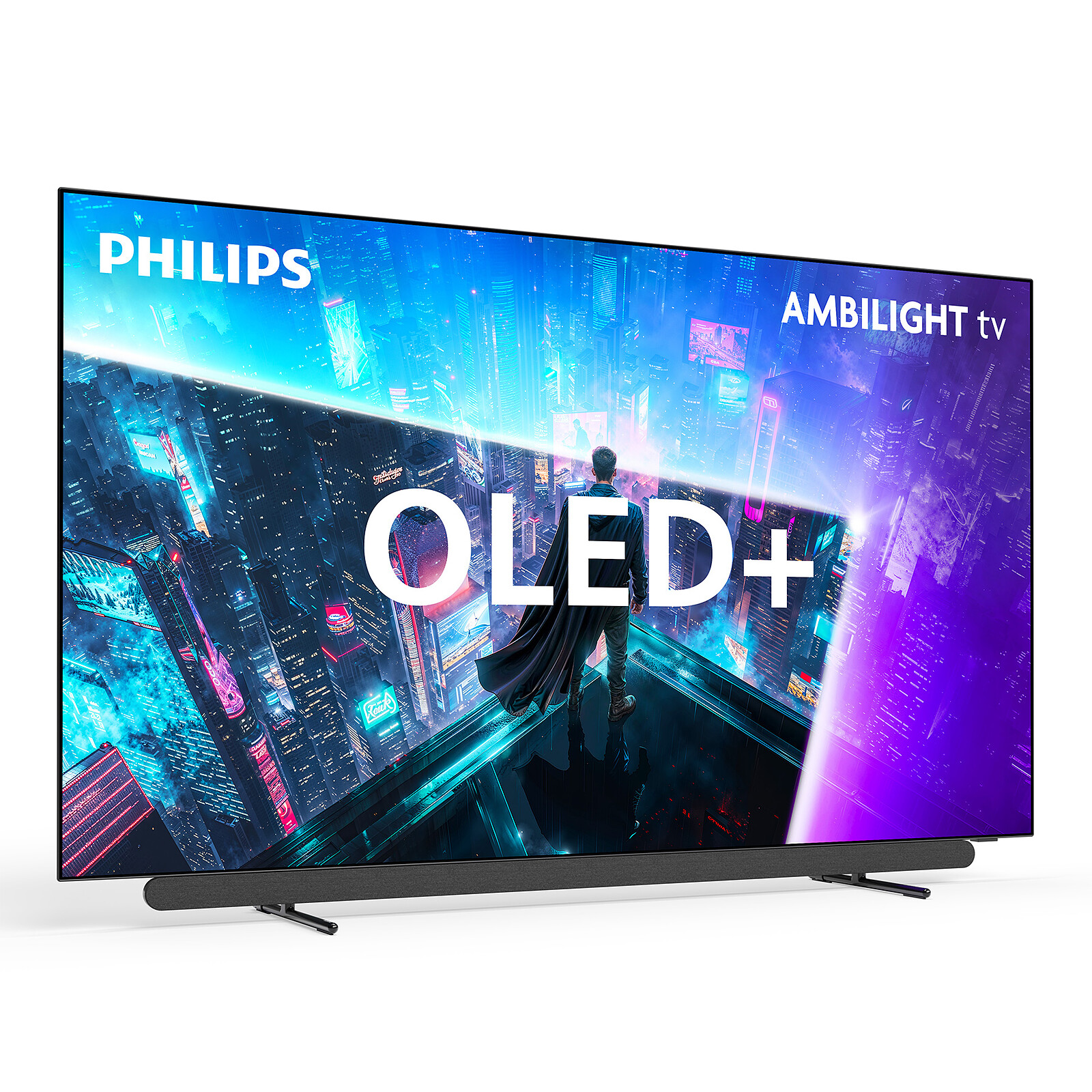
Introduction
The Philips Chassis PL11.0 LCD TV is a classic flat-panel television platform designed for reliable everyday viewing, straightforward operation, and broad compatibility with standard broadcast and external video sources. Built around Philips’ PL11.0 chassis architecture, this LCD TV family is known for its practical design, dependable performance, and easy serviceability, making it a strong choice for households, technicians, and budget-conscious buyers looking for a simple television solution.
This model is best suited for users who want a basic LCD TV for bedrooms, secondary living rooms, offices, guest spaces, or replacement installations. It supports common inputs and channel setup procedures, making it useful for cable TV, antenna reception, and external device connections. The Philips Chassis PL11.0 LCD TV is especially appealing for users who value simplicity over smart-TV complexity, with a clean interface and straightforward setup process.
Typical pricing for used, refurbished, or replacement units generally falls in the budget-friendly range, often depending on screen size, condition, and included accessories. Availability is usually limited to resale marketplaces, spare-part suppliers, and refurbished electronics channels rather than new retail stores. For buyers searching for a dependable legacy LCD television, the Philips Chassis PL11.0 LCD TV remains a practical option with solid everyday value.
Specifications
- Product type: LCD television with Philips PL11.0 chassis architecture
- Display class: Commonly available in 32-inch variants
- Resolution: Up to 1366 x 768 pixels on supported models
- Aspect ratio: 16:9 widescreen format
- Refresh rate: 60 Hz typical performance
- Audio output: Around 10 W on comparable models
- Connectivity: HDMI, USB, AV, RF/coaxial input depending on variant
- Smart features: No built-in smart TV platform on base models
- Wireless connectivity: No built-in Wi-Fi on standard versions
- Power setup: Standard AC input with rear power connector
- Weight: Lightweight design for wall-mount or stand use
- Performance note: Comparable to entry-level LCD TVs, with simpler image processing than modern LED smart TVs
Compared with newer LED televisions, the Philips Chassis PL11.0 LCD TV offers fewer advanced features but remains easier to configure and maintain. It is best compared with other entry-level LCD models from the same era, especially those focused on reliability rather than streaming, voice control, or app-based entertainment.
Detailed Description
The Philips Chassis PL11.0 LCD TV is built as a conventional flat-panel television platform that processes incoming video signals through a standard display and audio chain. In practical terms, this means the TV accepts input from antennas, cable boxes, DVD players, and other external sources, then converts those signals into on-screen images and sound through the LCD panel and internal speakers.
The chassis design is especially useful in service and repair settings because it supports a familiar internal structure with accessible components. This makes the Philips Chassis PL11.0 LCD TV a common reference point for technicians working on replacement boards, screen issues, power faults, or input problems. The build quality is typically practical rather than premium, with lightweight plastic housing and a compact layout designed for everyday home use.
In real-world use, the TV performs well as a secondary television in a bedroom, kitchen, or office. Users who want a simple channel-based setup, quick switching between sources, and low-maintenance operation generally find it easy to live with. The user experience is straightforward, with basic menu navigation, simple remote control functions, and limited learning curve.
Setup Guide: How to Install and Configure Philips Chassis PL11.0 LCD TV
- Place the TV on a flat, stable surface before attaching the stand or preparing wall mounting.
- If mounting on a wall, remove the base carefully and follow the correct screw pattern for the model.
- Connect the power cable securely to the rear power input and plug it into a reliable AC outlet.
- Attach your signal source using the correct connection type, such as RF coaxial cable, HDMI, or AV input.
- Insert batteries into the remote control and confirm that the TV responds to power and menu commands.
- Turn the TV on and open the channel setup or installation menu.
- Run auto-program or auto-store to scan available broadcast or cable channels.
- Select the correct source input if using a cable box, DVD player, or external media device.
For safety, keep the TV away from moisture, unstable surfaces, and blocked ventilation areas. Do not pull the power cable by force, and always unplug from the connector rather than the wire. If the TV does not power on, recheck the outlet, cable fit, and remote batteries before moving to deeper troubleshooting.
Troubleshooting
- No power: Confirm the AC outlet works, the power cable is fully inserted, and the power button is engaged.
- No picture: Verify the correct source input and check whether the external device is turned on.
- No sound: Increase volume, unmute the TV, and inspect audio output settings on connected devices.
- Weak or missing channels: Re-run auto-program and confirm the antenna or cable feed is connected properly.
- Remote not working: Replace batteries and ensure there is no obstruction between the remote and TV sensor.
- Intermittent startup: Disconnect power for one minute, then reconnect and test again.
Common service errors on legacy LCD sets often relate to power board failure, loose internal connectors, or backlight issues rather than software faults. Preventive care includes using a surge protector, avoiding overheating, and keeping vents clean. Warranty support for used units is usually limited, so buyers should check seller terms carefully. For official help, Philips consumer support and regional TV support pages remain the best starting point.
Pros & Cons
Pros
- Simple operation with a low learning curve
- Reliable for basic TV viewing and external device playback
- Easy to set up with standard antenna or cable inputs
- Lightweight design suitable for wall mounting or stand placement
- Good value for users who need a basic LCD TV rather than a smart model
Cons
- No built-in smart TV apps or Wi-Fi on standard versions
- Lower resolution and fewer features than modern LED televisions
- Availability is mostly limited to used or refurbished units
- Replacement parts may vary by regional model and serial version
- Not ideal for users who want streaming, voice control, or premium picture processing
For buyers comparing value for money, the Philips Chassis PL11.0 LCD TV is a strong match for basic viewing needs but not for feature-heavy home entertainment. Compared with newer alternatives, it is less advanced but often easier to repair and maintain.
Customer Reviews
Average user sentiment for the Philips Chassis PL11.0 LCD TV is generally positive for basic use, with many owners giving it 4 out of 5 stars for reliability and simplicity. Users frequently praise the easy channel setup, dependable picture for everyday viewing, and compact form factor.
Common complaints include the lack of smart features, modest speaker performance, and limited picture quality compared with modern televisions. One typical review says, “It is not fancy, but it works well as a bedroom TV and was easy to install.” Another user notes, “Great for cable and antenna use, but I had to add a streaming device for modern apps.”
Purchase recommendations usually favor refurbished units only when the panel, power board, and remote are verified. Buyers who want a straightforward TV for everyday viewing will likely be satisfied, while those expecting smart-TV convenience should consider a newer model.
Faqs
How do I set up philips Chassis PL11.0 LCD TV for the first time?
What should I do if philips Chassis PL11.0 LCD TV does not turn on?
How do I fix a black screen on philips Chassis PL11.0 LCD TV but still hear sound?
Which devices are compatible with philips Chassis PL11.0 LCD TV?
How can I improve picture quality on philips Chassis PL11.0 LCD TV?
Why is philips Chassis PL11.0 LCD TV showing no signal on certain inputs?
How often should I clean and maintain philips Chassis PL11.0 LCD TV?
What are common philips Chassis PL11.0 LCD TV problems that need professional repair?
More philips manuals
- Philips 2000 Series On-ear Wireless Headphones TAH2209 User Manual
- Philips ppM3321 Neck and Shoulder Massager User Manual
- Philips Over-ear Wireless Headphones TAH5500 User Manual
- Philips PPM4311 Back and Waist Massager User Manual
- Philips Active 3D Glasses PTA516 User Manual
- Philips 9900 Prestige Electric Brush User Manual
Leave a Comment