
Progressive Dynamics PD4500 Series Power Control Center User Manual
Content
Progressive Dynamics PD4500 Series Power Control Center: Complete Product Manual
Introduction
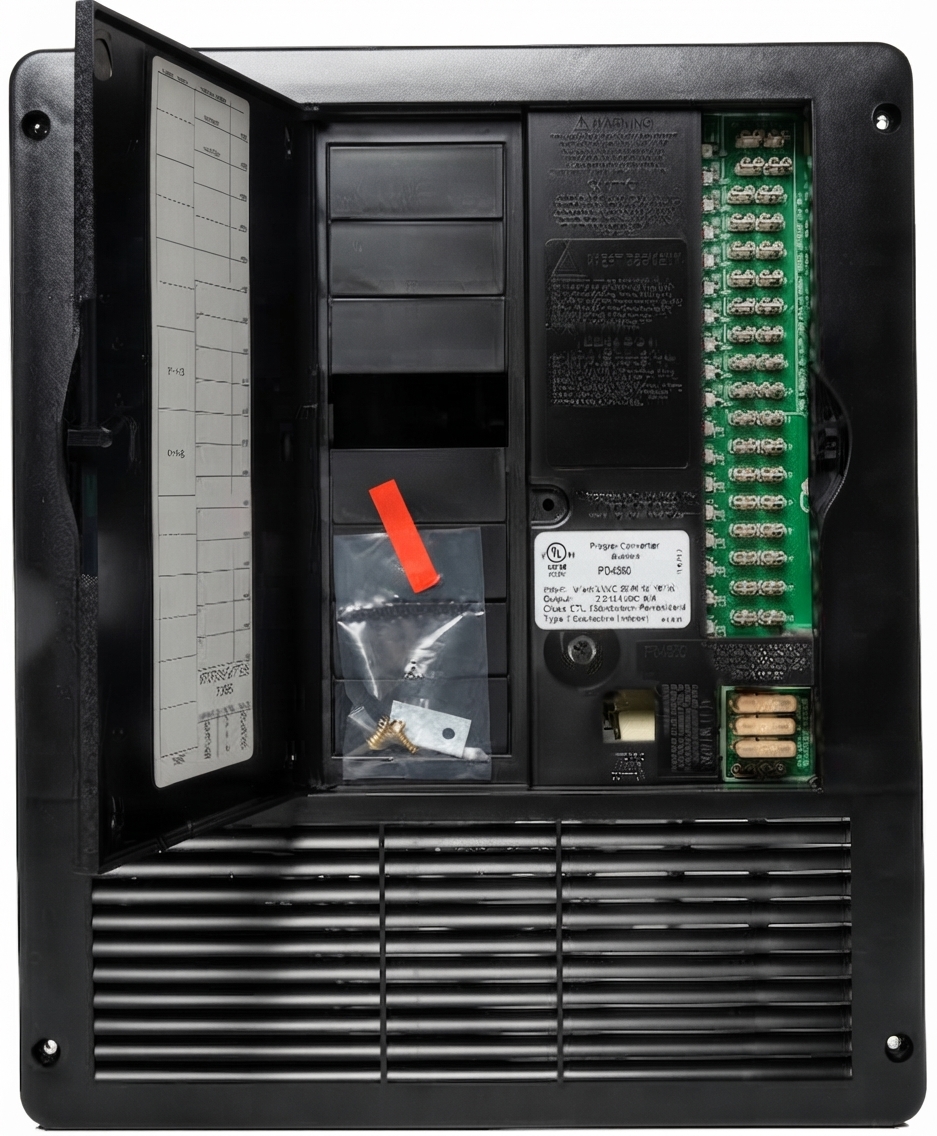
The Progressive Dynamics PD4500 Series Power Control Center is a compact RV electrical distribution and converter system designed to simplify 120-volt AC and 12-volt DC power management in one integrated enclosure. Built for travel trailers, fifth wheels, motorhomes, and custom RV conversions, it combines a breaker panel, fuse panel, and battery converter/charger into a single serviceable unit. The result is a cleaner install, easier maintenance, and more reliable power distribution for onboard appliances, lighting, pumps, and charging needs.
One of the biggest advantages of the progressive dynamics PD4500 Series Power Control Center is its flexibility. It supports multiple model sizes, including 60-amp, 75-amp, and 90-amp converter versions, making it easier to match the electrical demands of small and large RV builds. It is also available with lithium-friendly options, which is especially valuable for owners upgrading to LiFePO4 battery banks. The unit is designed for vertical or horizontal installation, offering practical fitment in a wide range of cabinet and utility compartments.
For buyers comparing RV power center options, the PD4500 stands out for its strong reputation, serviceability, and wide parts support. Typical pricing generally falls in the mid-range category, often around a few hundred dollars depending on model and retailer availability. It is commonly sold through RV parts dealers, online marketplaces, and specialty electrical suppliers. For anyone searching for a dependable RV power distribution panel with built-in charging, this series remains a popular choice.
Specifications for the Progressive Dynamics PD4500 Series Power Control Center
- Models: PD4560, PD4575, PD4590
- Converter output: 60 amps, 75 amps, or 90 amps depending on model
- Maximum continuous input power: 1,000 watts, 1,300 watts, or 1,550 watts
- Input voltage: 105 to 130 VAC
- Input frequency: 50 to 60 Hz
- No-load output voltage: 13.6 VDC
- Full-load output voltage: Greater than 12.6 VDC
- Ripple and noise: Less than 100 mV RMS
- AC section rating: 240/120 VAC, 50 amps maximum input
- Branch circuits: Up to 12 AC branch circuits and up to 18 DC fuse positions
- Physical size: Approximately 11.85 inches wide, 14.125 inches high, and 7.80 inches deep
- Cutout size: Approximately 10.125 inches wide by 13.25 inches high
- Weight: About 8 lbs for the 60-amp model, 8.5 lbs for the 75-amp model, and 10 lbs for the 90-amp model
- Comparison: Compared with smaller RV power centers, the progressive dynamics PD4500 Series Power Control Center offers higher output, more branch-circuit capacity, and stronger support for larger battery banks
Setup Guide: How to Install and Configure the PD4500 Power Center
Before installation, disconnect shore power, turn off the battery, and verify that the compartment is dry and well ventilated. The unit is not intended for wet locations, LP gas compartments, or battery compartments. Mount it either vertically with the converter section down or horizontally with the converter section to the right. Confirm that the opening matches the cutout dimensions and that wiring access is clear.
Next, connect the AC input, branch circuit breakers, DC fuse outputs, and ground/bonding conductors according to the wiring diagram for your specific model. If you are using a lithium battery setup, confirm the converter is configured for the correct battery chemistry before energizing the system. Recheck torque on terminals, secure all conductors, and inspect for loose strands before restoring power. After installation, test each AC breaker, confirm DC voltage at the distribution panel, and verify that the converter begins charging properly.
If the unit does not power up, confirm shore power availability, main breaker position, and battery polarity. If charging seems weak, inspect fuse placement, cable sizing, and battery condition. Always follow RV electrical safety procedures and use a qualified technician if you are not comfortable working with AC mains wiring.
Troubleshooting the Progressive Dynamics PD4500 Series Power Control Center
The most common issues with the progressive dynamics PD4500 Series Power Control Center usually involve no DC output, tripped breakers, blown fuses, or incorrect converter settings. If the RV has no 12-volt power, check the battery disconnect switch, verify the converter is receiving AC input, and inspect the DC fuses. If AC outlets work but 12-volt loads do not, the issue may be a failed fuse, poor battery connection, or converter shutdown caused by overload or wiring fault.
Users sometimes report charging problems after battery upgrades. In those cases, confirm that the lithium setting is enabled when using LiFePO4 batteries. If the unit is running but battery voltage is not rising, inspect cable length, corrosion at terminals, and whether the battery is already at full charge. There are no common digital error codes on most versions, so diagnostics rely on voltage checks, breaker inspection, and visual examination of wiring and fuses.
Preventive care includes keeping connections tight, avoiding moisture, checking for heat damage, and testing the system seasonally. Progressive Dynamics offers warranty coverage and technical support through its product support channels, with manuals, troubleshooting guides, and replacement converter sections available for many models. For help, contact the manufacturer or an authorized RV electrical service center through official Progressive Dynamics customer support.
Pros and Cons of the Progressive Dynamics PD4500 Series Power Control Center
Pros
- Integrated AC distribution, DC fuse panel, and converter in one compact enclosure
- Multiple output sizes make it easy to match different RV power demands
- Strong reputation for reliable charging and stable output voltage
- Lithium-compatible configuration options are useful for battery upgrades
- Good value for money compared with buying separate distribution and charging components
- Widely used in RVs, making parts, documentation, and support easier to find
Cons
- Installation requires basic electrical knowledge and careful wiring practices
- Not suitable for damp, wet, or LP gas compartment installations
- Some users may need an additional converter section replacement if the charger fails
- Less convenient than modern smart panels with built-in digital monitoring
- May be oversized for very small RVs or simple off-grid builds
Overall, the progressive dynamics PD4500 Series Power Control Center delivers strong performance for its price, especially when compared with lower-capacity RV power centers or separate component systems. It is a practical choice for owners who want a dependable, serviceable power hub without unnecessary complexity.
Customer Reviews: What RV Owners Say
Customer feedback is generally positive, with many owners rating the PD4500 series around 4.5 out of 5 stars. Reviewers frequently praise its simple layout, dependable charging, and easy maintenance. One common comment is that it “just works” and keeps the RV power system organized and efficient. Buyers also appreciate that replacement parts and manuals are easy to find.
Common complaints focus on installation difficulty for beginners, limited diagnostic feedback, and the need to confirm lithium settings when upgrading batteries. Some users mention that support is better when they already know their exact model number. Overall, it is a strong recommendation for RV owners who want a reliable power control center with proven field performance.
Frequently Asked Questions
What is the progressive dynamics PD4500 Series Power Control Center used for? It distributes AC and DC power in an RV while also charging the battery from shore power or generator power.
Is it compatible with lithium batteries? Yes, many configurations support lithium operation when properly set up.
Where can it be installed? It should be installed in a dry interior location, either vertically or horizontally according to the approved orientation.
Is it a good upgrade? Yes, especially for RV owners replacing an older panel or building a more capable power system.
Faqs
How do I set up the progressive dynamics PD4500 Series Power Control Center for the first time?
What should I check if the progressive dynamics PD4500 Series Power Control Center has no output?
Does the progressive dynamics PD4500 Series Power Control Center support lithium batteries?
Why does the progressive dynamics PD4500 Series Power Control Center keep shutting down on generator power?
What features make the progressive dynamics PD4500 Series Power Control Center easier to install?
How do I know if a fuse is blown in the progressive dynamics PD4500 Series Power Control Center?
What is the best way to prevent overheating in the progressive dynamics PD4500 Series Power Control Center?
How should I maintain the progressive dynamics PD4500 Series Power Control Center for reliable RV power?
Tags
More progressive dynamics manuals
Leave a Comment