
How to Use: Robot Roomba Robot Vacuum i6 User Manual
Content
Robot Roomba Robot Vacuum i6: Product Manual and Buyer’s Guide
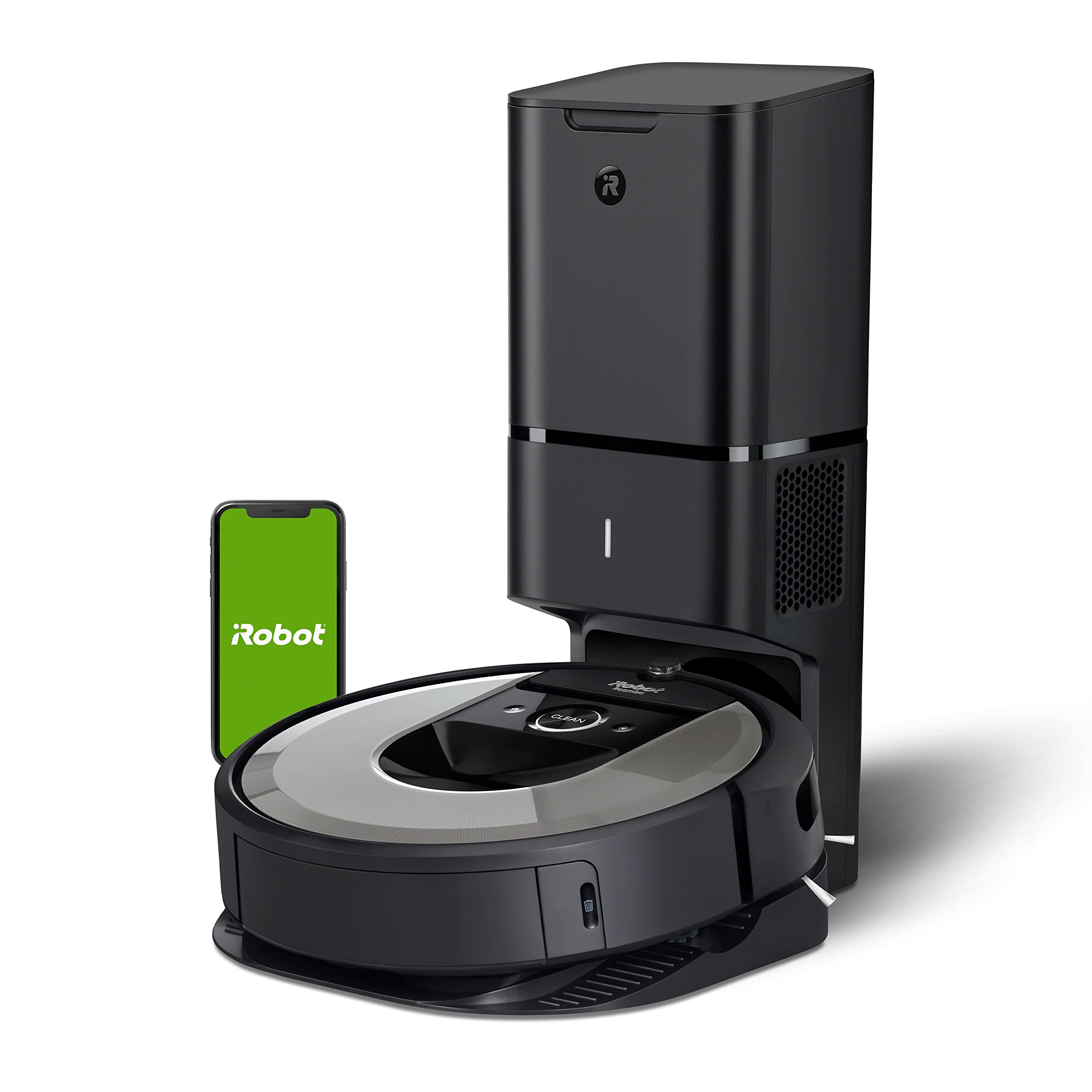
The robot Roomba Robot Vacuum i6 is a smart, Wi‑Fi-connected robot vacuum built for hands-free floor cleaning, strong carpet pickup, and room-by-room navigation. It is designed for households that want a reliable automated vacuum that can handle daily dust, pet hair, crumbs, and mixed flooring with minimal effort. The i6 stands out for its smart mapping, app control, voice assistant compatibility, and strong suction performance, making it a practical choice for busy families, pet owners, and apartment or mid-size home users.
One of its biggest strengths is the ability to learn your floor plan and clean by room, which is especially useful for targeted cleanups and scheduled routines. The robot Roomba Robot Vacuum i6 also supports automatic recharging and resume cleaning, so it can return to its dock, recharge, and continue the job when needed. Depending on the configuration and market, it is commonly positioned in the mid-to-premium price range, with the standard model typically around the lower-to-mid hundreds and the self-emptying version costing more. Availability varies by region and retailer, but it remains widely sold through major online and electronics stores.
If you want a robot vacuum that balances convenience, mapping intelligence, and solid everyday cleaning, the robot Roomba Robot Vacuum i6 is a dependable option with broad smart-home appeal.
Detailed Specifications for the Roomba i6 Robot Vacuum
- Robot dimensions: 13.34 inches wide x 3.63 inches high.
- Robot weight: 7.44 pounds.
- Battery type: Lithium-ion.
- Navigation: Smart mapping with room-based cleaning and app control.
- Cleaning system: 3-stage cleaning with dual rubber extractors and a side brush.
- Surface handling: Designed for hard floors and carpets, with strong pickup for pet hair and debris.
- Connectivity: Wi‑Fi enabled, with app scheduling and smart-home integration.
- Recharge behavior: Automatic return to dock with resume cleaning support.
- Self-emptying option: Available in the i6+ configuration with Clean Base automatic dirt disposal.
- Dust bin capacity: Standard onboard bin for regular cleaning; larger external disposal base on the i6+ model.
- Benchmark comparison: Compared with older Roomba 600-series models, the i6 offers more advanced mapping and smarter room targeting; compared with many budget robot vacuums, it delivers better navigation and more refined cleaning control.
In practical use, the Roomba i6 is best understood as a smart mid-to-high-end robot cleaner rather than a simple random-path vacuum. It is especially appealing if you want a more intelligent cleaning pattern than entry-level models offer.
Step-by-Step Setup Guide for the Roomba i6
Setting up the robot Roomba Robot Vacuum i6 is straightforward and usually takes only a short time. First, remove the vacuum and all packaging, then place the dock against a wall on a hard, level surface with open space around it. Charge the robot fully before the first cleaning cycle. Next, download the companion mobile app and create or sign into your account. Follow the in-app instructions to connect the vacuum to your home Wi‑Fi network and pair it with the app.
After pairing, name the robot, set your preferred cleaning schedule, and run an initial mapping session so the vacuum can learn your floor plan. You can also adjust cleaning preferences such as room selection, no-go zones, and cleaning intensity if supported in your app version. If the robot does not connect, restart your router, confirm you are using a compatible Wi‑Fi band, and keep the vacuum close to the router during setup. Safety matters too: keep cords, loose rugs, and small objects off the floor before the first run, and never place the dock near water or in direct sunlight.
If the robot fails to dock correctly, check that the base is level and that the charging contacts are clean.
Troubleshooting Common Roomba i6 Problems and Fixes
Like most robot vacuums, the robot Roomba Robot Vacuum i6 can occasionally show errors or performance issues. If the robot won’t start, check battery charge, inspect the dust bin, and confirm the clean button or app command is registering. If suction seems weak, empty the bin, clean the filter, and remove hair from the brushes and side wheel. If the vacuum circles, stops unexpectedly, or misses areas, make sure the floor is clear of cables and that the sensors are clean.
- Error 1: Wheel stuck or robot hanging. Move the robot to a flat surface and clear obstructions.
- Error 2: Brushes cannot spin. Remove hair, threads, or debris from the brushes.
- Error 6: Cliff sensor issue. Clean the cliff sensors and move the robot away from dark or uneven surfaces.
- Error 9: Bumper stuck. Tap the bumper gently and remove debris around the front edge.
- Error 14: Bin not detected. Reinstall the dust bin properly.
Preventive maintenance helps reduce errors: clean brushes weekly, wipe sensors regularly, and replace filters as needed. Warranty coverage typically lasts one year in many markets, and support is usually available through the manufacturer’s help center, app support tools, and authorized retailers. If your unit is under warranty, contact the seller or manufacturer support through the official customer service channel listed in your product documentation.
Pros and Cons of the Roomba i6 Robot Vacuum
Pros
- Excellent smart mapping for room-by-room cleaning and targeted schedules.
- Strong pickup on carpets and hard floors, especially for pet hair and daily debris.
- Convenient app control with automated scheduling and remote operation.
- Recharge-and-resume feature improves coverage on larger floor plans.
- Self-emptying availability adds premium convenience in the i6+ version.
Cons
- Higher price than entry-level robot vacuums.
- Can be noisy during stronger cleaning cycles.
- App connectivity may require occasional troubleshooting.
- Not as budget-friendly as simpler navigation models.
- Requires regular brush and filter maintenance to keep performance high.
For value for money, the robot Roomba Robot Vacuum i6 is strongest for users who will actually use its mapping, scheduling, and smart control features. Compared with cheaper alternatives, it offers a more refined cleaning experience; compared with newer premium competitors, it remains attractive if found at a discount.
Customer Reviews and User Feedback on the Roomba i6
User feedback is generally positive, with many buyers rating the i6 around 4 to 4.5 stars out of 5. Customers frequently praise its dependable navigation, strong daily cleaning performance, and ability to handle pet hair with less manual effort. One common testimonial style comment is that it “makes daily cleaning almost invisible” because it can run on a schedule without much supervision.
Frequent complaints focus on app glitches, occasional connectivity issues, and the noise level during deep cleaning or bin-emptying on the self-emptying model. Some users also mention that the vacuum performs best when the home is prepared by removing cables, socks, and small objects from the floor. Overall, the robot Roomba Robot Vacuum i6 is often recommended for buyers who want a premium-feeling robot vacuum with smart mapping and reliable routine cleaning rather than the lowest possible price.
Faqs
How do I set up the robot Roomba Robot Vacuum i6 for the first time?
Why is my robot Roomba Robot Vacuum i6 not connecting to Wi-Fi or the app?
How do I make the robot Roomba Robot Vacuum i6 map my home more accurately?
What should I do if the robot Roomba Robot Vacuum i6 keeps getting stuck?
How can I improve battery life and cleaning coverage on the robot Roomba Robot Vacuum i6?
Which floor types and home layouts work best with the robot Roomba Robot Vacuum i6?
How often should I clean and maintain the robot Roomba Robot Vacuum i6?
Why does the robot Roomba Robot Vacuum i6 miss spots or clean the same area twice?
More robot manuals
Leave a Comment