
How to Use: Xiaomi Mi Air Purifier Pro H User Manual
Content
Xiaomi Mi Air Purifier Pro H Product Manual: Complete Guide, Specs, Setup, and Maintenance
Introduction
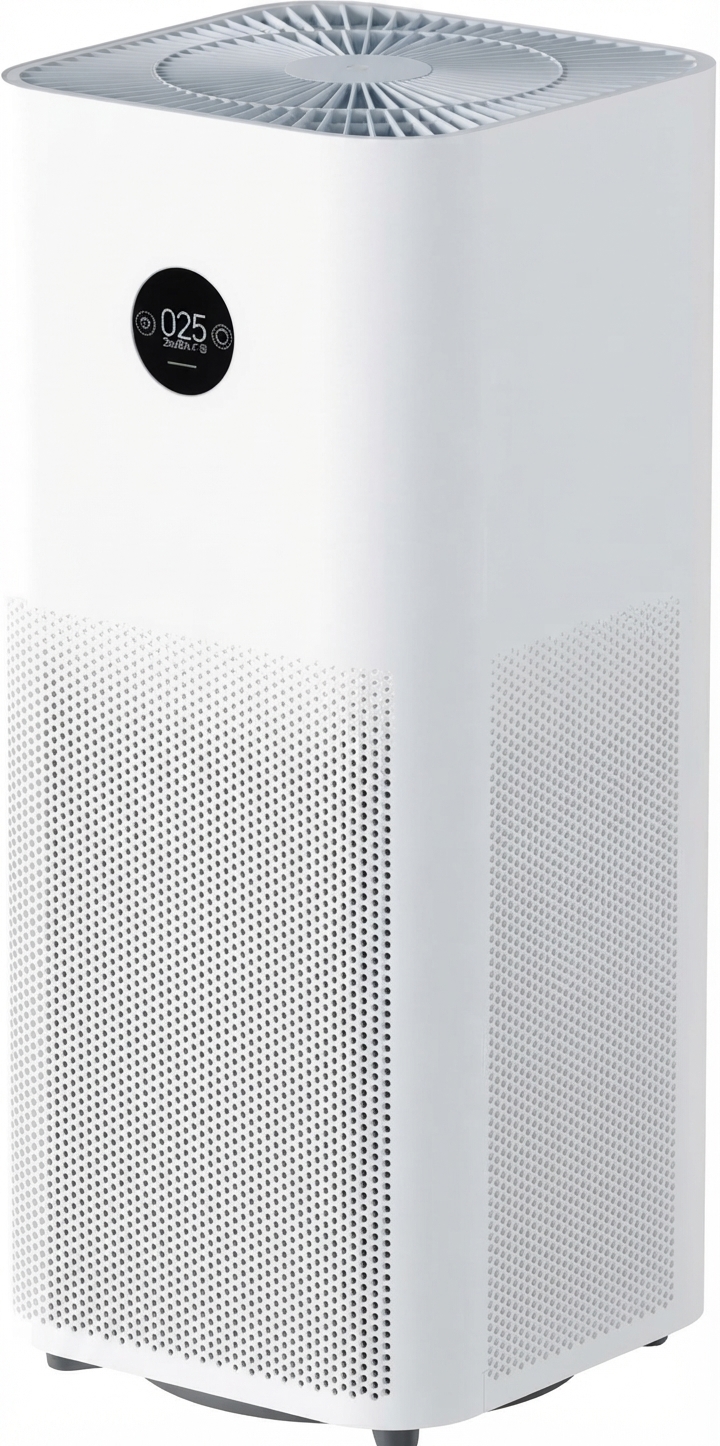
The Xiaomi Mi Air Purifier Pro H is a high-capacity smart air purifier designed for medium to large rooms, combining strong particle filtration with formaldehyde removal and app-based control. With a particle CADR of up to 600 m³/h and an effective coverage area of 42–72㎡, it is built for users who want fast air cleaning in living rooms, bedrooms, offices, and apartments that need reliable year-round air quality support. The purifier uses a multi-stage filtration system with HEPA-class filtration and activated carbon to capture dust, pollen, pet dander, smoke, and odors while helping reduce indoor formaldehyde exposure.
One of the biggest strengths of the Xiaomi Mi Air Purifier Pro H is its balance of performance and smart convenience. The OLED display provides real-time air quality, temperature, and humidity information, while Wi-Fi connectivity enables control through the Mi Home app. It is especially useful for allergy sufferers, families with children, pet owners, and people living in urban environments where indoor pollution is a constant concern. Night mode, filter replacement alerts, and smart automation make it practical for daily use without requiring constant manual adjustment.
In 2026, the typical estimated price range is around $180 to $260 depending on region, seller, and bundle options, with availability varying by market and import channel. Xiaomi Mi Air Purifier Pro H remains a strong value choice for buyers seeking a smart air purifier with high airflow, modern controls, and broad room coverage.
Specifications: Xiaomi Mi Air Purifier Pro H Technical Details
- Model: Mi Air Purifier Pro H
- Particle CADR: up to 600 m³/h
- Formaldehyde CADR: 250 m³/h
- Effective coverage area: 42–72㎡
- Rated power: 70 W
- Rated voltage: 100–240 V
- Rated frequency: 50/60 Hz
- Noise level: approximately 34.1–65 dB(A)
- Dimensions: 310 × 310 × 738 mm
- Net weight: approximately 9.6 kg
- Connectivity: Wi-Fi 2.4 GHz
- Display: OLED air quality display
- Filter system: HEPA-style particle filter plus activated carbon layer
Compared with smaller purifiers such as the Xiaomi 3H, the Pro H delivers stronger airflow and a larger recommended room coverage, making it better suited to open-plan spaces and high-use areas. It is not the quietest purifier in its class at maximum fan speed, but it offers excellent performance for its size and power rating.
Setup Guide: How to Set Up Xiaomi Mi Air Purifier Pro H
Start by placing the purifier on a flat, stable surface with at least 20–30 cm of clearance on all sides. Remove the outer cover, take out the filter from its packaging, and reinstall it correctly before powering on the unit. Plug the power cord into a grounded outlet and press the power button to start the purifier.
For smart control, download the Mi Home app, create or sign into your account, and add the purifier using the app’s device pairing flow. Make sure your phone is connected to a 2.4 GHz Wi-Fi network, since the purifier does not use 5 GHz pairing. After pairing, you can adjust fan speed, switch modes, enable schedules, and monitor indoor air quality remotely.
If the device does not connect, reset Wi-Fi settings and try again closer to the router. Avoid blocking the air inlet or outlet, and never operate the purifier with a damaged cord or wet hands. Keep the unit away from water, open flames, and direct contact with curtains or furniture that could restrict airflow.
Troubleshooting: Common Xiaomi Air Purifier Problems and Fixes
- Unit will not power on: Check the outlet, power cable, and filter cover alignment.
- Wi-Fi pairing fails: Use 2.4 GHz Wi-Fi, restart the router, and reset the purifier’s network settings.
- Weak airflow: Replace a clogged filter and make sure the intake and exhaust vents are unobstructed.
- High noise level: Lower the fan speed or use sleep mode; inspect for loose filter placement.
- Air quality reading seems inaccurate: Place the purifier away from kitchens, humidifiers, and windows.
- Filter replacement alert stays on: Reset the filter timer after installing a new filter.
Preventive maintenance is simple: clean the exterior and vents regularly, keep the filter area dust-free, and replace the filter according to usage and local air conditions. Warranty coverage and support vary by seller and region, so buyers should check the retailer or Xiaomi service channel listed on the product packaging or official regional store for after-sales help.
Pros and Cons of Xiaomi Mi Air Purifier Pro H
Pros
- Strong 600 m³/h CADR for fast room cleaning
- Effective for larger rooms and open spaces up to 72㎡
- Useful formaldehyde filtration for newer homes and renovation odors
- Smart app control with scheduling and remote monitoring
- OLED display makes status checks easy at a glance
- Good value for users who want premium features without premium pricing
Cons
- Bulkier than compact bedroom purifiers
- Noise becomes noticeable at higher fan speeds
- Requires 2.4 GHz Wi-Fi for smart setup
- Replacement filters add ongoing ownership cost
For the money, Xiaomi Mi Air Purifier Pro H is a strong mid-to-upper-range option. Compared with smaller alternatives, it delivers more airflow and better coverage, but buyers seeking ultra-quiet operation may prefer a lower-capacity model for smaller rooms.
Customer Reviews: What Users Say About the Xiaomi Mi Air Purifier Pro H
Overall customer feedback trends positive, with many users giving the purifier around 4.4 out of 5 stars for performance, app features, and air-cleaning speed. Common praise includes noticeable improvement in dust control, reduced allergy symptoms, and easy daily operation through the Mi Home app. One typical testimonial reads: “The air feels cleaner within minutes, and the automatic mode works well for my living room.”
Frequent complaints focus on the size of the unit, the cost of replacement filters, and louder operation on high speed. Some users also mention initial Wi-Fi setup issues, especially when using dual-band routers. Despite these concerns, most buyers who need a powerful smart purifier for larger rooms consider it a worthwhile purchase, especially if indoor air quality is a priority.
Frequently Asked Questions
Is Xiaomi Mi Air Purifier Pro H good for large rooms?
Yes. With up to 600 m³/h CADR and coverage up to 72㎡, it is well suited for large bedrooms, living rooms, and open-plan spaces.
Does it support smart app control?
Yes. It works with the Mi Home app over 2.4 GHz Wi-Fi for remote control, scheduling, and air-quality monitoring.
How often should the filter be replaced?
Filter life depends on usage and pollution levels, but many users replace it roughly every 10 to 14 months.
Faqs
How do I set up xiaomi Mi Air Purifier Pro H for the first time?
Why is my xiaomi Mi Air Purifier Pro H not connecting to Wi-Fi?
What does the air quality display on xiaomi Mi Air Purifier Pro H actually mean?
How often should I replace the filter in xiaomi Mi Air Purifier Pro H?
Why is xiaomi Mi Air Purifier Pro H making more noise than usual?
Is xiaomi Mi Air Purifier Pro H compatible with Xiaomi Home and voice assistants?
How can I get better performance from xiaomi Mi Air Purifier Pro H in a large room?
What maintenance does xiaomi Mi Air Purifier Pro H need to stay reliable long term?
More xiaomi manuals
- How to Use: Xiaomi Mi 50W Power Bank 20000 User Manual
- How to Use: Xiaomi Mi True Wireless Earbuds Basic 2 User Manual
- How to Use: Xiaomi Mi Air Purifier 3H User Manual
- How to Use: Xiaomi 22.5W Power Bank 10000 User Manual
- How to Use: Xiaomi Mi Wireless Charging Pad User Manual
- Setup & Features: Xiaomi Mi Smart Plug (Wi-Fi) User Manual
Leave a Comment