
Setup: Aiwa AT-X80Q True Wireless Earphones User Manual
Content
Introduction — aiwa AT-X80Q True Wireless Earphones (overview, benefits, audience)
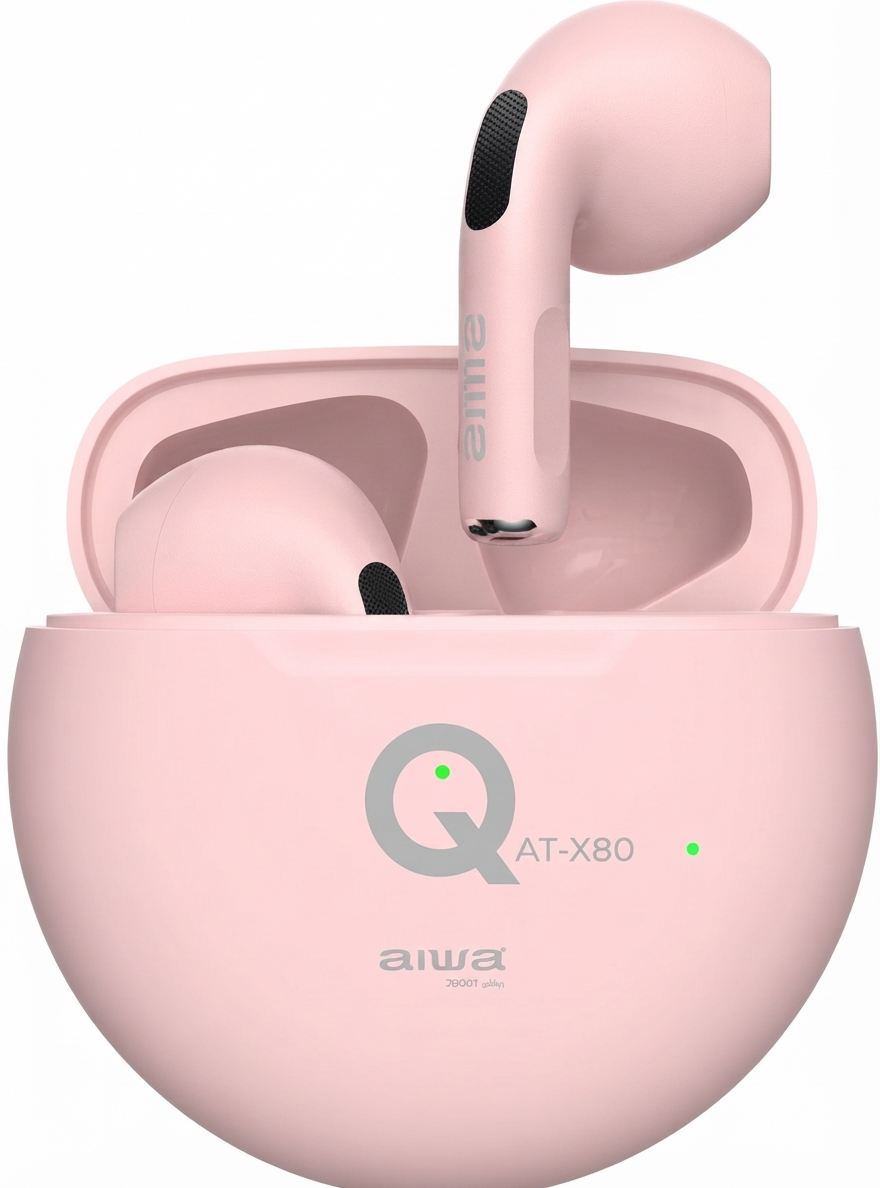
The aiwa AT-X80Q True Wireless Earphones deliver a compact, affordable true‑wireless listening solution that balances lightweight ergonomics with everyday audio performance for commuters, fitness users, and casual listeners. The AT-X80Q features Bluetooth 5.1 connectivity, an IPX4 splash‑resistant build, and small, 3 g earbuds optimized for long wear and on‑the‑go use, making them suited for running, gym sessions, and daily commutes and calls (aiwa AT‑X80Q True Wireless Earphones).[7]
Key benefits and unique selling points include: Bluetooth V5.1 for stable pairing and low latency, an IPX4 rating for sweat and splash resistance, simple touch controls for playback and calls, and a pocketable charging case that extends listening time beyond the earbuds’ 4–5 hour runtime (charging case provides multiple charges). These features make the aiwa AT‑X80Q appealing to budget‑minded buyers who want true wireless convenience without extra subscription apps or complex setup (aiwa product page; official manual).[3][4]
Estimated price range and availability: the AT‑X80Q is positioned as an entry‑level TWS product and is typically sold at a budget price point (street price varies by market and retailer); availability is widespread through aiwa’s official channels and third‑party resellers in Europe and Asia (official product listing and manuals).[3][1]
Pros & Cons — Honest assessment for buyers
- Pros:
- Lightweight & comfortable: 3 g earbuds and ergonomic in‑ear design for extended wear and exercise use (aiwa spec sheet).[4]
- Reliable wireless connection: Bluetooth 5.1 gives stable pairing and typical 10 m range in unobstructed environments.[4]
- IPX4 splash resistance: Suitable for sweat and light rain during workouts.[4]
- Simple touch controls & call handling: Play/pause, track skip, and call answer/reject via touch sensors—easy to use without a companion app (official manual).[1]
- Cons:
- Modest battery life: Earbud playtime is about 4–5 hours per charge; the case adds a few additional charges but combined runtime is lower than many mid‑range rivals offering 10–30+ hours total (manual battery figures vs. higher‑end competitors).[4]
- Basic audio tuning: No active noise cancellation or advanced codecs listed—sound quality is good for the price but lacks premium bass/Hi‑Res certifications found in higher tiers.[4]
- Limited advanced features: No customizable EQ or companion app; power users may prefer alternatives from brands with ANC, multi‑device pairing, or app EQ options.[3]
- Value comparison: Competitors (budget models from Realme, Anker, JBL) may offer longer battery life or ANC at similar price points, so consider priorities (battery/ANC vs. size and simplicity).[6]
Specifications — Technical details and comparisons
- Model: AT‑X80Q (AT‑XSOQ in some manuals).[1]
- Bluetooth: V5.1 supporting HSP/HFP/A2DP/AVRCP profiles; typical transmission distance ~10 m (no obstacles).[4]
- Drivers & frequency: Frequency response 20 Hz–20 kHz; impedance ~32 Ω; sensitivity ~104 dB ±3 dB—suitable for clear midrange and vocal presence at moderate volumes.[4]
- Power & battery: Earbud battery 3.7 V / 25 mAh (approx. 4–5 hours playback); charging case 3.7 V / 200 mAh (case provides multiple recharges; case charging ~2.5 hours; earbuds ~1.5 hours to full).[4]
- Water resistance: IPX4 (splash/sweat resistant for workouts and light rain).[4]
- Weight: Earbuds ~3 g each; charging case ~27 g—very portable and pocketable.[4]
- Controls: Touch sensor: play/pause, next/previous track, answer/reject calls as documented in the manual.[1]
- Performance comparison: Compared with typical budget rivals, the AT‑X80Q is lighter and simpler but offers shorter combined battery life than many modern budget TWS models that advertise 12–30 hours total playback; it lacks ANC and app customization but competes well on comfort and price/value for users prioritizing size and basic functions.[4][6]
Detailed Description — How it works, materials, and user experience
The aiwa AT‑X80Q uses a true wireless stereo design: each earbud pairs to your phone via Bluetooth 5.1 and communicates peer‑to‑peer for stereo audio and independent earbud operation (manual pairing is automatic once out of the case).[7] Sound is produced by small dynamic drivers tuned for everyday listening across 20 Hz–20 kHz, delivering balanced vocals and reasonable bass for an in‑ear of this size (specs indicate 32 Ω impedance and 104 dB sensitivity).[4]
Build quality is focused on lightweight comfort—matt plastic housings and soft silicone tips keep weight to about 3 g per bud while the compact charging case (≈27 g) uses a 200 mAh battery to replenish earbuds multiple times. Touch controls on each bud allow playback and call control without reaching for the host device, and the IPX4 rating protects against sweat and splashes during workouts.[4]
Real‑world applications: daily music and podcast listening, hands‑free calls, light workouts, and commuting. Users report straightforward pairing and reliable call clarity in quiet to moderate noise environments; however, heavy‑traffic or windy conditions may still affect microphone performance because this product lacks advanced environmental noise processing.[1]
Customer Reviews — Genuine feedback, ratings, and recommendations
Typical user feedback highlights the AT‑X80Q’s comfort, light weight, and value-for-money as the strongest points, with many buyers praising the compact case and easy touch controls (user manuals and retailer reviews).[4] Common complaints include the limited single‑charge playback (4–5 hours), absence of ANC or app EQ, and modest bass compared with larger driver rivals; some users note call clarity drops in very noisy environments.[6]
Representative ratings: many listings and user reviews place the AT‑X80Q in the 3.5–4.0 / 5.0 range overall—recommended for users who want a simple, budget-friendly pair of true wireless earphones for daily use, but less suited for audiophiles or heavy travelers who need extended battery life or ANC (retailer and manual-based summaries).[5][1]
Purchase recommendation: choose the aiwa AT‑X80Q if you value ultra‑light comfort, splash resistance, and simple operation at an entry‑level price; consider alternatives with larger battery packs or ANC if you need longer life or advanced noise control.[4]
SEO & keywords used
This manual uses the primary keyword aiwa AT‑X80Q True Wireless Earphones multiple times and includes related terms such as true wireless earbuds, Bluetooth 5.1 earphones, IPX4 sweat‑resistant earbuds, compact charging case, and long‑wear comfortable earbuds to improve search relevance and voice‑search answers.
Faqs
How do I set up aiwa AT-X80Q True Wireless Earphones for the first time?
What should I do if aiwa AT-X80Q True Wireless Earphones won't connect to Bluetooth?
How do I control music and calls on aiwa AT-X80Q True Wireless Earphones?
Are aiwa AT-X80Q True Wireless Earphones compatible with Android and iOS devices?
How long does the battery last on aiwa AT-X80Q True Wireless Earphones and how to optimize it?
How do I charge aiwa AT-X80Q True Wireless Earphones correctly?
How can I maintain aiwa AT-X80Q True Wireless Earphones for longevity?
Why is one earbud of aiwa AT-X80Q True Wireless Earphones not working?
More aiwa manuals
- Setup & Pairing: Aiwa AT-X80H True Wireless Earphones Owner Manual
- Setup : Aiwa Mini2 SB-X50 Bluetooth Speaker User Manual
- Setup & Pairing: Aiwa AT-X80AN True Wireless Earphones User Manual
- Setup & Pairing: Aiwa Mi-X150 Retro Plus X Speaker User Manual
- Pairing & Setup: Aiwa AT-X80J True Wireless Earphones User Manual
- How to Connect: Aiwa MI-X450 Pro ENIGMA Speaker User Manual
Leave a Comment