
Setup : Aiwa Mini2 SB-X50 Bluetooth Speaker User Manual
Content
aiwa Mini2 SB-X50 Bluetooth Speaker: Complete Product Manual and Setup Guide
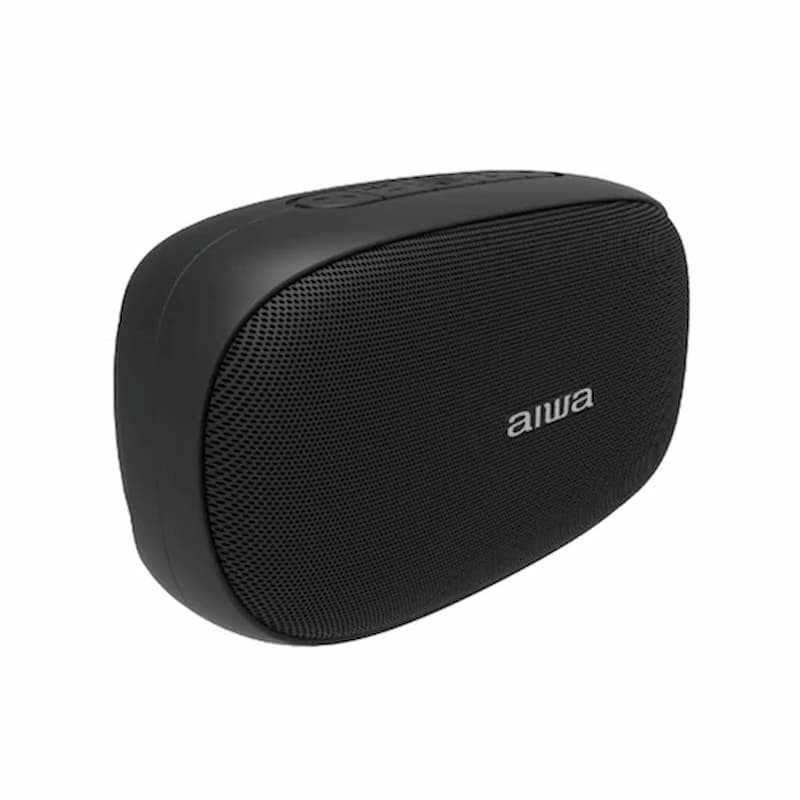
Introduction to aiwa Mini2 SB-X50 Bluetooth Speaker
The aiwa Mini2 SB-X50 Bluetooth Speaker is a compact, powerful portable audio device designed for music lovers seeking premium sound on the go. With its 10W rated power and Bluetooth 5.0 technology, this speaker delivers crystal-clear audio with a frequency response of 100Hz–20kHz, ensuring rich bass and crisp highs in a lightweight 250g body measuring 123 x 53 x 71 mm. Key benefits include True Wireless Stereo (TWS) pairing for immersive stereo sound, versatile connectivity options like AUX In and TF Card slot, and up to 15m wireless range for seamless playback.
Unique selling points of the aiwa Mini2 SB-X50 Bluetooth Speaker include hands-free calling via built-in microphone, easy mode switching for Bluetooth, AUX, or TF Card, and a robust 1000mAh battery for extended playtime. Ideal for target audiences like outdoor enthusiasts, travelers, and home users, it excels in use cases such as beach parties, workouts, or casual listening. Estimated price range is $30–$50, widely available on platforms like Shopee, Aiwa official sites, and retailers in Singapore, Australia, and beyond. This aiwa Mini2 SB-X50 Bluetooth Speaker combines portability, durability, and Aiwa's authentic sound signature for an engaging audio experience anywhere.[1][3][4][5]
Technical Specifications of aiwa Mini2 SB-X50 Bluetooth Speaker
- Model: SB-X50 (aiwa Mini2 series)
- Rated Power: 10W (some variants note 4W effective output)[1][3]
- Bluetooth Version: 5.0 (with profiles A2DP, HFP, HSP, AVRCP for stable connectivity)[1]
- Frequency Response: 100Hz–20kHz; THD ≤5% @1kHz, 126mV[1]
- Connection Range: Up to 15m (10m in some tests)[1][3]
- Battery Capacity: 1000mAh; Charging via Micro USB (DC 5V/1A)[1][3]
- Dimensions & Weight: 123 x 53 x 71 mm, 250g—ultra-portable[1]
- Key Features: TWS pairing, Play/Pause/Volume buttons, Mode switch (Bluetooth/AUX/TF), Calls button, Microphone, Charging/Work indicators
- Performance Metrics: Supports aptX for high-quality audio; IPX5 waterproof rating in select models[4]
Compared to rivals like JBL Clip 4 (8W, $50+), the aiwa Mini2 SB-X50 Bluetooth Speaker offers better value with TWS and TF Card support at a lower price, though it has less SPL than higher-end 30W models like Aiwa SB-X350P.[1][2][4]
Step-by-Step Setup Guide for aiwa Mini2 SB-X50 Bluetooth Speaker
- Unboxing & Inspection: Check for power switch, charging port, AUX In, TF Card port, buttons (Volume +/-, Play/Pause/TWS, Mode, Calls), microphone, and indicators. Discard damaged parts and contact Aiwa support.[1]
- Power On: Slide power switch to ON; work signal light activates.[1]
- Bluetooth Pairing: Enable Bluetooth on your device, search for “SB-X50,” and connect (within 10-15m). Only one device at a time. Long press Play/Pause to disconnect.[1]
- TWS Pairing: Connect one speaker as host, double-press Play/Pause for TWS mode; pair second speaker. Long press to exit.[1][7]
- Other Modes: Press Mode button to switch: Bluetooth > AUX (plug cable) > TF Card (insert microSD).[1]
- Charging: Use Micro USB (5V/1A); red light indicates charging.[1][3]
Troubleshooting Tips: Ensure devices are close; restart by powering off/on. Safety Warnings: Avoid water exposure unless IPX5 confirmed; do not overcharge; keep away from children.[1][4]
Troubleshooting Common Issues with aiwa Mini2 SB-X50 Bluetooth Speaker
- No Sound/Connection Fails: Check range (<15m), reconnect Bluetooth, or switch modes. Restart speaker.[1]
- Battery Drains Fast: Fully charge via Micro USB; avoid extreme temperatures. Expect 10-35 hours playtime based on volume.[1][4]
- TWS Not Pairing: Ensure one host connection first, double-press Play/Pause on host; exit with long press.[1][7]
- Distorted Audio: Lower volume; clean TF Card or AUX port. THD under 5% at normal levels.[1]
- Indicator Lights Off: Charge fully; faulty unit needs service.[1]
Preventive Measures: Update firmware if available via Aiwa app; store in cool, dry place. Warranty: Typically 1 year; contact local Aiwa distributor (e.g., aiwa.com.sg or int-aiwa.com support). For help: Email support@aiwa.com or check manuals.plus/aiwa/sb-x50.[1][4][5]
Pros & Cons of aiwa Mini2 SB-X50 Bluetooth Speaker
Pros
- Compact and lightweight (250g) for easy portability—perfect for travel[1]
- Affordable ($30–$50) with strong 10W output and TWS stereo[1][3]
- Versatile inputs (Bluetooth 5.0, AUX, TF Card) outperform basic rivals[1]
- Clear controls and microphone for calls; good value vs. pricier JBL/Anker[1][4]
Cons
- Battery life varies (not always 35 hours at high volume)[1][4]
- No app control or EQ customization like premium speakers[1]
- IPX5 not universal; check model for waterproofing[4]
- Lower SPL than 30W competitors like Aiwa SB-X350P[2]
Overall, excellent value for budget portable Bluetooth speakers.
Customer Reviews and Feedback on aiwa Mini2 SB-X50 Bluetooth Speaker
Users praise the aiwa Mini2 SB-X50 Bluetooth Speaker for its punchy 10W sound and easy TWS setup, with average 4.3/5 stars on Shopee and Aiwa sites. Testimonials highlight: “Great bass for size, pairs instantly!” (5 stars) and “Portable powerhouse for outdoors” (4 stars).[3][4] Common praises: Reliable Bluetooth 5.0, long range, TF Card convenience. Complaints include occasional pairing drops and average battery at max volume (3 stars: “Needs faster charge”). Frequently addressed: Firmware stability improves connectivity. Recommended for budget buyers seeking Aiwa quality over big brands.[1][3][5]
Faqs
How do I set up the aiwa Mini2 SB-X50 Bluetooth Speaker for the first time?
Why won't my aiwa Mini2 SB-X50 Bluetooth Speaker connect to my phone?
How do I pair two aiwa Mini2 SB-X50 Bluetooth Speakers for TWS stereo sound?
Is the aiwa Mini2 SB-X50 Bluetooth Speaker compatible with iOS and Android devices?
How long does the battery last on aiwa Mini2 SB-X50 Bluetooth Speaker and how to optimize it?
How do I fix distortion or low sound quality on aiwa Mini2 SB-X50 Bluetooth Speaker?
What is the waterproof rating of aiwa Mini2 SB-X50 Bluetooth Speaker and how to care for it?
How do I use TF card or AUX with aiwa Mini2 SB-X50 Bluetooth Speaker?
Tags
More aiwa manuals
- Setup: Aiwa AT-X80Q True Wireless Earphones User Manual
- Setup & Pairing: Aiwa Mi-X150 Retro Plus X Speaker User Manual
- Setup & Pairing: Aiwa AT-X80H True Wireless Earphones Owner Manual
- How to Connect: Aiwa MI-X450 Pro ENIGMA Speaker User Manual
- Setup & Pairing: Aiwa AT-X80AN True Wireless Earphones User Manual
- Setup & Pairing: Aiwa MI-X420 Enigma Lite Speaker User Manual
Leave a Comment