
Audio-Technica AT-LP60XHP Automatic Belt-Drive Turntable User Manual
Content
Audio-Technica AT-LP60XHP Automatic Belt-Drive Turntable Review and Manual
Introduction
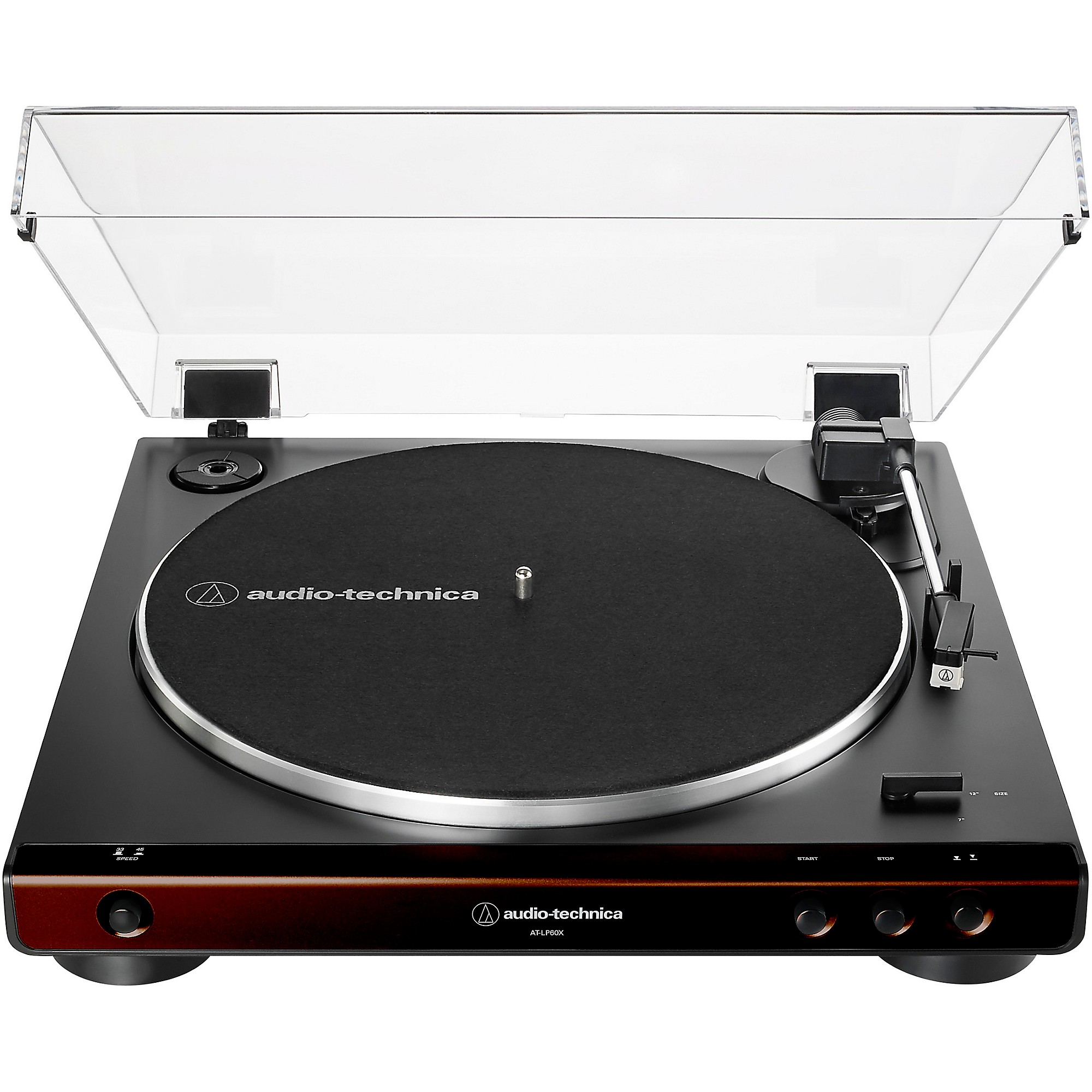
The Audio-Technica AT-LP60XHP Automatic Belt-Drive Turntable is a beginner-friendly vinyl setup designed for listeners who want simple operation, reliable performance, and a complete out-of-box experience. It combines a fully automatic belt-drive turntable with an integrated headphone jack and included over-ear headphones, making it especially appealing for apartment dwellers, late-night listeners, students, and anyone building a first record player setup.
One of the biggest advantages of the Audio-Technica AT-LP60XHP Automatic Belt-Drive Turntable is its convenience. Press start, let the tonearm move automatically, and enjoy records at 33-1/3 or 45 RPM without manual setup complexity. The built-in phono preamp also makes it easy to connect to powered speakers, receivers, or an audio system with minimal configuration. For private listening, the headphone output adds extra flexibility that many entry-level turntables do not offer.
This model is best suited for casual vinyl fans, first-time buyers, and users who want a low-maintenance turntable with clean sound and straightforward controls. Typical pricing generally falls in the entry-level range, often around $199 to $279 depending on region, retailer, and bundled accessories. Availability is broad through major electronics retailers, audio specialty stores, and online marketplaces, though stock and pricing can vary by market.
Specifications for Audio-Technica AT-LP60XHP Automatic Belt-Drive Turntable
- Type: Fully automatic belt-drive turntable
- Motor: DC servo-controlled
- Speeds: 33-1/3 RPM and 45 RPM
- Turntable platter: Aluminum
- Wow and flutter: Less than 0.25% WTD at 3 kHz
- Signal-to-noise ratio: Greater than 50 dB DIN-B
- Cartridge type: VM cartridge
- Phono preamp: Built-in, 36 dB nominal gain with RIAA equalization
- Outputs: Switchable PHONO and LINE output
- Output level: 2.5 mV nominal in PHONO mode, 150 mV nominal in LINE mode
- Power requirements: 100 to 240 V, 50/60 Hz
- Power consumption: 1.9 W
- Dimensions: 359.5 mm x 97.5 mm x 373.3 mm
- Weight: 2.7 kg
Compared with similar entry-level belt-drive turntables, the AT-LP60XHP stands out for its fully automatic operation and bundled headphones. Models like the standard AT-LP60X focus on basic playback, while the AT-LP60XHP adds a private listening option and a more complete starter package for new vinyl users.
Setup Guide for the Audio-Technica AT-LP60XHP Automatic Belt-Drive Turntable
1. Place the turntable on a flat, stable surface away from speakers, vibration, and direct sunlight.
2. Remove all packaging materials, including stylus guards and transit supports, before powering on.
3. Connect the included AC adapter to the turntable and plug it into a suitable outlet that matches the power requirements.
4. Set the output switch to PHONO if connecting to an amplifier with a phono input, or LINE if connecting to powered speakers or a standard audio input.
5. Attach RCA cables to your external system if you want room playback, or plug in the included headphones for private listening through the headphone jack.
6. Select 33-1/3 or 45 RPM based on the record speed, then press Start to begin automatic playback.
7. When troubleshooting setup issues, confirm the platter is seated correctly, the belt is installed properly, and the output switch matches your audio system.
Always handle the stylus carefully, avoid touching the needle, and keep liquids away from the unit. Do not move the turntable while a record is playing, and never place it near unstable furniture or strong vibration sources.
Troubleshooting Common AT-LP60XHP Turntable Problems
If the record does not play, check that the power is on, the platter is rotating, and the output setting is correct for your speakers or headphones. If audio is too quiet, the most common cause is selecting PHONO when a LINE input is needed, or LINE when a phono preamp is already present in the system.
If sound is distorted, verify that the stylus is clean and undamaged, the record is free of dust, and the tracking path is unobstructed. Skipping can often be reduced by placing the turntable on a firmer surface and making sure the record is not warped. If the tonearm does not return properly, power-cycle the unit and inspect the belt and platter position.
No error codes are typically used on this model, so issues are usually solved through physical setup checks rather than code-based resets. Preventive care includes keeping the dust cover closed when not in use, cleaning records regularly, and replacing the stylus when wear appears. For warranty support or service help, contact Audio-Technica customer support through the official regional support channel or the authorized retailer where the unit was purchased.
Pros and Cons of the Audio-Technica AT-LP60XHP Automatic Belt-Drive Turntable
Pros
- Fully automatic operation makes it ideal for beginners and casual vinyl listeners.
- Built-in phono preamp simplifies connection to powered speakers and home audio systems.
- Headphone jack adds private listening convenience that many entry-level turntables lack.
- Dual-speed playback supports both 33-1/3 and 45 RPM records.
- Compact, lightweight design fits easily on desks, shelves, or small entertainment centers.
- Strong value for money as an all-in-one starter turntable package.
Cons
- Not designed for advanced audiophile upgrades or manual DJ-style use.
- Limited customization compared with higher-end turntables.
- Plastic-heavy build may feel basic next to premium alternatives.
- Included headphones are practical, but serious listeners may prefer an upgraded pair.
- No Bluetooth or USB features, which some competing models include.
For buyers comparing the Audio-Technica AT-LP60XHP Automatic Belt-Drive Turntable with other beginner models, the main advantage is convenience. It offers a better all-around starter experience than many ultra-budget players while staying simple enough for first-time setup.
Customer Reviews Summary
Customer feedback for the AT-LP60XHP is generally positive, with many users praising its easy setup, automatic operation, and good sound quality for the price. A typical rating pattern lands around 4 to 4.5 stars, especially among first-time vinyl buyers and casual listeners.
Common praise includes the simple one-button playback, compact size, and useful headphone option for late-night listening. Common complaints usually mention the basic build materials, limited upgrade path, and the fact that serious enthusiasts may outgrow it quickly. One satisfied user might describe it as “the easiest way to start enjoying records without learning complicated controls,” while a more critical buyer may say it is “great for beginners, but not built for deep customization.”
It is a strong purchase recommendation for anyone seeking a reliable starter turntable with straightforward features and a low learning curve.
Faqs
How do I set up the audio-technica AT-LP60XHP Automatic Belt-Drive Turntable for the first time?
Why is my audio-technica AT-LP60XHP Automatic Belt-Drive Turntable not playing sound through speakers or headphones?
Can I connect the audio-technica AT-LP60XHP Automatic Belt-Drive Turntable directly to powered speakers?
What makes the audio-technica AT-LP60XHP Automatic Belt-Drive Turntable different from the standard AT-LP60X?
How do I switch between 33-1/3 and 45 RPM on the audio-technica AT-LP60XHP Automatic Belt-Drive Turntable?
Why does my audio-technica AT-LP60XHP Automatic Belt-Drive Turntable sound distorted or too quiet?
How should I maintain the audio-technica AT-LP60XHP Automatic Belt-Drive Turntable for better performance?
Is the audio-technica AT-LP60XHP Automatic Belt-Drive Turntable compatible with headphones and do I need extra equipment?
More audio-technica manuals
- Audio-Technica AT-SB727 Wireless Stereo Disc Player System User Manual
- Audio-Technica System 10 Camera-Mount Wireless ATW-1701 User Manual
- Audio-Technica AT-LPA2 Belt-Drive Turntable User Manual
- Audio-Technica AT-PL120 Professional Stereo Turntable User Manual
- Audio-Technica AT-LP70XBT Automatic Wireless Turntable User Manual
- Audio-Technica AT2020USB-X USB Microphone User Manual
Leave a Comment