
Audio-Technica System 10 Camera-Mount Wireless ATW-1701 User Manual
Content
audio-technica System 10 Camera-Mount Wireless ATW-1701 Overview
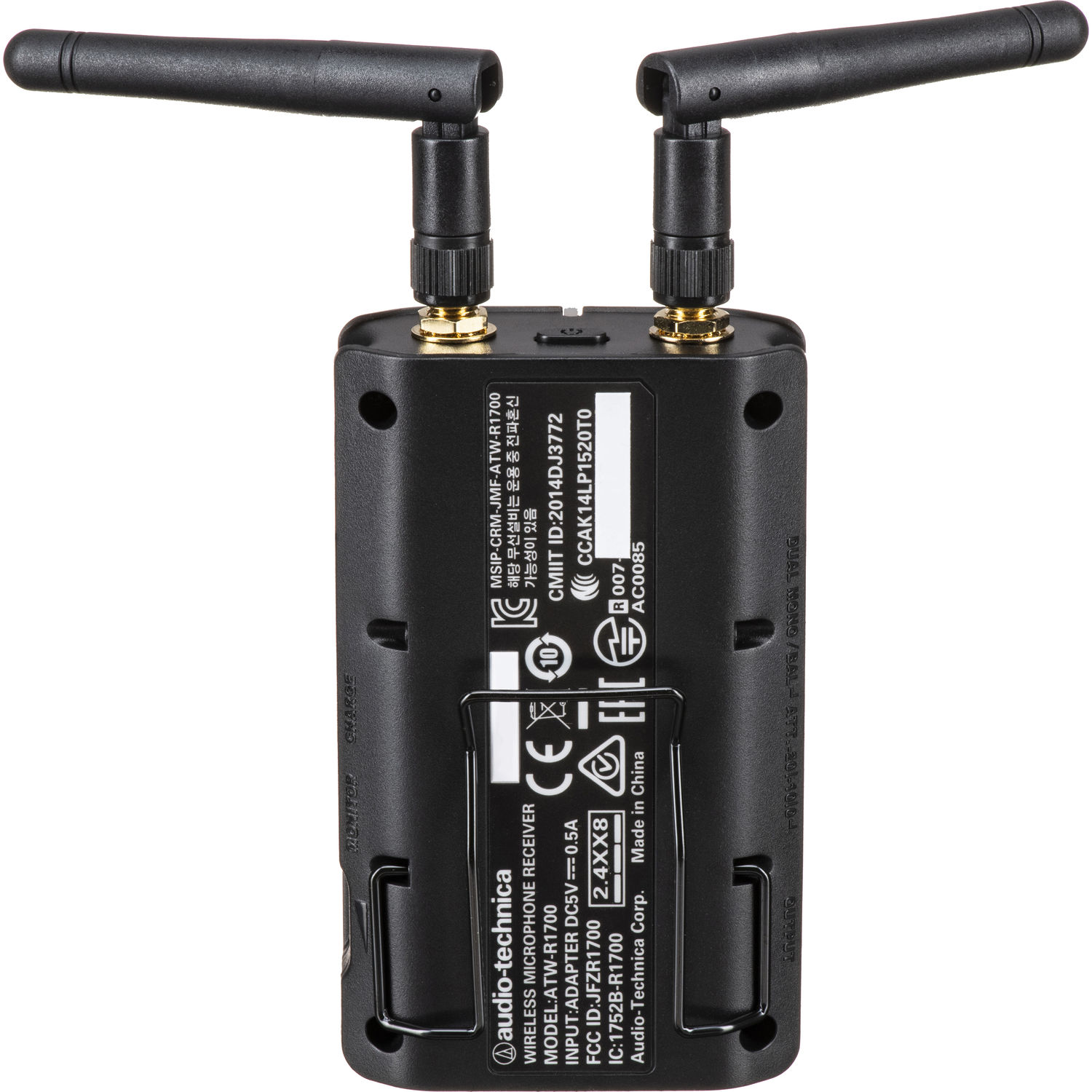
The audio-technica System 10 Camera-Mount Wireless ATW-1701 is a compact digital wireless microphone system built for video creators, journalists, filmmakers, and content teams who need reliable camera-mounted audio. Designed for run-and-gun production, interviews, weddings, corporate events, and mobile reporting, it delivers clean sound with simple setup and strong interference resistance. The system operates in the 2.4 GHz ISM band and uses 24-bit/48 kHz digital audio transmission for stable performance and natural voice reproduction.
One of the biggest advantages of the Audio-Technica System 10 Camera-Mount Wireless ATW-1701 is its plug-and-play workflow. The receiver is designed to mount directly on a camera, while the included body-pack transmitter supports microphones or instrument sources depending on the kit configuration. Users get automatic channel selection, a typical operating range of 30 meters radius in open environments, and low distortion for professional-grade recordings. Battery life is also a highlight, with the receiver offering an internal rechargeable battery and the body-pack transmitter using AA batteries for flexible field use.
This wireless camera mic system is best suited for solo videographers, news crews, event teams, and independent creators looking for a dependable alternative to wired audio. In 2026, the estimated price range is commonly around $440 to $500 USD, depending on region, retailer, and included accessories. Availability is generally strong through major audio retailers, pro video stores, and the manufacturer’s product channels. For buyers seeking a compact digital wireless camera kit with easy setup and professional sound, the audio-technica System 10 Camera-Mount Wireless ATW-1701 remains a compelling choice.
Specifications for Audio-Technica System 10 Camera-Mount Wireless ATW-1701
- Operating frequency: 2.4 GHz ISM band
- Audio sampling: 24-bit / 48 kHz digital transmission
- Frequency response: 20 Hz to 20 kHz, depending on microphone type
- Operating range: up to 30 m radius / 60 m diameter in open, interference-free conditions
- Total harmonic distortion: less than 0.05% typical
- RF output power: 10 mW
- Receiver battery: internal 3.7V rechargeable Li-ion battery, about 12 hours of use depending on conditions
- Transmitter battery: two 1.5V AA batteries, typically more than 7 hours with alkaline cells
- Receiver output: 3.5 mm TRS balanced up to +6 dBV or dual mono 0 dBV depending on mode
- Receiver monitoring output: 70 mW + 70 mW into 32 ohms
- Dimensions: receiver approximately 254.8 mm long and 50 mm in diameter; transmitter size varies by configuration
- Operating temperature: 0°C to 40°C
Compared with analog UHF camera systems, the audio-technica System 10 Camera-Mount Wireless ATW-1701 offers easier frequency management and less manual coordination. Compared with some entry-level 2.4 GHz competitors, it stands out for robust digital audio, broad compatibility, and a reputation for dependable camera-ready operation.
Setup Guide: How to Use the ATW-1701 Camera-Mount Wireless System
1. Insert two fresh AA batteries into the body-pack transmitter or verify that the receiver’s internal battery is fully charged.
2. Attach the receiver to your camera’s shoe mount or secure it with the supplied mounting accessories.
3. Connect the receiver output to your camera’s 3.5 mm microphone input using the included audio cable.
4. Power on the transmitter and receiver. The system should automatically select a clear channel and link without manual frequency tuning.
5. Set input levels on your camera and, if needed, adjust transmitter input gain for microphones or line-level sources.
6. Test audio by speaking into the mic while monitoring through headphones or the camera’s level meter.
For the best wireless microphone setup, keep antennas unobstructed and avoid placing the receiver near Wi-Fi routers, large metal surfaces, or other 2.4 GHz devices. If audio cuts out, shorten the distance between transmitter and receiver and power-cycle both units. Safety precautions include using only the recommended charger for the receiver, avoiding extreme heat, and removing batteries during long storage.
Troubleshooting Audio-Technica System 10 Camera-Mount Wireless ATW-1701
No sound from the camera: Check the audio cable, confirm the receiver is powered, and verify the camera input is set to external mic mode. Also make sure the transmitter and receiver are linked.
Weak or noisy signal: Move closer to the camera, replace low batteries, and keep the receiver away from wireless congestion. Interference is less common on this digital system, but 2.4 GHz environments can still affect performance.
Distorted audio: Lower the transmitter input gain and reduce the camera’s mic sensitivity if clipping occurs. Make sure the source is not overdriving the input.
Battery drains too quickly: Use fresh alkaline or high-quality rechargeable AA batteries and confirm the transmitter is fully off between takes. Cold weather can reduce runtime.
If the system shows pairing or connection issues, reset both units and let them re-link automatically. There are no widely used consumer error codes for this model, so most problems are solved through power cycling, battery replacement, and cable checks. For warranty or support, contact Audio-Technica through the regional support team, authorized dealers, or the official service center in your market.
Pros & Cons of the audio-technica System 10 Camera-Mount Wireless ATW-1701
Pros
- Easy automatic channel selection makes setup fast for beginners and professionals.
- Digital 24-bit/48 kHz audio helps preserve voice clarity for interviews and video production.
- Compact camera-mount receiver keeps rigs lightweight and portable.
- Strong battery life supports long shoot days, especially for field reporting.
- Works well for weddings, documentaries, corporate video, and mobile journalism.
Cons
- 2.4 GHz operation can face congestion in crowded wireless environments.
- Range is solid for camera use, but not ideal for very large venues.
- AA batteries add ongoing operating cost if rechargeable cells are not used.
- Some alternatives offer more advanced app-based monitoring or broader channel controls.
Overall, the audio-technica System 10 Camera-Mount Wireless ATW-1701 offers strong value for money if you want reliable wireless camera audio without complicated RF management. It competes well against other compact camera kits by focusing on simplicity, consistency, and clean digital sound rather than advanced customization.
Customer Reviews for the ATW-1701 Wireless Camera System
Many users rate the audio-technica System 10 Camera-Mount Wireless ATW-1701 around 4.5 out of 5 stars for ease of use, sound clarity, and dependable setup. Videographers often praise the automatic pairing and the convenience of a receiver that mounts directly on the camera.
Common compliments include “set it up in minutes,” “clean sound for interviews,” and “great battery life for event shooting.” The most frequent complaints are related to crowded 2.4 GHz spaces, which can affect stability in dense wireless environments.
Buyers who need a lightweight wireless microphone system for field production usually recommend it, while users needing long-distance RF coverage may prefer a more advanced UHF alternative. For most camera-based workflows, it remains a practical and well-liked choice.
Faqs
How do I set up audio-technica System 10 Camera-Mount Wireless ATW-1701 for the first time on a DSLR or mirrorless camera?
What should I do if audio-technica System 10 Camera-Mount Wireless ATW-1701 has dropouts or weak signal during recording?
Which microphones are compatible with audio-technica System 10 Camera-Mount Wireless ATW-1701 bodypack transmitter?
How do I get the best audio quality from audio-technica System 10 Camera-Mount Wireless ATW-1701 in interviews?
Why is my audio-technica System 10 Camera-Mount Wireless ATW-1701 receiver connected but the camera records no sound?
How long does the battery last on audio-technica System 10 Camera-Mount Wireless ATW-1701, and when should I replace or recharge it?
Can audio-technica System 10 Camera-Mount Wireless ATW-1701 be used with camcorders, recorders, or smartphone adapters?
How should I clean and maintain audio-technica System 10 Camera-Mount Wireless ATW-1701 for long-term reliability?
More audio-technica manuals
- Audio-Technica AT-LP60XHP Automatic Belt-Drive Turntable User Manual
- Audio-Technica AT-PL120 Professional Stereo Turntable User Manual
- Audio-Technica AT-SB727 Wireless Stereo Disc Player System User Manual
- Audio-Technica AT-LP70XBT Automatic Wireless Turntable User Manual
- Audio-Technica AT-LPA2 Belt-Drive Turntable User Manual
- Audio-Technica AT2020USB-X USB Microphone User Manual
Leave a Comment