
Audio-Technica AT-PL120 Professional Stereo Turntable User Manual
Content
audio-technica AT-PL120 Professional Stereo Turntable: Complete Product Manual
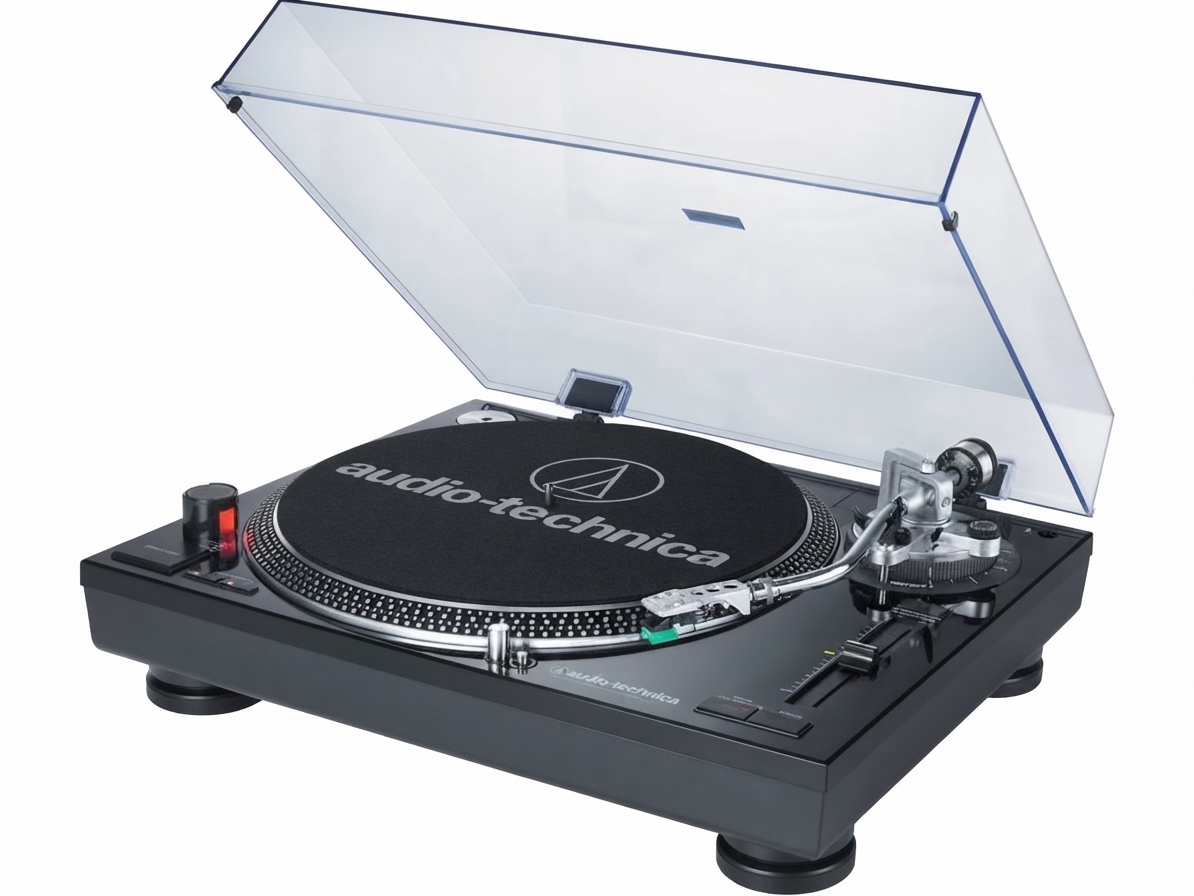
Introduction: What the Audio-Technica AT-PL120 Offers
The audio-technica AT-PL120 Professional Stereo Turntable is a direct-drive vinyl player designed for listeners who want strong performance, flexible speed control, and dependable manual operation. It is built for home audio enthusiasts, DJs, and collectors who need a turntable that can handle 33-1/3, 45, and 78 RPM records with stable playback and quick response. Its high-torque direct-drive motor, die-cast aluminum platter, and selectable internal phono preamp make it a practical choice for both vintage setups and modern systems.
One of the biggest advantages of the audio-technica AT-PL120 Professional Stereo Turntable is its versatility. Users can connect it directly to powered speakers, amplifiers, mixers, or recording gear, depending on the preamp setting. The S-shaped tonearm, anti-skate adjustment, and pitch control ranges of +/-10% or +/-20% support more precise cueing and playback adjustment. For vinyl collectors, the 78 RPM support is especially useful for older shellac records, while the quartz-controlled pitch lock helps maintain speed consistency during mixing or archiving.
This model is especially well suited for users who want a rugged, feature-rich direct-drive turntable without moving into high-end audiophile pricing. Depending on condition and seller, the estimated price range is typically around $200 to $450 on the secondary market, since this model is commonly found used or refurbished rather than new. Availability varies by region, with most listings appearing through online marketplaces, audio retailers, and specialty used-equipment sellers.
Specifications: Key Features and Performance Details
- Type: 3-speed, fully manual operation
- Drive method: Direct drive for fast start-up and stable speed
- Motor: DC motor
- Supported speeds: 33-1/3 RPM, 45 RPM, and 78 RPM
- Platter: Die-cast aluminum
- Starting torque: Greater than 1.6 kgcm-cm
- Braking system: Electronic brake
- Wow and flutter: Less than 0.2% WRMS at 33 RPM
- Signal-to-noise ratio: Greater than 50 dB
- Pitch variation: +/-10% or +/-20%
- Phono preamp gain: 38 dB nominal, RIAA equalized
- Output level: 2.5 mV nominal with preamp off; 200 mV nominal with preamp on
- Dimensions: 17.75 in W x 13.88 in D x 6.0 in H
- Weight: 23.4 lbs
- Included accessories: ATP-2 headshell/cartridge, AC line cord, 45 RPM adapter
Compared with entry-level belt-drive turntables, the audio-technica AT-PL120 Professional Stereo Turntable offers stronger torque, faster response, and better pitch control. Against similar direct-drive models, it stands out for its 78 RPM support, built-in phono preamp, and practical DJ-friendly design.
Setup Guide: How to Set Up the Audio-Technica AT-PL120 Turntable
1. Place the turntable on a level, vibration-free surface away from speakers, subwoofers, and direct sunlight.
2. Install the platter, slip mat, headshell, and cartridge if they are not already attached. Secure the dust cover if included.
3. Balance the tonearm by adjusting the counterweight until it floats level, then set the tracking force according to the cartridge specification.
4. Set the anti-skate control to match the tracking force for more even groove wear and stable channel balance.
5. Choose the preamp setting. Use PHONO if your amplifier or mixer has a dedicated phono input. Use LINE if you need to connect directly to powered speakers, an audio interface, or a receiver without a phono stage.
6. Connect the RCA cables and grounding lead, then plug in the power cord and select the correct voltage for your region.
7. Select 33, 45, or 78 RPM, start the platter, and lower the tonearm carefully onto the record.
For best results, keep the stylus clean, avoid moving the unit while the platter is spinning, and never force the tonearm. If the sound is distorted, recheck the tracking force, cartridge alignment, and preamp setting.
Troubleshooting: Common Audio-Technica AT-PL120 Problems and Fixes
If the platter does not spin, confirm that the power cord is connected, the outlet is working, and the start control is engaged. If the motor starts but speed is unstable, inspect the pitch setting and make sure the platter is fully seated.
If there is no sound, verify whether the preamp is set to PHONO or LINE correctly for your system. A LINE setting into a phono input, or a PHONO setting into a line input, will usually cause very low volume or excessive distortion.
If audio sounds warped or fuzzy, clean the stylus, check cartridge alignment, and confirm that the tracking force is correct. If skipping continues, move the turntable to a sturdier surface and reduce nearby vibration from speakers or foot traffic.
Common problems include hum, channel imbalance, and pitch drift. Grounding the turntable properly, reseating RCA plugs, and resetting pitch controls often solve these issues. There are no digital error codes on this model, so diagnosis is based on symptoms rather than display messages.
For warranty or support help, contact Audio-Technica customer support through the official support channels or consult an authorized dealer. Keep your proof of purchase, model number, and a clear description of the issue ready before requesting service.
Pros & Cons: Is the Audio-Technica AT-PL120 Worth It?
Pros
- Direct-drive motor delivers fast start-up and solid speed stability.
- Built-in phono preamp adds flexibility for modern speaker and recording setups.
- Supports 33-1/3, 45, and 78 RPM records, making it useful for diverse collections.
- Pitch adjustment and quartz-style control are helpful for DJ use and precise playback.
- Heavy die-cast platter and sturdy chassis improve overall feel and performance.
Cons
- Fully manual operation may be less convenient for users who want automatic features.
- At nearly 23.4 lbs, it is heavier and less portable than many beginner turntables.
- Because it is often sold used or refurbished, condition can vary widely by seller.
- Some competing models offer USB output or more modern convenience features.
For buyers comparing alternatives, the audio-technica AT-PL120 Professional Stereo Turntable offers stronger performance than many budget belt-drive models and better value than some premium DJ decks when found at a fair used price.
Customer Reviews: What Users Say About the AT-PL120
Typical owner feedback gives the turntable around 4.3 out of 5 stars for performance, durability, and speed control. Many users praise the solid build, accurate pitch adjustment, and reliable direct-drive operation for record playback and casual DJ use.
Common complaints focus on the age of the product, occasional wear in used units, and the learning curve of manual setup. Some buyers also mention that proper cartridge alignment and grounding are essential for clean sound.
“The direct drive feels strong, and the 78 RPM support was exactly what I needed for my older records.”
“Great value if you find a well-kept unit, but take time to check the stylus and preamp settings.”
If you are shopping for a durable direct-drive deck and do not mind buying used, the audio-technica AT-PL120 Professional Stereo Turntable remains a smart recommendation for vinyl collectors, hobbyists, and entry-level DJs.
Faqs
How do I set up the audio-technica AT-PL120 Professional Stereo Turntable for the first time?
Which output setting should I use on the audio-technica AT-PL120 Professional Stereo Turntable, PHONO or LINE?
Why is my audio-technica AT-PL120 Professional Stereo Turntable humming, and how do I fix it?
What should I do if the audio-technica AT-PL120 Professional Stereo Turntable is skipping or mistracking?
Can the audio-technica AT-PL120 Professional Stereo Turntable play 78 RPM records, and what do I need?
How do I use the pitch control and quartz lock on the audio-technica AT-PL120 Professional Stereo Turntable?
Is the audio-technica AT-PL120 Professional Stereo Turntable compatible with modern powered speakers or computer audio setups?
How should I maintain and clean the audio-technica AT-PL120 Professional Stereo Turntable?
More audio-technica manuals
- Audio-Technica System 10 Camera-Mount Wireless ATW-1701 User Manual
- Audio-Technica AT-LP70XBT Automatic Wireless Turntable User Manual
- Audio-Technica AT-LP60XHP Automatic Belt-Drive Turntable User Manual
- Audio-Technica AT2020USB-X USB Microphone User Manual
- Audio-Technica AT-SB727 Wireless Stereo Disc Player System User Manual
- Audio-Technica 3000 Series UHF Wireless System ATW-R3100 User Manual
Leave a Comment