
Setup: Aukey GPS Antenna User Guide
Content
AUKEY GPS Antenna
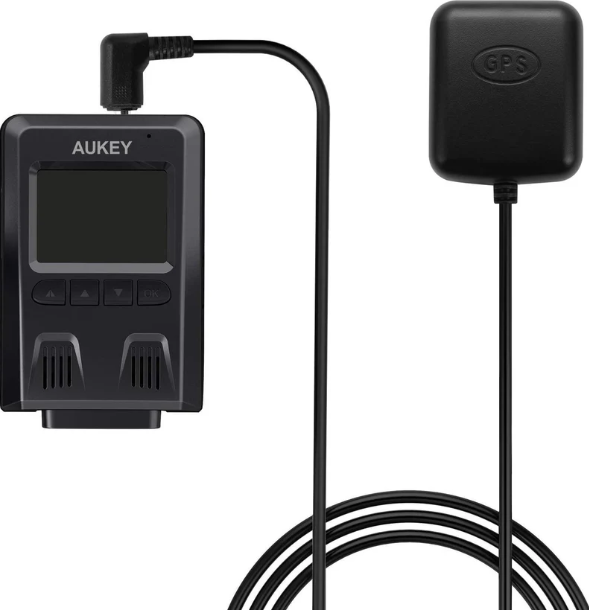
Introduction
The AUKEY GPS Antenna (model GM-32) is a high-quality, external GPS accessory designed to enhance your dash cam experience by adding accurate, real-time location and speed data to your video footage. This compact, easy-to-install device is engineered for drivers who demand comprehensive documentation for peace of mind on the road—whether you’re a daily commuter, rideshare driver, or road tripper seeking additional security and evidence in case of incidents or disputes[1][2][3].
Key benefits include seamless integration with compatible AUKEY dash cams, such as the DR01, DR02, DR02 D Dual, and DR02 J 4K models, and a hassle-free setup with 3M adhesive backing for long-lasting windshield attachment[1][3]. The antenna is powered directly through your dash cam, eliminating the need for a separate power adapter and keeping your dashboard clutter-free. With the AUKEY GPS Antenna, you can conveniently review your journeys, back up important routes, and access detailed location and speed information—all essential for insurance claims, accident reconstruction, or simply tracking your favorite drive.s
Targeting both tech-savvy and everyday drivers, this GPS dash cam antenna is ideal for anyone seeking enhanced vehicle security and trip documentation. The estimated price range is typically affordable, reflecting its value as an accessory rather than a standalone device, and availability is primarily through AUKEY’s official channels and select online retailers
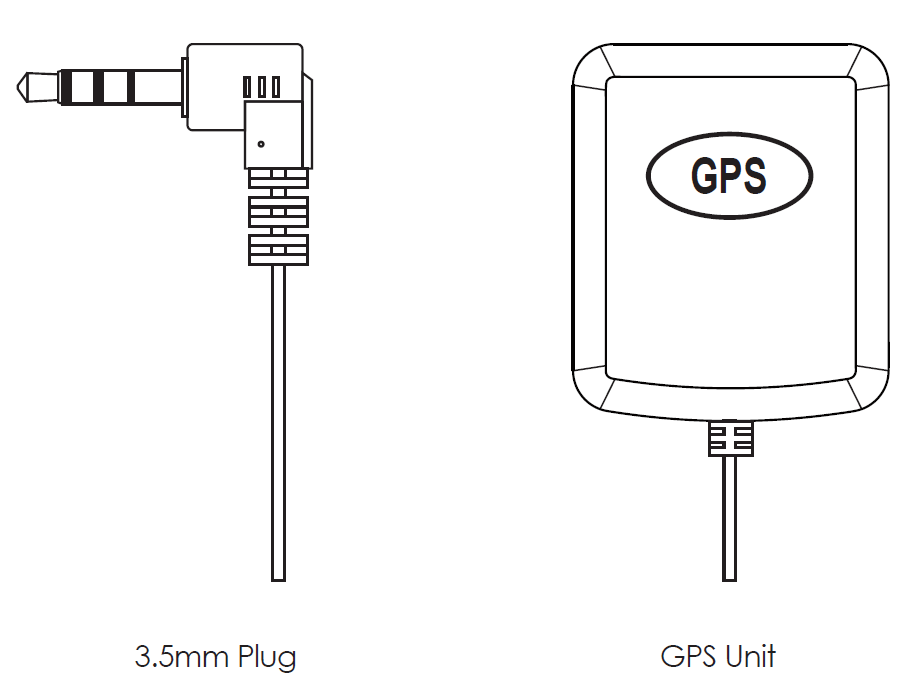
Product Diagram
Getting Started
- The external GPS Antenna is an additional accessory for the AUKEY DR01 1080p Dash Cam (sold separately). It provides accurate position and speed data to the DR01, which is saved and displayed on recorded videos. This extended information may support your case in any driving disputes or incidents.
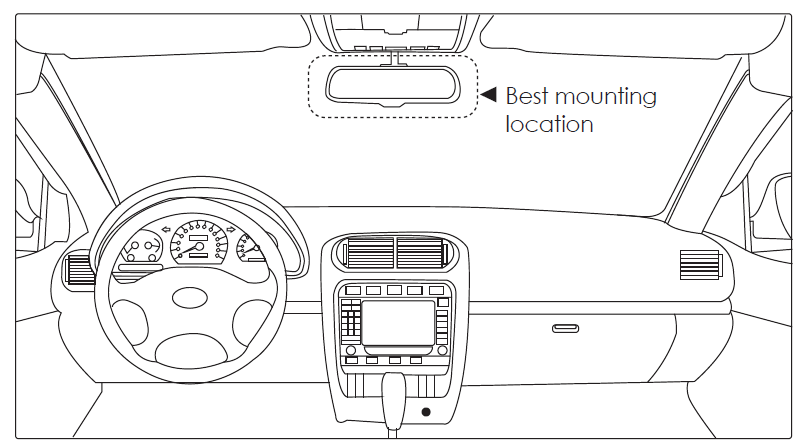
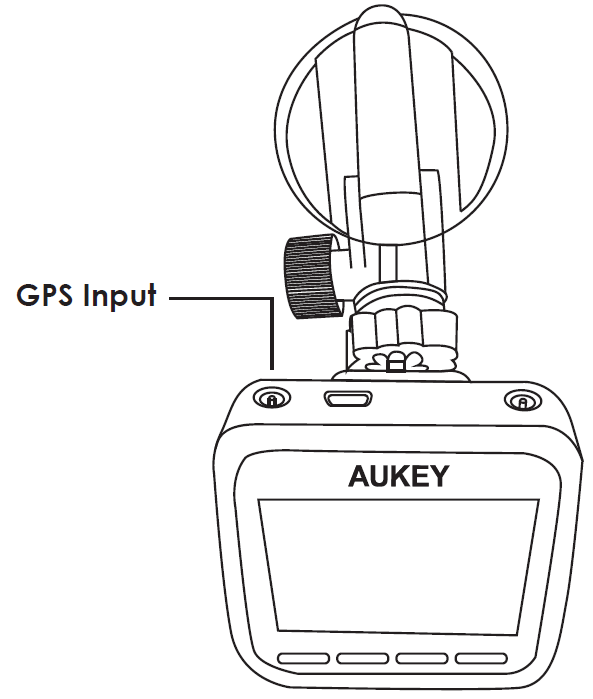
- Install the GM-32 in the top center of your windshield beside the Dash Cam Cam from the Dash Cam and connect the GM-32 to the GPS Input Port (labeled with a chalinknks symbol) on the Dash Cam.
Note: Be careful not to incorrectly plug into the AV Output Port - Power on the Dash Cam. A red “?” will appear in the upper right corner of the screen while the GM-32 is establishing satellite lock. This will be replaced by a green “G” when a lock is established. Then the GM-32 will automatically embed your GPS coordinates and speed in all video recordings
Note: Speed is displayed in kilometers or miles per hour (setting available on DR01 in later firmware versions; update as needed)
Updating Dash Cam Firmware
Additional features and performance improvements are available for the Dash Cam through firmware updates. Ensure you have the latest firmware version for the fullest and best experience using the DR01 and GM-32.- Check your Dash Cam firmware version in the “Version” section of the “Settings” menu.
- Update Dash Cam firmware if a later version is available. Download the instructions file with the firmware update file for update guidance.
Warranty & Customer Support
For questions, support,t or warranty claims, please contact us at the address below that corresponds with your region. Please include your Amazon order number and product model number..
Specifications and Features
- Compatibility: Designed for AUKEY DR01, DR02, DR02 D Dual, and DR02 J 4K dash cams, and other models with a 4-Pin 3.5mm GPS port
- Installation: Quick and easy setup with 3M adhesive backing; installs on the windshield beside the dash cam for optimal signal reception
- Power: No external power adapter required—draws power directly from the dash cam via the GPS po.rt
- portta Output: Provides real-time GPS coordinates and speed, which are embedded into recorded video files for playback and evidence.ce[
- Software Support: Use compatible software to review and export your journey logs, including location and speed history.
- Durability: Compact, weather-resistant design for reliable performance in various driving conditions.
Performance Benchmarks
The AUKEY GPS Antenna delivers fast satellite lock and consistent accuracy, ensuring your footage is always stamped with the correct location and speed. Compared to generic GPS modules, the GM-32 is tailored for seamless integration with AUKEY dash cams, offering plug-and-play convenience and reliable performance without the need for third-party configuration.
Comparison with Alternatives
While third-party GPS antennas may offer similar frequency ranges and mounting options, the AUKEY GM-32 is specifically designed for compatibility and ease of use with AUKEY dash cams, reducing setup complexity and ensuring optimal performance. Generic antennas may lack proper fit or data integration, potentially leading to compatibility issues or incomplete data recording.
Troubleshooting and Support
Common Issues and Solutions
- No GPS Signal: Ensure the antenna is properly connected to the dash cam’s GPS port and positioned for a clear view of the sky. A red “?” on the dash cam screen indicates the antenna is searching for satellites; this should disappear once a lock is established. hed
- In correct Location/Speed Data: Verify that the dash cam’s firmware is up to date. If issues persist, try resetting the device and reconnecting the AUKEY GPS Antenna.
- Loose Connection: Check that the 3.5mm connector is fully seated. If the connection is unreliable, inspect the cable for damage.
Preventive Measures
Regularly inspect the antenna’s adhesive mount and cable for wear. Keep the windshield around the antenna clean for optimal signal reception. Avoid placing metal objects near the antenna that could interfere with GPS signals.
Warranty and Support
The AUKEY GPS Antenna comes with a standard warranty. For assistance, contact AUKEY support with your product model and order details. Support is available via email and through the official website[3].
Pros and Cons
Advantages
- Easy Installation: Quick setup with adhesive backing; no tools or extra power required
- Seamless Integration: Designed specifically for AUKEY dash cams, ensuring reliable performance and data accuracy
- Enhanced Evidence: Adds valuable location and speed data to video footage, useful for insurance and legal purposes
- Compact Design: Low-profile antenna doesn’t obstruct your view or clutter the dashboard.
Limitations
- Limited Compatibility: Only works with AUKEY dash cams that hav4-pin-Pin 3.5mm GPS port
- No Standalone Use: Requires a compatible dash cam to function; not a standalone GPS tracker.
- Potential Availability Issues: As an accessory, it may be harder to find compared to the dash cam itself
Value for Money
The AUKEY GPS Antenna offers excellent value for AUKEY dash cam owners seeking to enhance their device’s functionality. While not the cheapest option, its reliability and tailored design justify the investment for those who need precise location and speed documentation.
Customer Reviews and Feedback
Users consistently praise the AUKEY GPS Antenna for its straightforward installation and reliable performance. Many highlight the added peace of mind from having location and speed data embedded directly into their dash cam footage, which is especially valuable in the event of accidents or disputes.s
Common complaints include occasional compatibility confusion, with some users mistakenly purchasing non-compatible antennas for their AUKEY dash cams. Others note that the product can be difficult to find in stock, as it is sold as an accessory rather than a standalone item[4]. Overall, the AUKEY GPS Antenna receives positive ratings for its ease of use and integration, with most users recommending it to fellow AUKEY dash cam owners looking for enhanced documentation features.
If you’re considering this product, ensure your dash cam model is compatible and purchase from authorized retailers to avoid counterfeit or incompatible units.
Tags
More aukey manuals
Leave a Comment