
Aukey Smart Plug SH-PA1 User Manual
Content
AUKEY Smart Plug SH-PA1 Overview
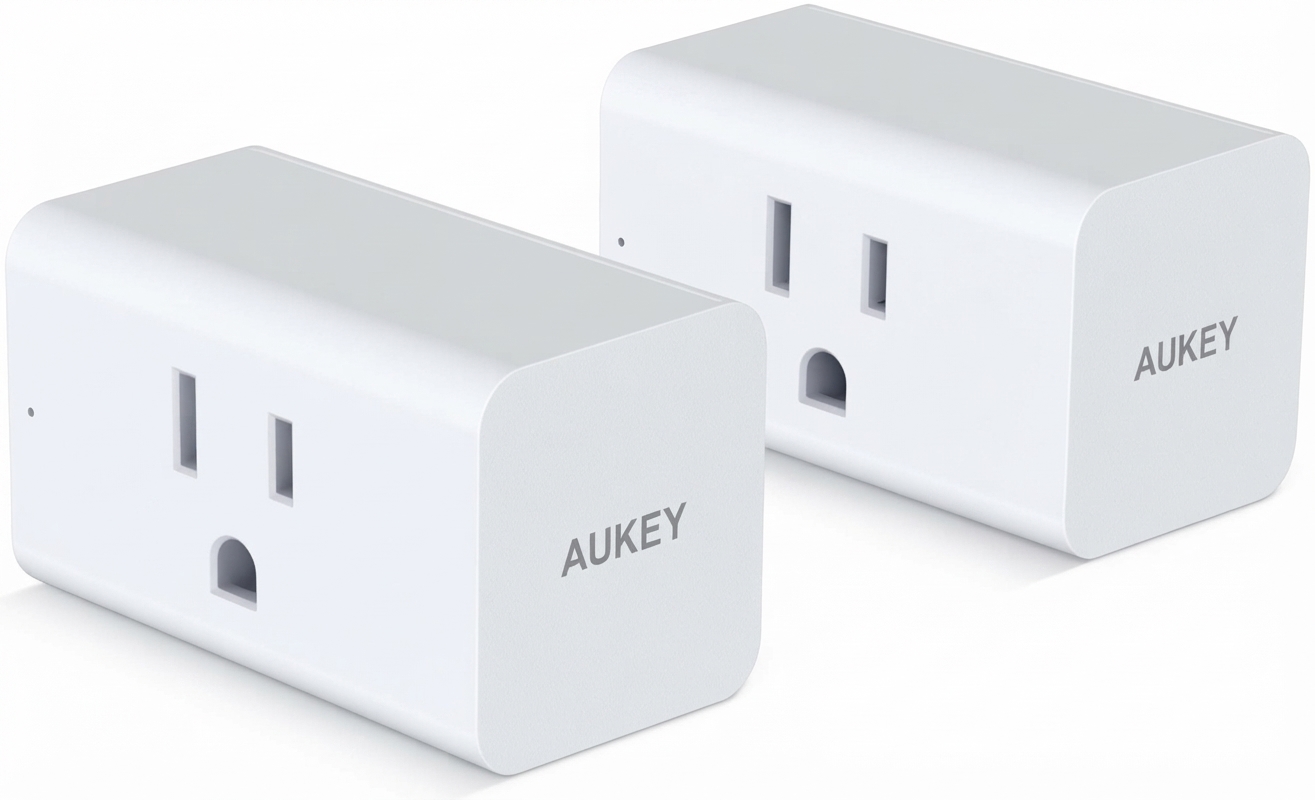
The AUKEY Smart Plug SH-PA1 is a compact Wi-Fi-enabled outlet controller designed to make everyday appliances smarter, safer to manage, and easier to automate. With support for voice assistants and app-based scheduling, the AUKEY Smart Plug SH-PA1 is a practical choice for anyone looking to control lamps, fans, portable heaters, and other small household devices remotely. Its compact body helps preserve nearby outlets, making it a strong fit for apartments, bedrooms, home offices, and shared power strips where space is limited.
One of its biggest selling points is its simple smart-home integration. The plug works with Alexa, Google Home, and IFTTT, which makes it useful for voice control, routines, and automation. It also supports 2.4GHz Wi-Fi, which is common in many smart home devices and generally provides reliable long-range connectivity for basic home automation tasks. The device is rated for AC 110–125V and up to 15A, with a maximum power output of 1800W, so it can handle many common plug-in devices within its limits.
The target audience includes beginners building their first smart home, users who want remote on/off scheduling, and anyone who wants to reduce wasted energy by turning appliances off automatically. The AUKEY Smart Plug SH-PA1 typically falls into an affordable budget range, often estimated around the low-cost smart plug category depending on seller and stock availability. It is usually found through online marketplaces and third-party retailers rather than broad retail distribution, so pricing and availability may vary.
Troubleshooting the AUKEY Smart Plug SH-PA1
If the plug will not connect, the most common cause is using a 5GHz network instead of the required 2.4GHz Wi-Fi band. Reconnect it to a 2.4GHz network, reset the plug, and keep the phone close to the router during setup. If the device is offline after setup, power-cycle the plug and router, then confirm the router password has not changed.
Common setup issues include the indicator light not blinking, the app not discovering the device, or the plug not responding to voice commands. In many cases, a full reset resolves the problem. Hold the power button until the status light indicates reset mode, then add the device again in the app. If an error code appears in the app, recheck network credentials, permissions, and pairing mode before repeating setup.
Preventive care is straightforward: avoid exceeding the 1800W maximum load, keep the plug in a dry indoor location, and do not use it with high-draw equipment beyond its rating. For warranty help, AUKEY states a 2-year warranty for the original retail purchaser. Support and warranty assistance are typically handled through the official AUKEY support or regional service channels, and customers should contact the seller or regional support team for the correct return or exchange process.
Pros and Cons of the AUKEY Smart Plug SH-PA1
Pros
- Compact design that helps keep adjacent outlets usable.
- Supports Alexa, Google Home, and IFTTT for flexible smart-home automation.
- Handles up to 15A and 1800W, which is suitable for many common household devices.
- Simple scheduling and remote control make it useful for energy management and convenience.
- Good value for money for users who want basic smart plug features without paying premium-brand prices.
Cons
- Only supports 2.4GHz Wi-Fi, which may frustrate users with newer 5GHz-only setup habits.
- No advanced energy monitoring features are commonly associated with this model.
- Best suited for standard home appliances rather than heavy-duty equipment.
- Availability may be inconsistent depending on region and retailer.
Compared with higher-end alternatives, the AUKEY Smart Plug SH-PA1 is more of a straightforward, budget-friendly automation tool than a feature-rich power management device. It is a solid fit if you want reliable basic control at a lower price.
Customer Reviews and User Feedback
User feedback on the AUKEY Smart Plug SH-PA1 is generally positive, with many buyers praising its easy setup, compact shape, and dependable app control. Typical ratings in buyer discussions cluster around 4 out of 5 stars, especially among users who want a no-frills smart outlet for lamps, fans, and routines.
Common praise includes responsive voice assistant support and the ability to fit two plugs side by side in many outlets. Common complaints usually focus on the 2.4GHz-only limitation and the lack of premium features such as detailed power monitoring. One recurring sentiment is that it offers strong everyday value, especially for first-time smart-home users who want a simple, affordable smart plug.
Many customers recommend the AUKEY Smart Plug SH-PA1 for basic home automation, but suggest checking Wi-Fi compatibility before purchase. If you need a compact Wi-Fi smart plug for lights, schedules, and voice commands, it remains a practical option.
Faqs
How do I set up aukey Smart Plug SH-PA1 for the first time?
Why is my aukey Smart Plug SH-PA1 not connecting to Wi-Fi?
What devices are compatible with aukey Smart Plug SH-PA1?
How can I use schedules and timers on aukey Smart Plug SH-PA1 to save energy?
Why does aukey Smart Plug SH-PA1 keep disconnecting from the app?
Does aukey Smart Plug SH-PA1 work with Alexa or Google Assistant?
How do I reset aukey Smart Plug SH-PA1 without losing control of my smart home setup?
How should I clean and maintain aukey Smart Plug SH-PA1 for long-term use?
More aukey manuals
Leave a Comment