
Benq LU960UST Digital Projector User Manual
Content
BenQ LU960UST Digital Projector Manual and Buyer’s Guide
Introduction
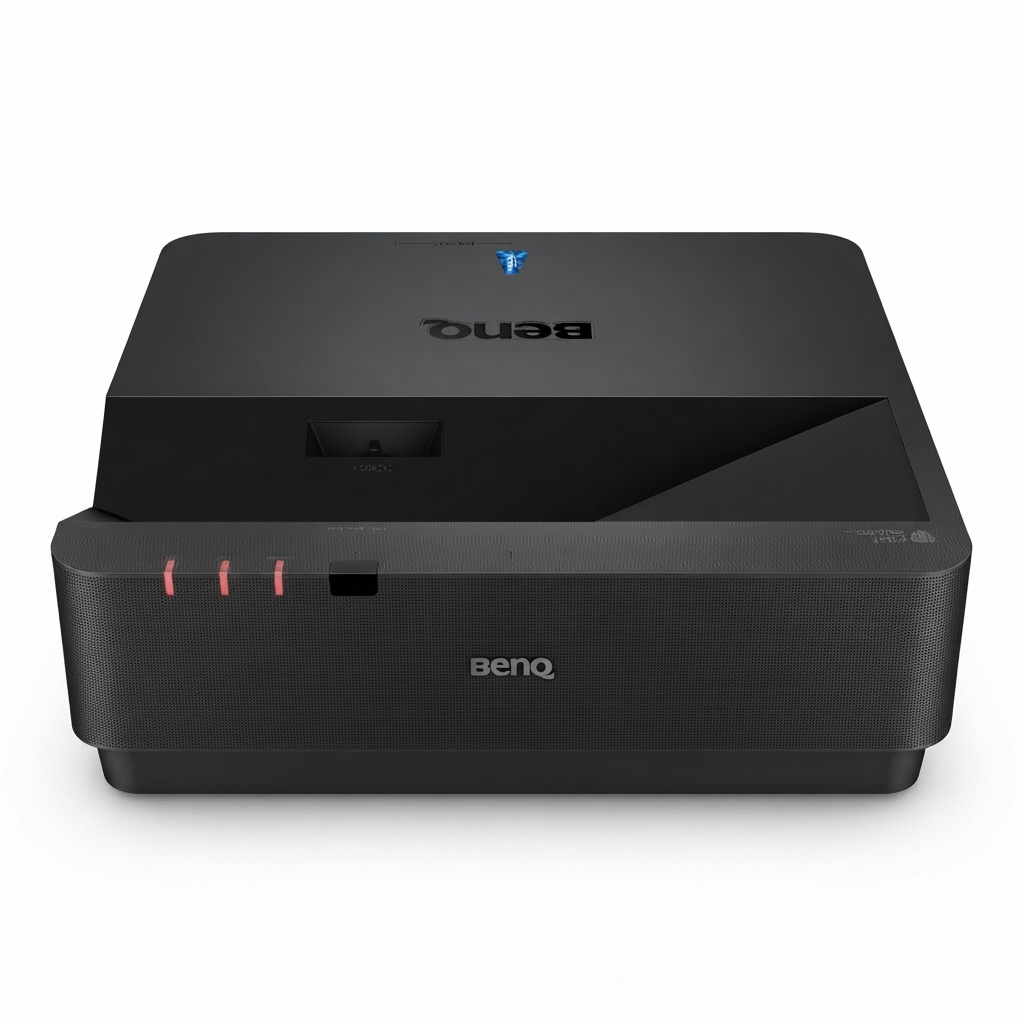
The BenQ LU960UST Digital Projector is a high-brightness ultra short throw laser projector designed for professional environments that need a large, sharp image from a very short distance. With 5200 ANSI lumens, WUXGA native resolution, and a 0.25 throw ratio, it is built for golf simulators, museums, classrooms, corporate meeting rooms, and immersive simulation spaces where space efficiency and image precision matter most. Its laser light source, high contrast ratio, and long operating life make it a practical choice for installations that demand consistent performance with minimal maintenance.
One of the biggest advantages of the BenQ LU960UST Digital Projector is its ability to deliver bright, detailed visuals even in well-lit rooms. The ultra short throw design helps reduce shadows and glare while allowing the projector to sit close to the screen. It also supports flexible installation for professional AV setups, making it suitable for fixed mounting and simulation applications. Users looking for a laser projector for golf simulator setups or a short throw projector for business presentation rooms will find it especially appealing.
In 2026, the estimated price range is typically around USD $3,000 to $5,000 depending on seller, region, and whether the unit is new, refurbished, or bundled with installation accessories. Availability is generally strongest through BenQ business channels, professional AV resellers, and online marketplace listings. For buyers comparing premium laser projection systems, the LU960UST stands out for its brightness, endurance, and installation flexibility.
Specifications for BenQ LU960UST Ultra Short Throw Laser Projector
- Projection technology: Single-chip DLP laser projector
- Native resolution: WUXGA 1920 x 1200
- Brightness: 5200 ANSI lumens
- Contrast ratio: 3,000,000:1
- Native aspect ratio: 16:10
- Color performance: 1.07 billion colors
- Throw ratio: 0.25 ultra short throw
- Light source life: up to 20,000 hours in Normal mode, 38,000 hours in Eco mode, and up to 70,000 hours in Dimming mode
- Screen size compatibility: approximately 100 to 150 inches
- Power consumption: about 450 W typical, 500 W maximum, and less than 0.5 W standby
- Weight: 12 kg
- Dimensions: 480 x 157.4 x 473 mm
Performance-wise, the projector is strong for detailed graphics, simulation software, and text-heavy business content. Compared with many standard short throw projectors, the BenQ LU960UST Digital Projector delivers superior brightness and a more specialized ultra short throw profile, while also offering longer laser life than lamp-based alternatives. It is a better fit than entry-level business projectors when image uniformity, large-format projection, and near-screen placement are priorities.
Troubleshooting BenQ LU960UST Digital Projector Common Problems and Solutions
- No power: Check the AC connection, outlet, and power button. Make sure the unit is not in standby or protection mode.
- No image: Confirm the HDMI or other input source is selected correctly, then verify the cable is securely connected.
- Dim or uneven image: Clean the lens, confirm ambient lighting is not overpowering the screen, and check picture settings.
- Keystone or alignment issues: Reposition the projector and use installation adjustments sparingly to preserve image quality.
- Overheating warning: Ensure vents are unobstructed and the unit has proper airflow around it.
- Signal loss or flicker: Replace the cable, test another source device, and confirm resolution compatibility.
Common BenQ projector error messages usually relate to lamp or light-source temperature, fan function, or source signal detection. If an error code appears, power the projector off, allow it to cool, check ventilation, and restart after verifying connections. Preventive care includes regular lens cleaning, dust control, correct mounting, and using stable power. BenQ support and warranty service are generally available through authorized dealers and BenQ regional service centers. For help in the United States, BenQ business support lists phone support at 888-818-5888.
Pros and Cons of the BenQ LU960UST Digital Projector
Pros
- Very bright 5200-lumen output for well-lit rooms
- Ultra short throw design reduces shadows in front of the screen
- WUXGA resolution provides sharper detail than standard Full HD
- Laser light source offers long life and lower maintenance
- Excellent for golf simulators, training rooms, museums, and presentation spaces
- Strong value for professional buyers needing premium installed projection
Cons
- Higher price than consumer-grade projectors
- Best results require careful installation and precise alignment
- 12 kg weight makes it less portable than compact portable projectors
- Not ideal for casual home theater buyers who want a simple plug-and-play model
Compared with lower-cost alternatives, the BenQ LU960UST Digital Projector offers better brightness, longer life, and more professional-grade performance. It is especially strong for users who need consistent operation and a large image at close range, but its cost and installation requirements may be excessive for basic home use.
Customer Reviews and Real-World Feedback
Overall user feedback for the BenQ LU960UST Digital Projector is positive, with many customers rating it around 4.5 out of 5 stars for brightness, image clarity, and golf simulator performance. Buyers frequently praise the sharp WUXGA picture, strong laser output, and the convenience of ultra short throw placement.
Common complaints focus on price, setup precision, and the need for careful mounting. A typical testimonial reads, “Excellent image quality for my simulator bay, and it handles ambient light much better than expected.” Another common comment is, “Installation took time, but the performance is worth it once aligned properly.”
Recommended for professional AV users, simulation enthusiasts, and organizations that need a reliable laser projector for large-format projection. For casual users, a less expensive short throw model may be a better fit.
Final Buying Advice
The BenQ LU960UST Digital Projector is a premium ultra short throw laser solution that excels in bright, controlled, and professional environments. If the goal is long-term reliability, vivid image quality, and minimal maintenance, it is one of the stronger options in its class. Buyers should plan for proper installation and budget for professional mounting if the projector will be used in a fixed simulation or presentation setup.
Faqs
How do I set up the benq LU960UST Digital Projector for the first time in a classroom or meeting room?
What image adjustment features does the benq LU960UST Digital Projector offer for difficult installation angles?
Why is my benq LU960UST Digital Projector showing a blurry or uneven image, and how can I fix it?
Is the benq LU960UST Digital Projector compatible with 4K sources and different PC resolutions?
What makes the benq LU960UST Digital Projector suitable for 24/7 operation and high-usage environments?
How do I connect external devices to the benq LU960UST Digital Projector using HDMI, HDBaseT, or network control?
How can I optimize brightness and color on the benq LU960UST Digital Projector in a room with ambient light?
What maintenance does the benq LU960UST Digital Projector need to stay reliable over time?
More benq manuals
- Benq SW Series Photographer Monitor SW240 User Manual
- Setup: Benq MH5005 Digital Projector User Manual
- Benq PD Series DesignVue Designer Monitor PD2700U User Manual
- How to Use: Benq Digital Projector GS50 User Manual
- Benq PD Series Designer Monitor User Manual
- Setup & Features: Benq EW Series LCD Monitor Entertainment Monitor User Manual
Leave a Comment