
Setup: Benq MH5005 Digital Projector User Manual
Content
BenQ MH5005 Digital Projector Review and User Manual Guide
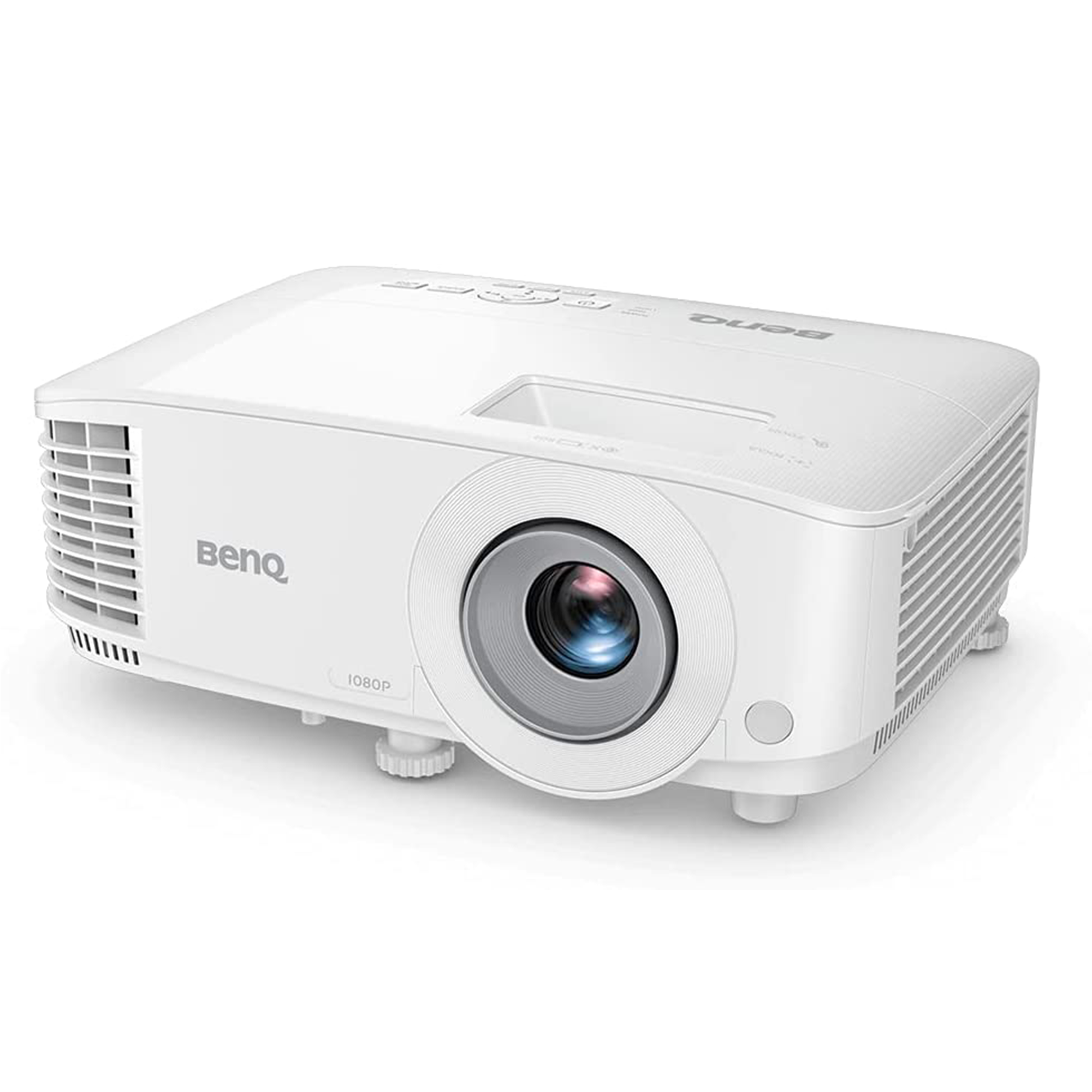
The BenQ MH5005 Digital Projector is a Full HD DLP home and business projector designed for bright, sharp image delivery in a wide range of environments. With 1080p native resolution, 3,800 ANSI lumens, and a 20,000:1 contrast ratio, the benq MH5005 Digital Projector is built to handle presentations, classroom lessons, movie nights, and meeting-room use with confidence. Its 16:9 aspect ratio, 1.1x zoom, and 70- to 150-inch screen size support flexible installation in medium-sized spaces.
One of the biggest advantages of the benq MH5005 Digital Projector is its balance of brightness and image quality. The lamp-based DLP system delivers crisp detail, while BenQ’s SmartEco features help reduce power use and extend lamp life. The projector also supports multiple input sources, including dual HDMI, VGA, composite, S-Video, and USB connectivity, making it practical for both legacy and modern devices.
This model is a strong fit for teachers, office teams, small venues, and home users who want a dependable projector with straightforward setup. It is especially useful for PowerPoint slides, spreadsheet work, streaming, and video playback where clear Full HD resolution matters. In 2026, estimated pricing generally falls in the mid-range category, around $650 to $850 depending on region, retailer, and stock availability. Availability is typically better through online electronics stores, AV resellers, and business-technology marketplaces than through standard big-box retail.
Specifications of the BenQ MH5005 Digital Projector
Here are the key technical specifications and capabilities of the BenQ MH5005 Digital Projector:
- Display technology: DLP single-DMD projection system
- Native resolution: 1920 x 1080 pixels, Full HD
- Brightness: 3,800 ANSI lumens
- Contrast ratio: 20,000:1
- Aspect ratio: Native 16:9, with selectable display modes
- Screen size support: Approximately 70 to 150 inches
- Throw ratio: 1.49 to 1.64:1
- Zoom: 1.1x optical zoom
- Noise level: About 32 dBA in standard mode and quieter in eco mode
- Lamp life: Up to 15,000 hours in lamp-saving mode
- Connectivity: 2 x HDMI, 2 x VGA, USB, Mini-USB, RS-232, composite video, S-Video, and audio in/out
- Dimensions: 296 x 120 x 221 mm
- Weight: Around 2.3 kg
- Power consumption: Approximately 280W in standard use, lower in eco mode
Compared with similar Full HD business projectors, the benq MH5005 Digital Projector stands out for its strong brightness, broad port selection, and reliable lamp-based performance. It is less portable than ultra-compact LED models, but it usually offers better brightness for well-lit rooms and more flexible connectivity for office environments.
Troubleshooting Common BenQ MH5005 Projector Problems and Fixes
If your projector does not turn on, first check the power cable, outlet, and standby indicator. A flashing lamp or temperature light usually means the unit needs cooling, the lamp cover is not secure, or the lamp has reached end of life. If the image is blurry, adjust focus, verify the throw distance, and make sure the lens is clean.
Common issues include no signal, distorted image, or color problems. For no signal errors, confirm the correct input source is selected and test another HDMI or VGA cable. If the picture is skewed, use vertical keystone correction and reposition the projector so the lens is centered. Overheating can happen if vents are blocked, so keep at least several inches of clearance around the unit and clean the air filter regularly.
If an error code appears on the display or indicator panel, check the user manual for the exact lamp, fan, or temperature message. Most BenQ support teams recommend replacing the lamp only with a compatible part and avoiding frequent power cycling. Warranty coverage and support options may vary by region, but service is usually available through BenQ’s official support channels, authorized service centers, and the retailer where the projector was purchased. For help, contact your local BenQ support office or distributor using the details listed in the product manual or on the retailer’s order page.
Pros and Cons of the BenQ MH5005 Digital Projector
Pros
- Bright 3,800 ANSI lumen output works well in offices and classrooms with ambient light.
- Full HD 1080p resolution delivers sharp text, charts, and video detail.
- Wide connectivity makes it easy to connect laptops, media players, and legacy AV equipment.
- Strong lamp life in eco mode improves long-term value for frequent users.
- Compact enough for a business projector, yet powerful enough for medium-sized rooms.
Cons
- Lamp-based design means eventual replacement costs, unlike some LED alternatives.
- At around 2.3 kg, it is portable but not as travel-friendly as mini projectors.
- Built-in audio is generally not enough for larger rooms, so external speakers are recommended.
- Best performance comes in controlled setups, so ceiling mounting or careful placement may be needed.
For value for money, the benq MH5005 Digital Projector is a strong choice if brightness, resolution, and connectivity matter more than ultra-portability. Compared with cheaper portable models, it offers a more professional projection experience. Compared with premium laser projectors, it is usually more affordable but less maintenance-free over time.
Customer Reviews of the BenQ MH5005 Digital Projector
Users commonly rate the benq MH5005 Digital Projector around 4.4 out of 5 stars for image clarity, room brightness, and easy setup. Many buyers praise the projector for producing crisp text during presentations and vivid colors for video content. One typical comment is: “Excellent brightness for our conference room, and the HDMI switching is fast and reliable.”
Frequent complaints focus on fan noise in standard mode, lamp replacement cost, and the need for a fairly dark room for movie viewing. Another common opinion is: “Great for work meetings, but you will want speakers for better sound.” Overall, it is often recommended for offices, classrooms, and home users who want a dependable Full HD projector with practical connectivity and solid day-to-day performance.
Faqs
How do I set up the benq MH5005 Digital Projector for the first time?
Why is the image on my benq MH5005 Digital Projector blurry or out of focus?
What should I do if the benq MH5005 Digital Projector shows no signal from HDMI?
Is the benq MH5005 Digital Projector compatible with laptops, game consoles, and streaming devices?
How do I get the best picture quality from the benq MH5005 Digital Projector in a bright room?
How loud is the benq MH5005 Digital Projector during normal use?
How often should I replace the lamp in the benq MH5005 Digital Projector?
What maintenance does the benq MH5005 Digital Projector need to stay reliable?
Tags
More benq manuals
- Benq LU960UST Digital Projector User Manual
- How to Use: Benq Digital Projector GS50 User Manual
- Setup & Features: Benq EW Series LCD Monitor Entertainment Monitor User Manual
- How to Use: Benq Projector User Manual
- Setup & Features: Benq Digital Projector Home Entertainment Series TK860i User Manual
- Benq Display Pilot LCD Monitor Software Instruction Manual
Leave a Comment