
Setup: Beurer Glass Bathroom Scale GS 10 User Manual
Content
Introduction — beurer Glass Bathroom Scale GS 10: sleek accuracy for everyday use
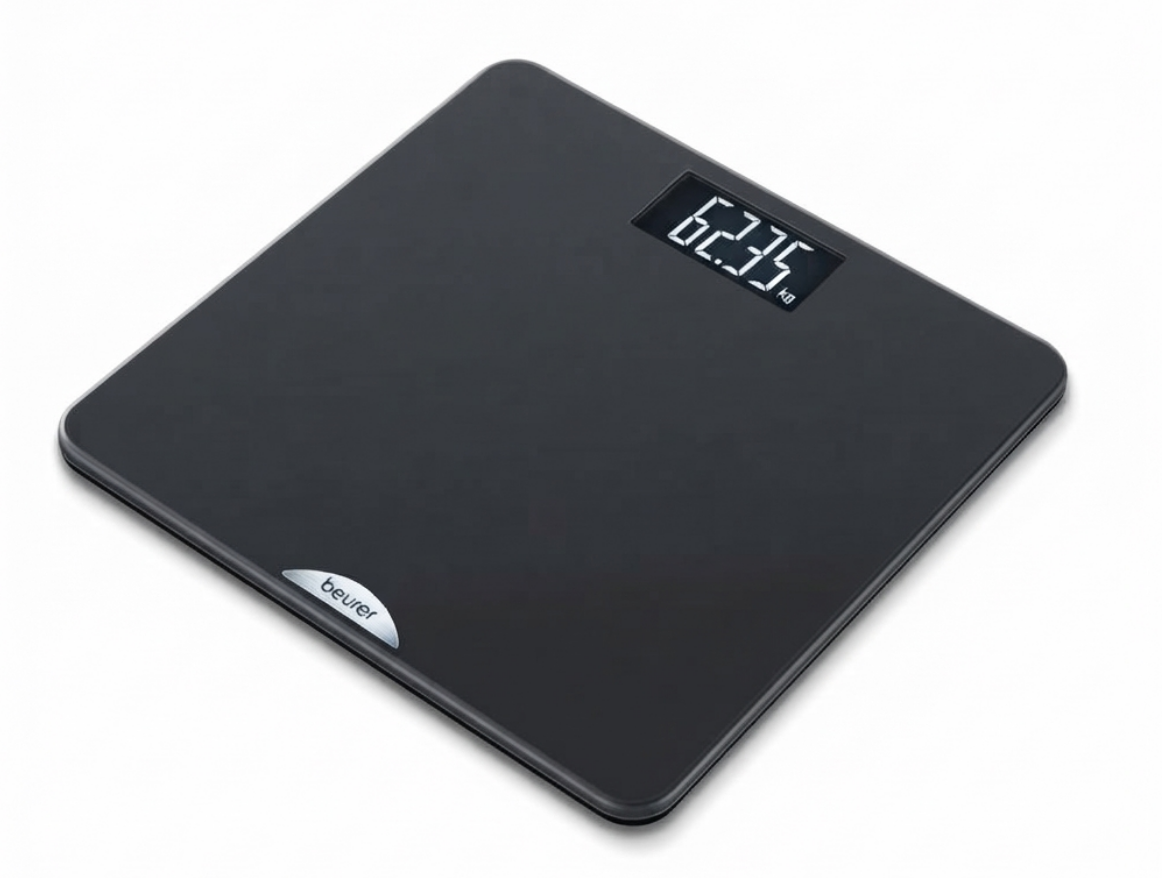
The beurer Glass Bathroom Scale GS 10 is a slim, glass-platform digital scale designed to deliver fast, accurate weight readings in a compact, modern package (ideal for small bathrooms and tight storage). Several manufacturers’ listings state the scale features a large, easy‑to‑read LCD, quick‑start (step‑on) technology, automatic switch‑off, and an overload indicator, with a stated capacity typically up to 150–180 kg depending on region and model variant, and a platform thickness of about 19 mm for easy storage.
Key benefits and unique selling points: clear LCD for fast readout, safety glass platform for durability, ultra‑flat design for under‑cabinet storage, selectable units (kg/lb/st), and energy‑saving automatic shut‑off and quick‑start operation for immediate readings. The target audience includes everyday consumers who want a dependable secondary scale for home use, people with small bathrooms who need compact storage, and anyone seeking a simple, no‑frills digital weighing solution. Common use cases: routine weight tracking, guest bathrooms, travel or temporary accommodation, and as an easy‑to‑use household scale for couples and families.
Estimated price range and availability: the GS 10 is positioned in the budget‑to‑midrange segment; retail listings show typical prices that vary by market but generally place it in an affordable bracket (commonly sold via pharmacies, online retailers, and specialist health stores worldwide). Availability is broad—official Beurer country sites and regional retailers list the GS 10 (check local Beurer distributors for exact SKU and warranty terms).
Getting started
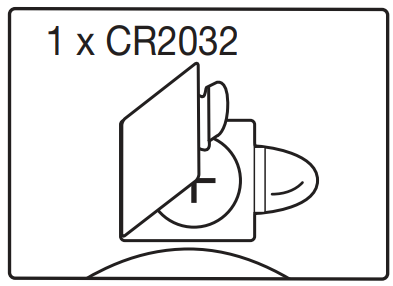
- Insert batteries or remove insulating strip.
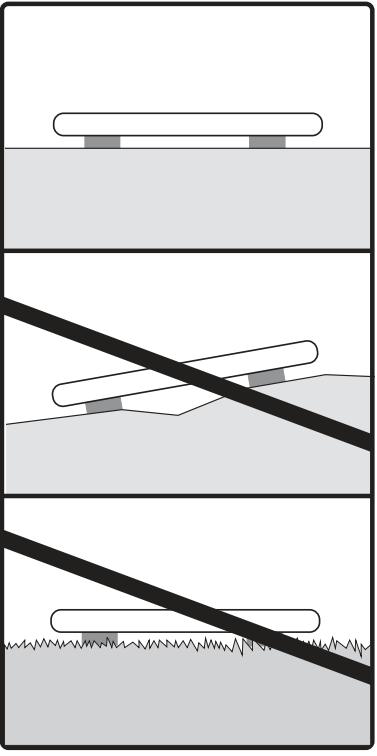
- Place the scale on a secure, flat surface.
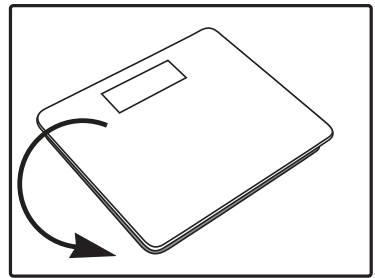
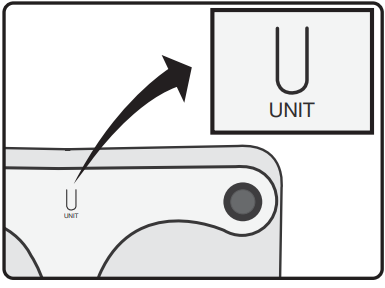
- Scales can be switched to alternative units of measurement.
- Weighing
- Step onto the scale.
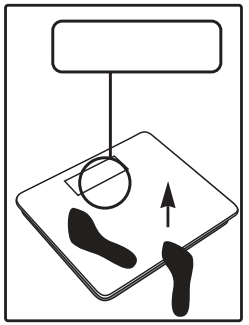
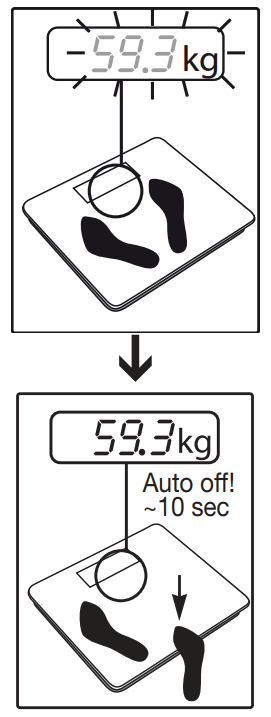
- Stand still whilst being weighed!
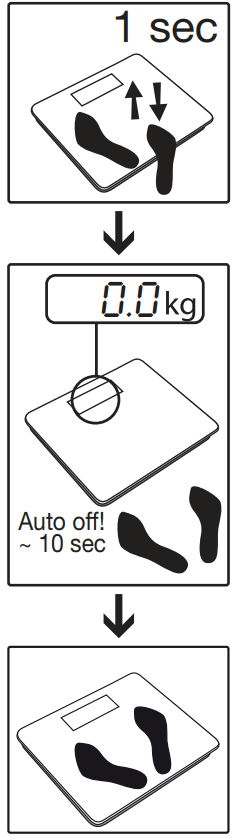
Note: for first use and relocation.
WARNING:
- Keep packaging material away from children.
- The appliance is not intended for commercial use.
- Should you have any questions regarding the operation and use of the appliance, please contact your local retailer or Customer Service.
- Repairs must only be carried out by Customer Service or authorised suppliers.
Safety Notes on Handling Batteries:
- Always insert batteries correctly, observing the polarity (+/-). Keep batteries clean, dry, and away from water. Always select the correct battery type.
- Never short-circuit batteries or battery compartment contacts.
- Never charge, forcibly discharge, heat, disassemble, deform, encapsulate, or modify batteries.
- Never weld or solder batteries.
- Never mix batteries of different manufacturers, capacities (new and used), sizes, or types within a device.
- Risk of explosion! Failure to comply with these safety instructions may result in personal injury, overheating, leakage, venting, breakage, explosion, or fire.
- If a battery leaks, wear protective gloves and clean the battery compartment with a dry cloth.
- If your skin or eyes come into contact with battery fluid, rinse the affected areas with water and seek medical assistance.
- Choking hazard! Keep batteries out of the reach of children. Seek immediate medical attention if a battery is swallowed.
- Never allow children to replace batteries without adult supervision.
- Store batteries away from metal objects in a well-ventilated, dry, and cool place.
- Never expose batteries to direct sunlight or rain.
- Remove batteries from the device if it will not be used for an extended period.
- Dispose of discharged batteries immediately and properly. Never dispose of batteries in fire.
- When disposing of batteries, keep batteries with different electrochemical systems separate.
WARRANTY/SERVICE:
Further information about the warranty and warranty conditions can be found in the supplied warranty leaflet.
Troubleshooting — common problems, error codes and fixes for the beurer Glass Bathroom Scale GS 10
Common problem: display shows no numbers or the scale doesn’t switch on. Solution: replace the lithium coin cell battery (unit uses one lithium metal battery included with new units) and ensure correct polarity; step onto the scale after battery insertion to trigger quick‑start technology.
Common problem: unstable or fluctuating readings. Solution: place the scale on a hard, level surface (not carpet), stand still with weight centered on the platform, and ensure feet are dry and clean to avoid slipping or poor electrical contact.
Error codes and meanings: some listings note an overload indicator that appears when the maximum capacity is exceeded—remove load immediately to avoid damage; if the display shows unusual symbols or “Err,” remove the battery for 30 seconds, then reinsert it; if errors persist, contact support.
Preventive measures: avoid dropping the scale or subjecting it to heavy impact; keep the glass platform clean and avoid abrasive cleaners; do not submerge the scale in water—wipe with a damp cloth only; store the unit flat to protect internal sensors.
Warranty and support: many regional retailers list a 1‑year manufacturer warranty for the GS 10 (verify with your local Beurer distributor or vendor at purchase). For product support, contact the retailer where you purchased the scale or your national Beurer service center; official Beurer websites provide local contact channels and warranty details. For urgent help, retailers such as Health & Care also list customer service phone support for order and product queries.
Pros & Cons — honest assessment of the beurer Glass Bathroom Scale GS 10
- Pros — Accurate, compact, and affordable: The beurer Glass Bathroom Scale GS 10 offers reliable digital weighing with a slim 19 mm profile that’s easy to store and fits small bathrooms.
- Pros — User convenience: Quick‑start (step‑on) operation and a clear LCD make everyday use fast and straightforward; selectable units (kg/lb/st) add flexibility for international users.
- Pros — Safety and durability: Tough safety glass platform and an overload indicator protect the scale and user, delivering good build quality for the price.
- Cons — Basic feature set: No advanced body‑composition metrics (e.g., body fat or Bluetooth app sync)—this is a simple weight scale rather than a smart scale, so users wanting detailed analytics should consider higher‑end alternatives.
- Cons — Capacity and consistency variations: Some listings show capacity as 150 kg while others list 180 kg—confirm the exact SKU sold in your region; lightweight design can be more sensitive to uneven floors, producing variable readings if not positioned correctly
- Value for money and alternatives: For straightforward weight tracking, the GS 10 represents strong value due to its build and price. If you need Wi‑Fi/Bluetooth, multi‑user profiles, or body composition, compare it to Beurer’s smart scales or competing models from brands like Withings or Eufy that offer app integration and expanded metrics.
Customer reviews — real user feedback on the beurer Glass Bathroom Scale GS 10
Overall user sentiment for the beurer Glass Bathroom Scale GS 10 is generally positive for casual home use: users praise the slim design, easy readability of the large LCD, and the immediate step‑on activation. Many reviewers highlight the scale’s solid value and consistent basic accuracy for daily weight checks. Typical praises: "compact and accurate for home use," "large display makes reading easy," and "sturdy glass surface.
Common complaints include the lack of smart features (no Bluetooth or body‑composition metrics), occasional variance in maximum capacity listing across retailers (150 kg vs 180 kg), and sensitivity to placement on soft surfaces, which can cause fluctuating readings. Typical star ratings seen across retailer pages are in the mid‑to‑high range (3.5–4.5/5), with recommendations for buyers who want a dependable, low‑cost digital scale rather than a feature‑rich smart device.
Short testimonials
- "4/5 — Great basic scale, sleek look and easy to store."
- "5/5 — Accurate for daily tracking; battery lasted well so far."
- "3/5 — Would prefer app integration, but good value for the price."
Faqs
How do I set up the beurer Glass Bathroom Scale GS 10 for the first time?
What should I do if my beurer Glass Bathroom Scale GS 10 won't turn on or display weight?
How do I accurately weigh myself using the beurer Glass Bathroom Scale GS 10?
How do I change the unit of measurement on beurer Glass Bathroom Scale GS 10?
How do I clean and maintain the beurer Glass Bathroom Scale GS 10 properly?
What is the weight capacity and accuracy of beurer Glass Bathroom Scale GS 10?
What type of batteries does beurer Glass Bathroom Scale GS 10 use and how to replace them?
Why is my beurer Glass Bathroom Scale GS 10 giving inconsistent readings?
More beurer manuals
- Setup: Beurer BG-13 Diagnostic Bathroom Scale Owner Manual
- Setup: Beurer Talking Glass Bathroom Scale GS 39 User Manual
- How to Use: Beurer Personal Bathroom Scale PS-25 User Manual
- Setup: Beurer Daylight Therapy Lamp TL 85 User Manual
- Usage: Beurer Glass Bathroom Scale GS 235 User Manual
- Setup: Beurer Daylight therapy lamp TL-50 Owner Manual
Leave a Comment