
Setup: Bloody MR720 Naraka RGB Gaming Wireless Headset User Manual
Content
Bloody MR720 Naraka RGB Gaming Wireless Headset: Complete Product Manual & Guide
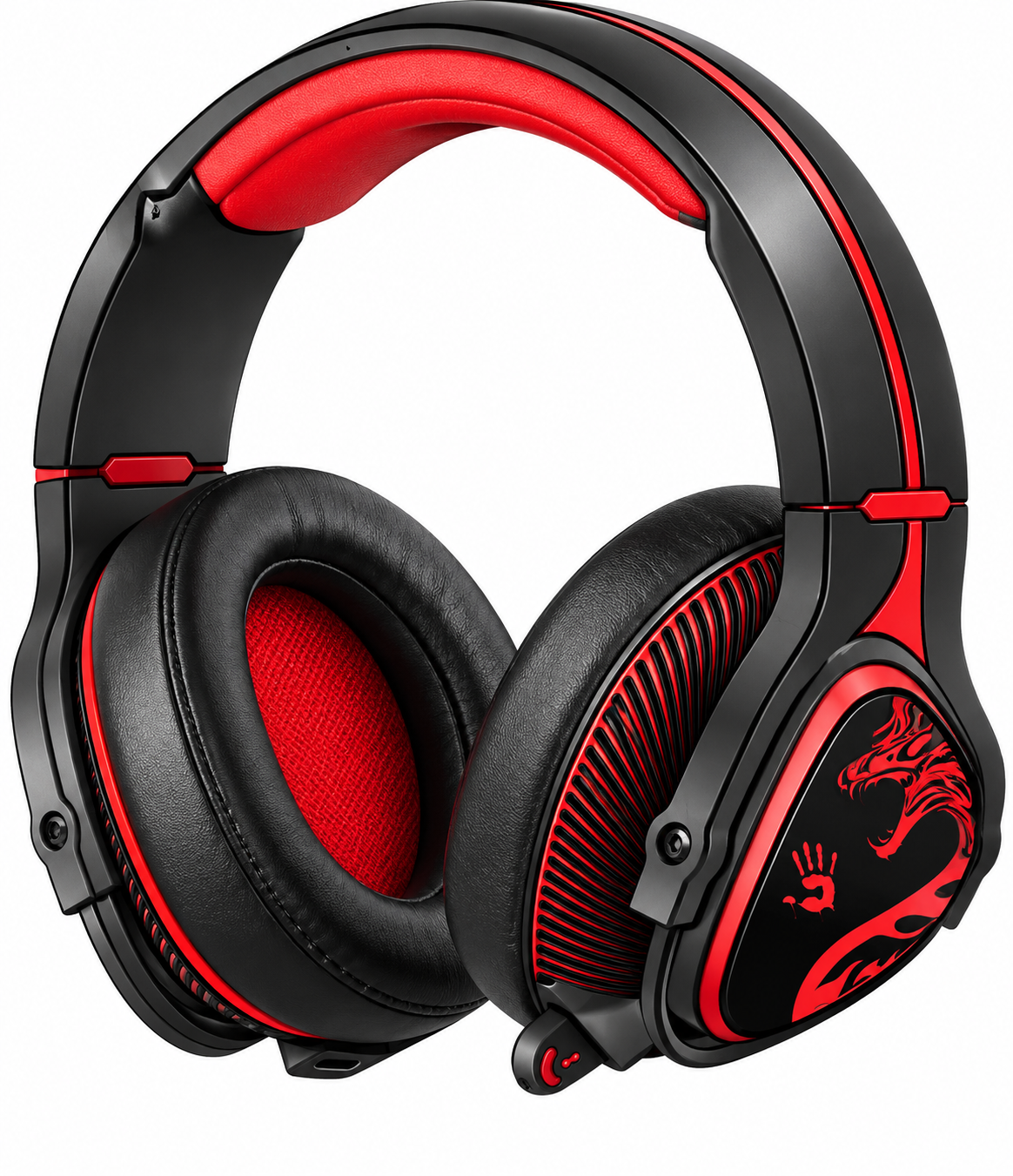
Introduction: Premium Gaming Audio Experience
The Bloody MR720 Naraka RGB Gaming Wireless Headset represents a breakthrough in gaming audio technology, combining cutting-edge wireless connectivity with professional-grade sound quality. Engineered specifically for competitive and casual gamers, this headset delivers immersive audio performance across multiple platforms including PC, PlayStation 5, Xbox, Nintendo Switch, and mobile devices.
The MR720 Naraka features the innovative M.O.C.I. Tech (Mycelium of Carbon) hybrid diaphragm technology, which produces high-resolution audio with minimal distortion. This gaming wireless headset is designed for players who demand both performance and style, featuring customizable RGB lighting that synchronizes with your gaming setup. With triple connectivity options—2.4GHz wireless, Bluetooth v5.3, and 3.5mm wired audio—you can seamlessly switch between gaming platforms without compromising on audio quality or latency.
Target audience includes esports enthusiasts, streaming content creators, and dedicated gamers seeking professional-quality audio without the professional price tag. The headset's ergonomic over-ear design with adaptive pressure zones ensures all-day comfort during extended gaming marathons. Estimated pricing ranges from $80-$120 USD, with availability across major online retailers and regional electronics stores. The Bloody MR720 Naraka RGB headset represents exceptional value for money, combining premium features typically found in headsets costing significantly more.
What's In The Box
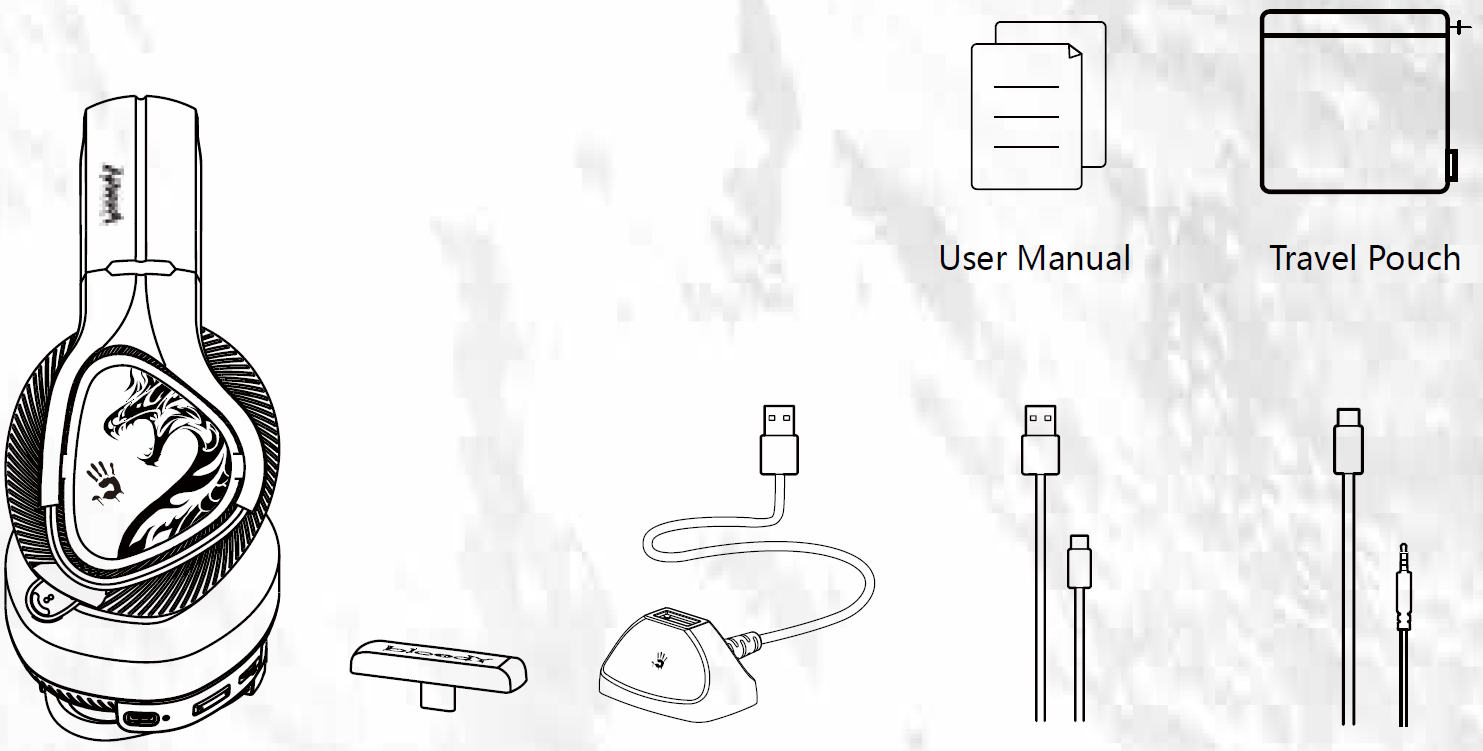
- ALL-in-One Wireless Headset
- 2.4G Type-C Receiver
- Anti-Interference Extension Dock
- Extension Dock
- AUX 4-Pin 3.5mm Audio Cable
Know Your Product
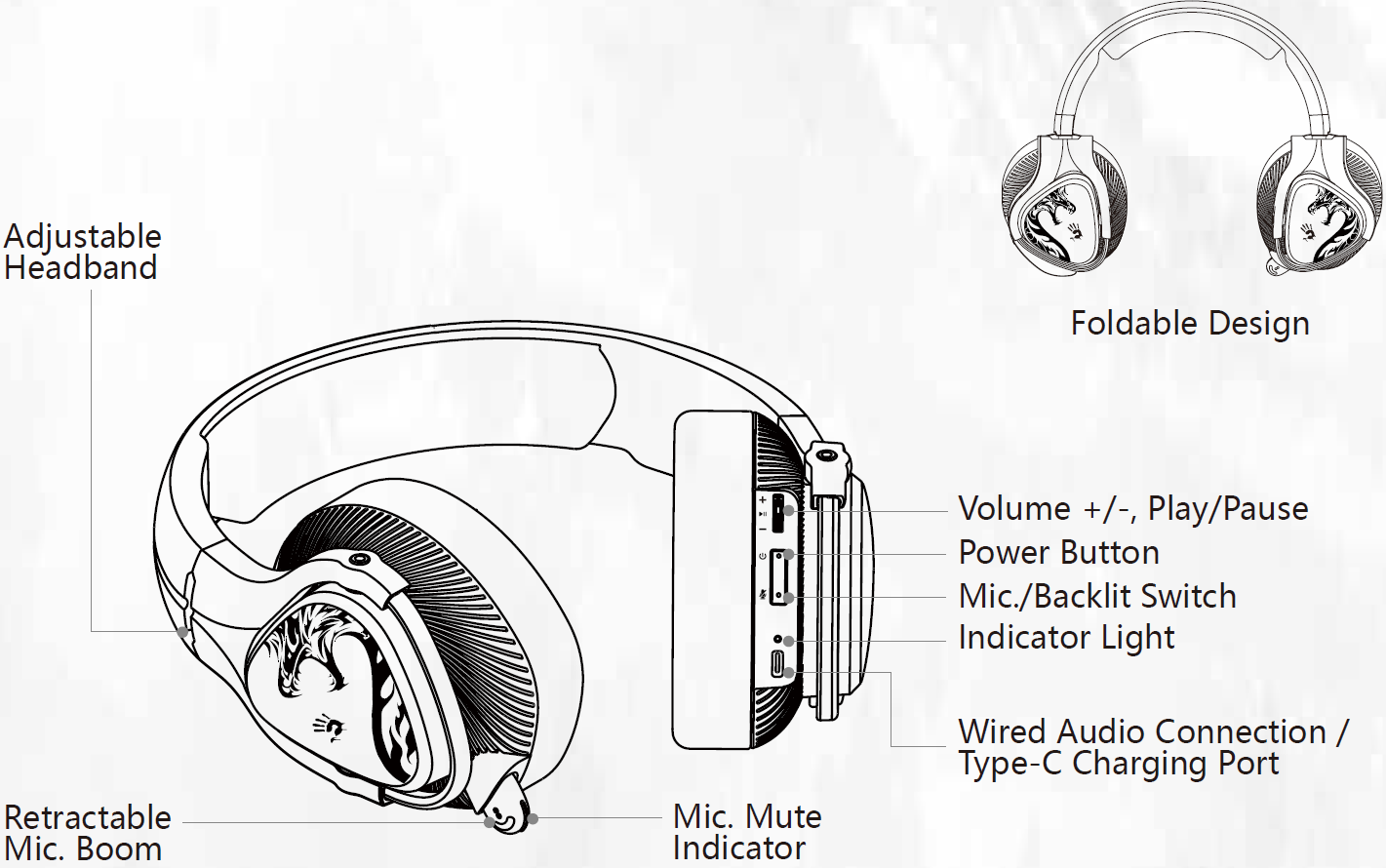
Control On Your Fingers
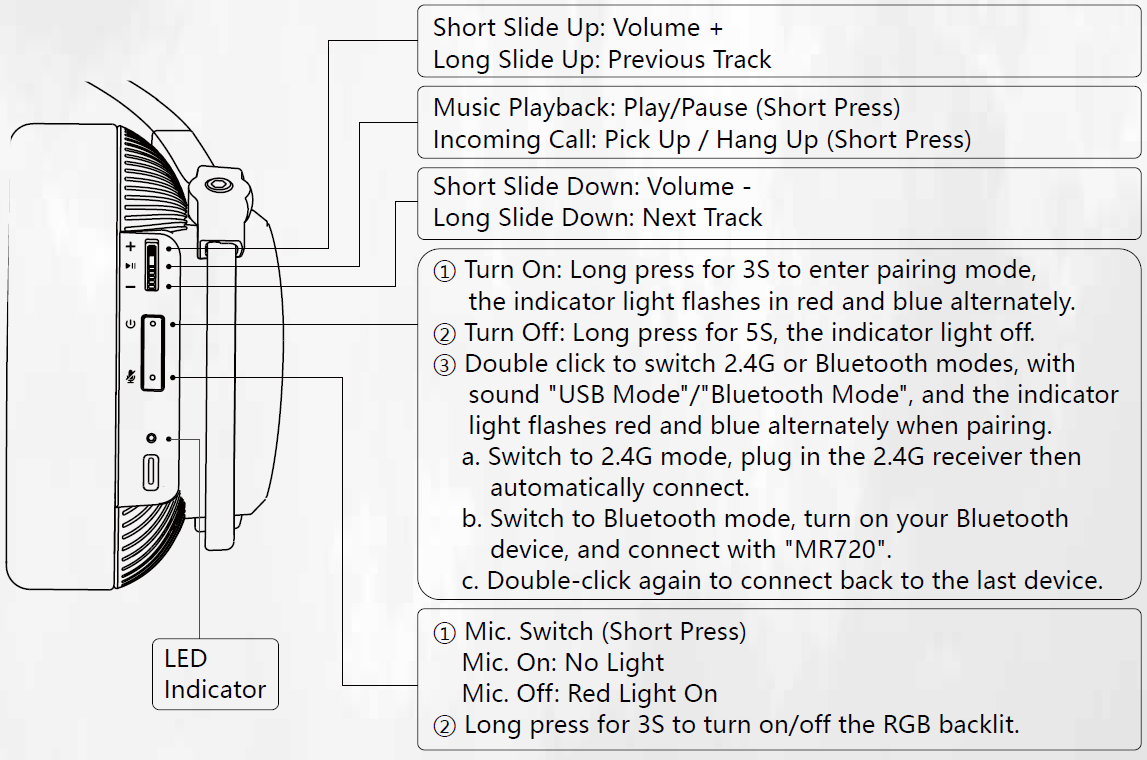
Only for 2.4G & Bluetooth Mode
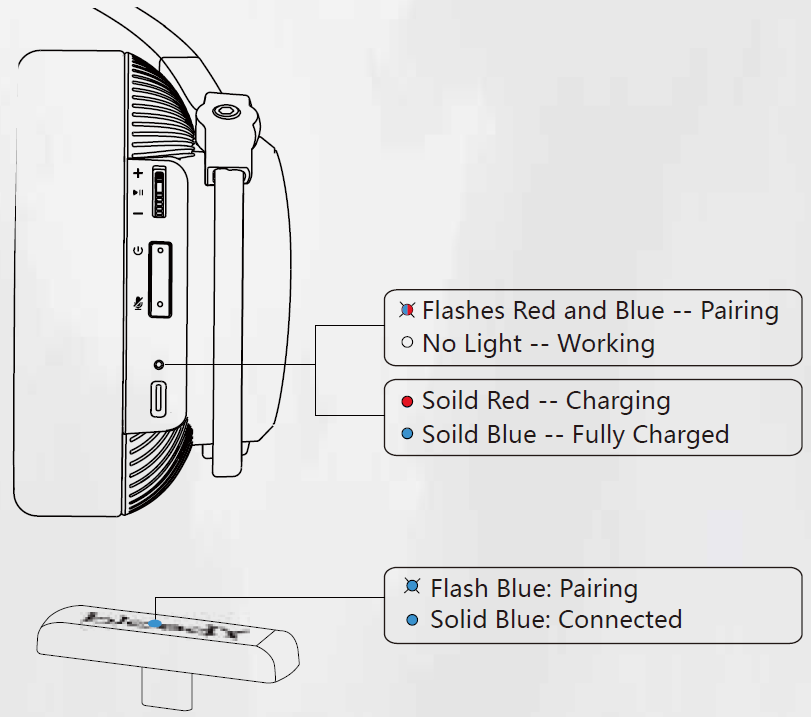
Led Instruction
Ultra-Slim 2.4G Type-C Reciever: Compatible with PC, Nintendo Switch, Smartphone, etc.
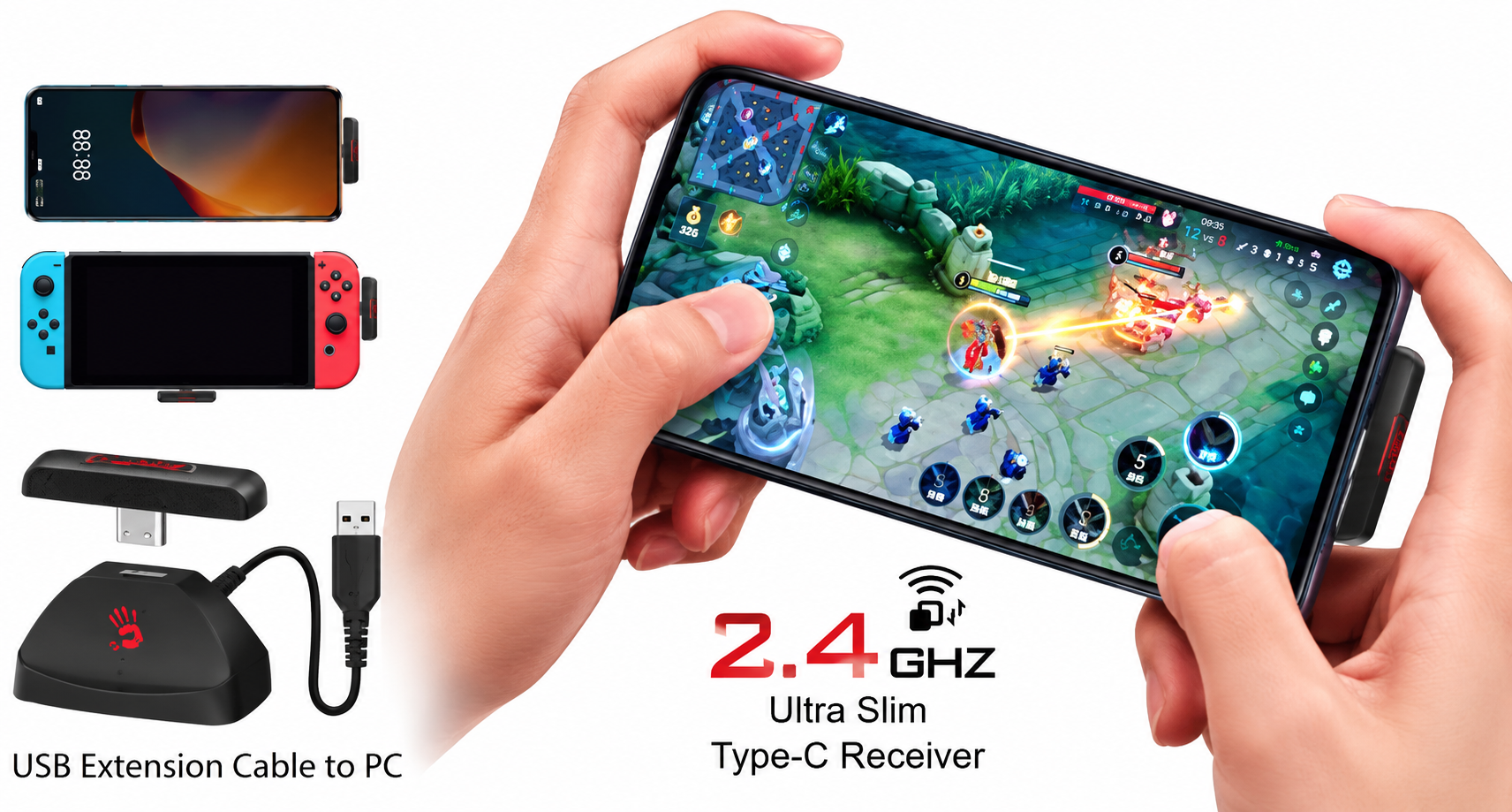
The above device pictures are for demo reference only, not included in the package.
Wide Compatibility: You can only choose one mode to connect the headset. Can not operate different modes at the same time.
- 2.4GHz Wireless
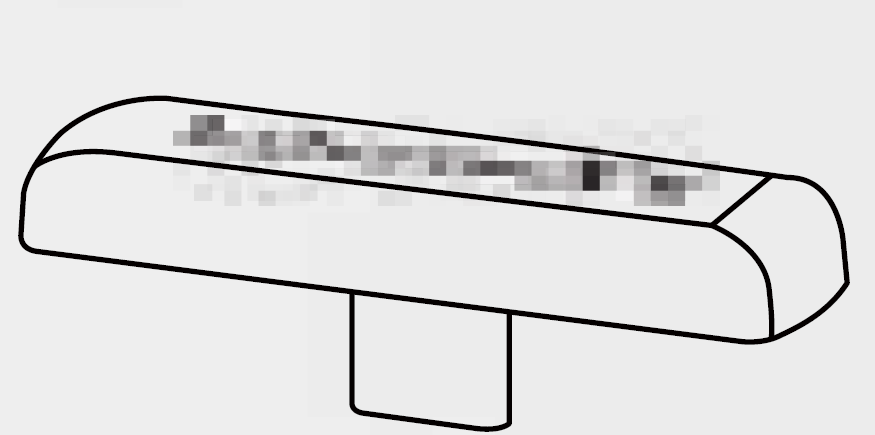
Type-C Connect

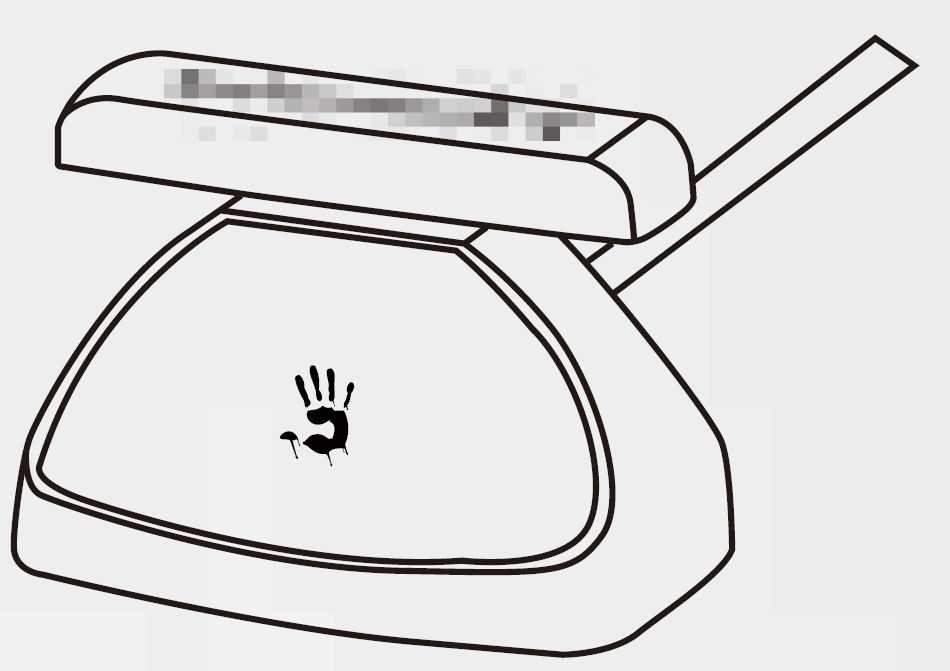
USB Connect

Bluetooth v5.3


AUX 4-Pin 3.5mm Wired Audio


Connecting 2.4G Device
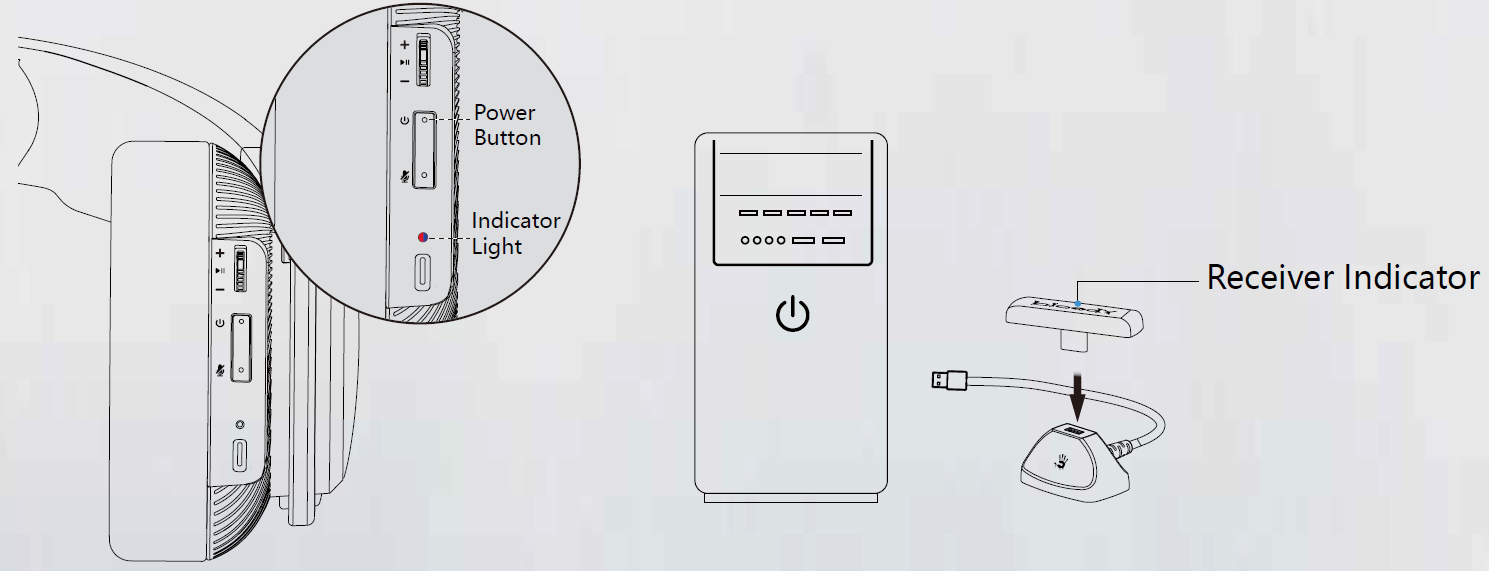
- Long-press the power button for 2S; the indicator light flashes in red or blue alternately when pairing. Double-click the power button to switch to 2.4G mode. (Sound: USB Mode)
- Plug in the Type-C receiver to your mobile or other devices.
- After connecting the headset, the headset indicator light off, the receiver indicator is in solid blue.
Connecting Bluetooth Device
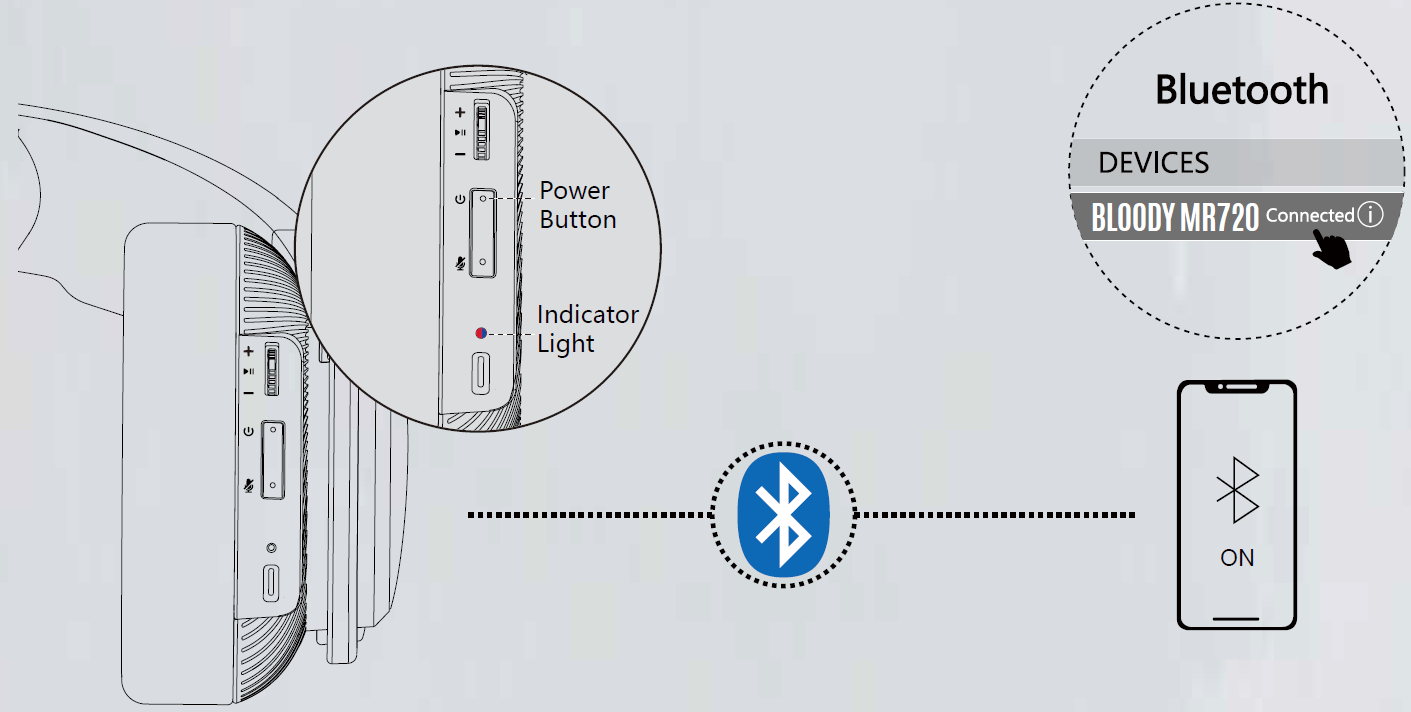
- Long press the power button for 3S; the indicator light flashes in red or blue alternately when pairing. Double click the power button to switch to Bluetooth mode. (Sound: Bluetooth Mode)
- Choose "Bloody MR720" from your Bluetooth devices.
- The indicator light off after the headset is connected.
Connecting 2.4G / Bluetooth Device: The device you connected last time will be remembered. Automatically connect back to the last device after power on.
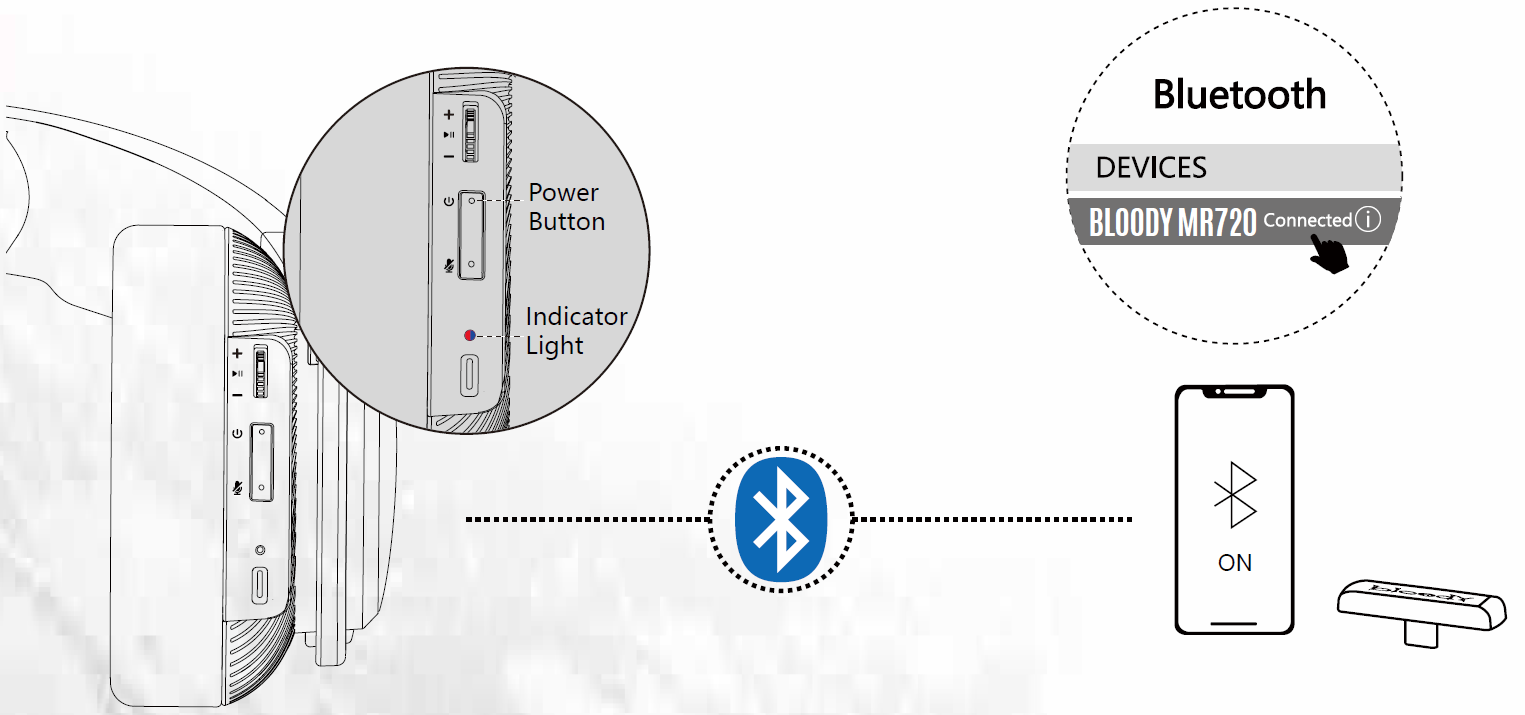
2.4G Bluetooth Device Switch:
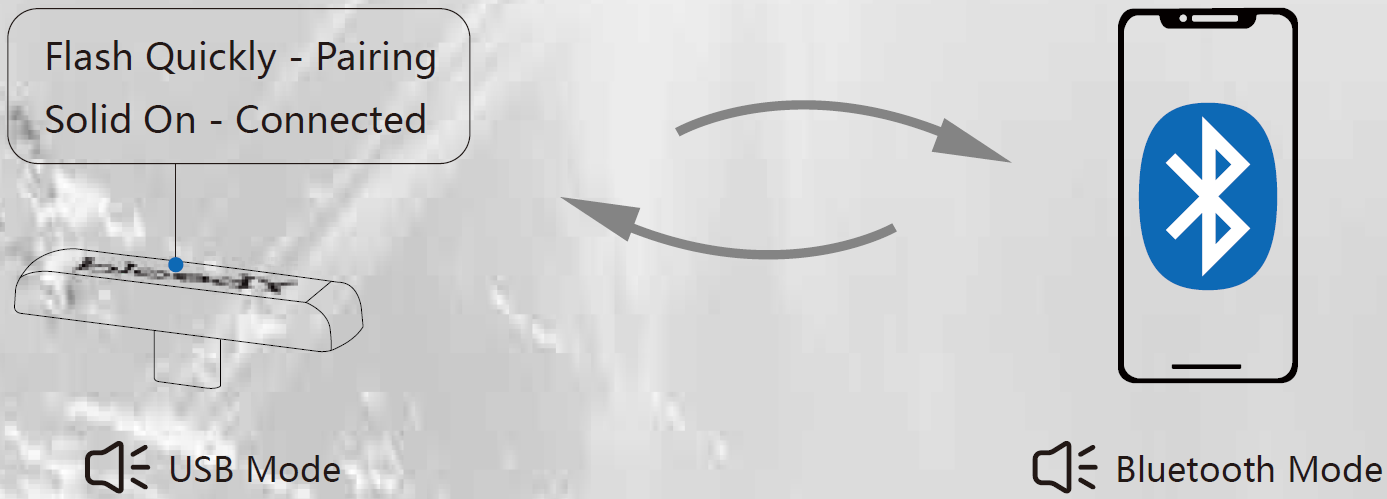
- The Bluetooth device is disconnected automatically if you switch to connect with a 2.4G device.
- It will connect back again if you switch the headset to Bluetooth mode.
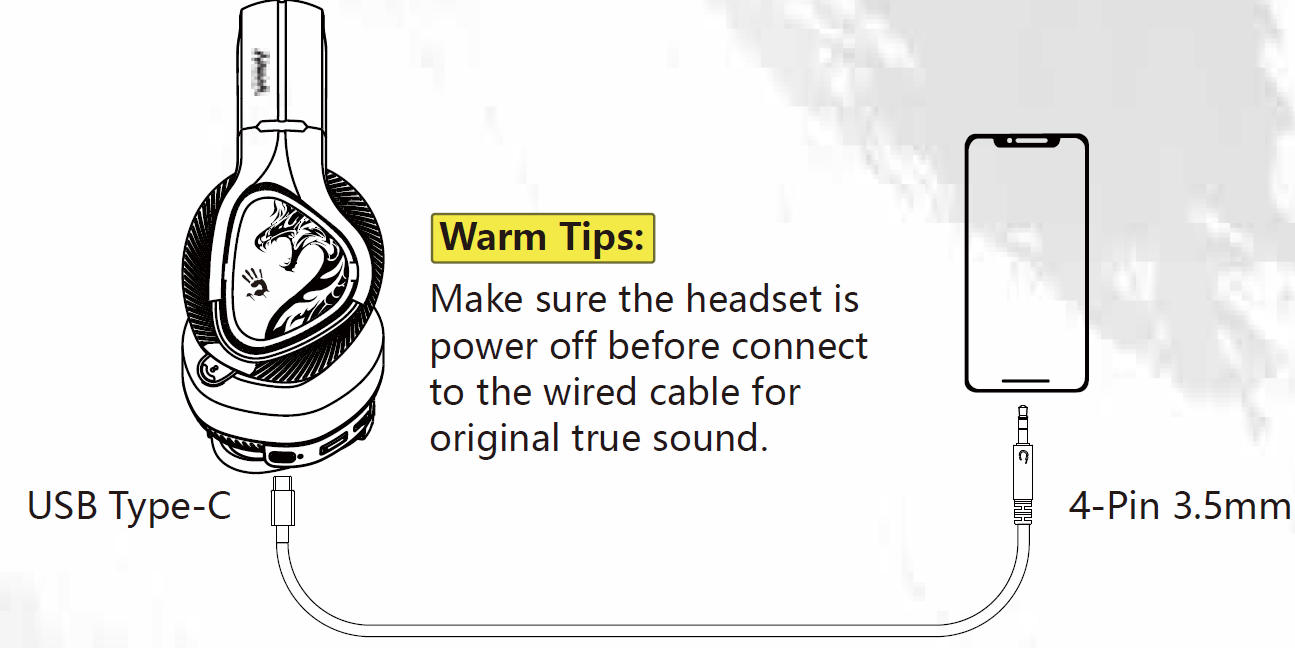
Connecting Wired Devices: The AUX 4-Pin 3.5mm audio cable is included. Just plug the Type-C plug into the headset and enjoy it.
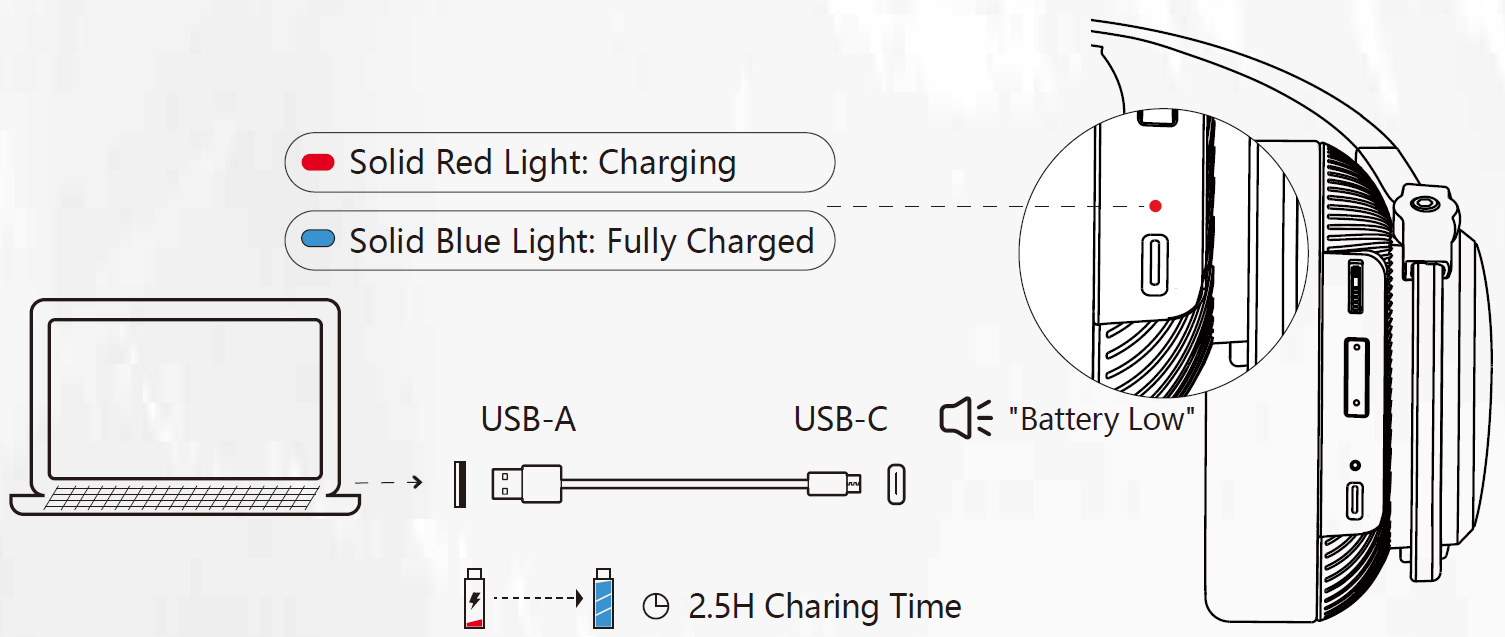
Charging / Low Battery Indicator: A flashing light indicates when the battery is below 25%.

Technical Specifications & Performance Metrics
Audio Performance
- Speaker Driver: 50mm HybridCore with M.O.C.I. Technology
- Frequency Response: 20Hz – 20kHz (full audible spectrum)
- Impedance: 16 ohms
- Sensitivity: 105dB (exceptional audio clarity and volume)
Microphone Specifications
- Type: Unidirectional with ENC (Environmental Noise Cancellation)
- Frequency Range: 100Hz – 10kHz
- Sensitivity: -42dB
- Design: Retractable and detachable for convenience
Connectivity & Battery
- Connection Modes: 2.4GHz wireless, Bluetooth v5.3, 3.5mm wired audio
- Operating Range: Up to 12 meters (40 feet)
- Battery Capacity: 1200mAh lithium-ion
- Playback Time: 44 hours (LED off) / 22 hours (LED on)
- Charging Cable: Type-C (80cm included)
Physical Design
- Weight: Approximately 335 grams
- Dimensions: 205mm × 205mm × 93mm
- Design: 90° folding for portability
- Color Options: Matte Black, White
- RGB Features: Side glow with onboard lighting control
Setup & Configuration Guide
Initial Setup Steps
- Unbox the Bloody MR720 Naraka RGB headset and verify all components: headset, USB Type-C charging cable, 3.5mm audio cable, and documentation
- Fully charge the headset using the included Type-C cable (approximately 2-3 hours for complete charge)
- Power on the headset by holding the power button for 3 seconds until LED indicators activate
- Select your preferred connection mode: 2.4GHz wireless for gaming, Bluetooth v5.3 for mobile devices, or 3.5mm wired for zero-latency applications
2.4GHz Wireless Connection (Recommended for Gaming)
Insert the wireless receiver into a USB port on your PC or gaming console. Press and hold the pairing button on the headset for 5 seconds until the LED flashes rapidly. The headset will automatically connect within 10 seconds. The 2.4GHz connection provides gaming-grade transmission with extremely low latency, ideal for competitive play.
Bluetooth v5.3 Pairing
Enable Bluetooth on your mobile device or laptop. Press the Bluetooth pairing button on the MR720 for 3 seconds. Select "Bloody MR720" from available devices and confirm pairing. Bluetooth v5.3 provides stable connectivity up to 12 meters with superior power efficiency.
3.5mm Wired Audio Setup
Connect the included 3.5mm audio cable directly to your device's headphone jack. This wired mode offers zero latency and works with any device featuring a 3.5mm input, including older gaming consoles and portable audio players.
Microphone Configuration
Extend the retractable microphone by pulling gently until it clicks into position. Test microphone input in your application settings. Use the onboard mute button with LED indication to control mic status during gameplay or communication.
RGB Lighting Control
Use the onboard lighting control buttons to customize RGB effects. Cycle through preset lighting modes or adjust brightness levels. RGB lighting consumes approximately 50% additional battery power, so disable LED when maximum battery life is prioritized.
Troubleshooting Common Issues
Connection Problems
- Headset won't connect via 2.4GHz: Ensure the wireless receiver is fully inserted into the USB port. Try a different USB port, preferably one closer to the headset. Reset the headset by holding the power button for 10 seconds, then attempt reconnection.
- Bluetooth connection drops: Remove obstacles between the headset and device. Reduce interference from other wireless devices operating on the 2.4GHz band (WiFi routers, microwave ovens). Re-pair the device by forgetting it from Bluetooth settings and pairing again.
- Wired audio produces no sound: Verify the 3.5mm cable is fully inserted into both the headset and device. Check device audio output settings to ensure the headset is selected as the default audio device. Test the cable with another device to rule out cable damage.
Audio Quality Issues
- Audio sounds muffled or distorted: Clean the speaker grilles with a soft, dry cloth. Reduce volume to 80% of maximum to prevent distortion. Check that the microphone is not accidentally blocking the speaker output.
- Microphone picks up background noise: Position the microphone 2-3 centimeters from your mouth. Enable noise cancellation in your application settings. Ensure the microphone grille is clean and unobstructed.
- One ear produces no sound: Verify the audio cable is fully connected. Test with a wired connection to isolate the issue to wireless or wired mode. Clean the 3.5mm jack with a dry cloth.
Battery & Power Issues
- Battery drains rapidly: Disable RGB lighting if maximum battery life is needed—playback extends from 44 to 65+ hours. Reduce wireless range by moving closer to your device. Update firmware if available through the manufacturer's support portal.
- Headset won't charge: Inspect the Type-C port for debris and clean gently with a dry cloth. Try a different USB power adapter (minimum 1A output). Verify the charging cable is not damaged by testing with another USB-C device.
- LED indicators don't respond: Hold the power button for 15 seconds to perform a complete system reset. This resolves most firmware-related LED issues.
Warranty & Support
The Bloody MR720 Naraka RGB Gaming Wireless Headset includes a standard 12-month manufacturer's warranty covering hardware defects. Contact A4Tech support through the official Bloody Gaming website (bloody.com) for technical assistance, firmware updates, or warranty claims. Most issues resolve through the troubleshooting steps above before warranty service becomes necessary.
Pros & Cons: Honest Assessment
Advantages
- Triple Connectivity Options: The combination of 2.4GHz wireless, Bluetooth v5.3, and 3.5mm wired provides unmatched flexibility across gaming platforms, mobile devices, and legacy hardware.
- Exceptional Battery Life: 44+ hours of playback (65 hours with LED off) significantly outlasts competitors, enabling multi-day gaming sessions without recharging.
- M.O.C.I. Technology: The hybrid diaphragm produces high-resolution audio with impressive clarity and minimal distortion, rivaling headsets costing twice the price.
- Comfortable All-Day Wear: Lightweight design (335g) with adaptive pressure zones prevents ear fatigue during extended gaming marathons.
- Effective Noise Cancellation: The unidirectional microphone with ENC successfully isolates voice from background noise, improving communication quality.
- Excellent Value Proposition: At $80-$120, the feature set and audio quality represent outstanding value for serious gamers and content creators.
Disadvantages
- Inconsistent Battery Specifications: Different sources report varying battery life (22-65 hours), creating confusion about actual expected performance.
- RGB Lighting Battery Impact: LED features consume significant power, reducing battery life by 50%, which may frustrate users seeking maximum portability.
- Limited Customization Software: Unlike premium competitors, the MR720 lacks dedicated software for audio profile customization or advanced RGB control beyond onboard buttons.
- Microphone Quality Limitations: While noise-cancelling, the microphone frequency response (100Hz-10kHz) is narrower than professional-grade options, potentially affecting voice clarity in streaming applications.
- No Active Noise Cancellation: The headset offers passive isolation only—active noise cancellation would significantly improve immersion in competitive gaming.
- Limited Premium Build Materials: The plastic construction, while durable, lacks the premium feel of higher-priced alternatives, though this contributes to the lightweight design.
Customer Reviews & User Feedback
The Bloody MR720 Naraka RGB Gaming Wireless Headset has garnered positive feedback from the gaming community, with users consistently praising the exceptional battery life and multi-platform connectivity. Customers particularly appreciate the ability to switch seamlessly between PC gaming via 2.4GHz wireless and mobile gaming through Bluetooth v5.3 without requiring multiple headsets.
Audio quality receives consistent praise, with users noting the 50mm drivers deliver rich, immersive soundscapes suitable for both competitive shooters and immersive RPG experiences. The M.O.C.I. Technology provides clear dialogue and detailed environmental audio cues essential for competitive advantage in esports titles.
Comfort emerges as a frequently mentioned positive attribute, with users reporting the headset remains comfortable during 8+ hour gaming sessions. The lightweight 335-gram design and adaptive pressure zones prevent the neck strain common with heavier gaming headsets.
Common minor complaints focus on RGB lighting customization limitations and occasional Bluetooth connectivity inconsistencies with certain devices. Some users note the microphone, while effective, could benefit from higher frequency response for streaming applications. Overall, the MR720 Naraka represents an excellent purchase for gamers prioritizing comfort, battery life, and multi-platform versatility over premium build materials or advanced software features.
Recommended For: PC gamers, console players, mobile gamers, content creators, esports enthusiasts, and anyone requiring reliable wireless audio across multiple platforms.
```
Faqs
How do I set up the Bloody MR720 Naraka RGB Gaming Wireless Headset for the first time with 2.4GHz wireless?
What should I do if the Bloody MR720 Naraka RGB Gaming Wireless Headset won't connect via Bluetooth v5.3?
How do I optimize battery life on the Bloody MR720 Naraka RGB Gaming Wireless Headset?
Is the Bloody MR720 Naraka RGB Gaming Wireless Headset compatible with PS5 and Xbox?
How do I use the retractable noise-cancelling microphone on Bloody MR720 Naraka RGB Gaming Wireless Headset?
Why is there audio delay in the Bloody MR720 Naraka RGB Gaming Wireless Headset and how to fix it?
How do I customize RGB lighting and audio on Bloody MR720 Naraka RGB Gaming Wireless Headset?
How do I clean and maintain the Bloody MR720 Naraka RGB Gaming Wireless Headset for longevity?
More bloody manuals
- Setup: Bloody GPW50 2.4G Wireless & USB Gaming Controller User Manual
- Setup: Bloody S3 Carry Portable Waterproof Speaker User Manual
- Setup: Bloody MR595 All-in-One Headset User Manual
- Setup: Bloody M70 True Wireless Gaming Earbuds User Manual
- Setup: Bloody MR590 Gaming Wireless Headset User Manual
- Setup: Bloody S6 Tube Portable Waterproof Speaker User Manual
Leave a Comment