
Setup: Carrier SYSTXCCITC01-C Smart Touch Thermostat User Manual
Content
Carrier SYSTXCCITC01-C Smart Touch Thermostat Overview
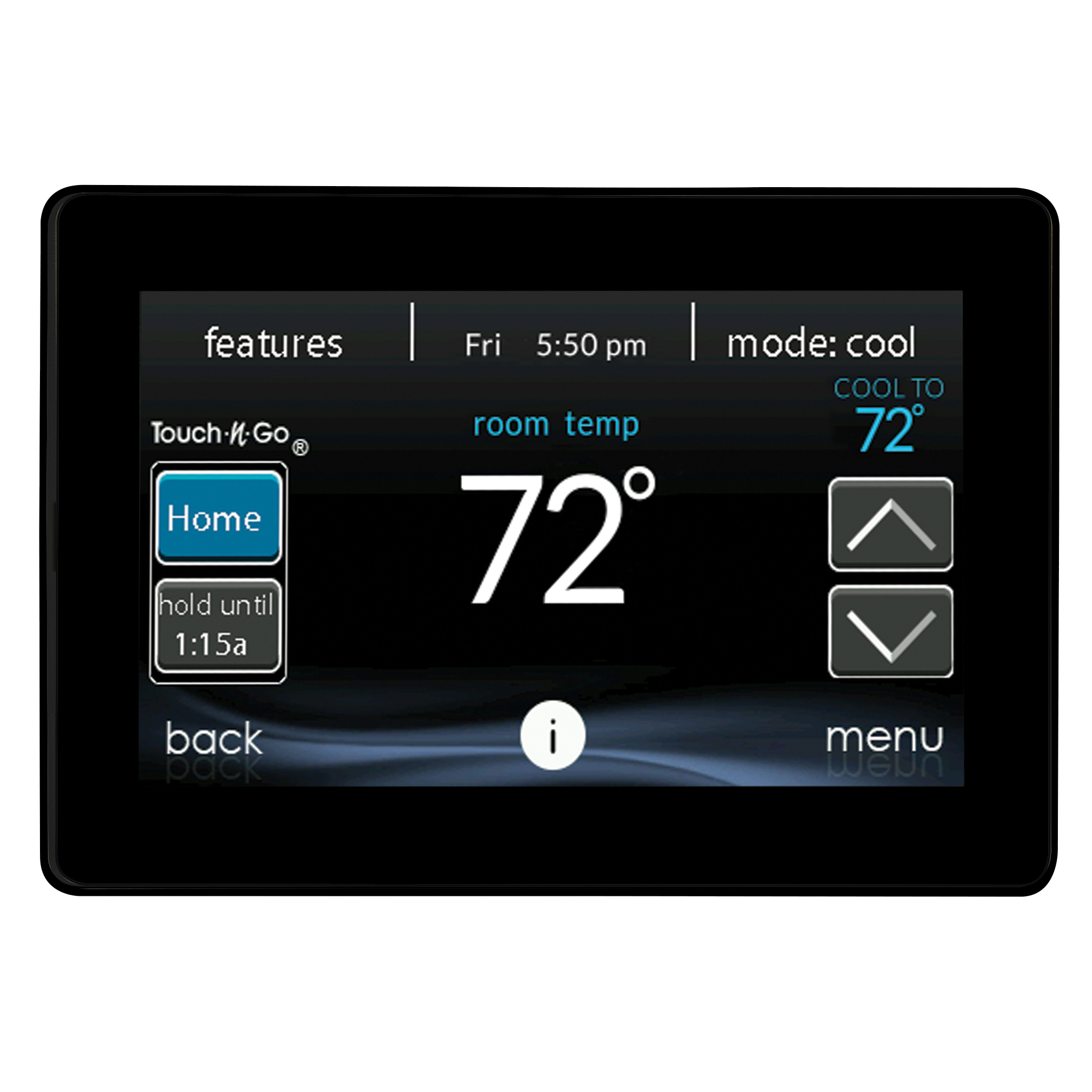
The carrier SYSTXCCITC01-C Smart Touch Thermostat is Carrier’s Infinity System Control, designed to manage comfort, humidity, airflow, ventilation, and zoning from a single touchscreen interface. Built exclusively for Carrier Infinity systems, it is a premium communicating thermostat that goes beyond simple temperature control by coordinating with compatible HVAC components for more precise comfort and energy management.
Homeowners choose the carrier SYSTXCCITC01-C Smart Touch Thermostat for its intuitive color touchscreen, Wi-Fi connectivity, remote access, and advanced system intelligence. It supports control of up to eight zones, works with compatible Infinity, Greenspeed, and Hybrid Heat systems, and includes smart features such as real-time energy tracking and occupancy-based adjustments. This makes it a strong fit for larger homes, multi-zone installations, and users who want detailed climate control with app-based convenience.
In practical use, the thermostat is ideal for households that want centralized control over heating, cooling, humidity, and ventilation without relying on multiple devices. It is also a good match for tech-savvy users who want a smart thermostat that integrates deeply with their Carrier ecosystem. Typical pricing varies widely by seller and installation package, but the unit is commonly found in the premium thermostat range, often around the mid-hundreds to over a thousand dollars depending on condition, dealer pricing, and whether installation is included. Availability is generally through Carrier dealers, HVAC supply channels, and replacement parts marketplaces.
Carrier SYSTXCCITC01-C Smart Touch Thermostat Specifications and Features
- Product type: Carrier Infinity System Control / communicating smart thermostat
- Compatibility: Designed exclusively for Carrier Infinity system products
- Connectivity: Wi-Fi enabled for remote access through compatible smartphone or tablet apps
- Zoning: Supports control of up to 8 zones in compatible systems
- Smart functions: Real-time energy tracking, humidity management, airflow control, and ventilation management
- System compatibility: Works with compatible Greenspeed technology and Hybrid Heat configurations
- Interface: Full-color touchscreen display with guided setup and system status screens
- Remote sensing: Supports remote sensors and occupancy sensing on supported versions
- Updatability: Over-the-air update support on compatible configurations
- Voice assistant compatibility: Supports Amazon Alexa on supported setups
Compared with standard Wi-Fi thermostats from ecobee, Nest, or Honeywell, the carrier SYSTXCCITC01-C Smart Touch Thermostat is more specialized and less universal, but it offers deeper integration with Carrier equipment. That tighter integration can improve comfort, staging control, and system diagnostics in an Infinity installation.
Troubleshooting the Carrier SYSTXCCITC01-C Smart Touch Thermostat
Common issues usually involve communication errors, Wi-Fi disconnects, display problems, or incorrect system setup. If the thermostat is blank, first check HVAC power, breaker status, and the indoor unit disconnect. If the screen is responsive but the equipment is not heating or cooling, confirm that the thermostat is configured for the correct equipment type and zone setup.
- Problem: Thermostat will not power on. Solution: Verify 24V power at the system, breaker position, and wiring connections.
- Problem: Wi-Fi not connecting. Solution: Re-enter network credentials, confirm router proximity, and restart the thermostat and router.
- Problem: Temperature is inaccurate. Solution: Check sensor placement, clean the device, and compare with a separate room thermometer.
- Problem: System does not respond. Solution: Inspect communicating wiring and confirm the Infinity control is paired with compatible equipment.
- Problem: Zone control behaves unexpectedly. Solution: Recheck zoning configuration and dampers.
When an error or alert appears on screen, it often relates to communication, sensor, or equipment configuration rather than a failed thermostat. Preventive care includes firmware updates, clean installation, stable Wi-Fi, and periodic HVAC maintenance. Warranty coverage depends on purchase source and installation terms, so the best support option is a Carrier-authorized dealer or Carrier residential support. For help, customers should use Carrier’s residential support resources or the product literature section on the official Carrier website.
Pros and Cons of the Carrier SYSTXCCITC01-C Smart Touch Thermostat
Pros
- Excellent Carrier Infinity integration for advanced system control
- Supports humidity, airflow, ventilation, and zoning beyond basic temperature control
- Wi-Fi access and smart-home convenience for remote adjustments
- Real-time energy tracking helps users monitor system performance
- High-end touchscreen interface is easier to use than many button-based controls
- Strong value for homeowners already invested in Carrier equipment
Cons
- Limited compatibility because it is designed for Carrier Infinity systems only
- Higher upfront cost than basic smart thermostats
- Installation may require professional HVAC setup
- Less attractive for users wanting a universal thermostat for mixed-brand systems
- Advanced features depend on compatible equipment and proper configuration
For homeowners comparing premium HVAC controls, the carrier SYSTXCCITC01-C Smart Touch Thermostat offers better system-level performance than many general-purpose alternatives, but only when used in the correct Carrier environment. That makes it a strong value for Infinity owners and a poor fit for everyone else.
Customer Reviews of the Carrier SYSTXCCITC01-C Smart Touch Thermostat
Typical user feedback is highly positive among Carrier Infinity owners, especially for ease of use, smart scheduling, and improved comfort management. Many users rate it around 4 to 5 stars when installed with a compatible system. Common praise includes the touchscreen interface, the ability to manage multiple zones, and the convenience of remote access.
Frequent complaints focus on cost, installation complexity, and compatibility limits. Some users also note that not every feature is available on every version of the control or every HVAC setup. A typical review summary would read: “Excellent comfort control and great system integration, but definitely a premium product for Carrier systems only.” Another common comment is: “Once configured correctly, it works very well and keeps the house more consistent than a basic thermostat.”
Purchase recommendation: choose this model if you already own a Carrier Infinity system and want advanced climate control. If you need a universal smart thermostat for multiple brands, a broader compatibility option may be a better choice.
Frequently Asked Questions About the Carrier SYSTXCCITC01-C Smart Touch Thermostat
Is the carrier SYSTXCCITC01-C Smart Touch Thermostat compatible with all HVAC systems? No. It is designed exclusively for Carrier Infinity system products.
Does it support remote control? Yes, it supports Wi-Fi connectivity for remote access on compatible devices and systems.
How many zones can it control? It can manage up to eight zones in supported configurations.
Is professional installation recommended? Yes, especially for users with zoning, communicating equipment, or hybrid heat systems.
Faqs
How do I set up the carrier SYSTXCCITC01-C Smart Touch Thermostat for the first time?
What HVAC systems is the carrier SYSTXCCITC01-C Smart Touch Thermostat compatible with?
Why is my carrier SYSTXCCITC01-C Smart Touch Thermostat not connecting to Wi-Fi?
What features make the carrier SYSTXCCITC01-C Smart Touch Thermostat different from a basic thermostat?
How do I troubleshoot error messages or fault codes on carrier SYSTXCCITC01-C Smart Touch Thermostat?
Can I use carrier SYSTXCCITC01-C Smart Touch Thermostat with zoning and indoor air quality accessories?
How can I improve energy efficiency with the carrier SYSTXCCITC01-C Smart Touch Thermostat?
How often should I maintain the carrier SYSTXCCITC01-C Smart Touch Thermostat and what care does it need?
More carrier manuals
- Carrier EHK3 Electric Heater User Manual
- Carrier UVCAPXXC2015 Carbon Air Purifier User Manual
- Carrier 38MAQ Single Zone Ductless System User Manual
- Carrier 59TN7A Condensing Gas Furnace User Manual
- Carrier 58SC0A Non-Condensing Gas Furnace User Manual
- Carrier RAV-AC-1 Electric Cooling/Heat Pump User Manual
Leave a Comment