
Setup & Features: Dell P2222H, P2422H, P2722H Monitor User Manual
Content
Dell P2222H, P2422H, and P2722H Monitor: Complete Product Manual and Buying Guide
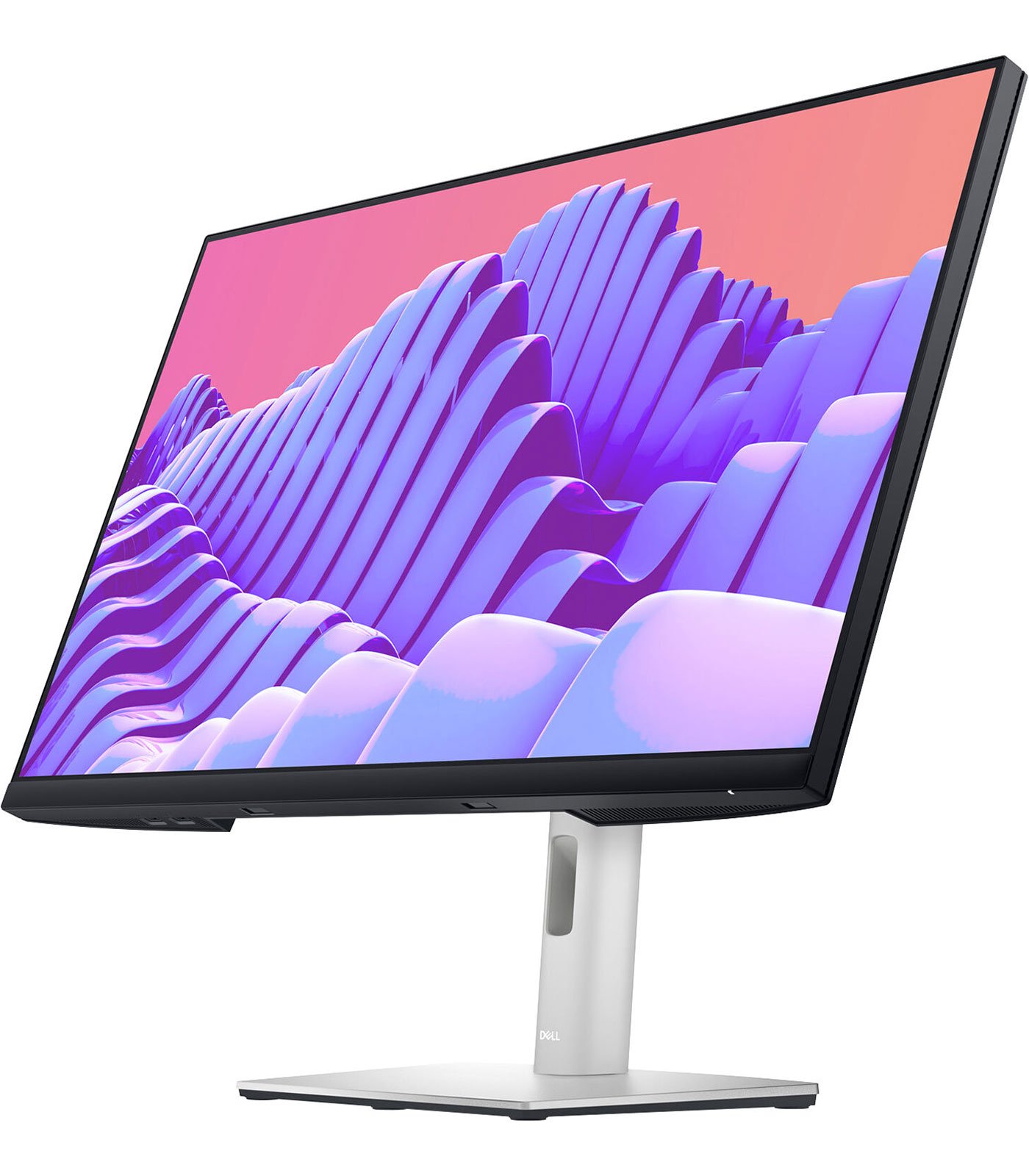
The Dell P2222H, P2422H, and P2722H monitor lineup is designed for professionals who want dependable Full HD performance, ergonomic comfort, and efficient everyday productivity. These Dell monitors are especially popular in office setups, remote workstations, home offices, and business environments where clarity, reliability, and flexible viewing angles matter most. The series includes a 21.5-inch P2222H, a 23.8-inch P2422H, and a 27-inch P2722H, all built around IPS panels with 1920 x 1080 resolution and 60 Hz refresh rate for sharp text, accurate colors, and consistent viewing from multiple angles.
One of the biggest advantages of the dell P2222H, P2422H ,P2722H Monitor family is its practical balance between performance and value. Each model typically includes HDMI, DisplayPort, VGA, and a USB hub, making them easy to connect to modern laptops, desktop PCs, and legacy systems. Dell also emphasizes ergonomic design with height, tilt, swivel, and pivot adjustments, which helps reduce neck and eye strain during long work sessions. ComfortView Plus and flicker-free technology further improve the experience for users who spend hours in front of a screen.
These monitors are best suited for office workers, students, analysts, writers, and general business users who need a professional display without paying premium gaming or creator-monitor prices. Estimated pricing usually starts around $130 to $200 for the P2222H, $160 to $280 for the P2422H, and $200 to $350 for the P2722H, depending on region, retailer, and stock availability. Availability can vary, and some Dell storefront listings may show certain models as temporarily unavailable while third-party sellers continue to stock them. For buyers looking for a reliable, practical, and ergonomic Full HD display, the dell P2222H, P2422H ,P2722H Monitor remains a strong choice in the productivity monitor category.
Pros and Cons of the Dell P2222H, P2422H, and P2722H Monitor
Pros
- IPS panel quality provides wide viewing angles and consistent color for spreadsheets, documents, and web work.
- Full ergonomic stand supports height, tilt, swivel, and pivot adjustments for comfortable all-day use.
- Built-in USB hub and multiple video inputs improve compatibility with laptops, desktops, and docking stations.
- ComfortView Plus and flicker-free design help reduce eye fatigue during long work sessions.
- Excellent value for money compared with premium creator displays or high-refresh gaming monitors.
- The P2222H is ideal for compact desks, while the P2722H offers more screen real estate for multitasking.
Cons
- 60 Hz refresh rate is fine for office work but not ideal for gaming or fast-motion content.
- Full HD resolution on the 27-inch P2722H is acceptable for productivity, but some users may prefer sharper QHD text.
- Brightness and contrast are solid for indoor use, but not class-leading for creative color-critical work.
- Some buyers compare them with cheaper IPS alternatives from HP, Lenovo, or Acer and may find better discounts elsewhere.
- Availability can fluctuate, especially for the P2422H, which may push shoppers toward newer or similar Dell alternatives.
Overall, the dell P2222H, P2422H ,P2722H Monitor line is a strong office-focused series that delivers reliable quality at a fair price. The main trade-off is that you are paying for Dell’s ergonomic build quality and business-friendly features rather than top-tier panel specs.
Customer Reviews for Dell P2222H, P2422H, and P2722H Monitor
Customer feedback for the dell P2222H, P2422H ,P2722H Monitor is generally positive, with many buyers praising the sharp text clarity, easy setup, and comfortable stand. A common theme in user reviews is that these monitors feel “simple, dependable, and professional,” especially for office tasks and home productivity. Many users rate them around 4.4 out of 5 stars for build quality and everyday performance.
Typical praise includes: “Great for spreadsheets and long workdays,” “The height adjustment is excellent,” and “The USB hub makes desk setup much cleaner.” Common complaints are usually about the 60 Hz refresh rate, limited appeal for gaming, and the fact that the 27-inch model could benefit from a higher resolution. Some users also mention that pricing can vary widely between retailers, so shopping around is recommended.
Purchase recommendation: choose the P2222H for smaller desks, the P2422H for balanced everyday productivity, and the P2722H if you want a larger display for multitasking. If you need sharper visuals for design work, a QHD or 4K alternative may be a better fit.
Which Dell Monitor Should You Buy: P2222H vs P2422H vs P2722H
- P2222H: Best for compact workspaces, basic office productivity, and users who want a smaller 22-inch screen.
- P2422H: Best all-round option for most professionals who want a balanced 23.8-inch display.
- P2722H: Best for multitasking, split-screen workflows, and users who prefer a larger 27-inch monitor.
If the goal is a reliable business monitor with ergonomic features, solid connectivity, and a clean IPS image, the dell P2222H, P2422H ,P2722H Monitor series is one of the easiest recommendations in its class.
Key Features and Specifications
- Display technology: IPS with LED backlighting
- Resolution: 1920 x 1080 Full HD
- Refresh rate: 60 Hz
- Connectivity: HDMI, DisplayPort, VGA, and USB hub
- Ergonomics: height, tilt, swivel, and pivot adjustments
- Eye comfort: flicker-free design and ComfortView Plus support
- Screen sizes: 21.5-inch, 23.8-inch, and 27-inch
This combination makes the dell P2222H, P2422H ,P2722H Monitor a dependable choice for users who want a straightforward monitor for work, study, and daily computing.
Faqs
How do I set up the dell P2222H, P2422H ,P2722H Monitor for the first time on a desktop or laptop?
What should I check if the dell P2222H, P2422H ,P2722H Monitor shows no signal after setup?
Which devices are compatible with the dell P2222H, P2422H ,P2722H Monitor for office and home use?
How can I get the best picture quality from the dell P2222H, P2422H ,P2722H Monitor?
Why is text blurry or stretched on the dell P2222H, P2422H ,P2722H Monitor?
How do I use the ergonomic stand and adjust the dell P2222H, P2422H ,P2722H Monitor for better comfort?
Can I connect the dell P2222H, P2422H ,P2722H Monitor to a docking station or dual-monitor setup?
What is the best way to clean and maintain the dell P2222H, P2422H ,P2722H Monitor without damaging the screen?
More dell manuals
Leave a Comment