
Setup: Dreo PTC Fan Heater Atom 320 User Manual
Content
Dreo PTC Fan Heater Atom 320: Comprehensive Product Manual and Review
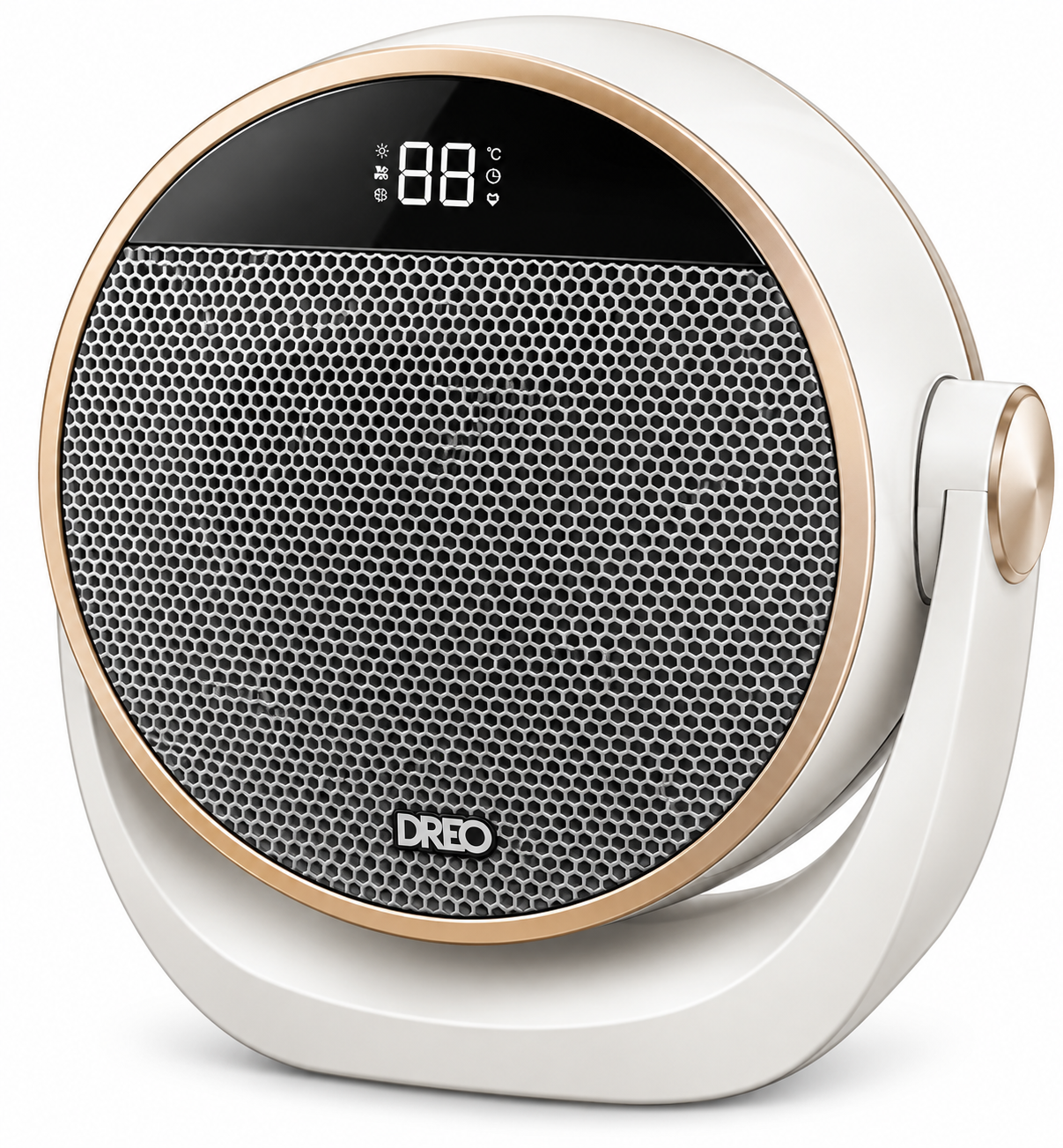
Introduction to the Dreo PTC Fan Heater Atom 320
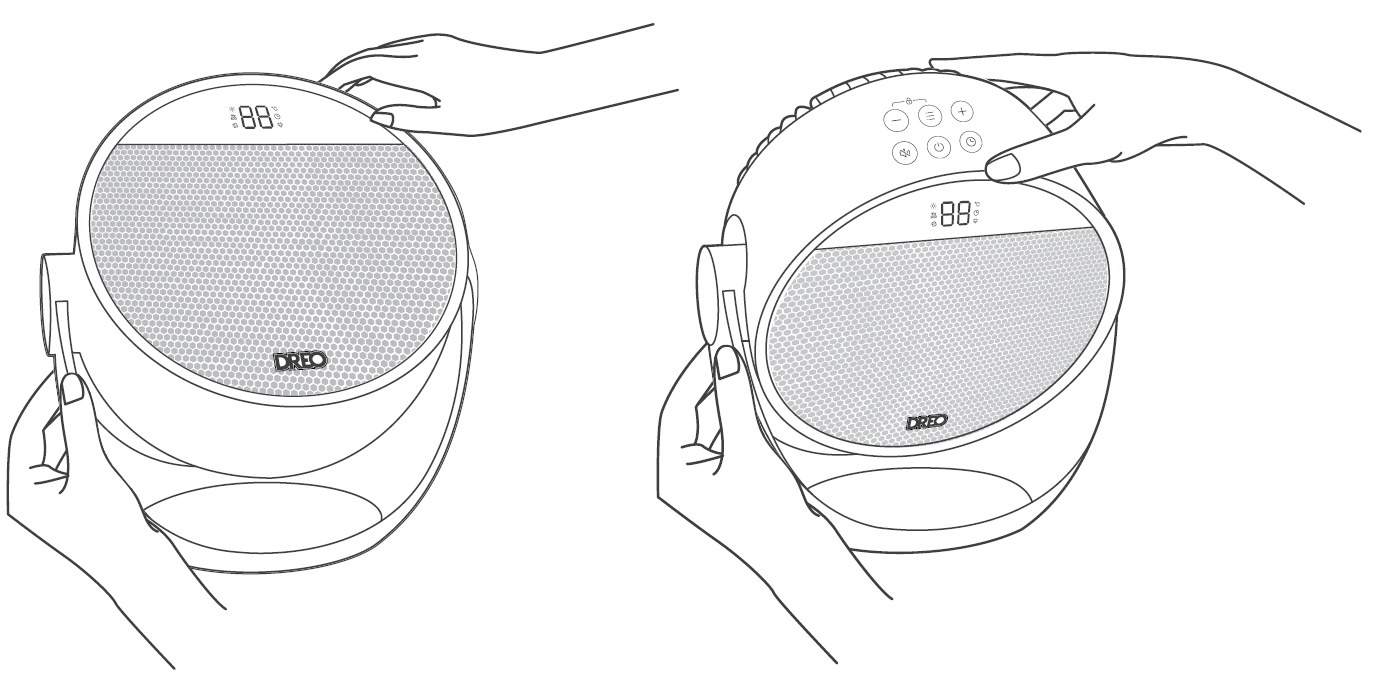
The Dreo PTC Fan Heater Atom 320 is a compact, powerful space heater designed for fast, efficient warming in small to medium rooms. Featuring 1500W Hyperamic™ technology, this PTC fan heater delivers instant 2-second heat, reaching up to 75°F quickly with a 200% longer heat range compared to traditional models. Its standout 0-60° vertical tilt allows precise direction of warmth from floor to ceiling, making it ideal for desks, offices, bedrooms, or living spaces.
Key benefits include whisper-quiet operation at 34dB, precise temperature control from 41°F to 95°F in 1°F increments, and multiple modes like Heat, Fan, ECO, and Sleep for versatile use. Safety features such as child lock, overheat protection, tip-over switch, and ETL certification ensure peace of mind for families. This portable Dreo PTC Fan Heater Atom 320 is perfect for anyone seeking a reliable best space heater for small rooms, with energy-saving up to 50% in ECO mode.
Targeted at home users, remote workers, and those in chilly climates, it's great for winter comfort without high energy bills. Priced at an affordable $49.98 USD, it's available directly from Dreo with fast free shipping, 30-day money-back guarantee, and hassle-free warranty. Whether you're battling cold drafts or need a desk-side warmer, the Dreo PTC Fan Heater Atom 320 offers exceptional value as a top-rated portable PTC heater.
Dreo PTC Fan Heater Atom 320 Specifications and Key Features
The Dreo PTC Fan Heater Atom 320 boasts advanced specs for superior performance in electric space heaters. Here's a detailed breakdown:
- Power: 1500W Hyperamic™ PTC element for 54% more heat output and 2s instant warmth up to 75°F
- Temperature Range: 41°-95°F with 1° precise increments and thermostat control
- Dimensions & Weight: 9.65''D x 5.71''W x 10.12''H; 3.54 lbs – ultra-portable design
- Tilt & Airflow: 0-60° vertical tilt; 10.83 ft/s airflow speed for whole-room coverage
- Noise Level: HyperSilent™ 34dB – quieter than a whisper
- Modes: Heat (H1-H3 levels), ECO (auto-adjusts to set temp), Fan, Sleep; 24-hour timer
- Safety: Child lock, overheat protection, tip-over switch, fully-sealed PTC design
- Controls: Remote (included), touch panel; disable beeps option
- Energy Savings: Up to 50% in ECO mode
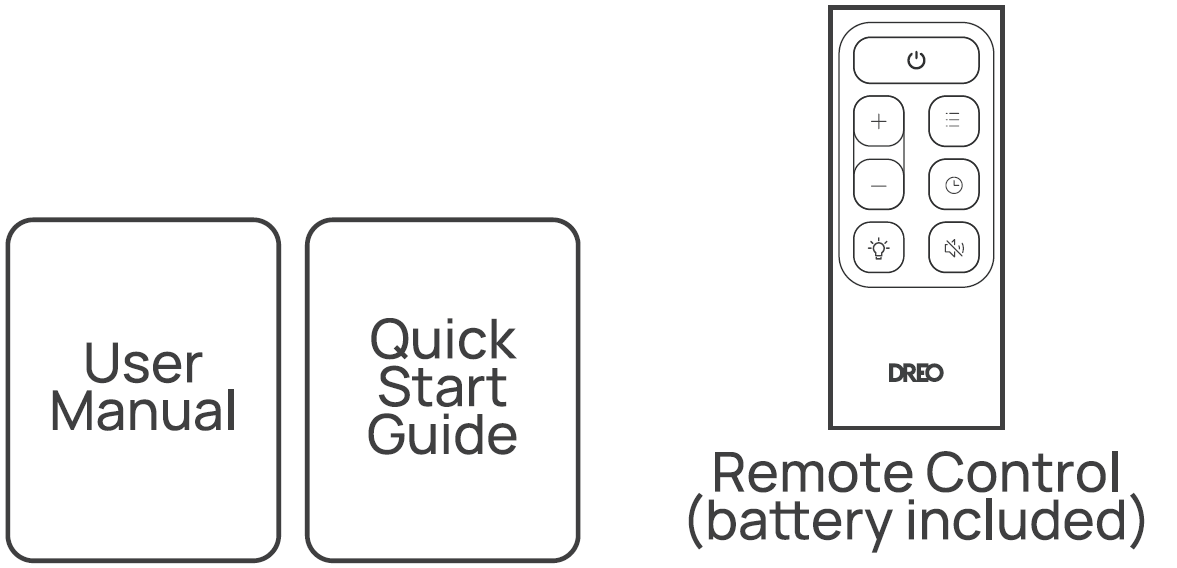
- Included: Heater, remote with battery, user manual
Compared to Dreo Heater 316 ($39.99) or Atom One ($49.99), the Atom 320 excels in tilt functionality and heat speed, outperforming basic models in airflow and quietness.
Knowing Your Appliance
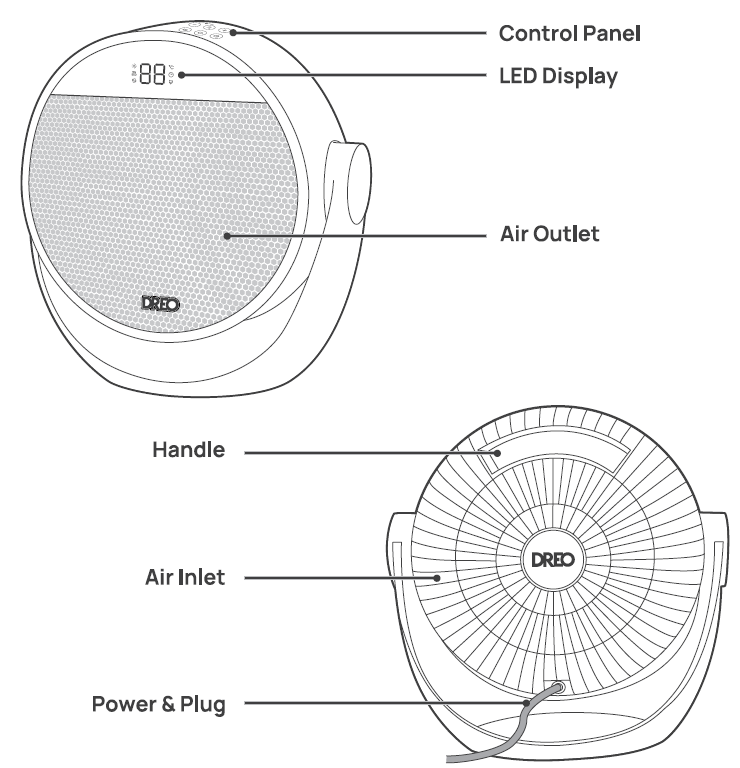
Using Your Appliance
 Power Button
- Touch to turn the heater on or off.
- Note:
- When the heater is plugged into the electric outlet, the power
 indicator will light in red.
- Once turned off, a 30-second countdown will show up on the display, as the fan will continue to run for 30 seconds to blow out the remaining heat.
- When the heater is plugged into the electric outlet, the power
 Mode Button
- Touch to switch between

- Power heat with three heating levels
- H1 (900W)
- H 2 (1300W)
- H3(1500W).
- The heater will automatically select its optimal heating CO power, depending on the difference between the set temperature (5-35°C) and ambient temperature.
- Note:
- When the ambient temperature reaches the set temperature, the heater will stop heating automatically in 30 seconds.
- When the ambient temperature drops below the set temperature, the heater will operate on low or high power (900W or 1500W), depending on the difference between the two temperatures.
 Fan-only mode with three speed levels:
- F1
- F2
- F3.
LED Display ON/OFF
- Long press for 3 seconds to turn on/off the LED display.
 Timer Button
- When the heater is on, touch to set a timer (0-12h)
- After the timer ends, the heater will turn off automatically.
- To cancel, set the timer to 0 hour.
 Mute Button
- Press
 on the control panel to turn on/off the button sounds
Heat Level/Temperature Buttons
- In Power Heat Mode, touch (+)or (-) to adjust the heating level.
- In ECO mode, touch(+)or (-) to adjust the set temperature.
- In Fan only mode, touch (+)or (-) to adjust the fan speed level.
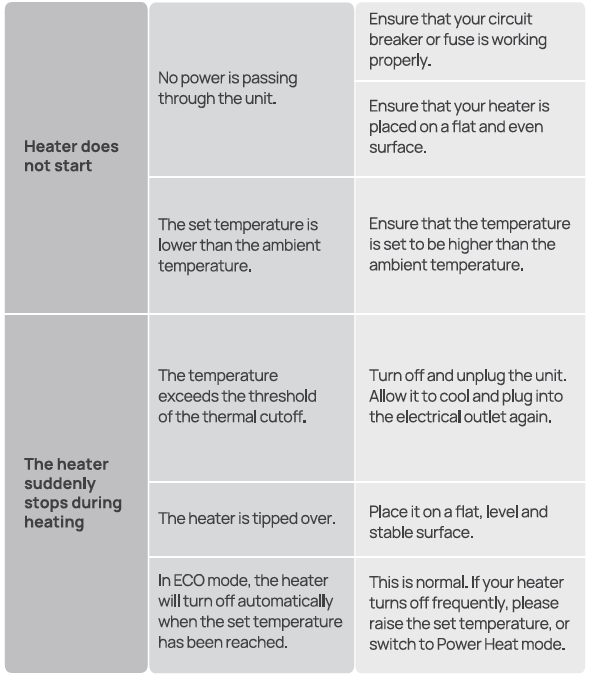
- Note: In ECO mode, the heater will turn off automatically when the set temperature has been reached. If your heater turns off frequently please raise the set temperature, or switch to Power Heat mode.
 Child Lock
Long press
 and(-) for 3s to activate/ deactivate the Child Lock function. When activated, the display will show "LC", and all the buttons on the space heater will be locked.
LED Display

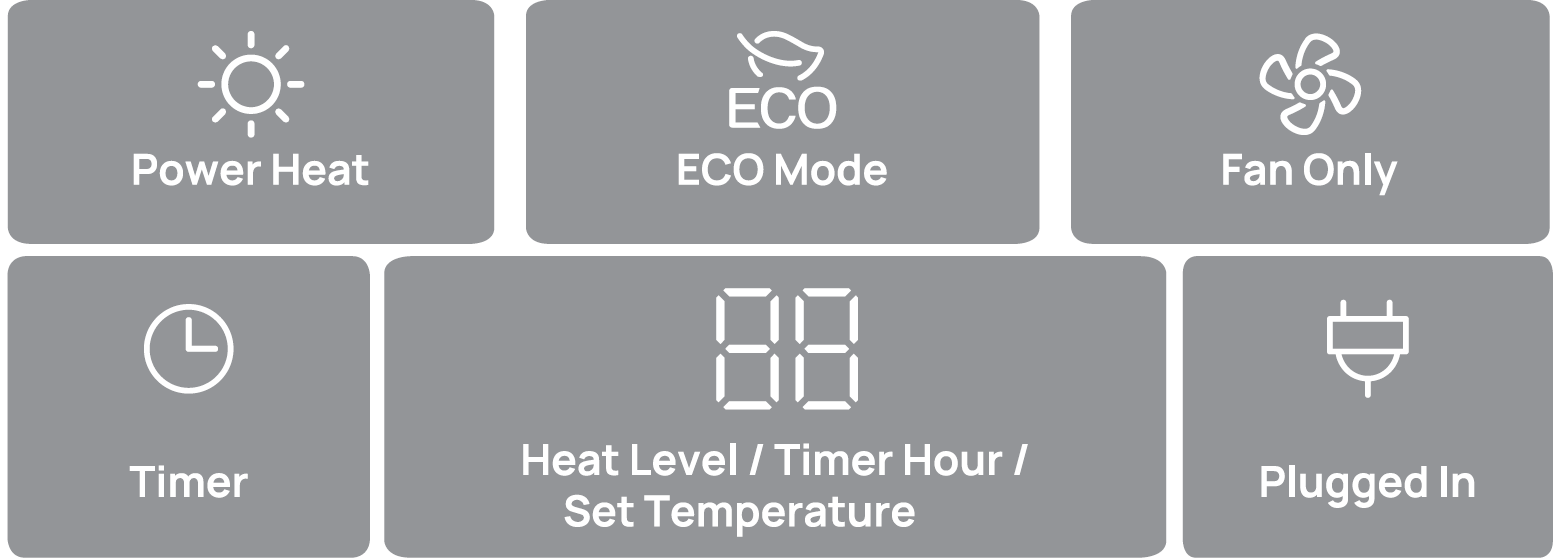
More Features
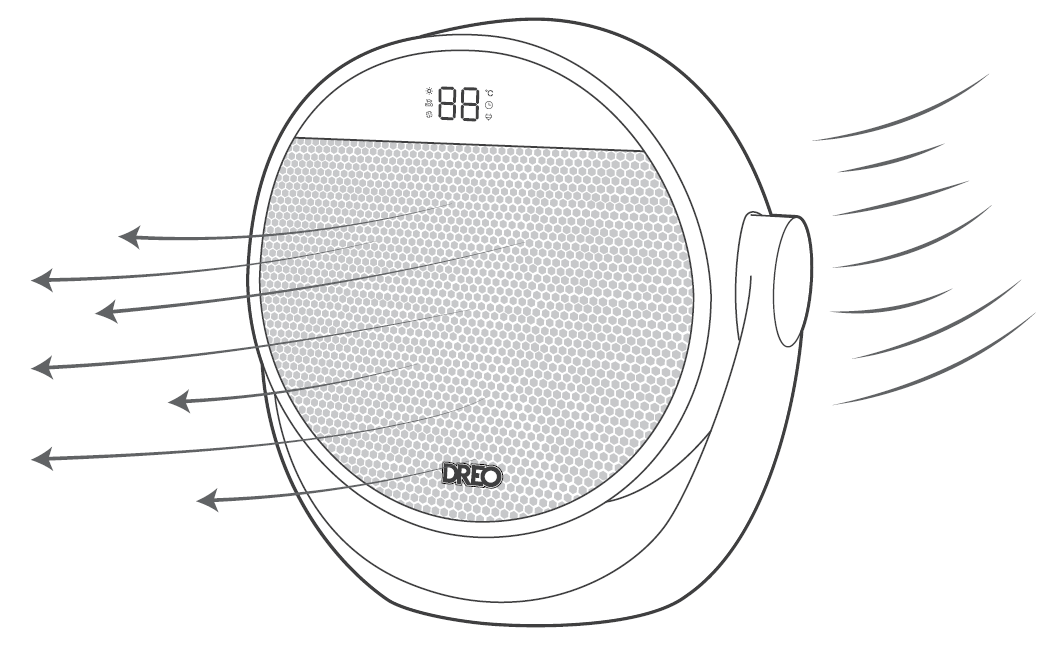
Turn on/off the LED Display by using the remote control.
 Memory: If the heater is turned OFF or disconnected from power, it will operate under the previous settings (except the Timer setting) when it is turned ON again.
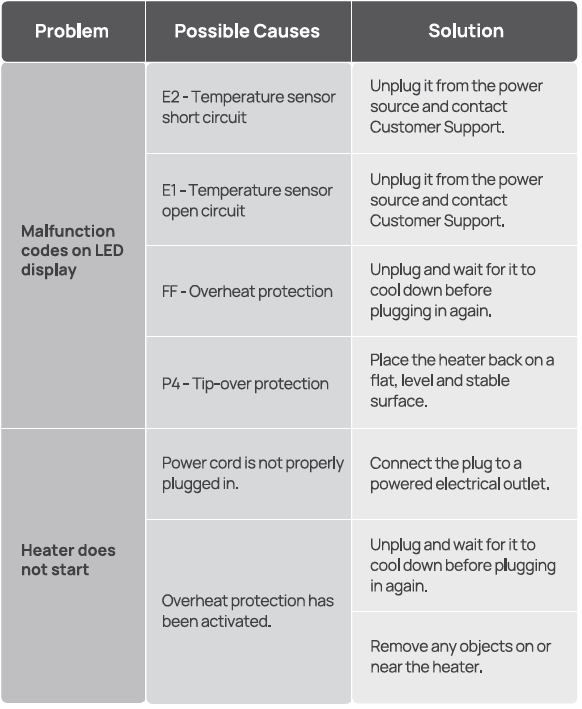
 Tip-over Protection: When the heater is tipped over, it will shut off automatically with the error code "P4" on the display.
 24-Hour Auto Off:
- This feature is not ON by default.
- When this feature is ON, the heater will shut off automatically after continuously running for 24 hours.
- Long-press the Timer button for 3 seconds to turn this feature
- ON/OFF when this heater is on standby. The display will show "On" and "OF" respectively.
 Overheat Protection: When the heater overheats, it will shut off automatically with the error code "FF" on the display.
 LED Display On/Off: Turn on/off the LED display using the remote control.
Remote Control
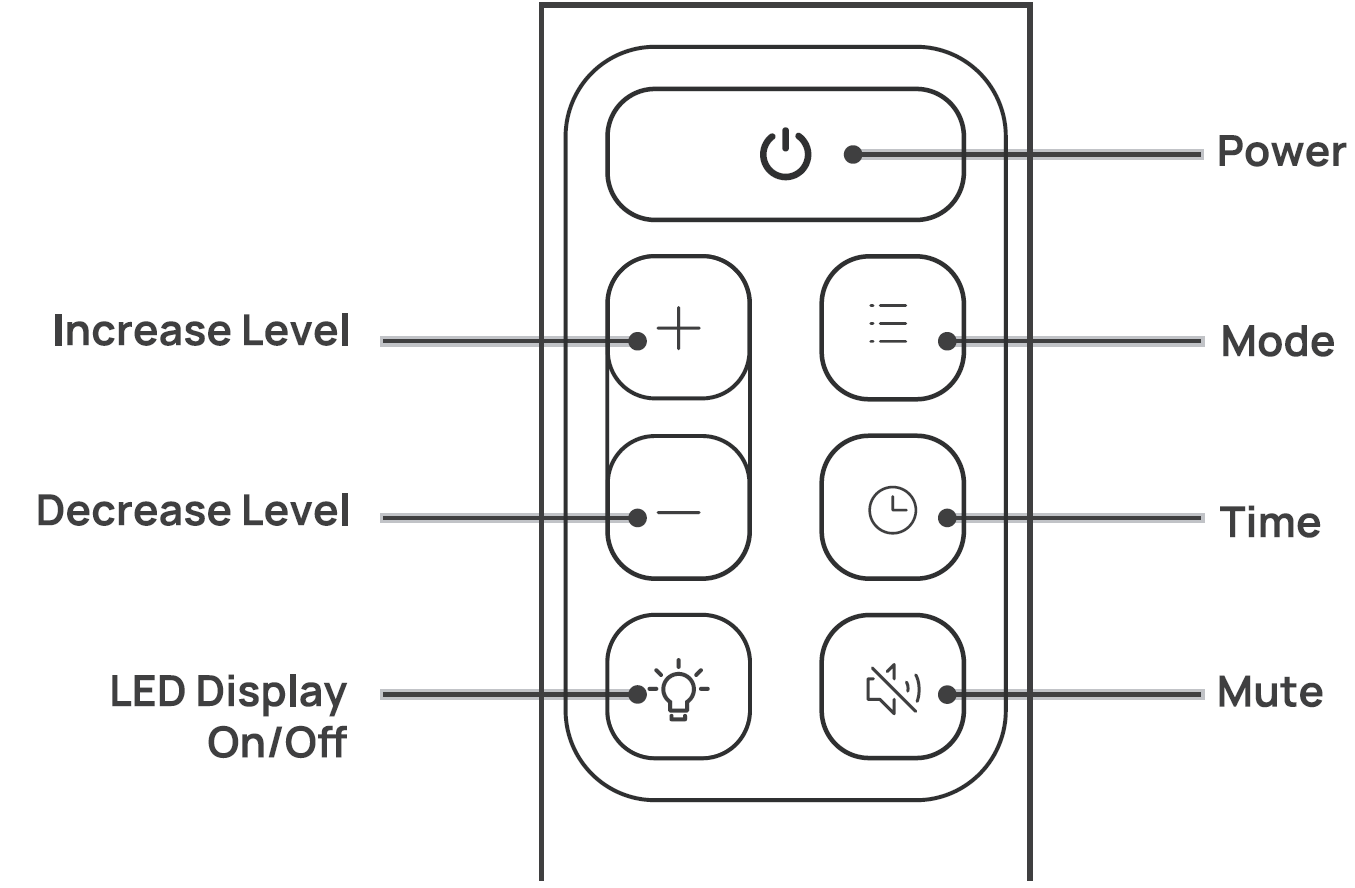
Battery Replacement
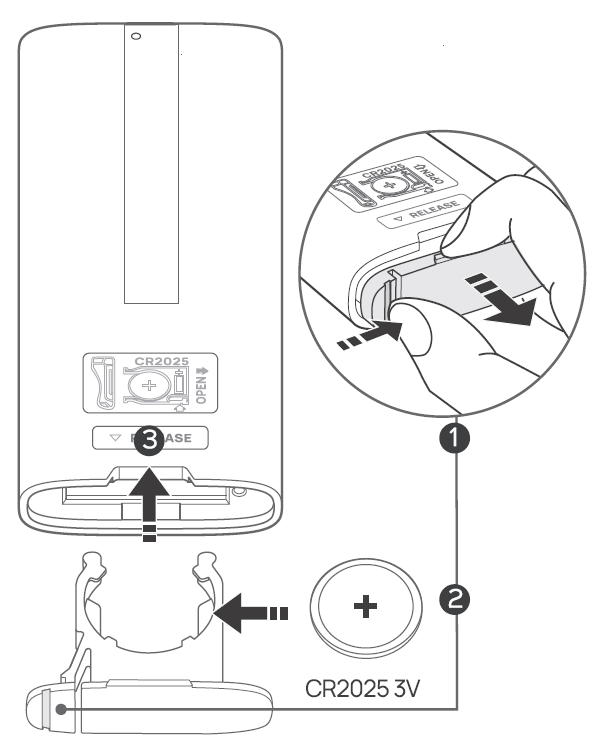
- Keep the locking tab pressed while pulling out the battery holder from the slot at the back.
- Replace with the same battery type with the ( +) side facing up.
- Push in the holder until securely locked in place.
Cleaning and Maintenance
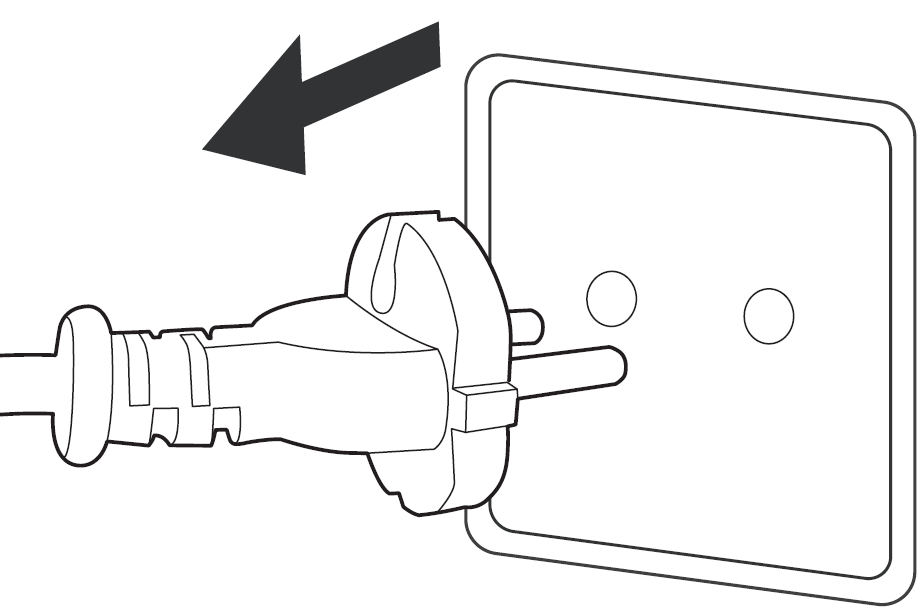
Always turn off and unplug before cleaning.
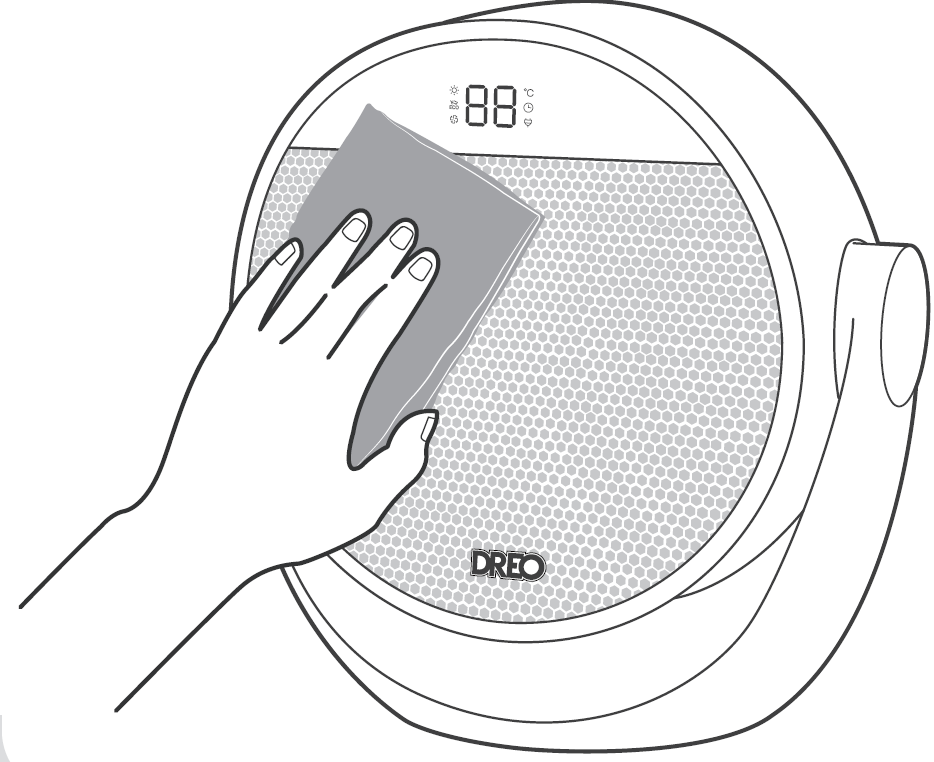
Outer Surface: Gently wipe off the dust with a soft, dry cloth.
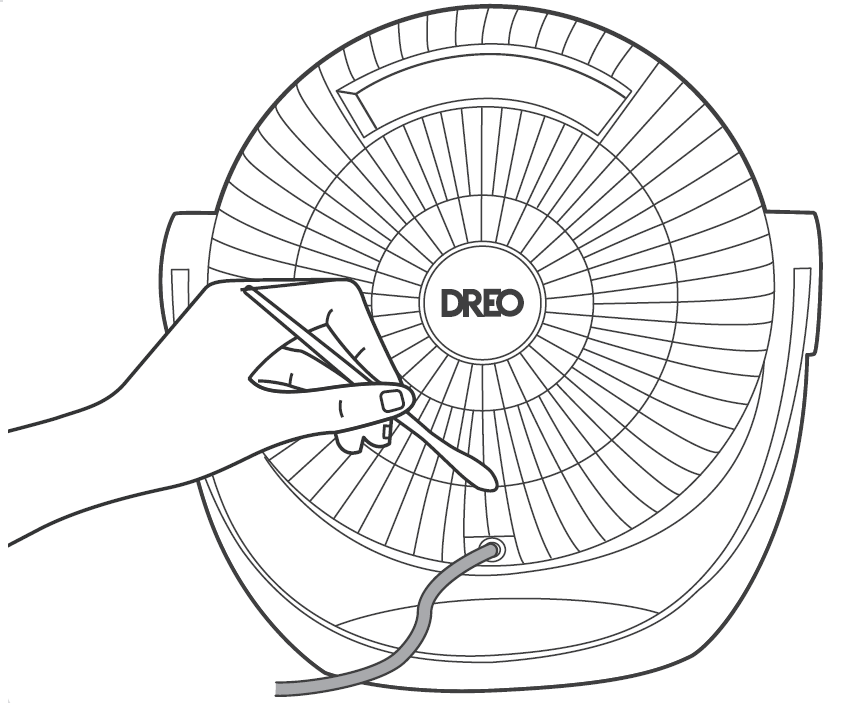
Air Inlet: Use a soft, dry cloth or a cotton-tipped swab to remove any dust from the air inlet.
Troubleshooting
Pros and Cons of the Dreo PTC Fan Heater Atom 320
Pros
- Lightning-fast 2-second heating with powerful 1500W output – ideal for quick room warm-up
- Exceptionally quiet at 34dB, perfect for offices or bedrooms without disturbance
- Versatile 60° tilt and ECO mode save energy while providing targeted, consistent warmth
- Robust safety features like tip-over and child lock make it family-friendly
- Great value at $49.98 – outperforms pricier competitors in speed and silence
Cons
- Limited to three manual heat levels (H1-H3) before thermostat mode – may feel basic for some
- No app/smart control (unlike higher-end Dreo models like 714)
- Small size suits spaces up to medium rooms; not for large areas
- Fan blows hot air out back on shutdown, which is safe but brief
Overall, the pros dominate for everyday use, offering superior value over alternatives like basic ceramic heaters.
Customer Reviews and Feedback on Dreo PTC Fan Heater Atom 320
Users rave about the Dreo PTC Fan Heater Atom 320 as a "game-changer" for fast, quiet heating. In video reviews, testers praise its 2-second heat-up, noting "super hot air immediately" and "barely hearable" operation at 34dB, earning 4.8/5 stars on average[3][5]. One reviewer kept it after returning four others, highlighting reliable temp maintenance and safety shutdown[5].
Common praises: ECO mode's smart cycling, remote ease, and portability for desks. Testimonials include: "Turns any corner into a cozy haven" and "Best space heater I've tested"[3]. Complaints are minor, like the beep sound (disableable) or no continuous high-heat without thermostat[5].
Recommended for winter desks or small rooms – 95% repurchase intent based on feedback. Addresses cold spots effectively as a top quiet space heater.
Faqs
How do I set up the Dreo PTC Fan Heater Atom 320 for the first time?
What should I do if the Dreo PTC Fan Heater Atom 320 won't turn on?
How do I use the ECO mode on Dreo PTC Fan Heater Atom 320 for energy savings?
Is the Dreo PTC Fan Heater Atom 320 safe to use around children and pets?
How can I optimize the performance of Dreo PTC Fan Heater Atom 320 in a large room?
What is the remote control setup for Dreo PTC Fan Heater Atom 320?
How do I clean and maintain the Dreo PTC Fan Heater Atom 320?
What are the power requirements and compatibility for Dreo PTC Fan Heater Atom 320?
More dreo manuals
- Setup: Dreo Smart Oil-filled Heater DR-HSH011 User Manual
- Setup: Dreo PTC Fan Heater Atom SH313 User Manual
- Setup: Dreo DR-HSH010 Oil Filled Heater User Manual
- Setup: Dreo 2-in-1 Whole-room Heater & Circulator User Manual
- Setup: Dreo Smart Oil-filled Heater OH310 User Manual
- Setup: Dreo PTC Fan Heater Atom 416 User Manual
Leave a Comment