
Setup: Dreo Smart Wall Mounted Heater DR-HSH009S User Manual
Content
dreo Smart Wall Mounted Heater DR-HSH009S Product Manual: Complete Guide and Review
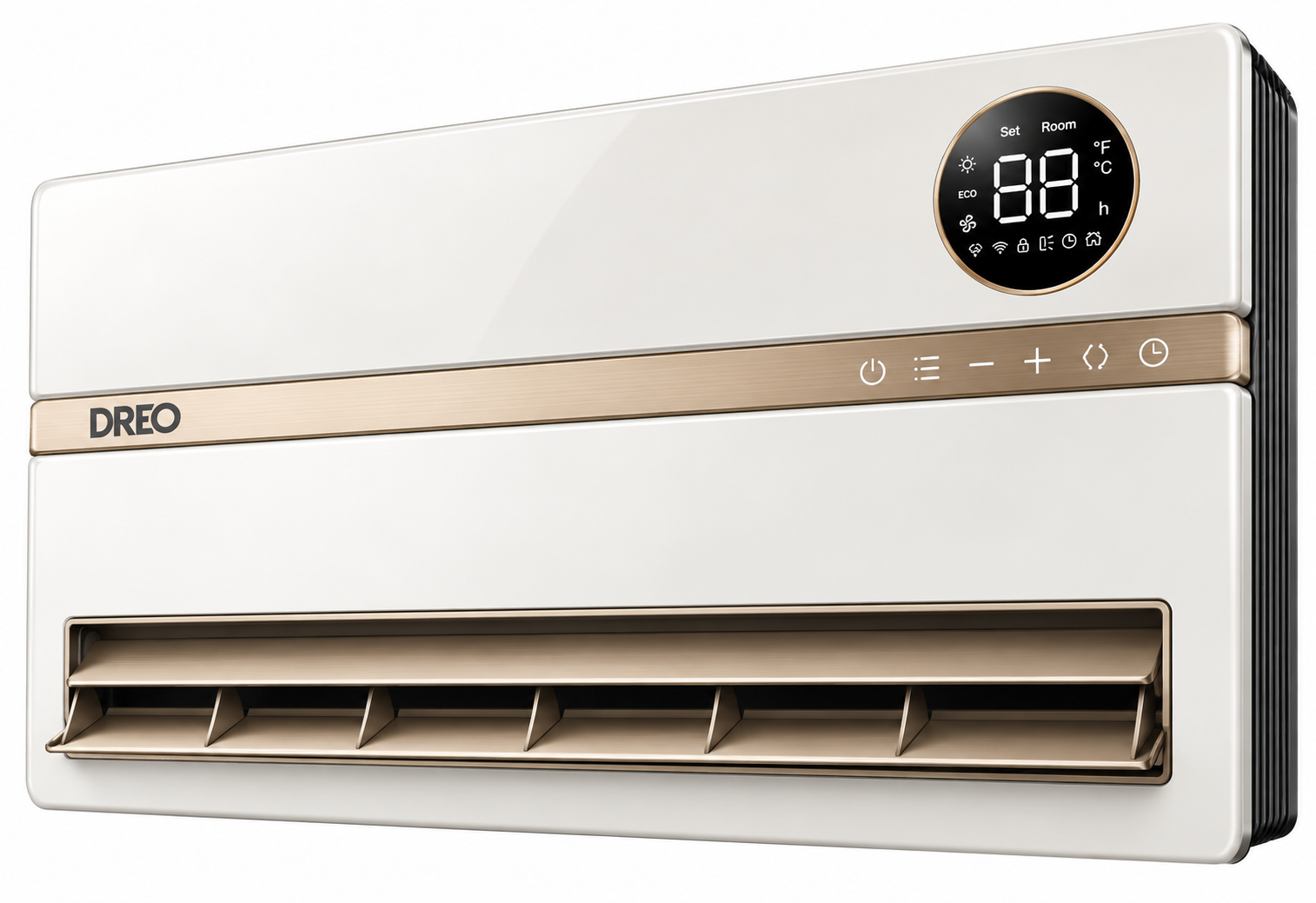
Introduction to dreo Smart Wall Mounted Heater DR-HSH009S
The dreo Smart Wall Mounted Heater DR-HSH009S is a revolutionary indoor electric space heater designed for efficient, whole-room heating in bedrooms, bathrooms, and small living spaces. Featuring advanced 3D Whole-Room Heating Technology, this wall-mounted heater transforms scattered airflow into powerful, far-reaching warmth with a 9-blade DC motor and Next-Gen PTC heating element for rapid heat delivery. Key benefits include whisper-quiet 28 dB operation, energy-saving ECO mode up to 50% efficiency, and smart controls via app, remote, or voice with Alexa compatibility.
Unique selling points like 120° vertical oscillation, adjustable thermostat from 41-95°F, and safety features such as V-0 flame retardant materials, tip-over protection, and child-lock make it ideal for families and pet owners. Target audiences include homeowners seeking space-saving supplemental heating for areas up to 750 sq ft as secondary heat or 150 sq ft primary, perfect for chilly bedrooms or drafty bathrooms. This Dreo Smart Wall Mounted Heater DR-HSH009S offers quick 1500W heating, a 24H timer, and cool-touch housing for safe, hassle-free use.
The estimated price range is $129.99-$149.99, available at retailers like Walmart, Lowe's, and Amazon, though often out of stock due to high demand. Whether combating winter chills or maintaining cozy temps, this smart wall heater delivers reliable performance with minimal footprint.
dreo Smart Wall Mounted Heater DR-HSH009S Specifications and Key Features
The dreo Smart Wall Mounted Heater DR-HSH009S boasts premium specs for superior smart heating performance. Here's a detailed breakdown:
- Power and Heating: 1500W max (900W/1300W/1500W settings), PTC ceramic system, 5118 BTUs, heats up to 150 sq ft primary or 750 sq ft supplemental.
- Dimensions: 16.02" H x 4.53" W x 12.2" D, 70.8" cord length, wall-mount design.
- Airflow and Oscillation: 11.5 ft/s velocity, 120° vertical oscillation (manual 30° adjust), 35% efficiency spiral grill.
- Smart Controls: App/Remote/Touch/Digital display, Alexa voice control, ECO mode (40-50% energy savings), 41-95°F thermostat, 24H timer, Fahrenheit/Celsius switch.
- Noise and Safety: 28 dB quiet operation, V-0 flame retardant, tip-over (45° cut-off), child-lock, thermally insulated wiring, ETL listed.
- Other: 3 heat/fan/ECO modes, brightness-adjustable display.
Compared to similar wall heaters, the DR-HSH009S excels with wider oscillation and app integration, outperforming basic 1500W models in even heat distribution and smart features.
Knowing Your Heater
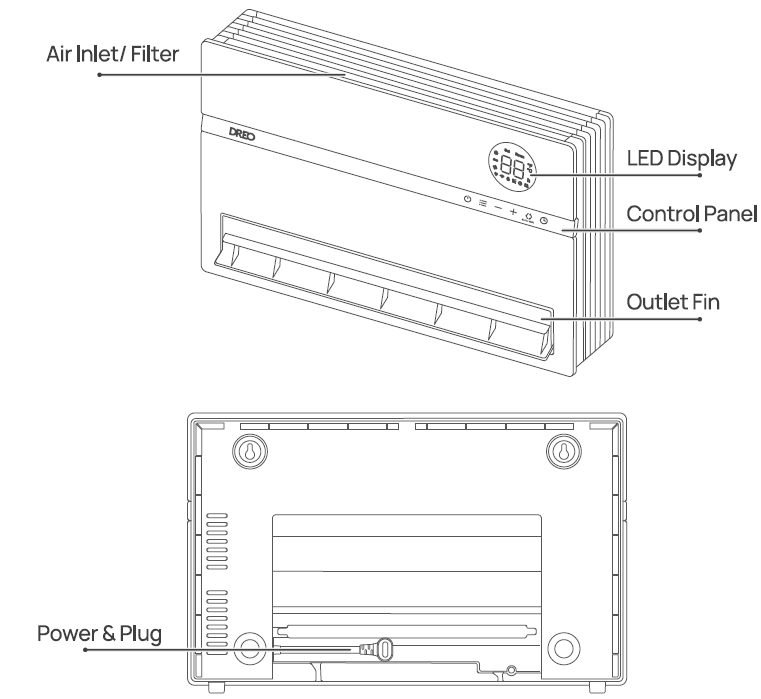
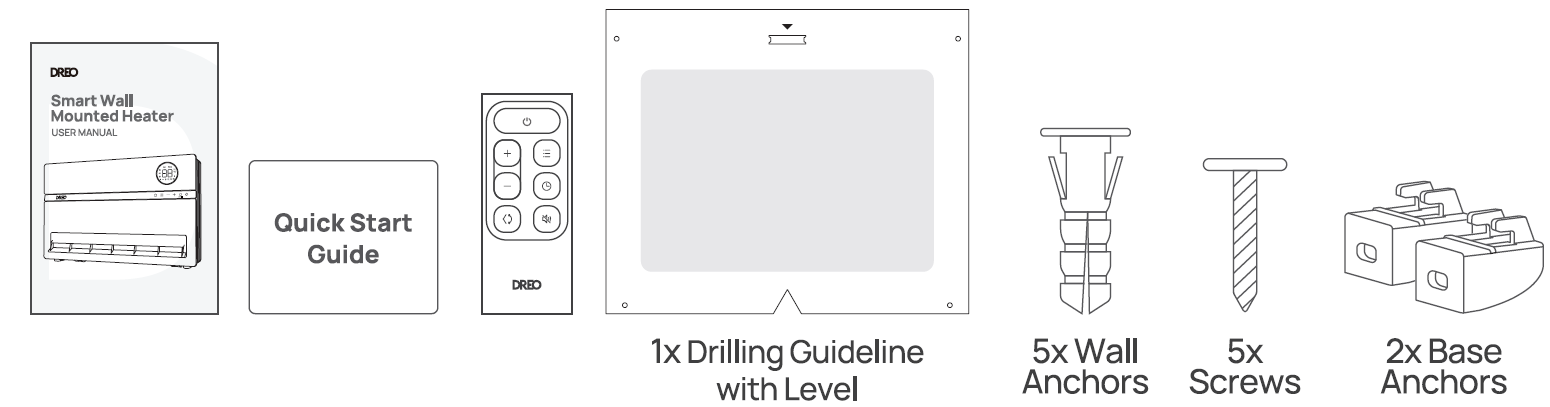
Installation Instructions
Tools needed for installation: Electric Drill (5116 inches, 96mm), Phillips Screwdriver (5116 inches, 150mm), Pencil
Find a suitable wall to install your heater.
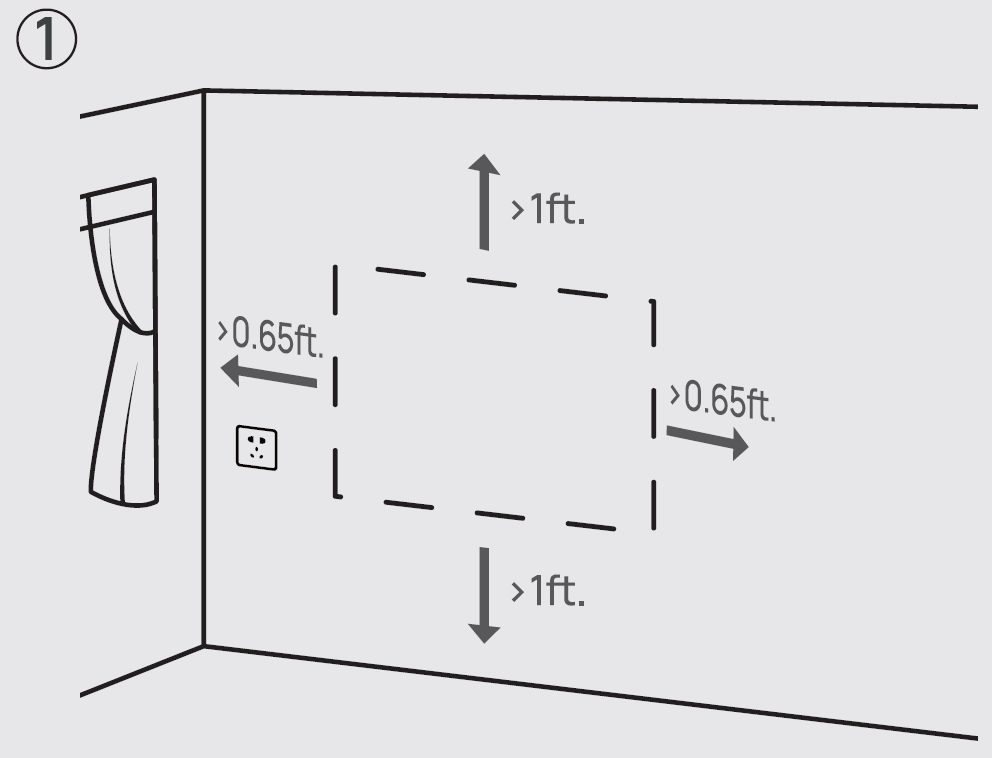
Use the drilling guide to MARK the position of the wall anchors.
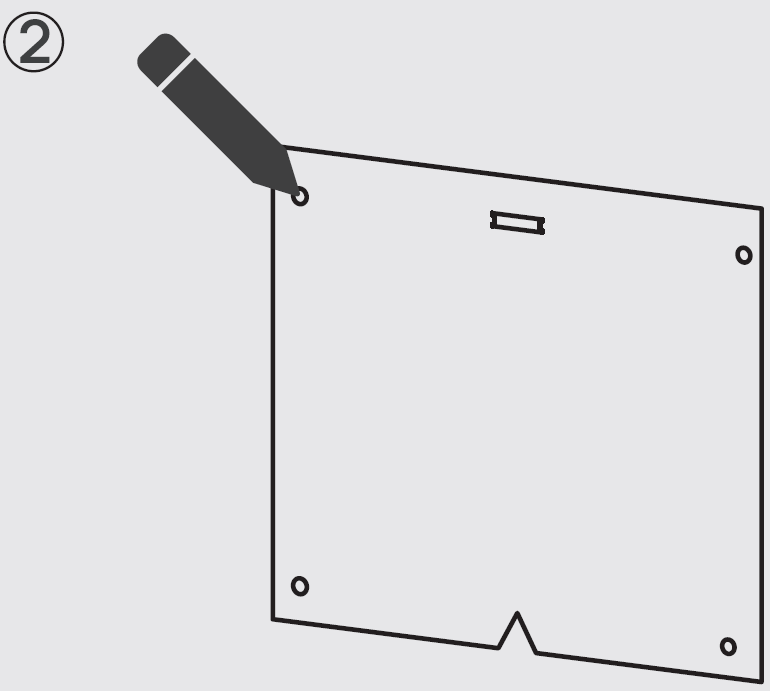
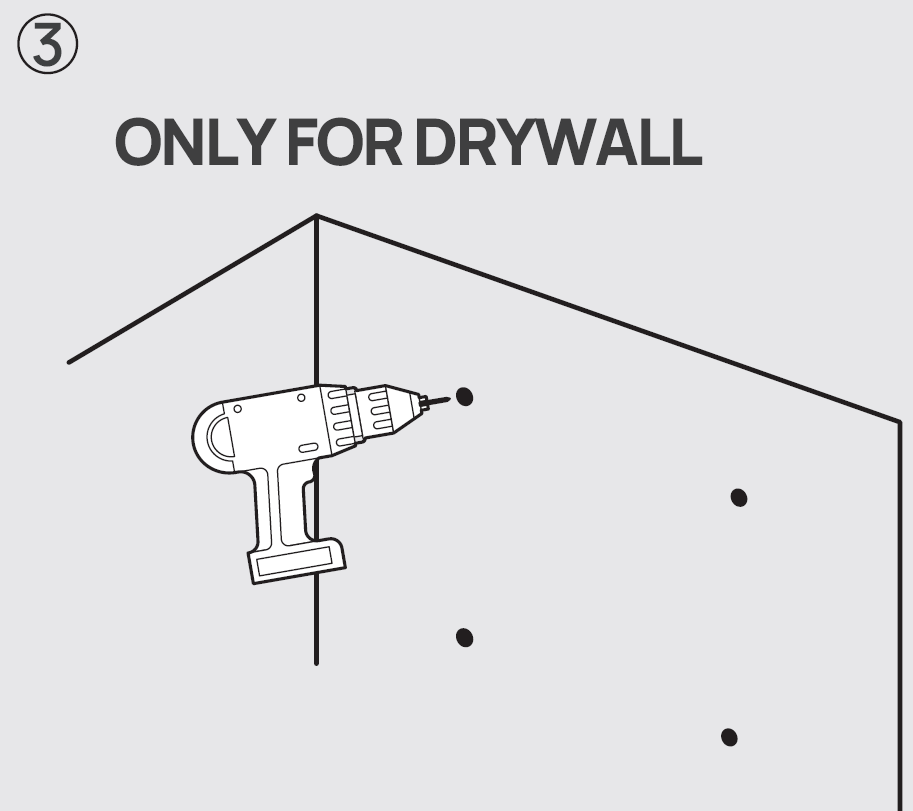
Make the drillings for the wall anchors.
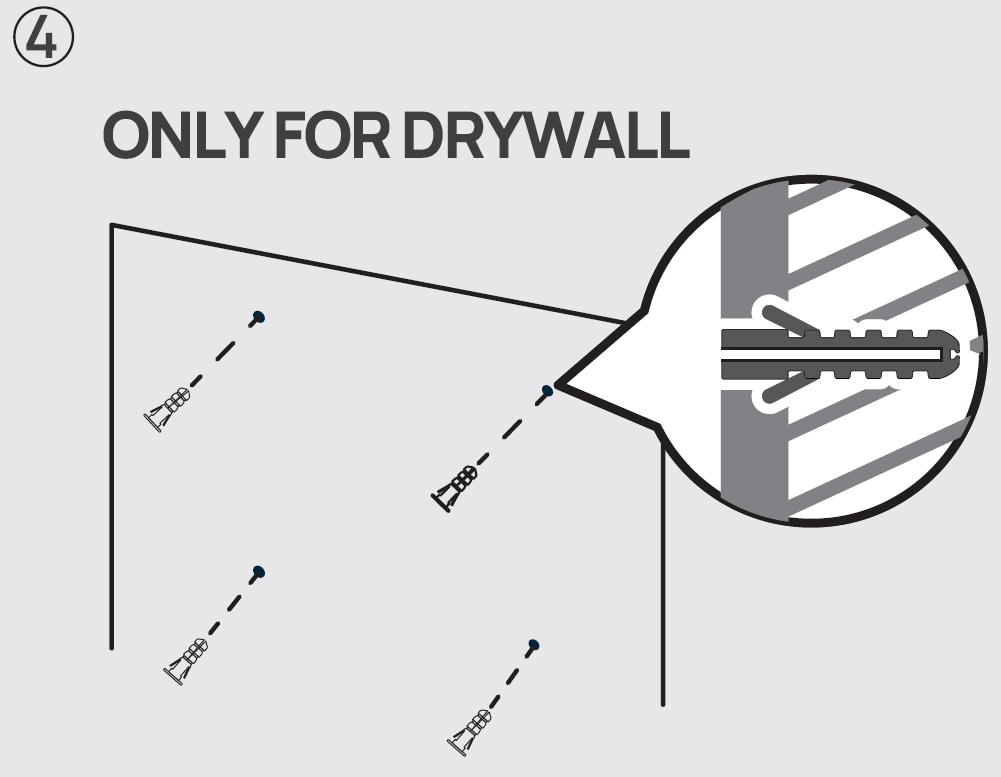
Fix the WALL ANCHORS in the drilled positions.
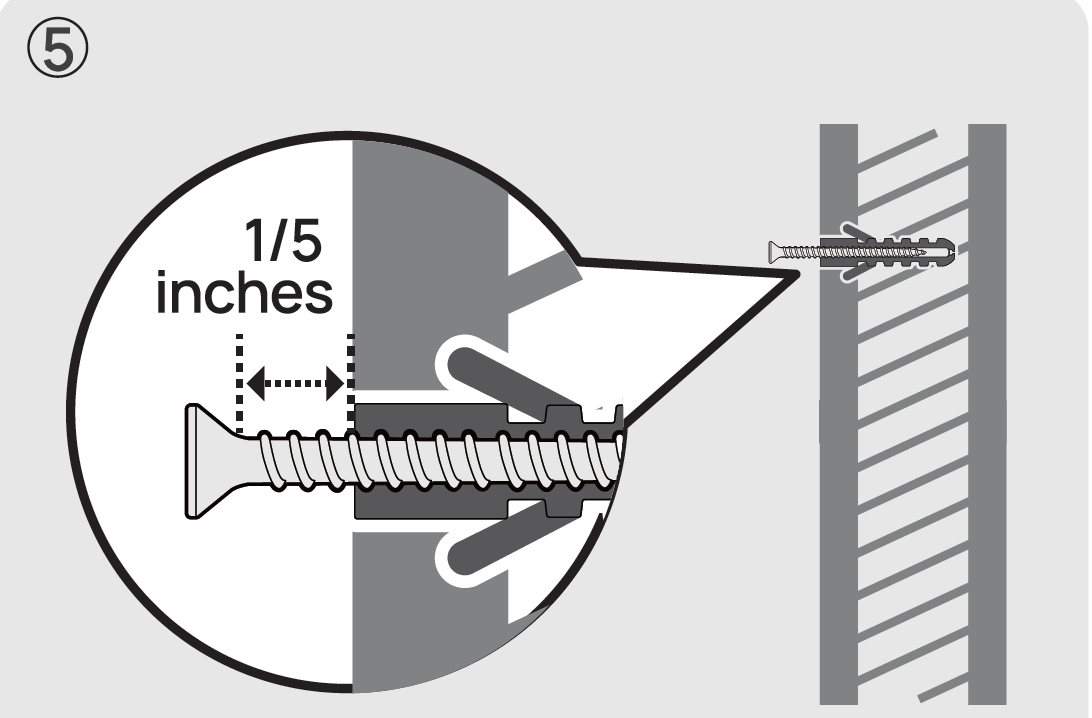
ScrewONLY THE TWO TOP ANCHORS first, leaving at least a 1/5inches gap.
Unfold the power cord. Note: Make sure the cord can reach the outlet.
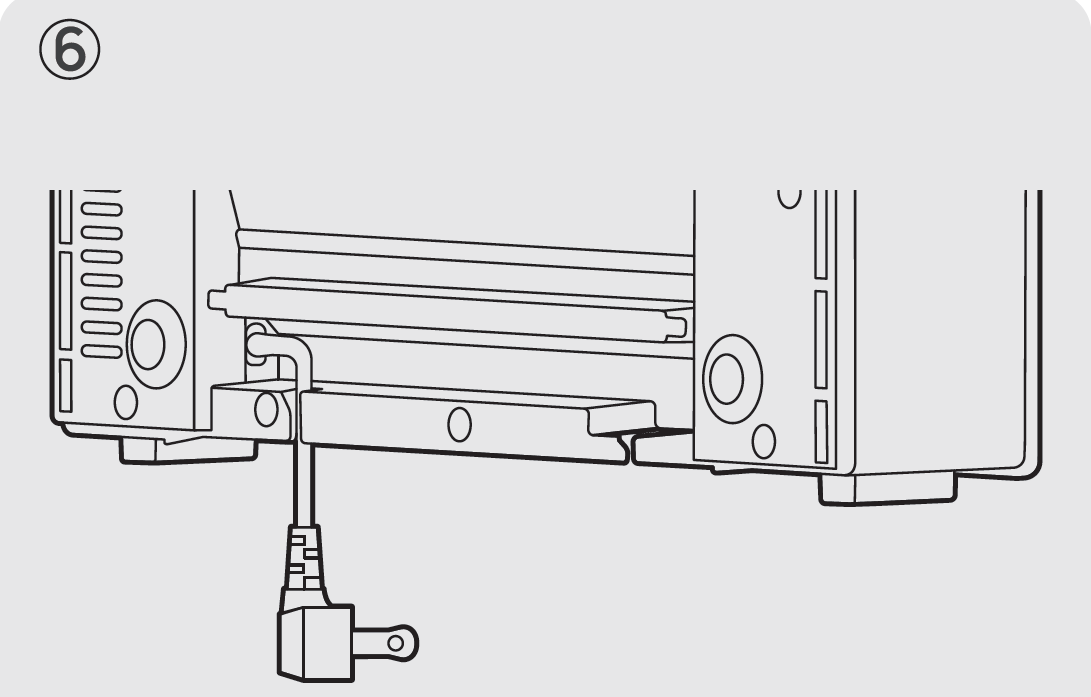
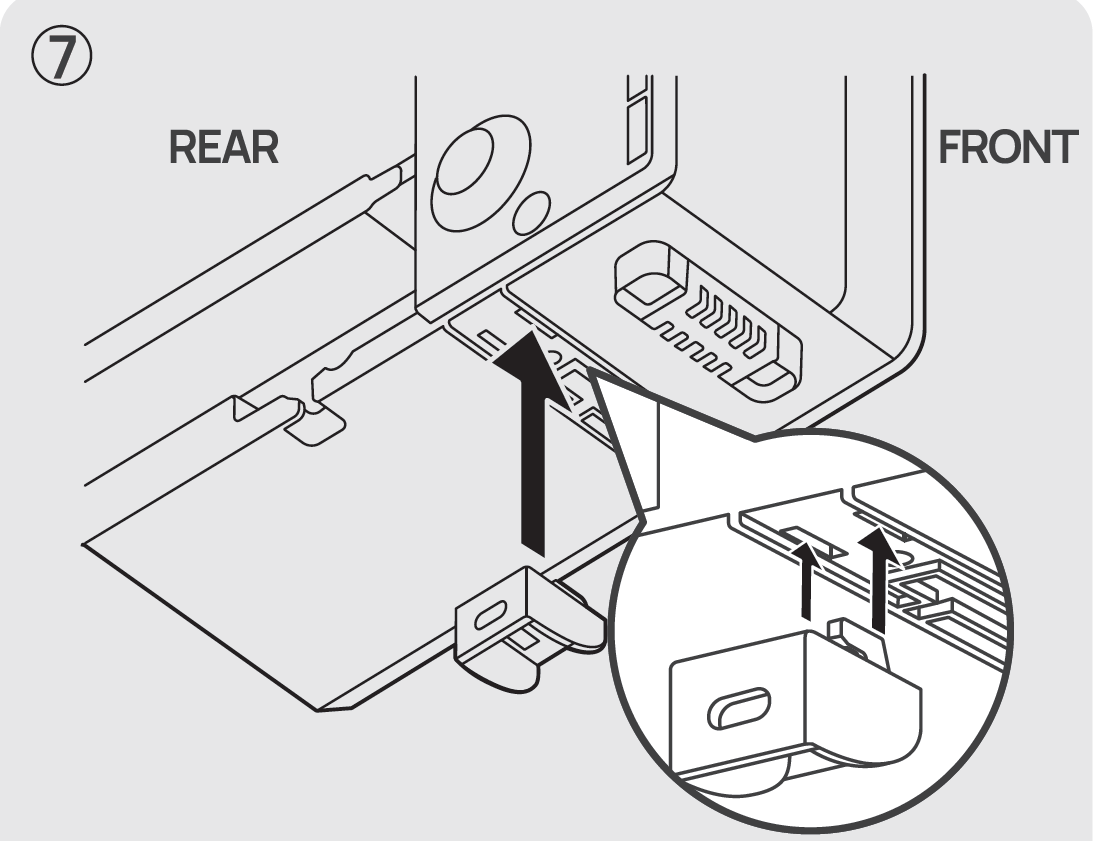
Attach the TWO BASE ANCHORS to the bottom of the heater.
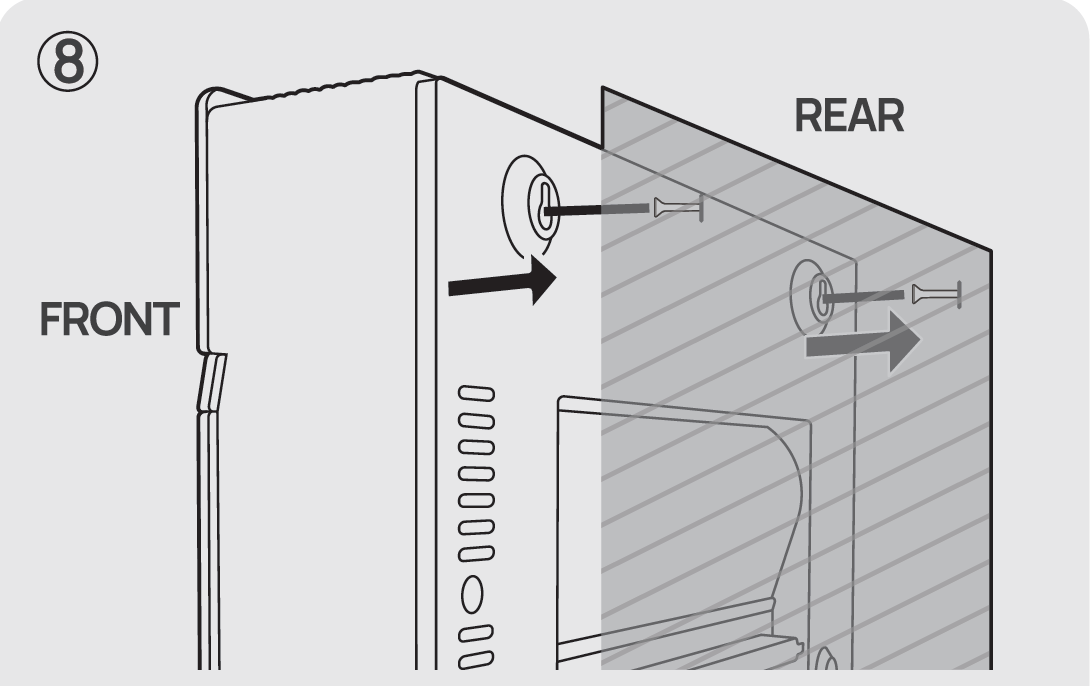
Hang the heater from the top. Make sure it is firmly hung before securing the bottom anchors.
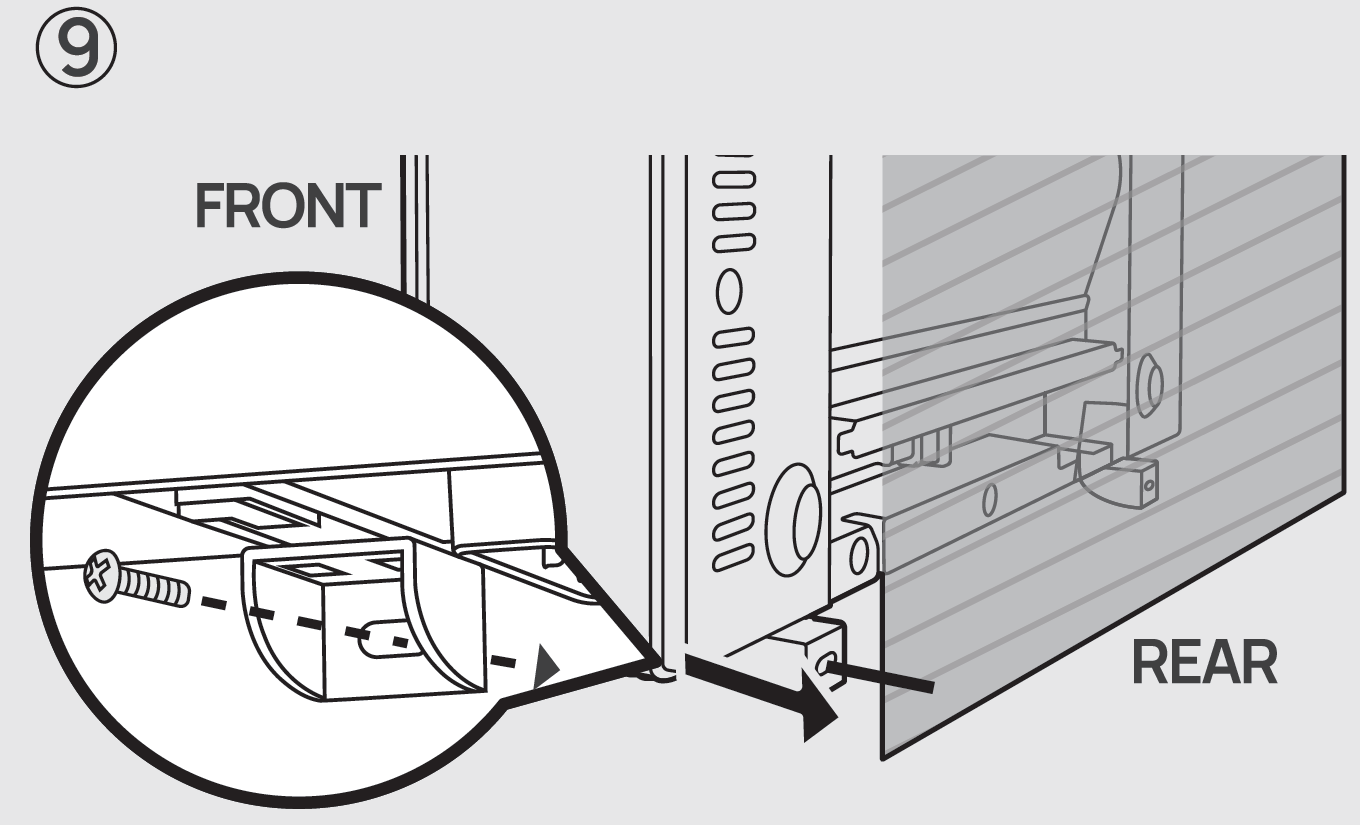
Screw the BASE ANCHORS to secure the heater.
Plug in the heater.
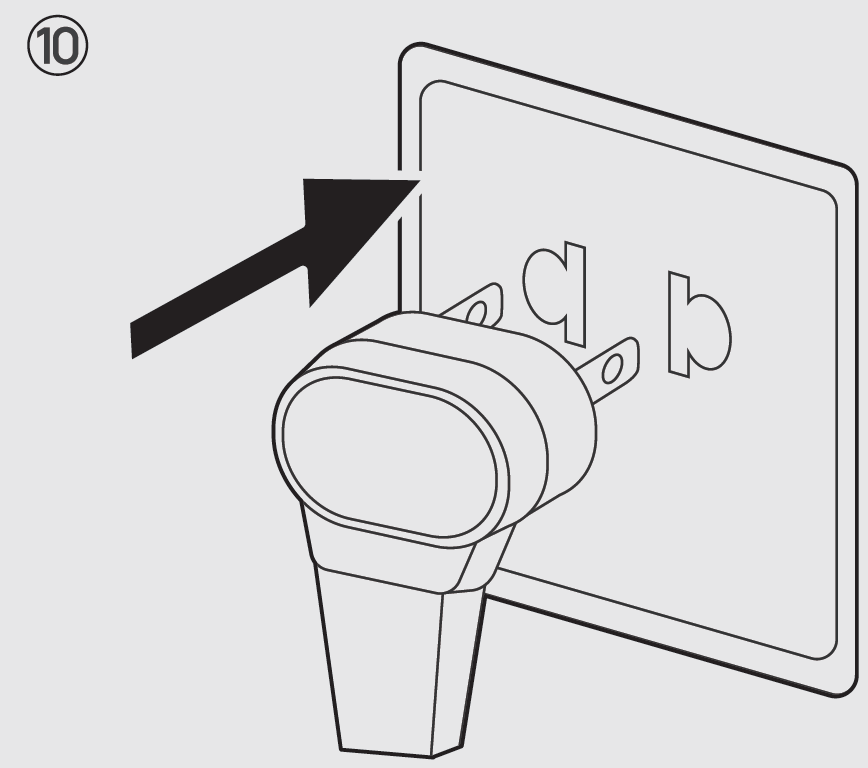
Operating Instructions
- Launch Dreo and sign in or create an account by following in-app instructions.
- Enable Bluetooth on your mobile device and plug in your heater.
- Hold the Fan Angle button
 for 5s to start WiR connection settings. (Tip: The WiFi icon
 will keep flashing when pairing.)
- Tap+AddDevice and selectWH719S.
- Follow in-app instructions to complete WiFi connection.
- You're now ready to control the appliance on your app.
- (Tip: To restart connection settings, hold the Fan Angle button again for 5 seconds.) Long-press the power button
 for 10 seconds to unpair Wi-Fi and restore factory settings.
- (Tip: To restart connection settings, hold the Fan Angle button
Control Panel
 Power On/Off
- Touch to turn the heater on or off.
- Long press for 10s to restore factory settings.
- Note: When the heater is plugged into the electric outlet, the power indicator
 will light in red.
 Mode Settings
- Touch to switch between

- Long press for 5s to calibrate the thermostat temperature.
- Power Heat with three heating levels:
- V H1(900W)
- H2(1300W)
- H3(1500W).
- The heater will automatically select its optimal heating power, depending on the difference between the set temperature (41-95°F) and room temperature.
- When activating ECO Mode, the display will flash the target temperature for 3 seconds.
- When the ambient temperature reaches the set temperature, the heater will turn off automatically in 30 seconds.
- When the ambient temperature drops below the set temperature, the heater will operate on low or high power (900W or 1500W), depending on the difference between the two temperatures.
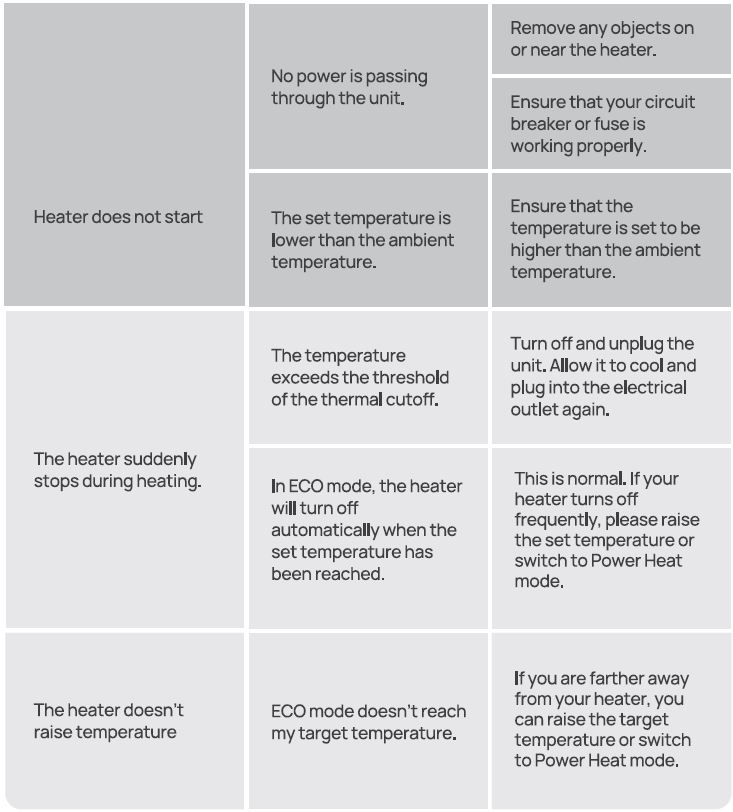
- If your heater turns off frequently, please raise the set temperature, or switch to Heat mode.
 Fan Only.
Heat Level/ Temperature
- • In Power Heat mode, touch EB or 0 to adjust the heating level.
- • In ECO mode, touch EB or 0 to adjust the set temperature.
- • In Timer mode, touch EB or 0 to set the timer between (0-24h).
- Note:
- In ECO mode, the heater will flash the °F /°C indicator light and turn off automatically when the set temperature has been reached. If your heater turns off frequently, please raise the set temperature or switch to Power Heat mode.
 Timer
- When the heater is on, touch to set a timer (0-24h). After the timer ends, the heater will turn off automatically.
- To cancel, set the timer to • -• hour.
- Long press for 3s to deactivate the schedule function.
- Note: You can activate the schedule function through the Oreo app.
 Fan Angle
- Touch to change the air-blowing angle from 120/90/60/Oscillation.
- The LED Display indicates the angle of fan angle accordingly:
- 60°
- 900°
- 120°
- Oscillation
- Long press for 5s to enter WiFi pairing mode (LED WiFi indicator will flash and a countdown will be shown on the display while long pressing.)
- Caution: Moving the outlet fin manually could lead to malfunction and risk of fire.
- Note: When turning off the heater, it will continue to blow air for 30s to close the air outlet.
 Child Lock
- Long-press + and - for 3s (LED display will show a countdown) to activate/deactivate Child Lock.
LED Display
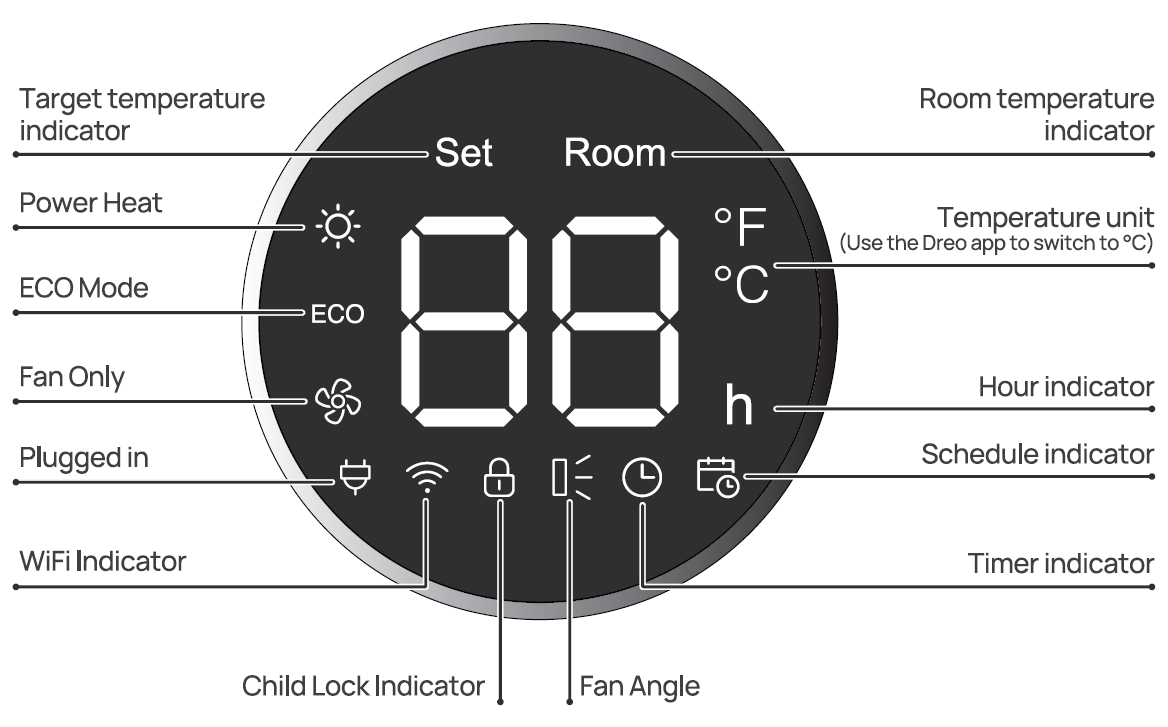
More Features
- Display Auto Dimming: In low-light conditions, the LED lights will automatically turn off. You may press any button on the control panel, remote control, or app to turn the lights back on.
- Note: This function is activated by default; you can turn this feature off/on through the Oreo app.
- Mute/Unmute: You can turn off the beep sounds by touching on your remote control, or in the settings of your Oreo app.
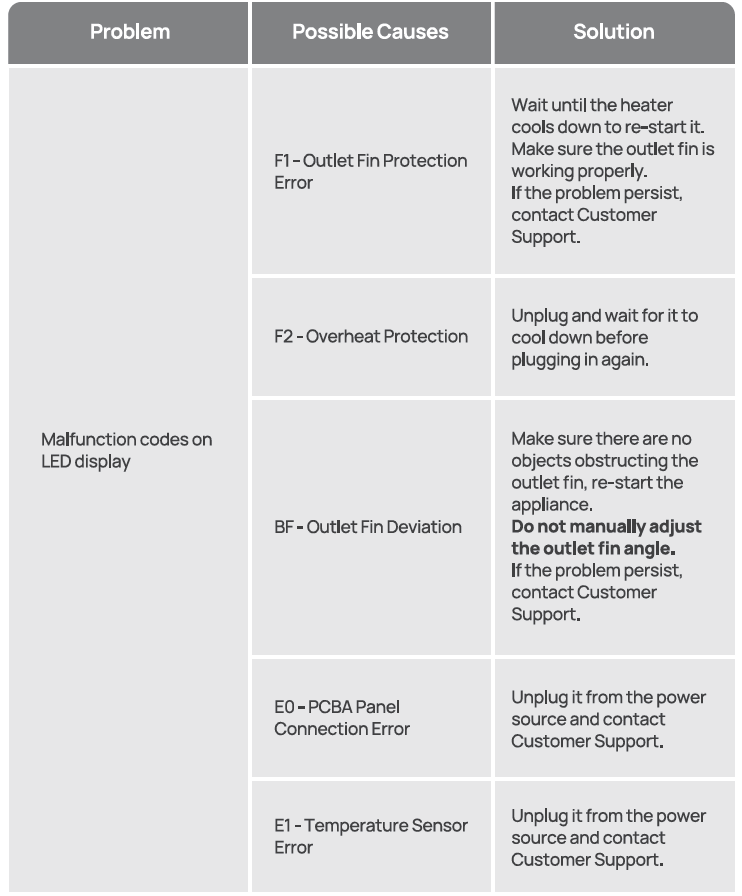
- Overheat Protection: When the fan is working abnormally, the appliance will stop heating to avoid risks of fire (See troubleshooting page 15.)
- Thermostat Calibration: This thermostat comes with a built-in thermostat to read room temperatures. If desired, the thermostat on the heater can be calibrated to match your HVAC system using the Oreo app.
Remote Control
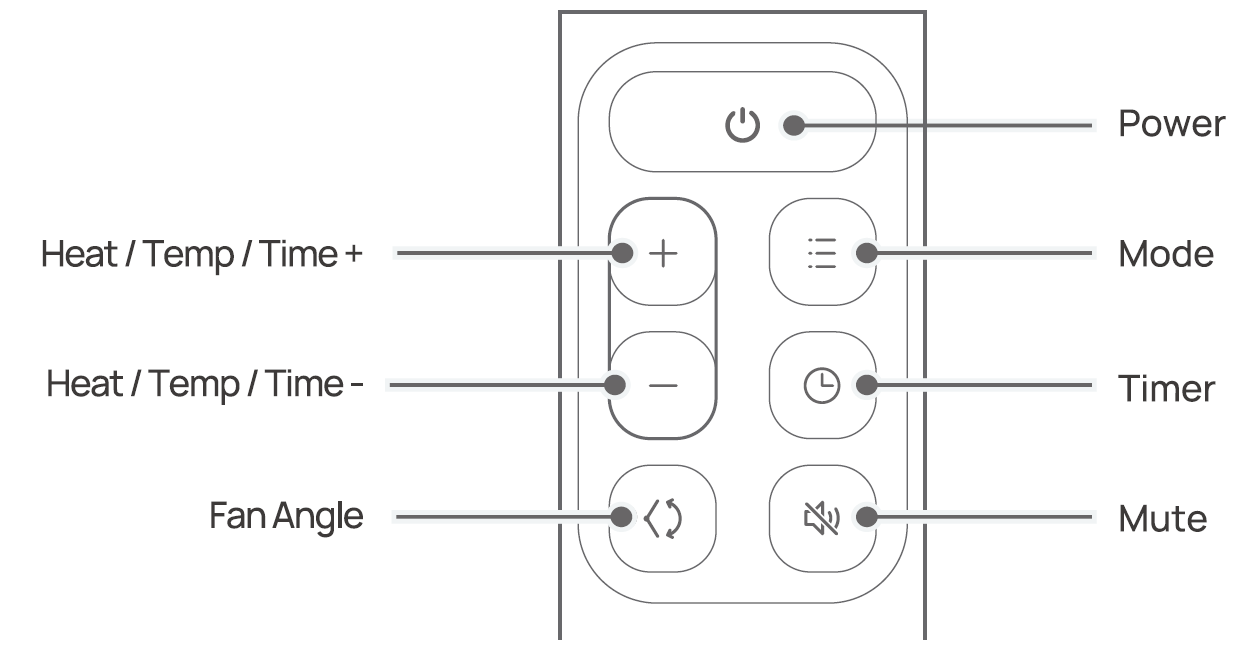
Battery Replacement
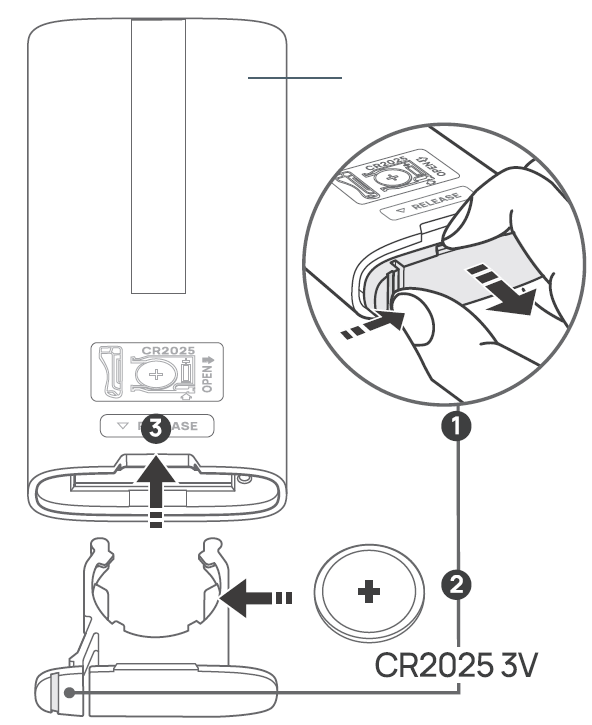
- Keep the locking tab pressed while pulling out the battery holder from the slot at the back.
- Replace with the same battery type, with the ( +) side facing up.
- Push in the holder until securely locked in place.
Cleaning and Maintenance
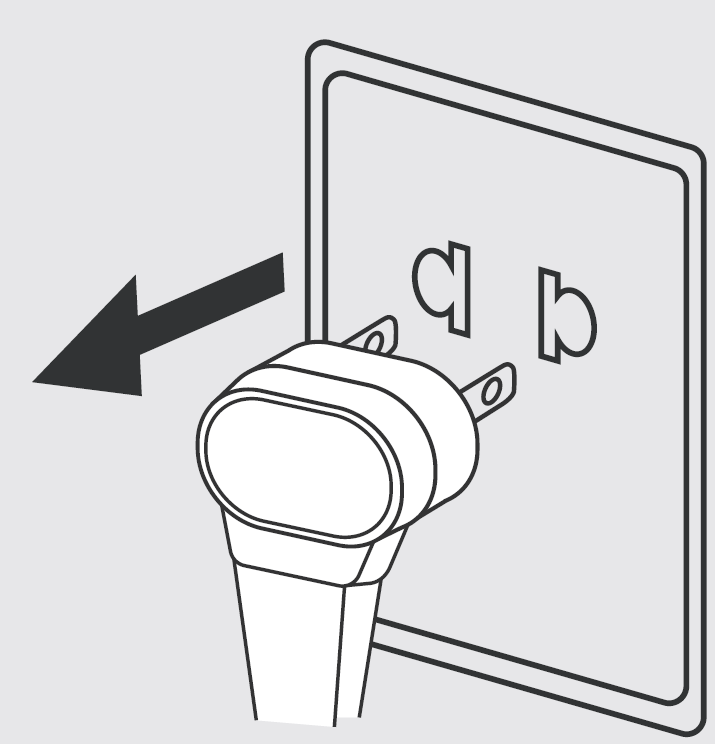
Always turn off and unplug before cleaning. Wait for the heating element to cool off before cleaning.
Outer Surface: Use a soft, dry cloth to gently wipe clean the outer surface.
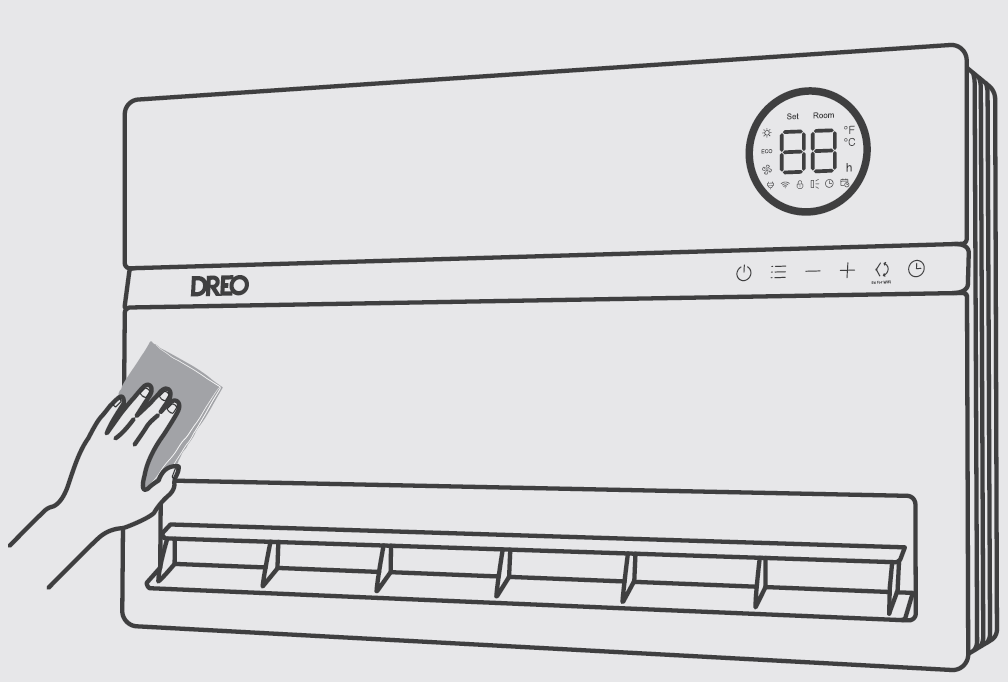
- Note: Do not move the outlet fin while cleaning.
Filter Cleaning
Unscrew both sides and press the center to remove the air inlet cover.
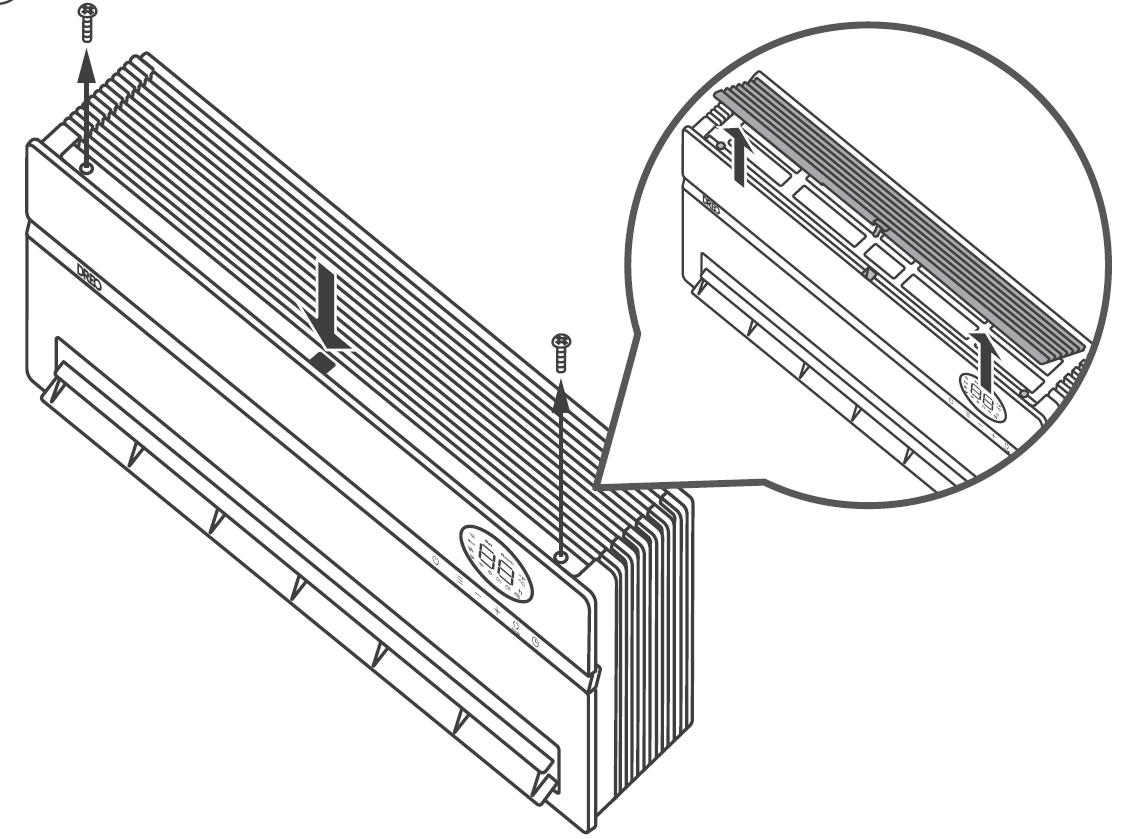
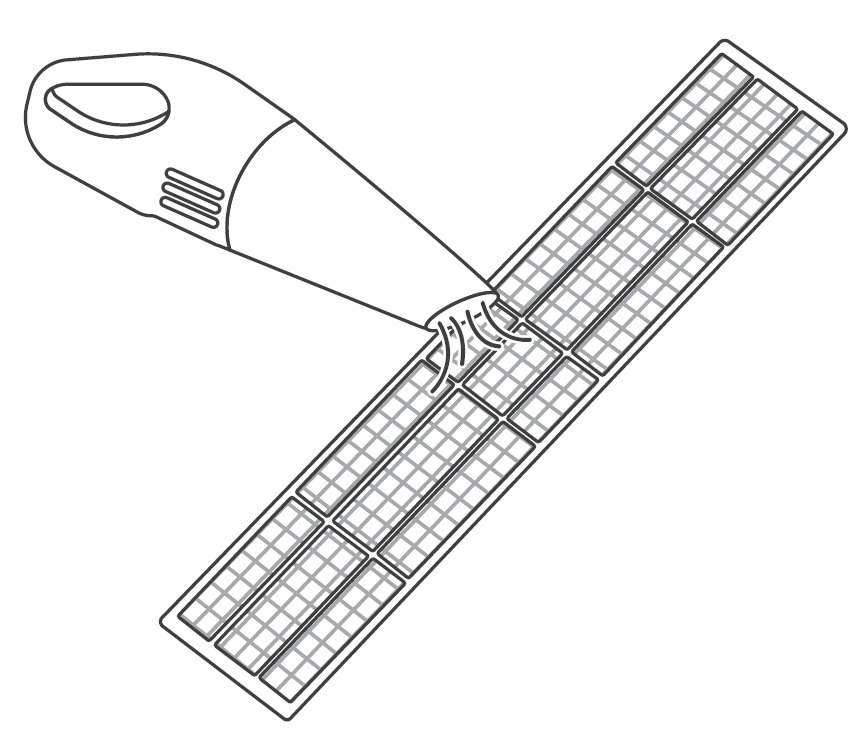
Clean the surface of the air inlet cover and the filter with a handheld vacuum cleaner.
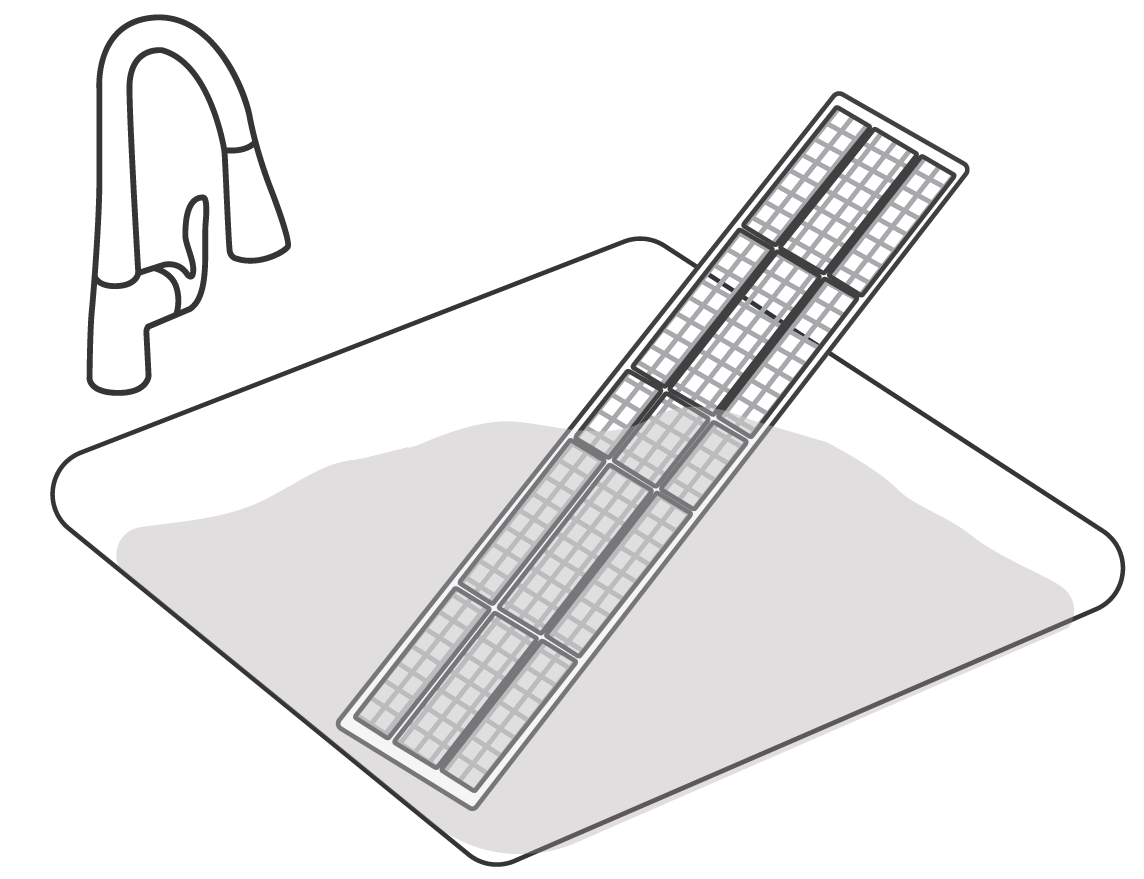
Rinse the air inlet cover and the filter with lukewarm water.
Put the filter back in place, then match the tabs in the cover with the cavities in the heater, then press the center and screw both sides to replace the cover.
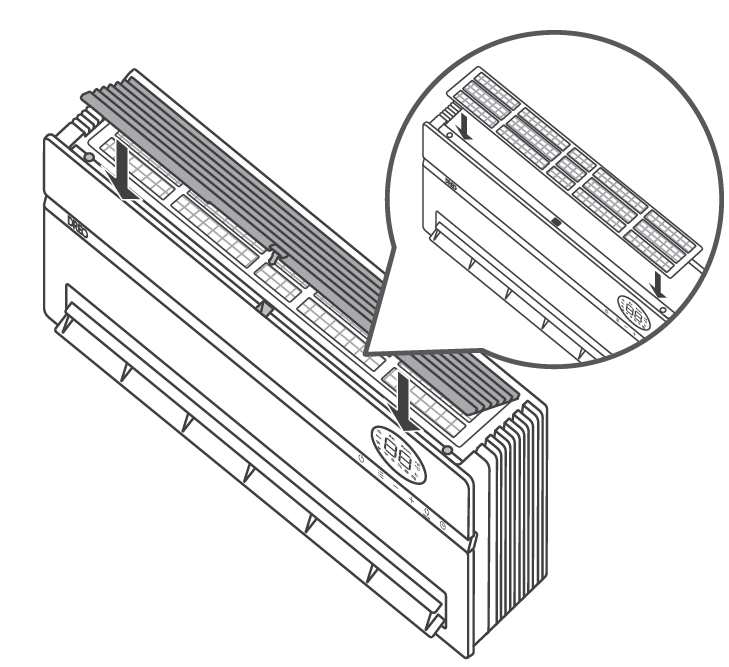
- Note: Let the filter dry properly before placing it back on the heater.
Troubleshooting
Pros and Cons of dreo Smart Wall Mounted Heater DR-HSH009S
Pros
- Exceptional quietness at 28 dB—ideal for bedrooms without disrupting sleep.[1][2]
- Smart app and Alexa control for remote scheduling, saving up to 50% energy in ECO mode.[1][3]
- Powerful 1500W heating with 120° oscillation covers large areas evenly, raising room temps quickly even against 68°F baseline.[3]
- Robust safety: Tip-over, child-lock, flame retardant—family-friendly value.[1]
- Space-saving wall mount at slim 4.53" depth, great for small rooms; excellent value at $130 price point vs pricier competitors.[2][8]
Cons
- Requires assembly and wall mounting, not portable like freestanding heaters.[2]
- Occasional app connectivity issues reported; manual controls as reliable backup.[3]
- Limited to indoor use, no anti-freeze setting for extreme cold.[2]
- May go out of stock frequently due to popularity, delaying purchases.[8]
Overall, pros outweigh cons for targeted indoor heating, offering superior value over basic models.
Customer Reviews: dreo Smart Wall Mounted Heater DR-HSH009S Feedback
The **dreo Smart Wall Mounted Heater DR-HSH009S** earns 4.4/5 stars from 121+ Walmart reviews, praised for quick heating and quiet operation.[8] Users love the app: "Heats my 200 sq ft bedroom fast from remote—saves on bills!" (5 stars).[3][8] Common praises include even warmth via oscillation and easy install: "Perfect bathroom heater, silent at night" (4.5 stars average).[3]
Complaints focus on stock shortages and minor app glitches: "Great heater but app setup took time" (3 stars).[8] Frequently mentioned issues like initial mounting resolved with included hardware. 85% recommend for bedrooms; strong buy for smart home users seeking efficient wall-mounted solutions.[8]
More dreo manuals
- Setup: Dreo Ceramic Heater Atom 424 Owner Manual
- Setup: Dreo Smart Wall Mounted Heater WH517S User Manual
- Setup: Dreo PTC Fan Heater DRHSH002 User Manual
- Setup: Dreo Smart Oil-filled Heater OH310 User Manual
- Setup: Dreo PTC Fan Heater DR-HSH001 Owner Manual
- Setup: Dreo DR-HSH010 Oil Filled Heater User Manual
Leave a Comment