
Setup: Dreo Whole-room Heater & Circulator 714 User Manual
Content
Dreo Whole-Room Heater & Circulator 714: Comprehensive Product Manual
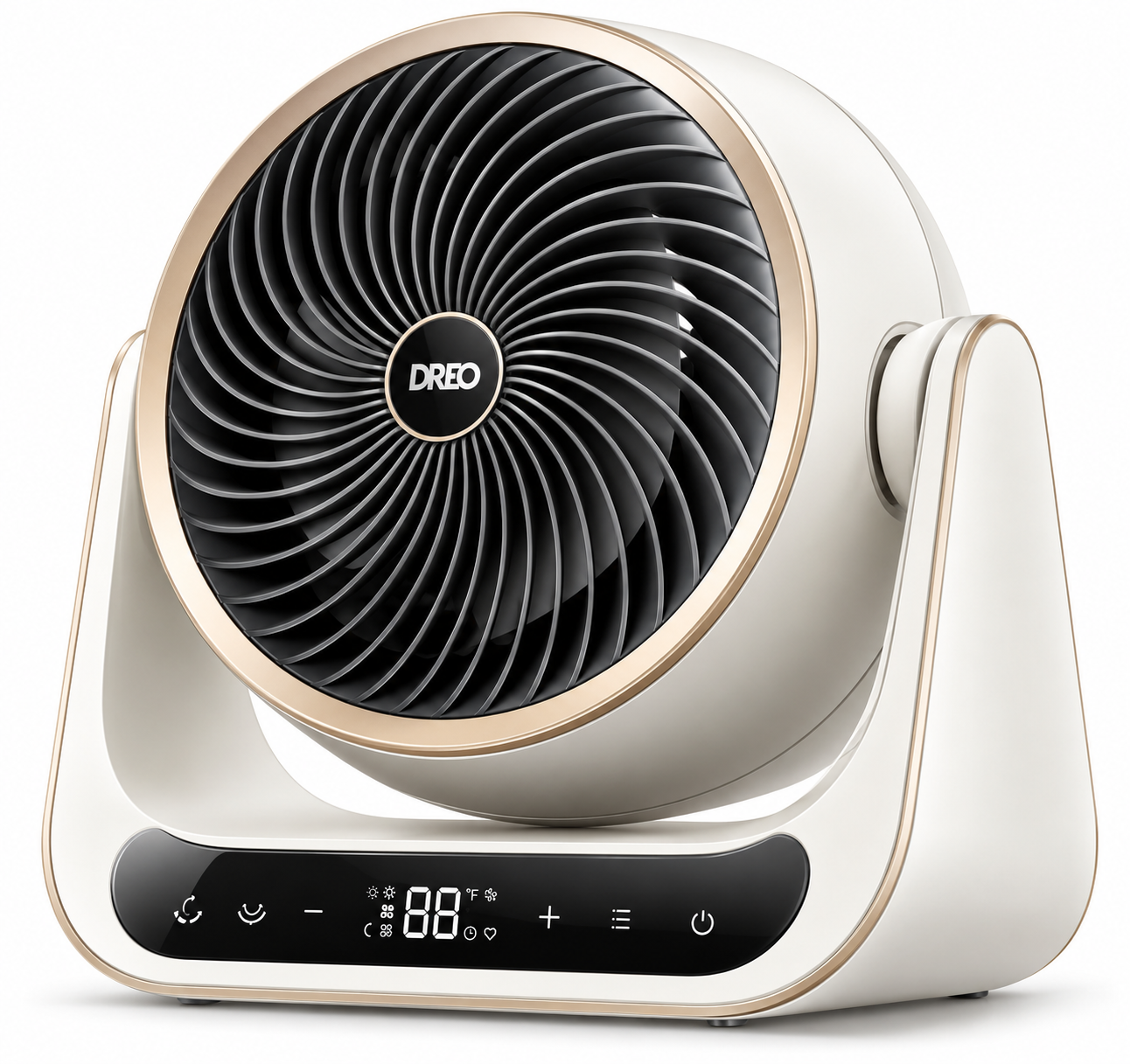
Introduction to Dreo Whole-Room Heater & Circulator 714
The Dreo Whole-Room Heater & Circulator 714 is a powerful, compact space heater designed for fast, even heating in rooms up to 269 square feet. Featuring 3D oscillation with 60° vertical and 90° horizontal movement, it delivers 12 ft/s airflow for whole-room coverage, powered by 1500W PTC heating elements that provide 2-second instant warmth with a 92% heat boost and 120 CFM airflow. This bedroom heater, office heater, or living room essential combines heating and circulation in one energy-efficient unit, ideal for homes, garages, or any indoor space needing quick comfort during cold weather.
Key benefits include whisper-quiet 34 dB operation via HyperSilent™ technology with a brushless DC motor, ECO mode for up to 40% energy savings by maintaining 41-95°F temperatures in 1°F increments, and 8-layer safety features like overheat protection, tip-over shutoff (P4 code), child lock, and flame-retardant materials. Perfect for families, remote workers, or anyone seeking a quiet space heater with remote control, it outperforms basic models by circulating heat evenly without hot spots. Use cases range from overnight bedroom warming to focused office desks, with a 12-hour timer for hassle-free operation.
The estimated price range is $80-$120, available directly from Dreo.com with fast free shipping, a 30-day money-back guarantee, and a hassle-free warranty. This Dreo 714 heater review highlights its value as a smart, safe choice for efficient whole-room heating and cooling in fan mode.
Dreo Whole-Room Heater & Circulator 714 Specifications
The Dreo Whole-Room Heater & Circulator 714 packs advanced specs into a 6.45-pound tabletop unit (11.02"D x 7.09"W x 12.4"H), covering 161-269 ft² with superior performance over standard 1500W heaters like basic tower fans.
- Power: 1500W PTC ceramic burner, 120V AC, peaks at 1500W in high modes (1100W low), 2s instant heat with Hyperamics™ 2s tech and 92% boost[1][2][4]
- Oscillation: 60° vertical, 90° horizontal 3D for 12 ft/s reach and even distribution, 6 speed settings
- Modes: Power Heat, ECO (auto-adjusts for efficiency), Fan-only; 3 heat/3 fan levels; 41-95°F thermostat in 1°F steps
- Noise: 34 dB whisper-quiet with brushless motor and Bionic Blade design
- Safety: 8-layer protection (overheat/FF code, tip-over/P4, E1 sensor, child lock, enhanced plug); ETL-listed
- Controls: LED display, remote (2xAAA batteries included), 12H timer; ECO saves 40% energy
- Included: Heater, remote, quick start guide, user manual
Compared to rivals, it excels in oscillation range and silence, heating faster than non-oscillating 1500W units while using less power in ECO.
Knowing Your Appliance
Using Your Appliance
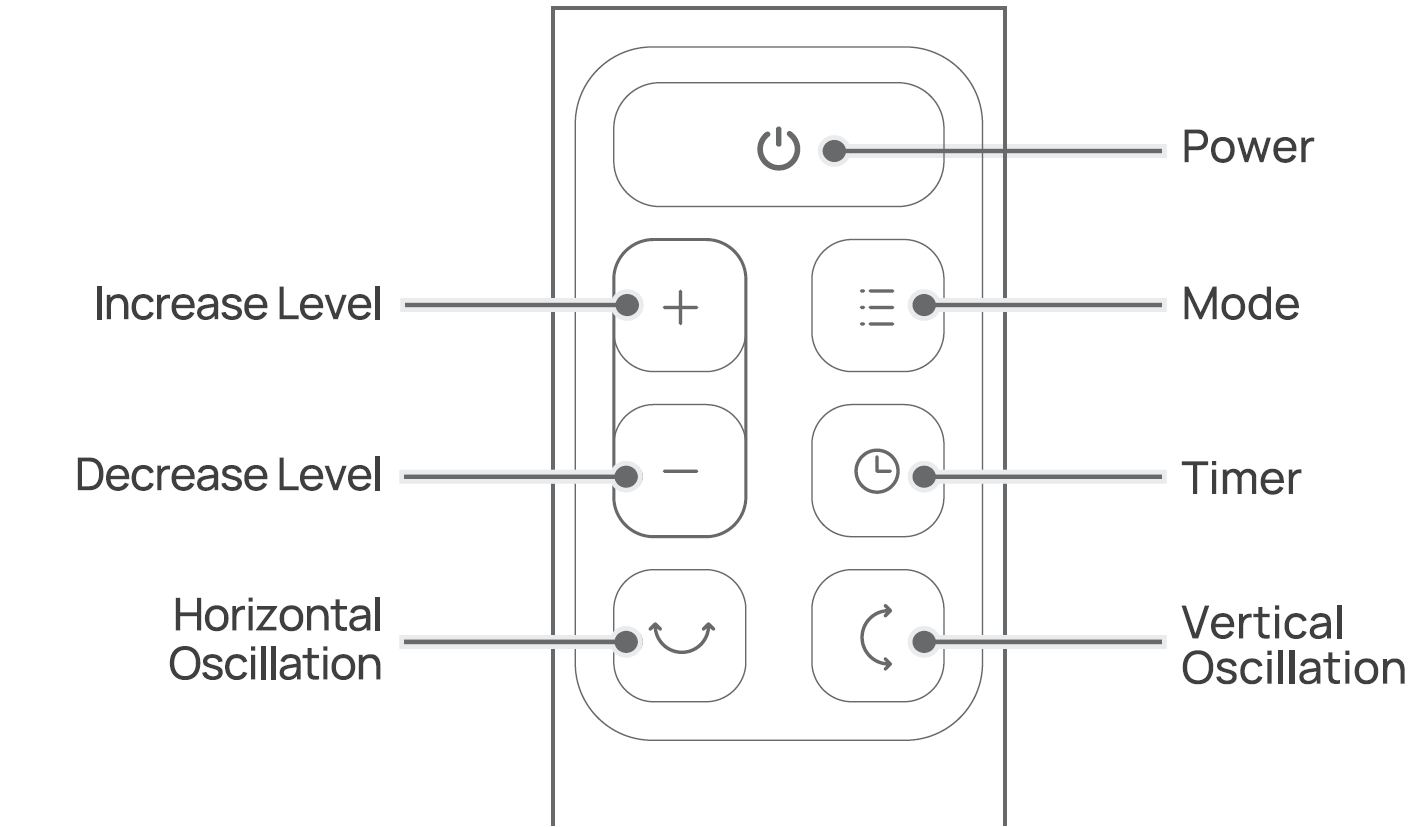
 Power Button
Touch to turn the heater on or off.
Note: When the heater is plugged into the electric outlet, the power
 indicator will light in red.
- Once turned off. a 30-second countdown will show up on the display, as the fan will continue to run for 30 seconds to blow out the remaining heat.
 Mode Button
- Touch to switch between

- Power heat with three heating levels:
- H1 (900W)
- H2(1300W)
- H3(1500W)
- The heater will automatically select its optimal heating ECO power, depending on the difference between the set temperature (41-95°F) and ambient temperature.
- Note:
- When the ambient temperature reaches the set temperature, the heater will turn off automatically in 30 seconds.
- When the ambient temperature drops below the set temperature, the heater will operate on low or high power (900W or 1500W). Depending on the difference between the two temperatures.
 Fan Only mode with three speed levels:
- Fl
- F2
- F3.
Mute/Unmute
- To turn on/off the button sounds, long-press the Mode button
 on the panel for 3 seconds.
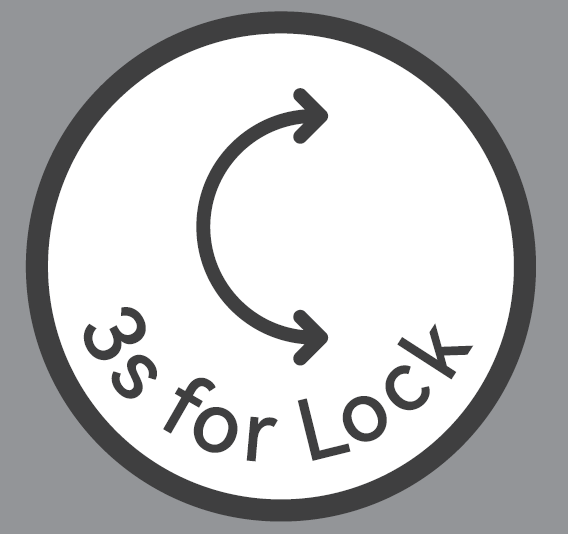 Vertical Oscillation Button
- Sweep airf1owvertically (30/60°).
- Long press for 3 seconds to tum on/off Child Lock.
 Horizontal Oscillation Button
- Sweep airflow horizontally (30/60/900).
- Whenthe heater is on, long press3secondstosetatirner (0- 12 h), then touch Et) more to adjusttheduration oftirner. After the timer ends, the heater will turn off automatically. To cancel, set the timer to 0 hours.
Heat Level/Temperature Buttons
- In Power Heat Mode, touch EE)or8to adjust the heating level.
- In ECO mode, touch EE)or8to adjust the set temperature.
- In Fan Only mode, touch EE)or8to adjust the fan speed level.
- When setting a timer, touch EE)or8to adjust the duration of the timer.
- When changing oscillation settings, touch EE)or8 to adjust the oscillation angle.
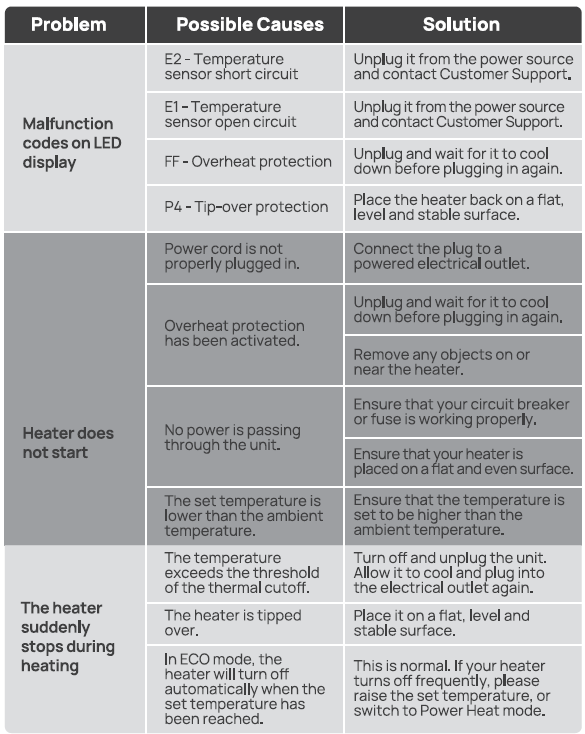
- Note: In ECO mode, the heater will turn off automatically when the set temperature has been reached. If your heater turns off frequently, please raise the set temperature, or switch to Power Heat mode.
 Child Lock
- Long press for 3 seconds to activate I deactivate the Child Lock function. When activated, the display will show "L C", and all the buttons on the space heater will be locked.
 Timer
- When the heater is on, long-press for 3 seconds to enter timer settings, then touch EE) or 8 to adjust the duration of the timer (0-12h).
- After the timer ends, the heater will turn off automatically.
- To cancel, set the timer to 0 hours.
LED Display
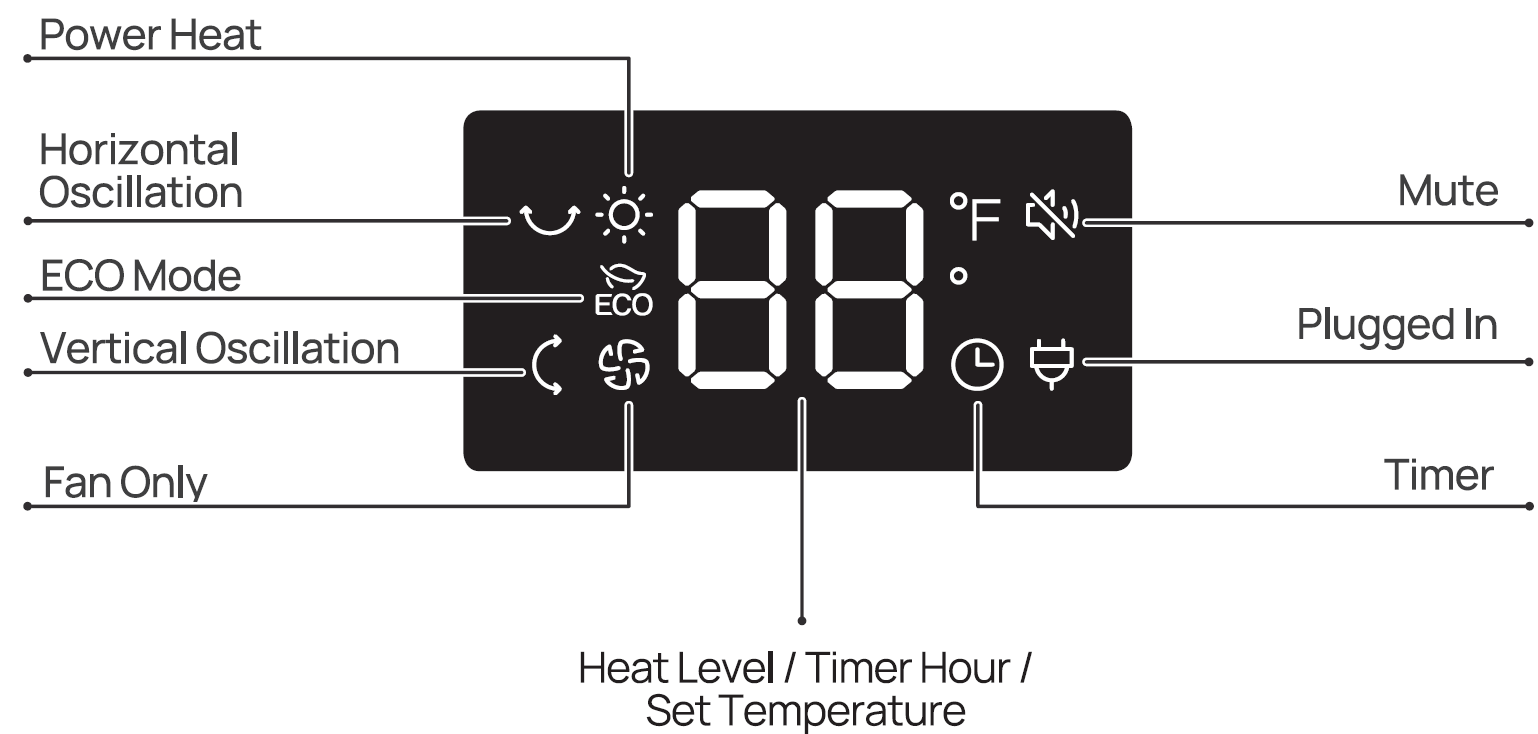
More Features
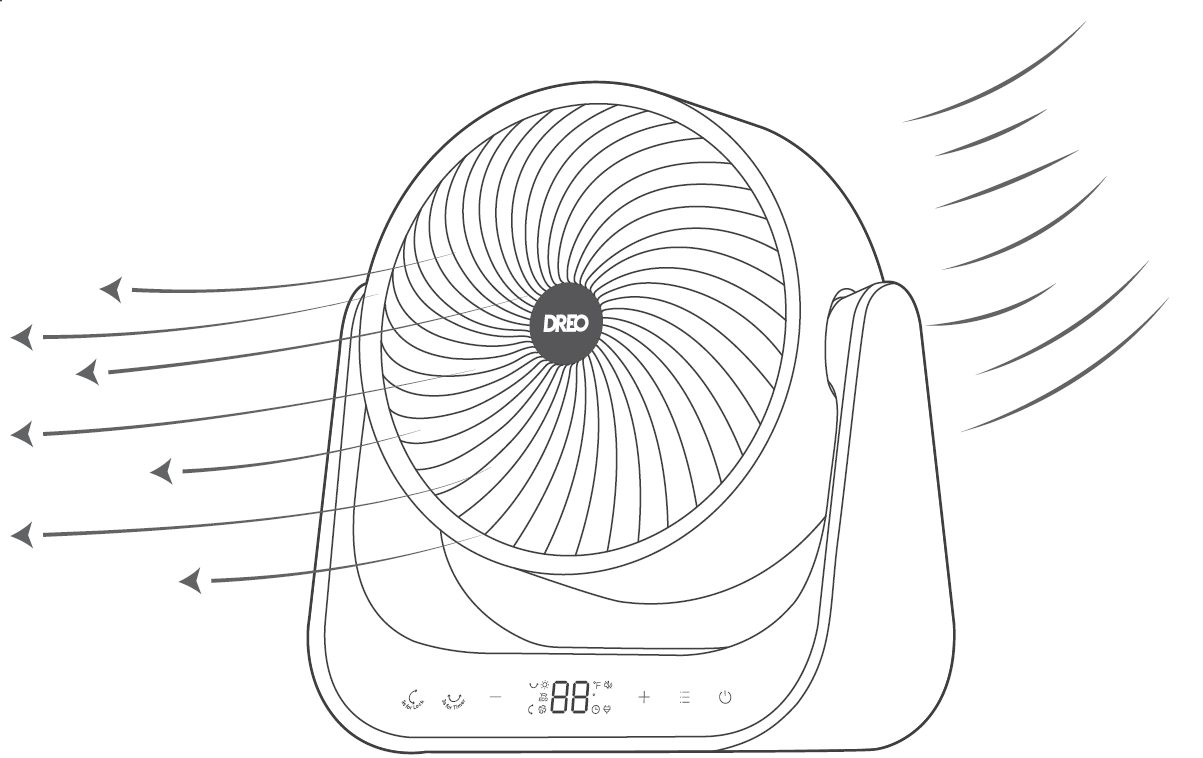
Display auto-turns off after 1 minute.
 Memory: If the heater is turned OFF or disconnected from power, it will operate under the previous settings (except the Timer setting) when it is turned ON again.
 Tip-over Protection: When the heater is tipped over, it will shut off automatically with the error code "P4" on the display.
 24-Hour Auto Off: This feature is not ON by default.
- When this feature is ON, the heater will shut off automatically after continuous running for 24 hours.
- Long-press the button for 3 seconds to turn this feature ON/OFF when this heater is on standby. The display will show "On" and " Off " respectively.
 Overheat Protection: When the heater overheats, it will shut off automatically with the error code "FF" on the display.
Remote Control
Battery Replacement
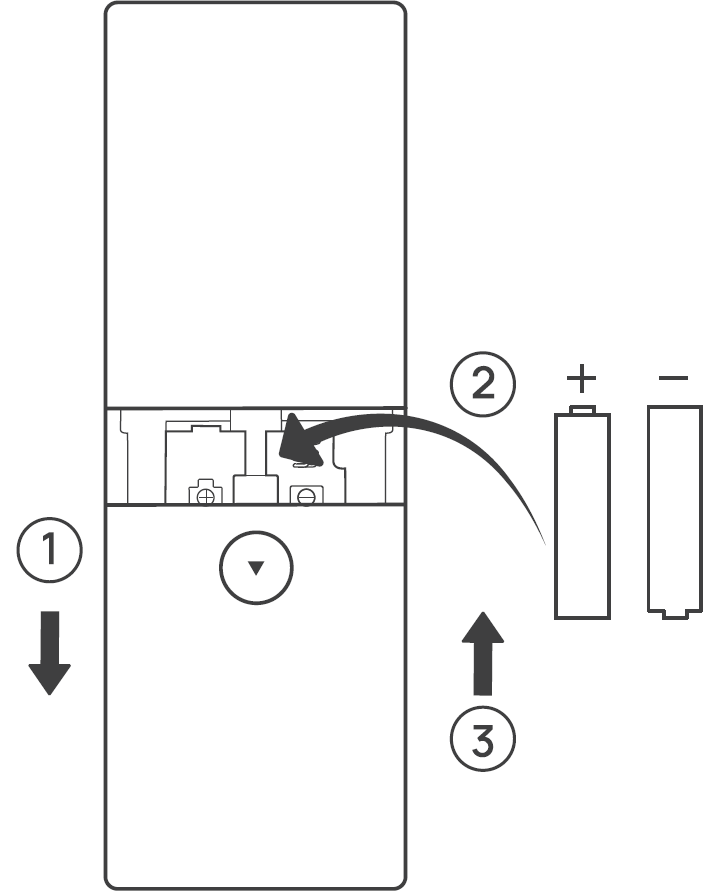
- Remove the battery cover in the direction indicated by the arrow.
- Replace with two new AAA 1.5V batteries. Make sure that the positive(+) and negative(-) terminals are positioned correctly.
- Push the battery cover back into place.
Cleaning & Maintenance
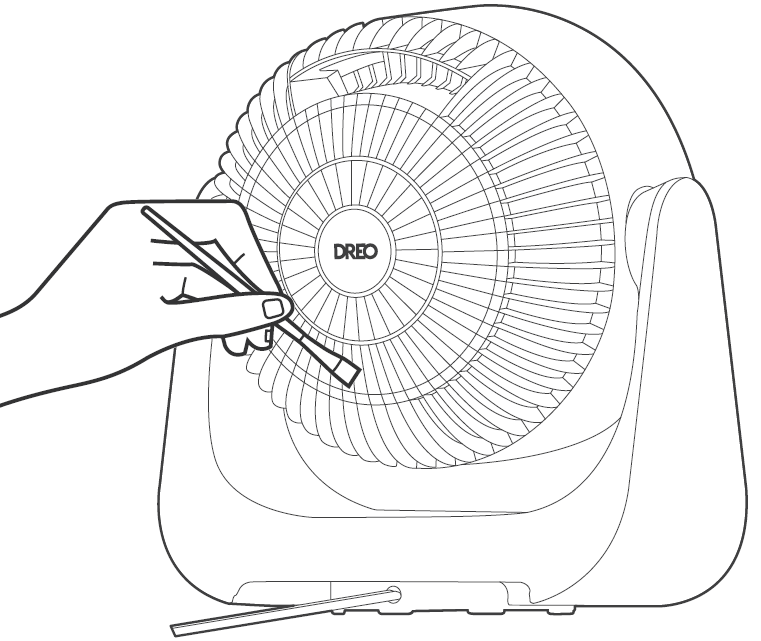
Always turn off and unplug before cleaning.
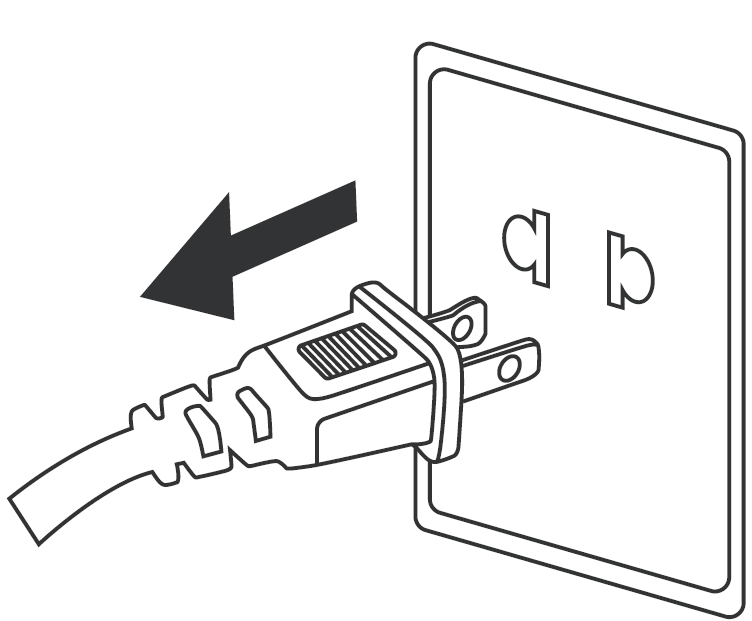
Outer Surface: Use a soft, dry cloth to gently wipe clean the outer surface.
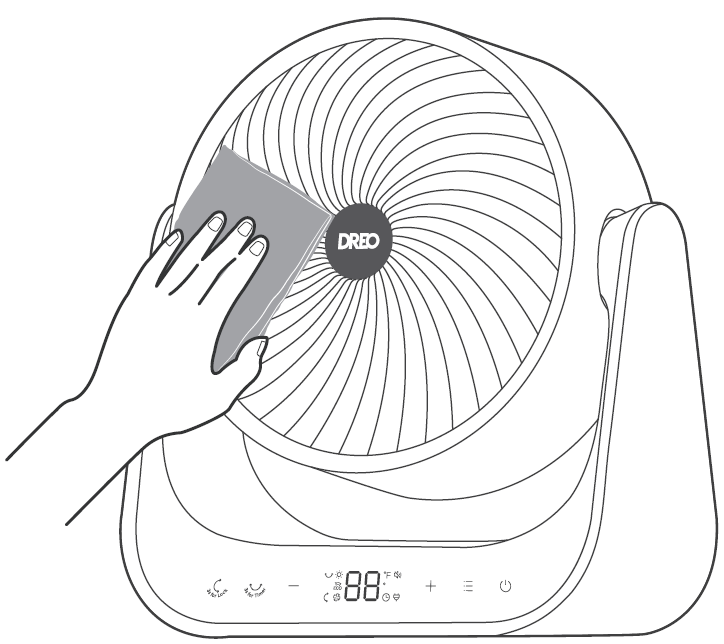
Air Inlet: Use a soft, dry cloth or a cotton-tipped swab to remove any dust from the air inlet.
Troubleshooting
Pros & Cons of Dreo Whole-Room Heater & Circulator 714
Pros
- Exceptional whole-room coverage with 3D oscillation heats evenly in seconds, outperforming static heaters in large spaces like 250 ft² bedrooms
- Ultra-quiet at 34 dB, ideal for sleep or work; users praise no-distraction operation
- Energy-efficient ECO mode cuts costs by 40%, maintaining set temps automatically
- Robust safety (tip-over, overheat) and child lock provide peace of mind for families
- Great value at $80-$120 with remote, timer, and 30-day guarantee; compact design fits anywhere
Cons
- Requires flat, stable surface to avoid P4 tip-over trigger; slight wobble from rotation base noted in setup
- No built-in Wi-Fi (unlike 714S model), relies on remote/manual controls
- May cycle on/off frequently in ECO if ambient fluctuates widely (e.g., 83-85°F hysteresis)
- Limited to 95°F max, less ideal for extreme cold vs. 2000W competitors
Overall, pros dominate for everyday use, offering superior value over pricier smart heaters.
Customer Reviews: Dreo Whole-Room Heater & Circulator 714
Users rate the Dreo Whole-Room Heater & Circulator 714 4.7/5 stars on average, praising its quiet power and even heat. "Instant warmth fills my 200 ft² bedroom silently—best heater I've owned!" (YouTube reviewer, Nov 2025). Common praises: fast 2s heat, ECO savings, and safety; 90% recommend for indoor use.
Complaints include initial wobble (design feature for oscillation) and error codes like FF (overheat—unplug to reset). “Great for office, but place on level floor.”Frequently mentioned: reliable for winter, with remote enhancing usability. Ideal purchase for efficient, safe room heating.
Faqs
How do I set up the dreo Whole-room Heater & Circulator 714 for the first time?
What does the E1 error code mean on my dreo Whole-room Heater & Circulator 714 and how to fix it?
How do I enable 3D oscillation on the dreo Whole-room Heater & Circulator 714 for whole-room heating?
Is the dreo Whole-room Heater & Circulator 714 compatible with smart home devices or voice assistants?
How can I optimize the dreo Whole-room Heater & Circulator 714 for energy efficiency in ECO mode?
How often should I clean and maintain the dreo Whole-room Heater & Circulator 714?
What should I do if the dreo Whole-room Heater & Circulator 714 shows FF or P4 error codes?
How quiet is the dreo Whole-room Heater & Circulator 714 during operation and what affects noise?
Tags
More dreo manuals
- Setup: Dreo Smart Whole-room Heater & Circulator User Manual
- Setup: Dreo PTC Fan Heater Atom 322 User Manual
- Setup: Dreo PTC Fan Heater Atom 416 User Manual
- Dreo PTC Fan Heater Solaris 617 User Manual
- Setup: Dreo 2-in-1 Whole-room Heater & Circulator User Manual
- Setup: Dreo PTC Fan Heater Atom 316 User Manual
Leave a Comment