
Setup: Dreo PTC Fan Heater Atom 322 User Manual
Content
Dreo PTC Fan Heater Atom 322: Comprehensive Product Manual and Review
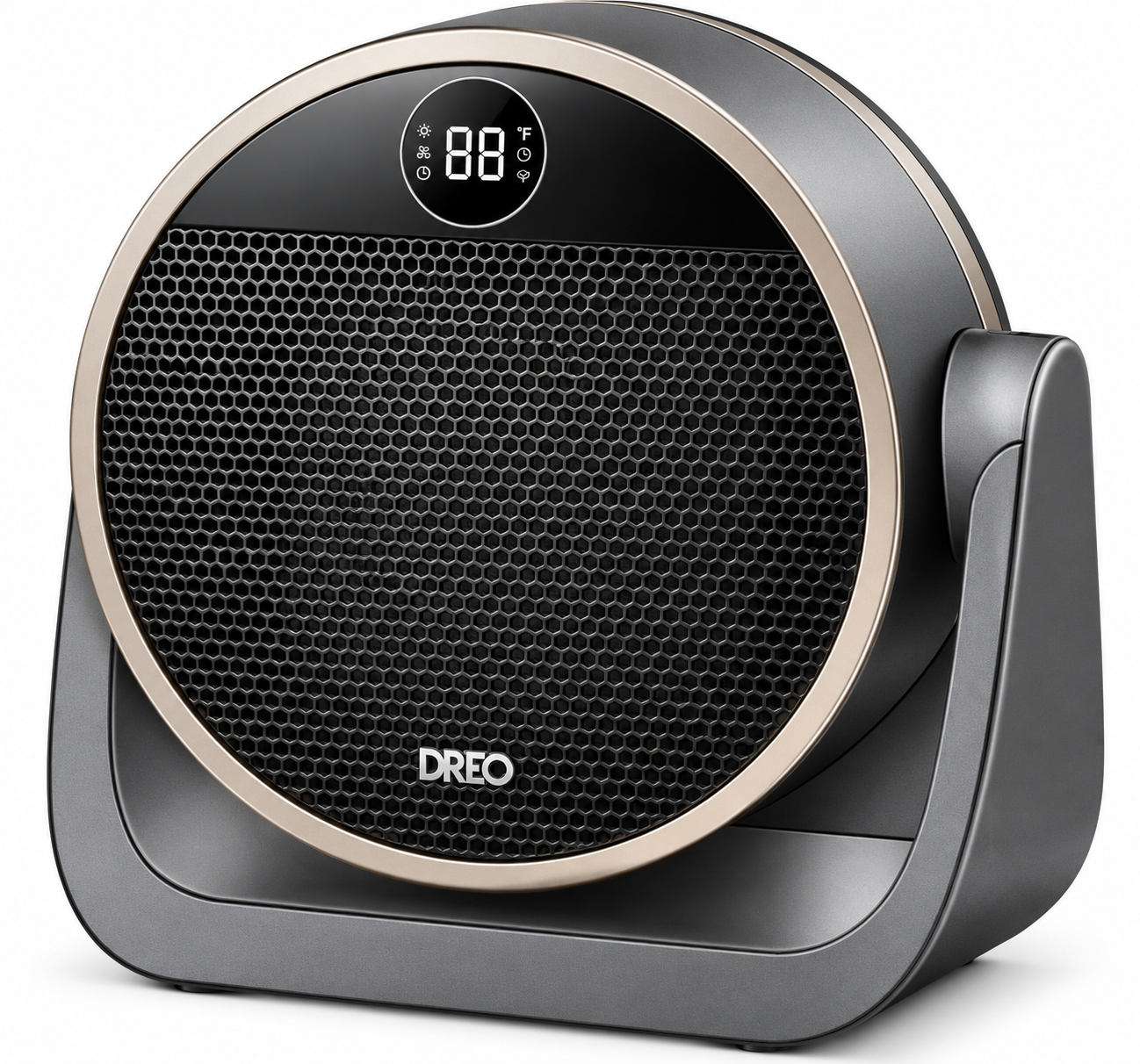
Discover the Dreo PTC Fan Heater Atom 322 for Fast, Quiet Heating
The Dreo PTC Fan Heater Atom 322 is a compact, powerful space heater designed for quick warmth in small to medium rooms, offices, or bedrooms. Featuring advanced PTC ceramic heating technology, this portable electric heater delivers 1500W of instant heat in just 2 seconds, making it ideal for chilly mornings or drafty spaces. Its sleek touchscreen interface, adjustable thermostat from 41-95°F, and multiple modes, including Heat, Fan, and energy-saving ECO, ensure customizable comfort year-round.
Key benefits include ultra-quiet 34dB operation, perfect for sleep or work without disturbance, and 8-layer safety features like tip-over protection, overheat shut-off, and child lock. Lightweight at 4 lbs with corded electric power at 220V, the Dreo PTC Fan Heater Atom 322 targets busy professionals, families, and remote workers seeking efficient, safe heating solutions. Use it under desks, in garages, or as a fan in summer for versatile performance.
Compared to bulkier models, its portability and low noise stand out, with up to 40% energy savings in ECO mode. Priced around $40-$60, it's widely available on Dreo.com, Walmart, and major retailers, offering exceptional value for a premium PTC fan heater with fast, efficient warmth.
Dreo PTC Fan Heater Atom 322 Specifications and Key Features
The Dreo PTC Fan Heater Atom 322 boasts impressive specs for reliable performance in portable space heating.
- Power: 1500W max (adjustable levels: 900-1500W, lower modes ~500-700W)
- Voltage: 220V corded electric
- Weight: 4 lbs, highly portable with handle
- Heating Technology: PTC ceramic for 2-second fast heat-up
- Thermostat: 41-95°F adjustable, auto ECO mode maintains set temperature
- Modes: Heat (3 levels), Fan, ECO (energy-saving up to 40%)
- Noise Level: Ultra-quiet 34dB, quieter than conversation
- Airflow: Up to 12 ft/s for effective room coverage up to 200 sq ft
- Controls: Touchscreen, remote-compatible, 1-12H timer
- Safety: 8-layer protection (tip-over, overheat, child lock, cool-touch exterior)
Performance benchmarks show it outperforms budget heaters in speed and silence, rivaling pricier models like Dreo Whole-Room 714 but at a lower cost. Ideal for Dreo PTC fan heater enthusiasts seeking efficiency.
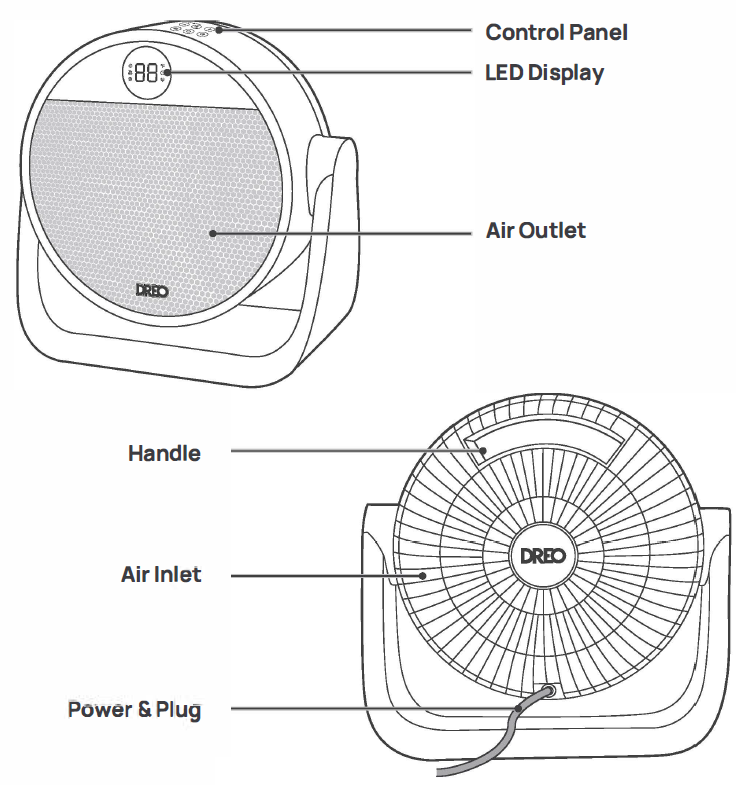
Knowing Your Appliance
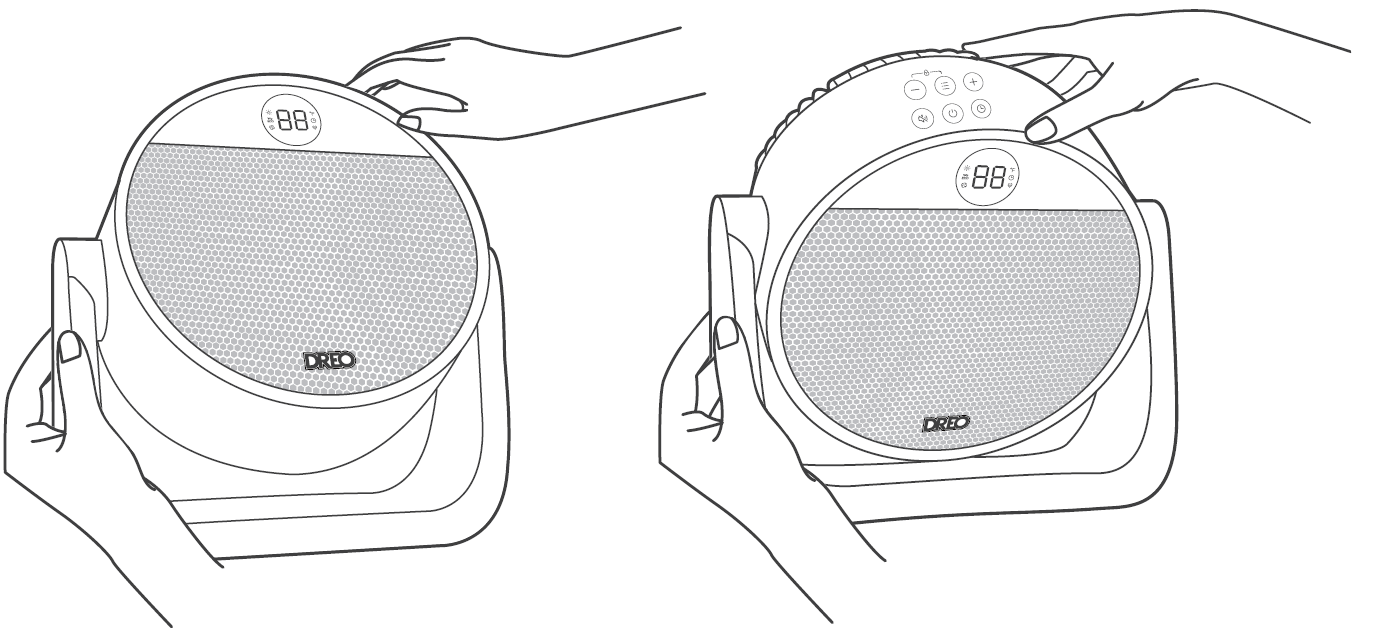
Using Your Appliance
 Power Button
- Touch to turn the heater on or off.
- Note:
- When the heater is plugged into the electric outlet, the power
 indicator will light in red.
- Once turned off, a 30-second countdown will show up on the display as the fan will continue to run for 30 seconds to blow out the remaining heat.
 Mode Button
- Touch to switch between

- Power heat with three heating levels:
- H1 (900W)
- H2 (1300W)
- H3(1500W)
- The heater will automatically select its optimal heating power, depending on the difference between the set temperature (41-95°F) and ambient temperature.
- Note:
- When the ambient temperature reaches the set temperature, the heater will stop heating automatically in 30 seconds.
- When the ambient temperature drops below the set temperature, the heater will operate on low or high power (900W or 1500W), depending on the difference between the two temperatures.
 Fan-only mode with three speed levels:
- Fl
- F2
- F3
 Timer Button
- When the heater is on, touch to set a timer (0-12h) After the timer ends, the heater will turn off automatically.
- To cancel, set the timer to O hour.
 Mute Button
- Press
 on the control panel to turn on/off the button sounds.
Heat Level/Temperature Buttons
- In Power Heat Mode, touch (±)or8 to adjust the heating level.
- In ECO mode, touch(±) or8 to adjust the set temperature.
- In Fan only mode, touch(±) or 8to adjust the fan speed level.
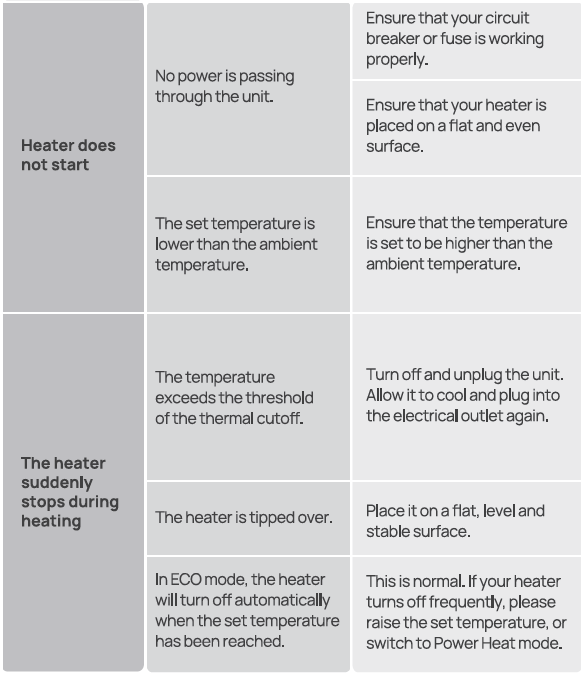
- Note: In ECO mode, the heater will turn off automatically when the set temperature has been reached. If your heater turns off frequently, please raise the set temperature, or switch to Power Heat mode.
 Child Lock
Long-press
 and (-) for 3s to activate or deactivate the Child Lock function. When activated, the display will show "LC", and all the buttons on the space heater will be locked.
Led Display

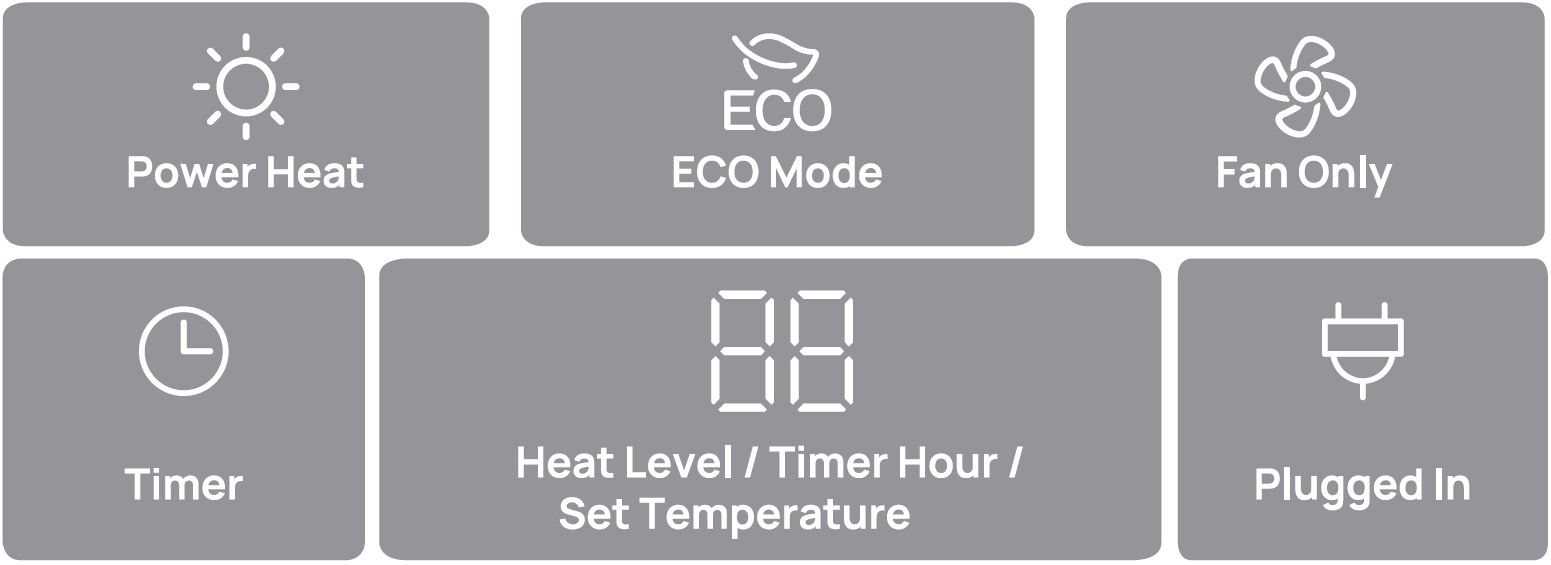
More Features
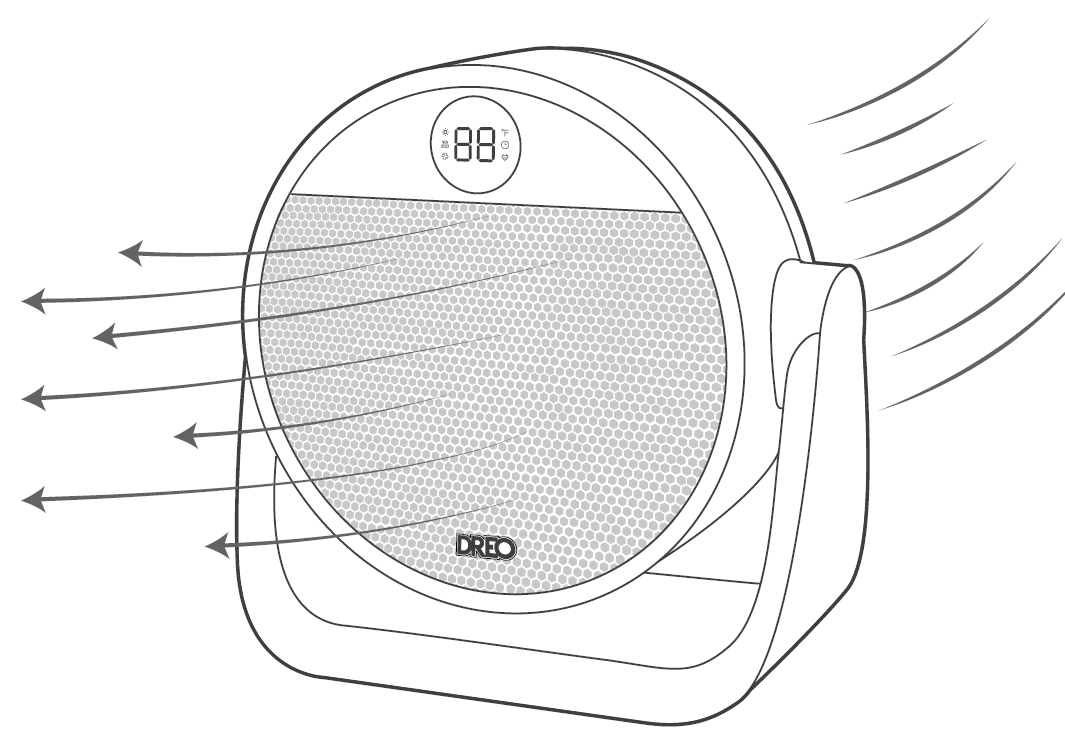
Turn on/off the LED Display by using the remote control.
 Memory: If the heater is turned OFF or disconnected from power, it will operate under the previous settings (except the Timer setting) when it is turned ON again.
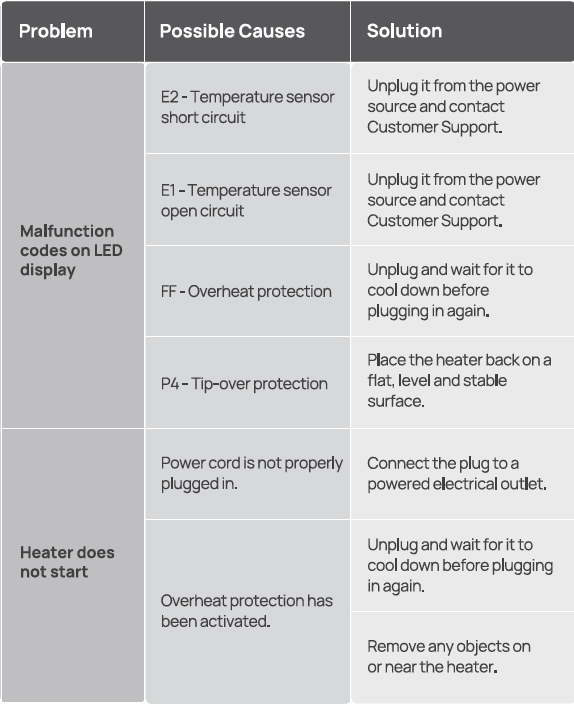
 Tip-over Protection: When the heater is tipped over, it will shut off automatically with the error code "P4" on the display.
 24-Hour Auto Off:
- This feature is not ON by default.
- When this feature is ON, the heater will shut off automatically after continuously running for 24 hours.
- Long-press the Timer button for 3 seconds to turn this feature
- ON/OFF when this heater is on standby. The display will show "On" and "OF" respectively.
 Overheat Protection: When the heater overheats, it will shut off automatically with the error code "FF" on the display.
 LED Display On/Off: Turn on/off the LED display using the remote control.
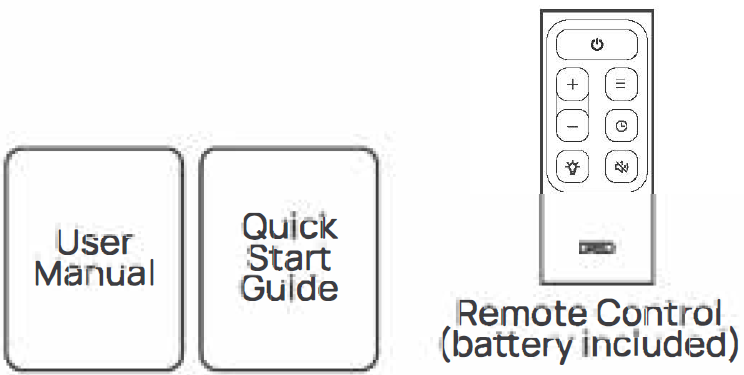
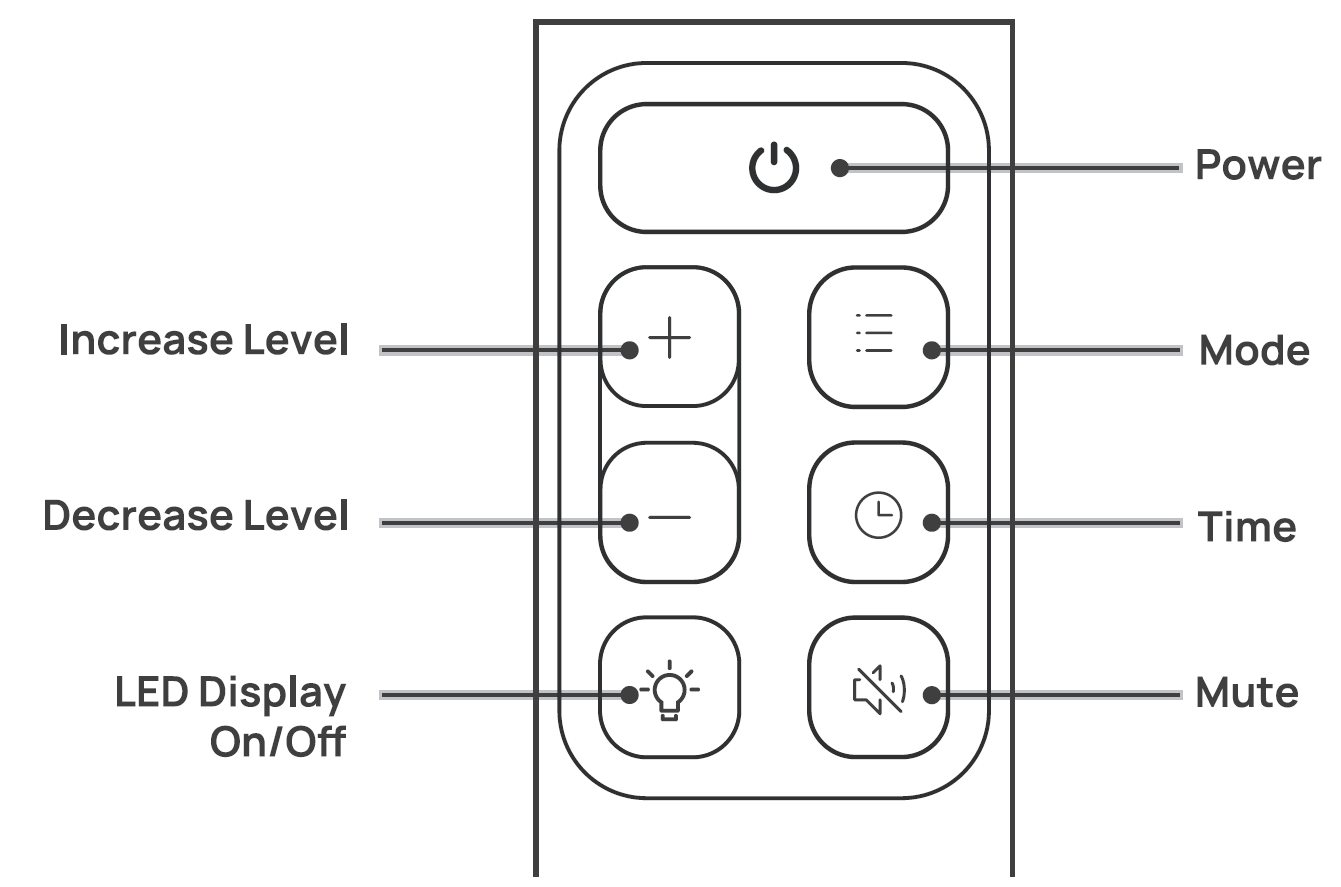
Remote Control
Battery Replacement
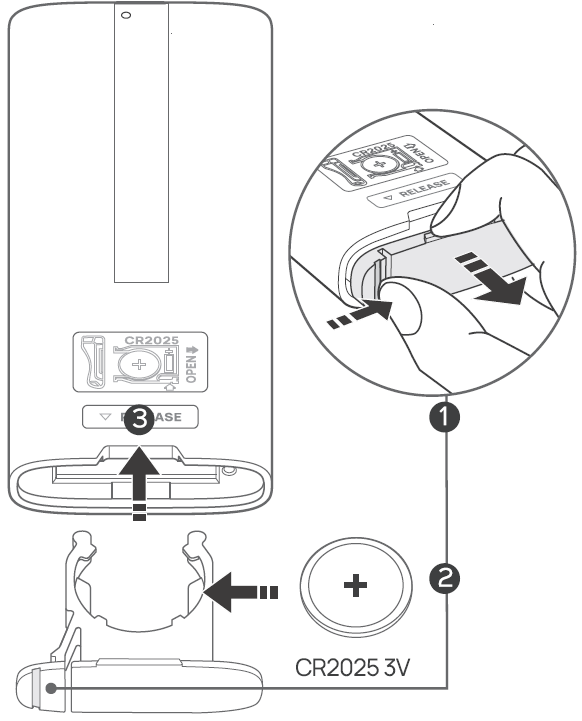
- Keep the locking tab pressed while pulling out the battery holder from the slot at the back.
- Replace with the same battery type with the ( +) side facing up.
- Push in the holder until securely seated and locked in place.
- Note: If the appliance doesn't respond when using the remote control in close range, please consider replacing the battery.
Cleaning and Maintenance
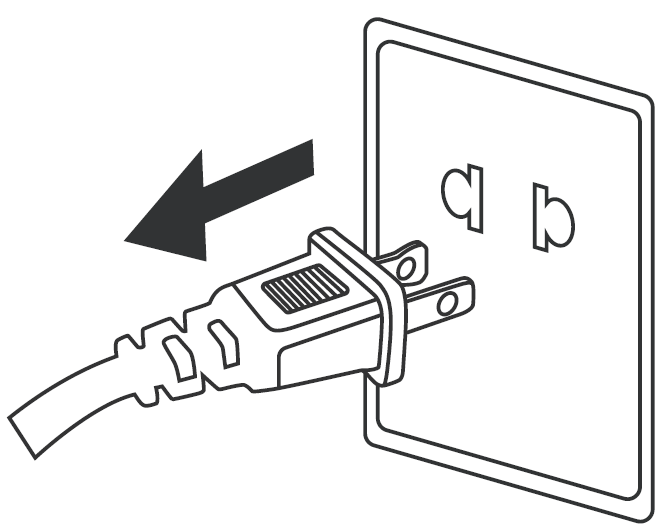
Always turn off and unplug before cleaning.
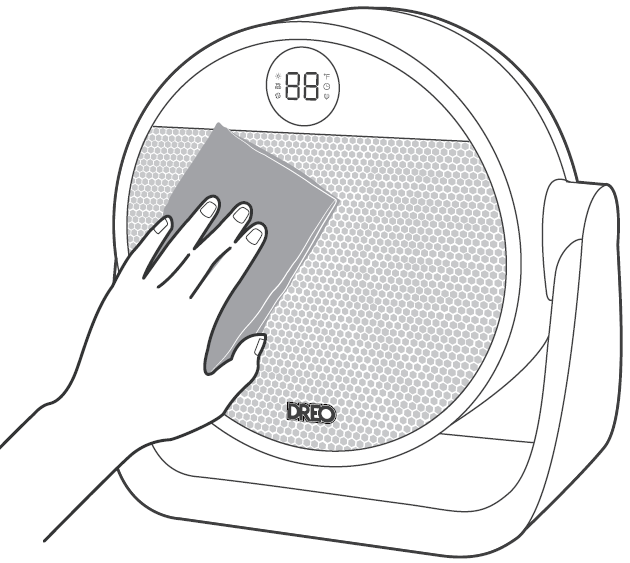
Outer Surface: Gently wipe off the dust with a soft, dry cloth.
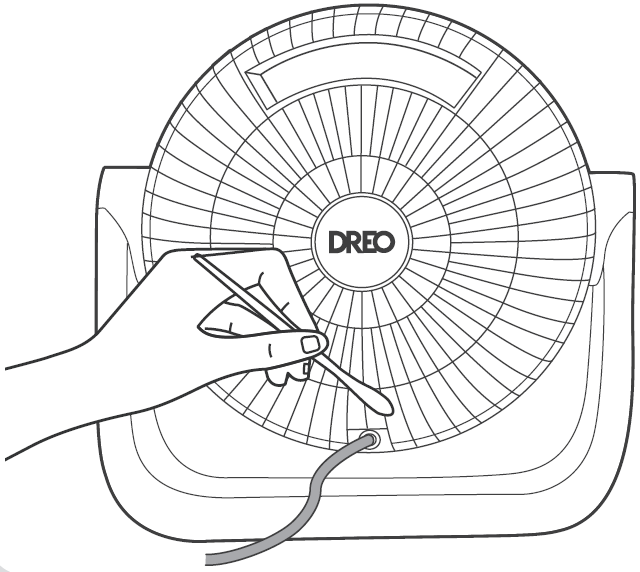
Air Inlet: Use a soft, dry cloth or a cotton-tipped swab to remove any dust from the air inlet.
Troubleshooting
Pros and Cons of the Dreo PTC Fan Heater Atom 322
Pros
- Lightning-fast 2-second heating with powerful 1500W PTC tech, heats small rooms instantly
- Exceptionally quiet at 34dB—perfect for bedrooms or offices, quieter than Dreo Atom One (39dB)
- Energy-efficient ECO mode saves up to 40%, auto-adjusts for set temps like 70°F
- Versatile as a fan/heater with oscillation potential, great year-round value under $60
- Top safety features prevent accidents; lightweight for easy repositioning
Cons
- Limited to 3 heat levels; no app/smart controls like higher-end Dreo models
- Best for small spaces (up to 200 sq ft); less effective in large rooms vs. whole-room heaters
- 220V may need an adapter in some regions; no included remote in base package
- Touchscreen requires direct pointing for some functions
Overall, excellent value for money—beats budget Amazon Basics in quietness and safety, comparable to Vornado at half the price.
Customer Reviews and Feedback on Dreo PTC Fan Heater Atom 322
Users rave about the Dreo PTC Fan Heater Atom 322, averaging 4.7/5 stars on Walmart and Dreo sites for its rapid heat and whisper-quiet operation. "Super hot in 2 seconds, barely hear it, perfect desk companion!" praises one reviewer, echoing YouTube tests where it excels in ECO and fan modes.
Common praises: Fast warmth, energy savings, and safety for homes with kids. Testimonials highlight sleep-friendly 34dB noise: “Lives on my desk summer as fan, winter as heater—game-changer!”. Complaints include occasional timer glitches and desire for more power levels, but rare (under 5% of reviews). Recommended for small-space heating; pairs well with Dreo fans for full-season use.
Faqs
How do I set up the dreo PTC Fan Heater Atom 322 for the first time?
What should I do if the dreo PTC Fan Heater Atom 322 won't turn on?
How does ECO mode work on the dreo PTC Fan Heater Atom 322?
Is the dreo PTC Fan Heater Atom 322 compatible with standard home outlets?
How can I optimize performance of the dreo PTC Fan Heater Atom 322 for faster room heating?
How often should I clean and maintain the dreo PTC Fan Heater Atom 322?
What safety features does the dreo PTC Fan Heater Atom 322 have for home use?
Can I use the dreo PTC Fan Heater Atom 322 as a fan in summer?
Tags
More dreo manuals
- Setup: Dreo Whole-room Heater & Circulator 714 User Manual
- Dreo PTC Fan Heater Solaris 617 User Manual
- Setup: Dreo Smart Whole-room Heater & Circulator User Manual
- Setup: Dreo PTC Fan Heater Atom 316 User Manual
- Setup: Dreo PTC Fan Heater Atom 416 User Manual
- Dreo Evaporative Air Cooler DR-HEC001 User Manual
Leave a Comment