
Hisense 43H4030F3 Roku TV User Manual
Content
Hisense 43H4030F3 Roku TV: Complete Product Manual and Buyer Guide
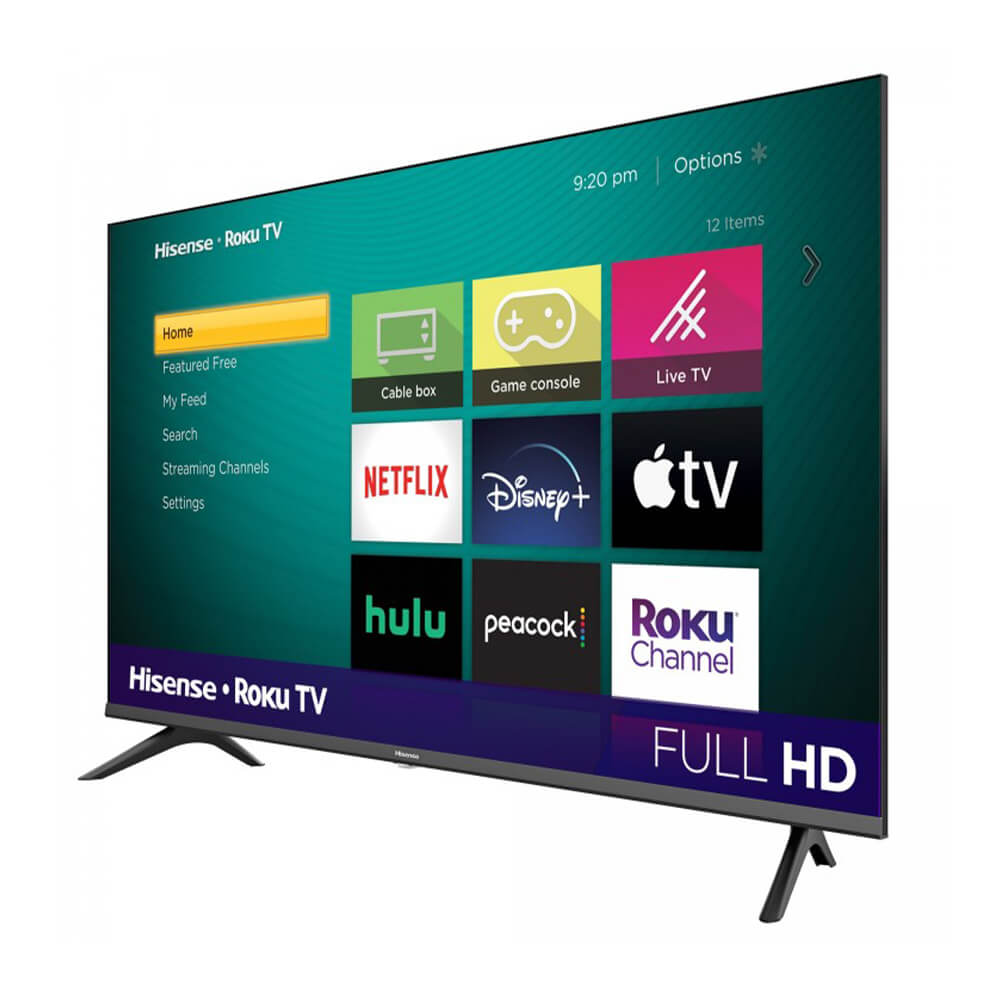
The Hisense 43H4030F3 Roku TV is a 43-inch Full HD smart television built for everyday streaming, casual gaming, and compact living spaces. As part of the H4 Series, it combines a 1920 x 1080 resolution panel with the Roku TV platform, giving users quick access to popular apps, simple navigation, and a familiar interface that works well for first-time smart TV buyers and budget-conscious households. The Hisense 43H4030F3 Roku TV is especially appealing for bedrooms, dorm rooms, apartments, guest rooms, and secondary entertainment setups where a larger 4K display is not necessary.
Key benefits include easy setup, three HDMI inputs, one USB port, built-in Wi-Fi, HDMI ARC support, and compatibility with common streaming services through Roku. It also offers motion processing, gaming mode, and DTS-style surround sound enhancements for better everyday viewing. The TV’s slim form factor and lightweight design make it easy to place on a stand or mount on a wall. In current retail and marketplace listings, the estimated price range is usually around $128 to $240, depending on condition, seller, and stock availability. The model is commonly available through major online retailers, third-party sellers, and replacement-parts or support channels. For shoppers looking for an affordable Full HD Roku television, the hisense 43H4030F3 Roku TV remains a practical value pick with straightforward features and reliable smart-TV functionality.
Troubleshooting Hisense 43H4030F3 Roku TV Problems
Common issues with the Hisense 43H4030F3 Roku TV usually involve no picture, no sound, Wi-Fi connection failures, or Roku app loading errors. If the TV will not power on, check the wall outlet, remote batteries, and power cord connection before performing a full power reset. For black-screen problems, confirm that the correct HDMI input is selected and test the source device with another cable. If apps freeze or stop responding, restart the Roku system from the settings menu or unplug the TV for 60 seconds and reconnect it. Network errors are often fixed by restarting the router, moving the TV closer to the access point, or reconnecting the wireless network manually.
Roku error messages such as activation or update failures usually clear after a reboot and a fresh network sign-in. If the screen displays a firmware or software update prompt, allow the process to finish without interrupting power. Preventive maintenance includes keeping vents clear, avoiding extreme heat, using a surge protector, and updating software regularly. Hisense support is available through the official product support page, and warranty service can be requested through Hisense customer care or the retailer where the unit was purchased. For help, use the Hisense support website or contact the retailer’s customer service for order-specific warranty assistance.
Hisense 43H4030F3 Roku TV Pros and Cons
Pros
- Affordable Full HD smart TV with strong value for money for everyday streaming and TV viewing.
- Roku interface is simple, fast, and beginner-friendly, making setup easy for non-technical users.
- Three HDMI ports support game consoles, streaming devices, and soundbars at the same time.
- HDMI ARC and USB connectivity improve compatibility with home entertainment accessories.
- Good fit for bedrooms, apartments, dorm rooms, and secondary TVs where 4K is not essential.
Cons
- 1080p resolution is less future-proof than 4K alternatives, especially for larger viewing spaces.
- Sound quality is serviceable but may benefit from an external soundbar for movies and gaming.
- No built-in Ethernet port on some configurations, so Wi-Fi quality matters more for streaming stability.
- Picture quality is solid for the price, but premium alternatives from TCL or Samsung may offer brighter panels or better contrast.
- Best suited to budget shoppers; users seeking advanced picture processing or a larger feature set may want a higher-tier model.
Overall, the hisense 43H4030F3 Roku TV delivers dependable performance at a low cost, making it a strong choice for basic smart-TV needs. Compared with similarly priced models, it stands out for Roku convenience and broad app support, while 4K competitors may provide more long-term flexibility.
Customer Reviews for Hisense 43H4030F3 Roku TV
Customer feedback for the Hisense 43H4030F3 Roku TV is generally positive, especially among buyers who want a simple, budget-friendly smart TV. Average user sentiment often lands around 4 out of 5 stars, with praise focused on easy setup, smooth streaming, and good picture quality for a 43-inch Full HD display. Many buyers describe it as “great for a bedroom” and “excellent for the price.”
Common complaints mention average built-in speakers, occasional Wi-Fi dropouts, and the limitations of 1080p compared with 4K TVs. Some users also note that the remote and menu system can feel basic, though many appreciate the lightweight design and fast Roku navigation. Most reviewers recommend the TV for casual viewing, streaming, and secondary-room use rather than premium home theater setups. For shoppers prioritizing affordability and convenience, the Hisense 43H4030F3 Roku TV is frequently recommended as a solid entry-level smart TV with good everyday performance.
Faqs
How do I set up hisense 43H4030F3 Roku TV for the first time?
Why is my hisense 43H4030F3 Roku TV not connecting to Wi-Fi?
What should I do when the hisense 43H4030F3 Roku TV remote stops working?
Which devices are compatible with the hisense 43H4030F3 Roku TV HDMI and USB ports?
How can I improve picture quality on the hisense 43H4030F3 Roku TV?
How do I fix no sound or low volume on the hisense 43H4030F3 Roku TV?
What Roku features does the hisense 43H4030F3 Roku TV include for everyday use?
How should I clean and maintain the hisense 43H4030F3 Roku TV safely?
More hisense manuals
Leave a Comment