
Hisense 2.0 Channel Sound Bar Theater System HS205 User Manual
Content
Hisense 2.0 Channel Sound Bar Theater System HS205 Review and Product Manual
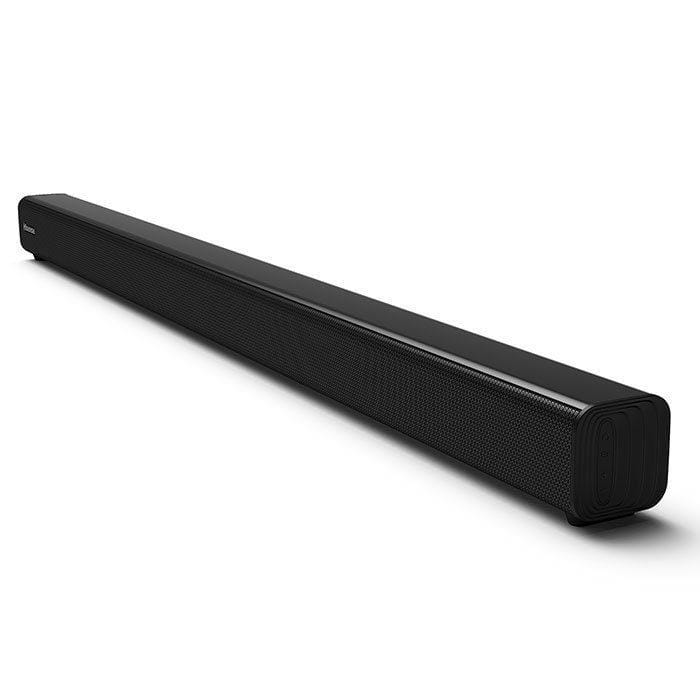
The Hisense 2.0 Channel Sound Bar Theater System HS205 is a compact home audio upgrade designed to deliver clearer dialogue, fuller TV sound, and simple setup at an affordable price. With two built-in full-range speakers and a total output of 60W, it is a practical choice for users who want better sound without the size, complexity, or cost of a full surround system. The slim profile makes it easy to place under most flat-screen TVs, and the inclusion of HDMI ARC, optical, AUX, USB, and Bluetooth connectivity gives it broad compatibility with modern televisions, laptops, and mobile devices.
This model is especially appealing to apartment owners, bedroom setups, casual movie viewers, and budget-conscious buyers who want a straightforward soundbar for streaming, sports, and everyday TV watching. The Hisense 2.0 Channel Sound Bar Theater System HS205 is also a strong fit for users who prefer a clean installation with minimal cables and no separate subwoofer. Its lightweight design and wall-mount-friendly form factor add flexibility for different room layouts.
In terms of value, the HS205 is typically positioned in the budget soundbar category, with an estimated price range of about $40 to $100 depending on condition, retailer, and regional availability. It is commonly available through major online marketplaces and electronics retailers, though stock may vary by model version and market. For buyers seeking an entry-level TV sound upgrade with dependable connectivity and easy operation, the Hisense 2.0 Channel Sound Bar Theater System HS205 remains a sensible and accessible option.
Pros and Cons of the Hisense HS205 2.0 Channel Sound Bar
Pros
- Affordable value: The HS205 offers a noticeable audio upgrade over built-in TV speakers without pushing into premium soundbar pricing.
- Simple setup: HDMI ARC, optical, and Bluetooth support make installation quick for most TVs and streaming devices.
- Compact design: Its slim 37.4-inch class body fits neatly under many televisions and works well in smaller rooms.
- Clear everyday audio: Dialogue and general TV sound benefit from the dedicated 2.0-channel speaker layout.
- Good for casual use: Ideal for news, sitcoms, sports, and streaming content where clean midrange sound matters most.
Cons
- No separate subwoofer: Bass performance is limited compared with 2.1-channel alternatives that include a wireless subwoofer.
- Not for home theater enthusiasts: Users wanting immersive surround sound or cinematic low-end impact may prefer higher-end models.
- Basic feature set: It focuses on core playback and connectivity rather than advanced sound processing.
- Best for small to medium rooms: In larger spaces, the 60W output may feel modest.
Overall, the Hisense 2.0 Channel Sound Bar Theater System HS205 delivers strong value for money if the goal is to improve TV audio on a budget. Compared with larger 2.1-channel soundbars from brands like TCL, Vizio, or Samsung, it is less powerful but often easier to buy, easier to use, and more affordable.
Customer Reviews for Hisense HS205 2.0 Channel Sound Bar
Customer feedback for the Hisense HS205 is generally positive, with many users giving it around 4 out of 5 stars for its price-to-performance balance. Reviewers often praise the easy setup, slim design, and noticeable improvement in voice clarity. One common comment is that it works well as a “simple TV sound upgrade” for bedrooms and secondary rooms.
Frequent complaints usually focus on the lack of deep bass and the limited impact for action movies or music-heavy content. Some buyers also note that it is best suited for everyday viewing rather than cinematic sound. A typical user testimonial sounds like this: “Great for dialogue and streaming, easy to connect, and a solid deal for the price.” Another common sentiment is: “If you want booming bass, look elsewhere, but for normal TV watching it does the job well.”
Purchase recommendation: choose the HS205 if you want a budget-friendly soundbar for clearer TV audio, fast installation, and dependable basic features. If stronger bass and more immersive sound are priorities, a 2.1-channel soundbar with a separate subwoofer may be a better fit.
Hisense HS205 Sound Bar Specifications at a Glance
- Channel configuration: 2.0 channel soundbar
- Total output power: 60W
- Connectivity: HDMI ARC, optical, AUX, USB, Bluetooth
- Design: Slim, wall-mount-friendly body
- Use case: TV audio enhancement, streaming, casual home entertainment
Setup and Usage Tips for the Hisense 2.0 Channel Sound Bar Theater System HS205
How to set up the HS205 quickly
- Connect the soundbar to your TV using HDMI ARC for the simplest daily use.
- Use optical audio if your TV does not support ARC.
- Pair Bluetooth devices for wireless music playback from a phone or tablet.
- Place the soundbar centered below the TV for the most balanced audio.
- Mount the soundbar on the wall if you want a cleaner entertainment setup.
Best uses
- Streaming movies and shows
- Watching news and sports
- Improving dialogue on older TVs
- Adding convenient Bluetooth audio playback
Who Should Buy the Hisense HS205?
The Hisense 2.0 Channel Sound Bar Theater System HS205 is best for buyers who want an inexpensive, easy-to-use soundbar for everyday television use. It is a smart pick for small apartments, guest rooms, dorms, and secondary TVs where convenience matters more than full surround sound. Users who prioritize simplicity, clean design, and clear speech will find it especially practical.
If your priority is powerful bass, wireless surround expansion, or advanced cinematic effects, a higher-tier soundbar may be a better long-term investment. But for basic home entertainment, the HS205 remains one of the more sensible entry-level soundbar choices in its class.
Faqs
How do I set up the hisense 2.0 Channel Sound Bar Theater System HS205 for the first time?
Why is my hisense 2.0 Channel Sound Bar Theater System HS205 not producing sound from the TV?
What devices are compatible with the hisense 2.0 Channel Sound Bar Theater System HS205?
Does the hisense 2.0 Channel Sound Bar Theater System HS205 support Bluetooth music streaming?
How can I improve bass and overall sound quality on the hisense 2.0 Channel Sound Bar Theater System HS205?
What should I do if the hisense 2.0 Channel Sound Bar Theater System HS205 keeps disconnecting or cutting out?
Can I use the hisense 2.0 Channel Sound Bar Theater System HS205 with a remote control from my TV?
How do I clean and maintain the hisense 2.0 Channel Sound Bar Theater System HS205?
More hisense manuals
Leave a Comment