
Hisense A4 SeriesVidaa Smart TV User Manual
Content
Hisense A4 Series Vidaa Smart TV Manual and Product Overview
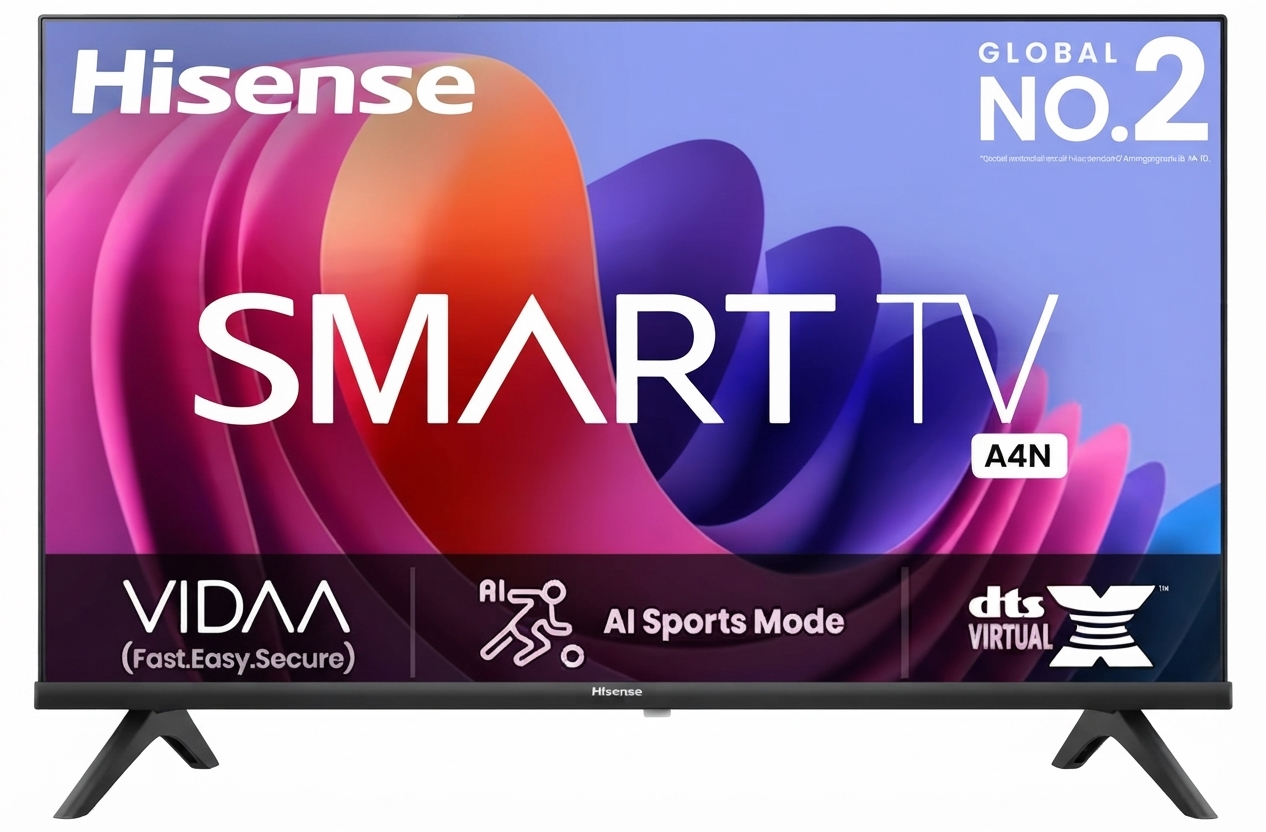
Introduction: Hisense A4 Series Vidaa Smart TV Features, Benefits, and Best Uses
The Hisense A4 Series Vidaa Smart TV is a budget-friendly smart television designed for viewers who want simple streaming, dependable performance, and an easy-to-use interface without paying premium prices. Built around Hisense’s VIDAA smart platform, this TV focuses on speed, straightforward navigation, and quick access to popular apps, making it a strong choice for everyday entertainment, bedrooms, dorm rooms, kitchens, and secondary living spaces. The Hisense A4 Series Vidaa Smart TV is especially appealing to users who want a no-fuss setup for streaming movies, watching live TV, or connecting game consoles and media devices.
Depending on size and region, the A4 Series is commonly available in compact and mid-size models, with HD and Full HD options being the most common. Estimated pricing typically falls in the affordable entry-level range, often starting around $120 and reaching about $300 or more for larger screen sizes and newer variants. Availability is usually strong through major electronics retailers, online marketplaces, and brand distributors, though exact model names may vary by country.
One of the biggest selling points of the Hisense A4 Series Vidaa Smart TV is its balance of value and simplicity. The VIDAA platform is known for a responsive, user-friendly layout that makes it easy to find streaming apps and manage settings. For buyers comparing budget smart TVs, this model stands out as a practical alternative to more expensive options from Samsung, LG, TCL, or Roku TV models when basic smart functionality matters more than premium image processing or advanced gaming features.
Pros and Cons of Hisense A4 Series Vidaa Smart TV
The Hisense A4 Series Vidaa Smart TV offers excellent value for shoppers who want a capable smart TV at a low price. It is best suited for casual viewing, streaming, and everyday household use rather than high-end home theater performance.
- Pros: Affordable price point makes it one of the better budget smart TV choices for students, families, and first-time buyers.
- Pros: VIDAA smart TV platform is simple, quick, and easy to navigate, which is ideal for users who want fast access to apps and content.
- Pros: Compact size options work well in bedrooms, guest rooms, kitchens, or small apartments.
- Pros: Basic connectivity such as HDMI and USB support makes it easy to connect streaming sticks, soundbars, and consoles.
- Pros: Strong value for money when compared with similarly priced entry-level smart TVs from other brands.
- Cons: Picture quality is good for the price, but it does not match the brightness, contrast, or color performance of premium 4K TVs.
- Cons: Some models are limited to HD or Full HD, so buyers seeking true 4K resolution should consider higher-tier alternatives.
- Cons: Built-in speakers are usually adequate for casual use but may sound thin in larger rooms.
- Cons: Compared with Roku TV or Google TV alternatives, app ecosystems and advanced customization may feel more limited for some users.
Overall, the Hisense A4 Series Vidaa Smart TV is a smart purchase for budget-conscious users who want reliable streaming and everyday TV use rather than premium cinematic performance.
Customer Reviews: What Buyers Say About the Hisense A4 Series Vidaa Smart TV
Customer feedback for the Hisense A4 Series Vidaa Smart TV is generally positive, with many buyers highlighting its easy setup, lightweight design, and low price. Typical ratings often fall around 4 out of 5 stars, especially among customers looking for a secondary TV or a simple streaming screen.
Common praise includes “great value for the money,” “easy to use,” and “perfect for a bedroom or guest room.” Many users appreciate the VIDAA interface because it feels fast and uncomplicated. Common complaints usually mention average speaker quality, limited brightness, and picture performance that is best suited for everyday viewing rather than demanding movie enthusiasts.
One frequent testimonial style comment is: “This TV was easy to set up and works perfectly for streaming and casual viewing.” Another common sentiment is: “Good for the price, but I added a soundbar for better audio.” Buyers who want a straightforward smart TV for basic entertainment will likely be satisfied, while users wanting a premium picture or advanced gaming features may want to compare it with mid-range 4K alternatives first.
Quick Buying Guide: Is the Hisense A4 Series Vidaa Smart TV Right for You?
- Choose it if you want an affordable smart TV for streaming, casual viewing, and everyday use.
- Choose it if you prefer a simple smart TV operating system over a more complex interface.
- Choose it if you need a compact television for a small room or secondary space.
- Skip it if you want premium 4K image quality, stronger sound, or advanced gaming features.
- Consider alternatives like Roku TV, TCL budget models, or higher-end Hisense 4K series if you need more performance.
Faqs
How do I set up hisense A4 SeriesVidaa Smart TV for the first time?
What should I do if my hisense A4 SeriesVidaa Smart TV has no picture but the sound works?
Why is my hisense A4 SeriesVidaa Smart TV not connecting to Wi-Fi?
Which streaming apps and smart features work on hisense A4 SeriesVidaa Smart TV?
Can I connect a soundbar, gaming console, or USB drive to hisense A4 SeriesVidaa Smart TV?
How do I improve picture quality on hisense A4 SeriesVidaa Smart TV for movies and sports?
What should I do if the remote control on hisense A4 SeriesVidaa Smart TV stops working?
How do I maintain and clean hisense A4 SeriesVidaa Smart TV safely?
More hisense manuals
Leave a Comment