
Hisense 70A6H UHD 4K VIDAA Smart TV User Manual
Content
Hisense 70A6H UHD 4K VIDAA Smart TV Overview
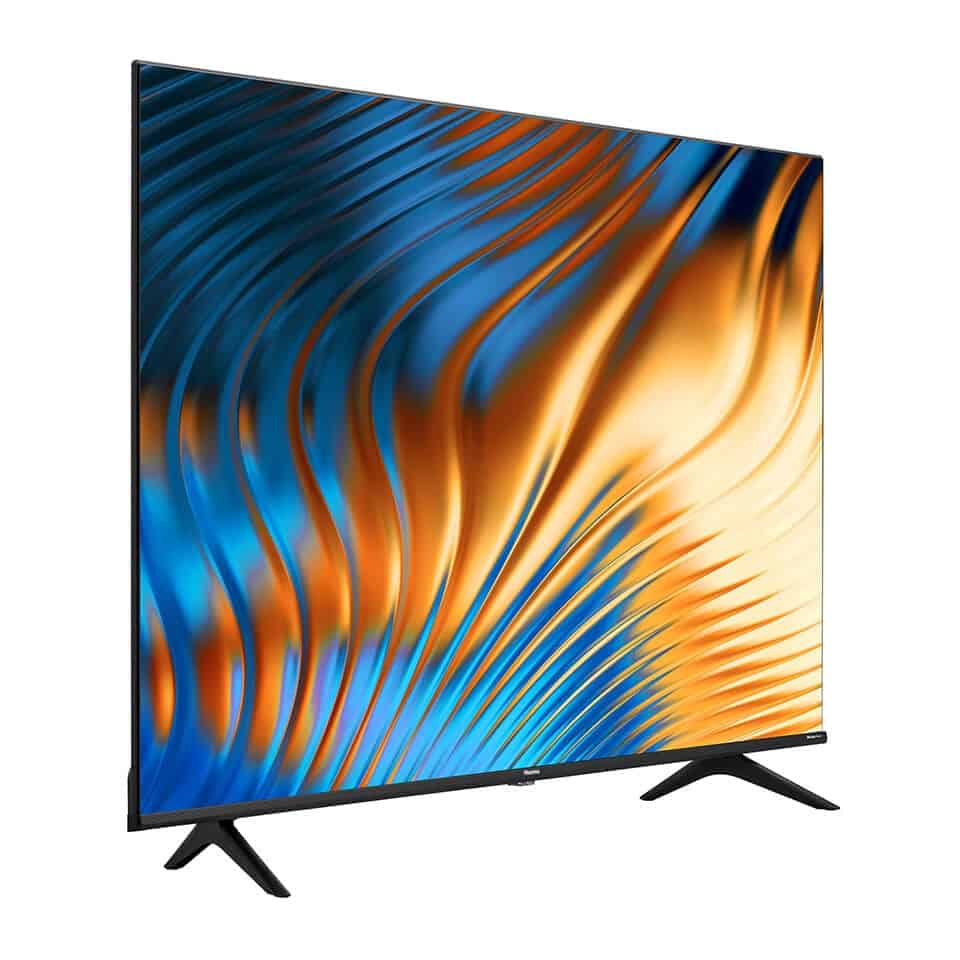
The Hisense 70A6H UHD 4K VIDAA Smart TV is a large-screen television built for home entertainment, streaming, casual gaming, and everyday viewing. With a 70-inch 4K Ultra HD display, direct LED backlighting, and the VIDAA smart platform, it delivers an easy-to-use experience for users who want a big screen without the complexity of premium flagship TVs. The combination of 3840 x 2160 resolution, 60Hz refresh rate, and 4K upscaling makes it a strong fit for movies, sports, online video, and console gaming at a practical price point.
This model is especially appealing to families, apartment owners upgrading their living rooms, and viewers who want a simple smart TV interface with quick access to popular apps. The Hisense 70A6H UHD 4K VIDAA Smart TV is also a good match for home offices, hospitality spaces, and media rooms where screen size matters more than advanced panel features. Its bezelless design and wide 178-degree viewing angle help create a modern look and a comfortable shared viewing experience.
Estimated pricing typically falls in the mid-range large-screen category, often around $500 to $900 depending on region, retailer, and promotion. Availability is generally strongest through online electronics stores, regional appliance retailers, and select Hisense distributors. Buyers searching for a value-focused 70-inch smart television will find the Hisense 70A6H UHD 4K VIDAA Smart TV to be a practical and accessible option.
Technical Specifications for Hisense 70A6H UHD 4K VIDAA Smart TV
- Screen size: 70 inches / 178 cm
- Resolution: 3840 x 2160 pixels, 4K Ultra HD
- Display technology: LED / direct LED backlight
- Aspect ratio: 16:9
- Refresh rate: 60Hz
- Smooth motion rate: 120
- Color depth: 8bit + FRC
- Typical brightness: 300 cd/m²
- Native contrast ratio: 4000:1
- Viewing angle: 178° horizontal and 178° vertical
- Response time: 8ms
- Operating system: VIDAA Smart
- HDMI inputs: 3
- USB ports: 2
- Ethernet port: 1
- Optical digital audio output: 1
- Bluetooth: V5.0
- Wi-Fi support: dual-band connectivity on supported variants
- Screen mirroring: Miracast
In performance terms, the TV is best compared with other entry-to-mid-range 70-inch 4K smart TVs that use 60Hz panels. It is not designed for premium HDR brightness or high-end gaming features, but it offers excellent everyday value, especially for streaming and broadcast content.
Detailed Product Description: How the Hisense 70A6H Works
The Hisense 70A6H UHD 4K VIDAA Smart TV uses a direct LED panel to light the display evenly across the screen. The 4K resolution provides sharper detail than Full HD, making text, menus, and modern content look cleaner on the large 70-inch panel. VIDAA gives users a straightforward smart TV environment with app access, settings control, and media playback in a layout that is generally easy to navigate.
In real-world use, the TV is well suited to streaming movies, watching sports, connecting a game console, or displaying content from a laptop via HDMI. The 8ms response time and 60Hz refresh rate are adequate for everyday viewing and casual gaming, while the wide viewing angles help multiple people watch comfortably from different parts of a room. The bezelless design gives the TV a more premium appearance and reduces distraction around the picture.
Build quality is focused on practicality. The chassis uses lightweight consumer TV materials with a flat screen profile that makes wall mounting or stand placement simple. Users generally appreciate the large screen size, clear 4K output, and easy setup, while the most common expectations involve keeping picture settings properly calibrated for the best results.
Setup Guide for Hisense 70A6H UHD 4K VIDAA Smart TV
Start by placing the TV on a stable surface or mounting it with a compatible wall bracket rated for a 70-inch display. Leave enough ventilation space around the back and sides to prevent overheating. Connect the power cable, then attach external devices such as a set-top box, soundbar, game console, or streaming device using the HDMI ports.
- Step 1: Unbox the TV carefully and check all accessories.
- Step 2: Install the stand or wall mount securely.
- Step 3: Connect power and turn on the TV.
- Step 4: Choose your language, region, and network settings.
- Step 5: Connect to Wi-Fi or Ethernet for smart features.
- Step 6: Sign in to your VIDAA account if required.
- Step 7: Scan channels or configure streaming apps.
- Step 8: Test HDMI, sound output, and screen mirroring.
For pairing, use Bluetooth for compatible audio devices and Miracast for mobile screen sharing. If the TV does not detect Wi-Fi, restart the router and power cycle the television. Keep liquids away from the device, avoid blocking ventilation openings, and never place the TV on an unstable stand.
Troubleshooting Common Hisense 70A6H Problems
Most issues with the Hisense 70A6H UHD 4K VIDAA Smart TV are easy to solve with basic checks. If the TV will not power on, confirm that the outlet works and the power cable is fully inserted. If the picture is blank but sound is present, inspect the HDMI source, input selection, and cable condition. For app problems, clear the app cache, restart the TV, or reconnect the internet.
- No signal: select the correct HDMI input and reseat the cable.
- Wi-Fi not connecting: reboot the router and re-enter the password.
- Audio delay or no sound: check speaker settings and optical output mode.
- Remote not responding: replace batteries and remove obstructions.
- Frozen interface: perform a soft reset by unplugging the TV briefly.
Common error messages usually relate to network, signal, or playback problems rather than hardware faults. Preventive care includes keeping software updated, using certified HDMI cables, and avoiding power surges with a surge protector. Warranty coverage and support options depend on the country of purchase, so users should contact the local Hisense service center or authorized retailer for official assistance and repair details.
Pros and Cons of the Hisense 70A6H UHD 4K VIDAA Smart TV
Pros
- Large 70-inch screen offers strong value for living rooms and media spaces.
- 4K UHD resolution delivers clear detail for streaming and broadcast content.
- VIDAA smart interface is simple and easy to learn.
- Three HDMI ports support consoles, cable boxes, and sound systems.
- Bezelless design gives the TV a clean, modern look.
- Good viewing angles make group watching more comfortable.
Cons
- 60Hz panel is less advanced than higher-refresh-rate alternatives.
- Brightness and contrast are solid for the class but not premium-grade.
- Limited upscale performance compared with more expensive models.
- VIDAA app selection may vary by region.
- Gaming features are basic compared with HDMI 2.1 TVs.
Overall, the TV offers strong value for money if the priority is screen size, simple smart features, and reliable everyday performance. Alternatives such as similarly priced 70-inch models from TCL, Samsung, or LG may offer more advanced processors or panels, but they often cost more.
Customer Reviews and User Feedback
Typical customer feedback for the Hisense 70A6H UHD 4K VIDAA Smart TV is generally positive, with many buyers praising the screen size, clear picture quality, and easy setup. A common star rating pattern is around 4 out of 5 stars, especially among users who want an affordable large-screen TV for streaming and family use.
- Praise: “Great value for a 70-inch 4K TV, and the picture looks sharp from across the room.”
- Praise: “Setup was fast, and the VIDAA menu is simple enough for anyone to use.”
- Complaint: “The sound is acceptable, but a soundbar improves the experience.”
- Complaint: “It is not the best choice for advanced gaming or very bright rooms.”
Buyers who want a budget-friendly large television usually recommend it, while users seeking premium HDR performance or high-end gaming features may prefer a more expensive alternative. For most households, the Hisense 70A6H UHD 4K VIDAA Smart TV remains a practical and dependable choice.
Faqs
How do I set up the hisense 70A6H UHD 4K VIDAA Smart TV for the first time?
What should I do if my hisense 70A6H UHD 4K VIDAA Smart TV will not connect to Wi-Fi?
Which streaming apps are compatible with the hisense 70A6H UHD 4K VIDAA Smart TV?
How do I get the best 4K picture quality on the hisense 70A6H UHD 4K VIDAA Smart TV?
Why is my hisense 70A6H UHD 4K VIDAA Smart TV sound too low or unclear?
Can I connect a game console or laptop to the hisense 70A6H UHD 4K VIDAA Smart TV?
How do I clean and maintain the hisense 70A6H UHD 4K VIDAA Smart TV safely?
How do I update the software on the hisense 70A6H UHD 4K VIDAA Smart TV?
More hisense manuals
Leave a Comment