
Hisense U8H Series Mini-LED TV ES-A22081W-1 User Manual
Content
Hisense U8H Series Mini-LED TV ES-A22081W-1: A Complete Product Manual and Buying Guide
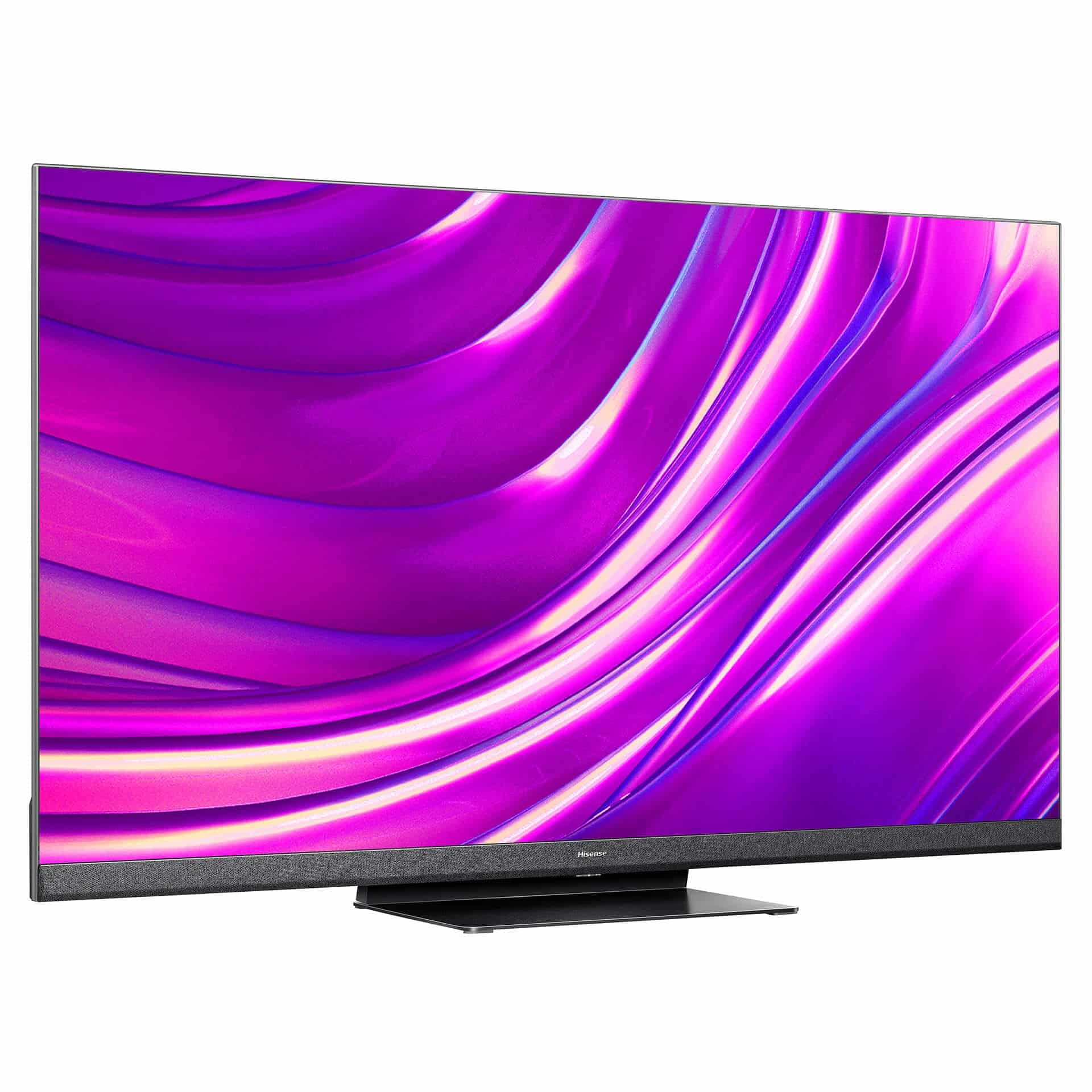
The Hisense U8H Series Mini-LED TV ES-A22081W-1 is a premium 4K smart TV built for viewers who want high brightness, strong contrast, and advanced gaming features in one package. Designed around Mini-LED backlighting, quantum dot color, and full-array local dimming, this model delivers vivid HDR performance with deep blacks and punchy highlights that stand out in bright living rooms and home theater setups. It is especially appealing to gamers thanks to its 120Hz panel, HDMI 2.1 support, VRR, and ALLM, which help create smooth, responsive gameplay on modern consoles and PCs.
This TV is a strong fit for sports fans, movie enthusiasts, and families looking for a versatile Google TV experience with voice control, streaming apps, and broad HDR support, including Dolby Vision, HDR10+, HDR10, and HLG. The Hisense U8H Series Mini-LED TV ES-A22081W-1 is commonly sold in 55-inch, 65-inch, and 75-inch classes, with pricing that has historically ranged from about the mid-$600s on sale for smaller sizes to roughly $1,100 or more for larger models, depending on retailer, screen size, and promotions. Availability varies by region and season, but it remains widely recognized as a high-value Mini-LED TV that competes with pricier premium sets while keeping a more accessible price point.
Pros and Cons of the Hisense U8H Series Mini-LED TV ES-A22081W-1
Pros
- Excellent HDR brightness and contrast for movies, sports, and daytime viewing.
- Mini-LED local dimming improves black levels and reduces blooming compared with standard LED TVs.
- 120Hz refresh rate, HDMI 2.1, VRR, and ALLM make it a strong gaming TV.
- Quantum dot color and 4K resolution produce rich, detailed images with good color volume.
- Google TV offers a familiar smart interface with built-in streaming and voice assistant support.
- Strong value for money compared with many OLED and premium Mini-LED alternatives.
Cons
- Viewing angles are not as wide as OLED models, so side seating can reduce picture quality.
- Local dimming can still show some blooming around bright objects on dark scenes.
- Some alternative premium TVs offer more refined motion handling and uniformity.
- Audio is decent for built-in TV speakers, but a soundbar is still recommended for immersive home theater use.
- Performance can vary slightly by screen size and panel batch, which matters for demanding buyers.
Overall, the Hisense U8H Series Mini-LED TV ES-A22081W-1 delivers one of the best value-to-performance ratios in the Mini-LED category. Compared with similarly priced alternatives, it often matches or exceeds them in peak brightness, gaming support, and feature count, although OLED competitors still win for perfect blacks and off-angle viewing.
Customer Reviews for the Hisense U8H Series Mini-LED TV ES-A22081W-1
Customer feedback for the Hisense U8H Series Mini-LED TV ES-A22081W-1 is generally very positive, with many buyers giving it an average rating around 4.5 out of 5 stars. Owners frequently praise the bright, colorful picture, especially in HDR content, and many highlight how well it handles gaming on PlayStation 5 and Xbox Series X. A common comment is that the TV feels much more expensive than its price suggests.
Typical testimonials mention impressive contrast, strong motion clarity, and easy setup through Google TV. Common complaints focus on minor blooming, average built-in sound, and occasional software quirks that can be solved with updates or a restart. A frequent recommendation is to pair the TV with a soundbar for the best overall experience. If you want a high-brightness 4K Mini-LED TV with excellent gaming features and strong value, this model is a smart purchase for most buyers.
Key Specifications and Features of the Hisense U8H Mini-LED TV
- 4K Ultra HD resolution with quantum dot color enhancement
- Mini-LED full-array local dimming for improved contrast
- 120Hz native refresh rate for smooth motion
- HDR support: Dolby Vision, HDR10+, HDR10, and HLG
- Google TV smart platform with voice assistant support
- HDMI 2.1, VRR, ALLM, and gaming-focused low-latency performance
- Built-in Wi-Fi, Bluetooth, and streaming app support
- Strong brightness performance for bright-room viewing
Who Should Buy the Hisense U8H Series Mini-LED TV ES-A22081W-1?
This TV is ideal for users who want a bright, feature-rich 4K display without paying OLED-level prices. It is a great choice for gaming, streaming, sports, and everyday TV watching, especially in rooms with lots of ambient light. Buyers who prioritize perfect black uniformity or ultra-wide viewing angles may prefer OLED alternatives, but for most households, the Hisense U8H Series Mini-LED TV ES-A22081W-1 offers a compelling balance of performance, smart features, and affordability.
Faqs
How do I set up the hisense U8H Series Mini-LED TV ES-A22081W-1 for the first time?
What should I do if the hisense U8H Series Mini-LED TV ES-A22081W-1 has no picture but the sound works?
Which picture settings give the best HDR performance on the hisense U8H Series Mini-LED TV ES-A22081W-1?
Is the hisense U8H Series Mini-LED TV ES-A22081W-1 compatible with gaming consoles and eARC soundbars?
Why is my hisense U8H Series Mini-LED TV ES-A22081W-1 remote not responding reliably?
How do I improve Wi-Fi streaming stability on the hisense U8H Series Mini-LED TV ES-A22081W-1?
What maintenance routine helps protect the hisense U8H Series Mini-LED TV ES-A22081W-1 over time?
How can I optimize motion handling and reduce blur on the hisense U8H Series Mini-LED TV ES-A22081W-1?
More hisense manuals
Leave a Comment