
How to Use: Iflytek Smart Recorder User Manual
Content
Iflytek Smart Recorder
Introduction
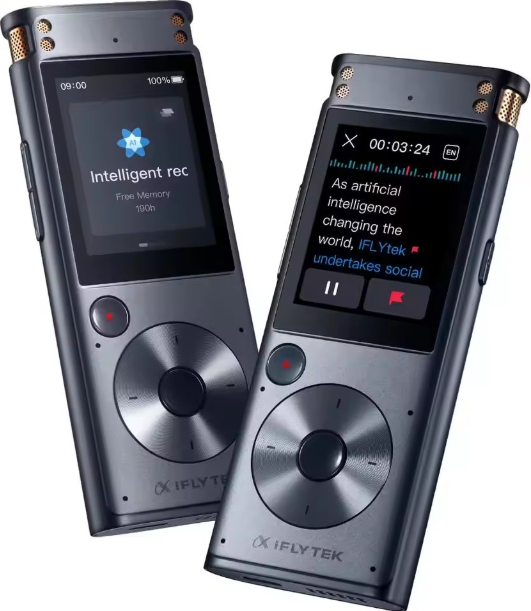
The iflytek Smart Recorder stands out as a revolutionary voice recording device designed for professionals, students, journalists, and anyone requiring accurate, secure, and real-time transcription without internet dependency. This innovative recorder combines cutting-edge AI technology with offline functionality, making it ideal for business meetings, lectures, interviews, and legal recordings where data security and transcription speed are crucial. Equipped with multi-language support and intelligent noise reduction, the device ensures crystal-clear audio capture even in noisy environments.
What sets the iflytek Smart Recorder apart is its capability to deliver full offline transcription powered by an 8-core processor, enabling rapid conversion of speech to text without sacrificing privacy. Its intuitive 2-inch touchscreen interface simplifies operation for all users, including those less tech-savvy. With up to 175 hours of high-fidelity recording capacity supported by 32GB internal storage, it suits long conferences and continuous use.
Targeted primarily at business professionals, educators, reporters, and legal practitioners, the iflytek Smart Recorder adapts seamlessly across diverse scenarios, from confidential meetings to academic lectures. Available globally through online retailers and official distributors, its price typically ranges between $180 to $250, reflecting its advanced AI transcription and secure offline operation features.
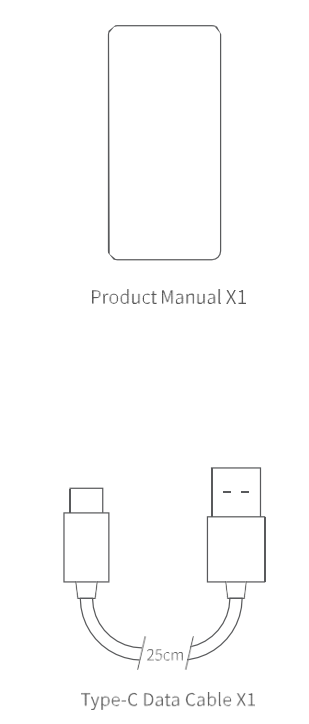
Product Accessories
Start/Save Recording
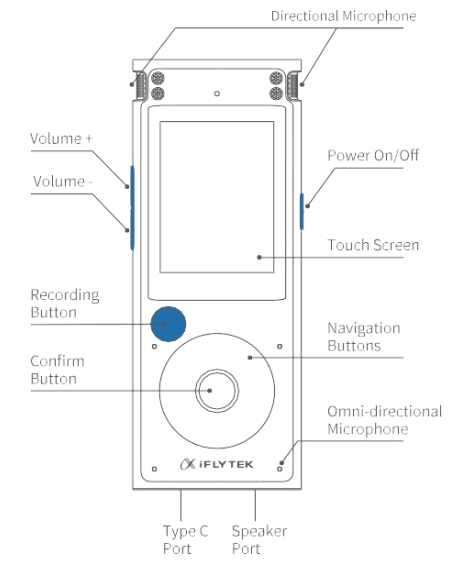
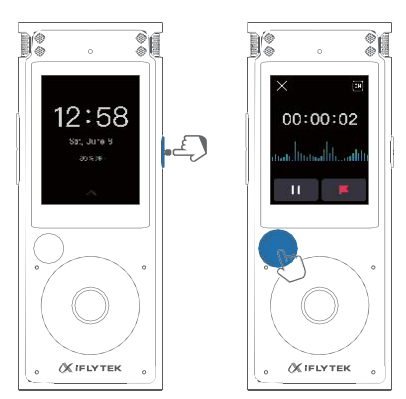
- Long-press the power button to turn the device on.
- Press the red recording button on the left side to start recording
- Press it again to save the recording.
- Supports up to 7 hours of continuous recording and 4 hours 55 minutes per single session. Stores up to 175 hours of audio.
Note: All data are based on laboratory tests; actual performance may vary depending on user conditions.
Select The Appropriate Mode
- Swipe right to unlock , then click the card on the top right.
- Tap the small icon in the top right corner, then slide to select the appropriate mode.
Differences between 4 Modes
Note: The 2+4microphones activate differently in each mode to suit your specific recording needs
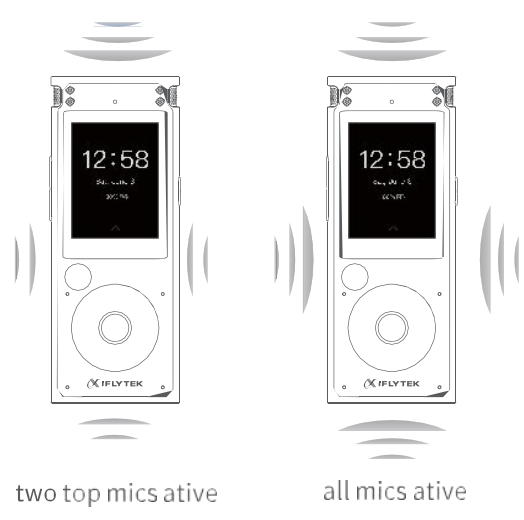
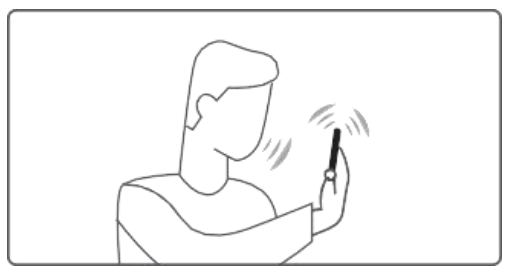
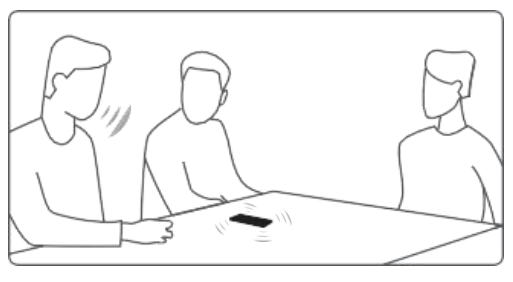
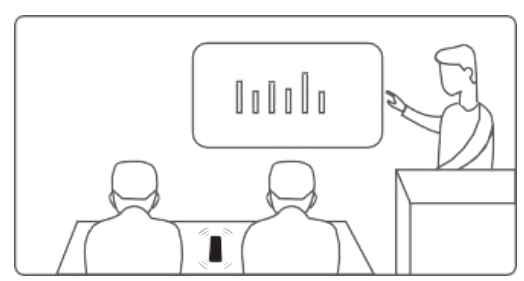
- Intelligent (Default): For most scenarios, two miles are active.
Note: The Top mic should face the speaker - Meeting: For multi-person recordings; all mies active.
Note: Please place the recorder flat and keep the top mic facing up - Lecture: For speeches up to 10 minutes; two minutes active.
Note: the top mic should face the speaker - Interview: For 1-on-1 or small groups (up to 3 people); all mics active, top mic aimed at the interviewee.
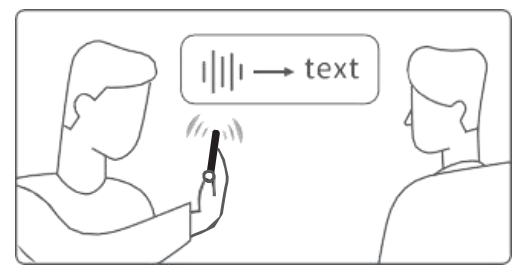
iflytek Smart Recorder Specifications and Key Features
- Model: iFLYTEK Smart Recorder SR302
- Dimensions: 117.5 × 46 × 15 mm
- Storage: 32GB internal (approx. 175 hours of recording), plus 2GB system memory
- Processor: Octa-core 8-core processor for fast transcription
- Battery: 2000mAh rechargeable battery with long continuous recording time (~7 hours active recording)
- Microphones: 2 directional + 4 omnidirectional microphones enabling up to 10-meter clear voice capture
- Display: 2-inch touchscreen providing intuitive control and easy navigation
- Recording Modes: Four distinct modes tailored for meetings, speeches, interviews, and lectures
- Noise Reduction: AI-powered intelligent noise suppression for clear audio in noisy environments
- Language Support: Transcription in five major languages, including English, Chinese, Japanese, Korean, and Russian
- Connectivity: USB Type-C for fast and secure data transfer without internet dependency
Compared to similar products, the iflytek Smart Recorder excels in offline transcription speed, multi-language recognition, and noise reduction technology, providing better privacy and versatility than cloud-dependent recorders.
Common Troubleshooting for iflytek Smart Recorder
- Issue: Device not turning on
Solution: Ensure the battery is charged; connect to a power source via USB Type-C and attempt a restart. - Issue: Poor audio quality or background noise
Solution: Select appropriate recording mode; ensure microphones are unobstructed; use noise reduction feature. - Issue: Transcription errors or delay
Solution: Confirm device firmware is up to date; ensure the correct language and recording mode are selected. - Error Codes: Refer to the user manual for specific codes; common error involves storage full—free up space by transferring files.
- Preventive Measures: Regularly update device software, keep microphones clean, store device in protective case, and avoid extreme temperatures.
The iflytek Smart Recorder comes with a manufacturer's warranty (contact retailer or iflytek customer support for details). Support is available via the official website and authorized sellers to ensure prompt assistance.
Pros & Cons of the iflytek Smart Recorder
- Pros:
- Full offline transcription ensures data privacy without internet reliance
- High-quality audio capture with a 6-mic array for clear recordings up to 10 meters away
- Multi-language support broadens usability across international contexts
- Long battery life and large 32GB storage accommodate extended recording sessions
- Intuitive 2-inch touchscreen interface reduces learning curve
- Robust noise reduction excels in challenging acoustic environments
- Cons:
- Relatively higher price point compared to basic voice recorders
- Limited to five languages for transcription; may not suit all multilingual needs
- Screen size may be small for users preferring larger displays for navigation
- Absence of cloud backup requires manual file transfer for data security
Overall, the iflytek Smart Recorder offers excellent value for money for professionals requiring secure, offline transcription and high-fidelity recordings. Alternatives either lack offline transcription or advanced AI noise reduction capabilities, positioning this recorder as a leader in its category.
Customer Reviews and Feedback on the iflytek Smart Recorder
Users commonly praise the iflytek Smart Recorder for its accurate offline transcription and strong noise cancellation, especially appreciating its usefulness in meetings and interviews. The device’s clear audio capture and long battery life are frequently highlighted in 4- to 5-star reviews. One user noted, “The transcription speed and accuracy saved me hours in note-taking.”
Some complaints focus on the initial setup and small touchscreen size, with occasional requests for broader language options. A few users mentioned that file transfer requires manual USB connection, which might be less convenient than wireless alternatives. However, most reviewers recommend the product for professionals who prioritize privacy and transcription quality.
Star ratings typically range from 4 to 5 stars, reflecting high overall satisfaction and strong recommendations for offline speech-to-text solutions.
Faqs
How do I set up iflytek Smart Recorder for the first time?
What should I do if iflytek Smart Recorder is not working properly?
Can I use iflytek Smart Recorder with Mac devices for file transfer?
How often should I maintain iflytek Smart Recorder?
What are the key features that make iflytek Smart Recorder different?
How do I optimize iflytek Smart Recorder for better performance?
Is iflytek Smart Recorder compatible with other voice transcription software?
What are some common scenarios where iflytek Smart Recorder is particularly useful?
Tags
More iflytek manuals
Leave a Comment