
Jensen JTV3220DC LED TV User Manual
Content
Jensen JTV3220DC LED TV Product Manual and Buyer Guide
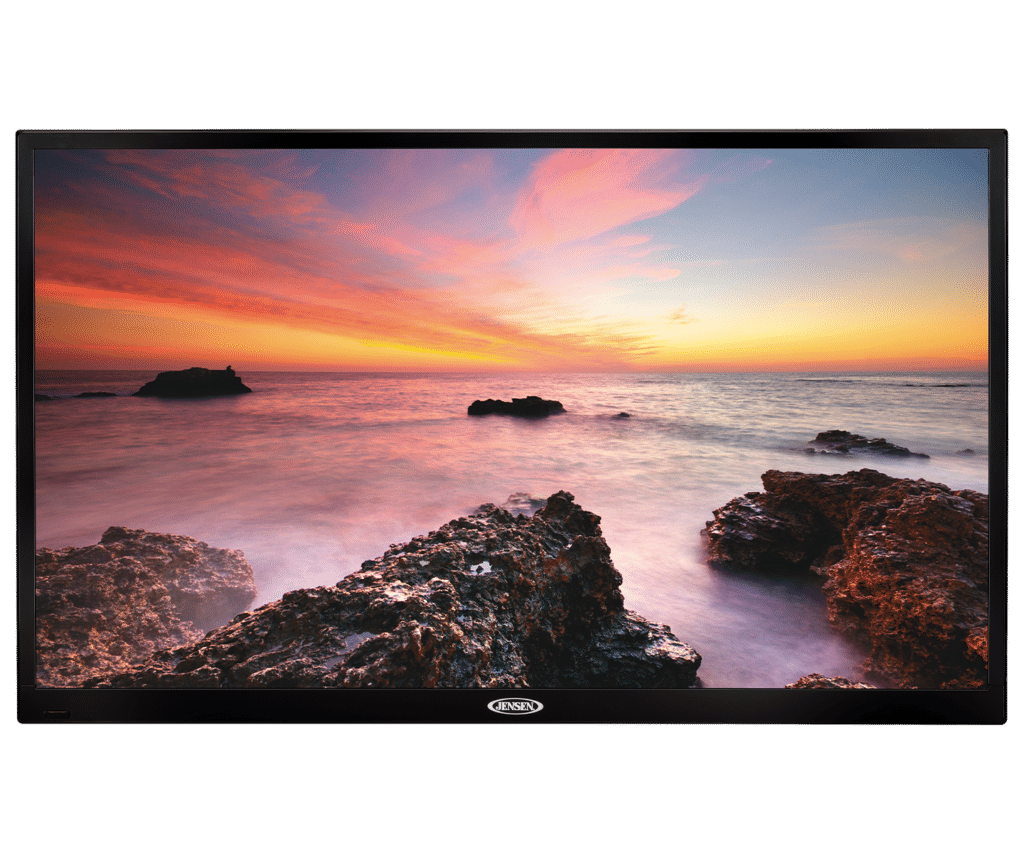
Introduction: What Makes the Jensen JTV3220DC LED TV a Practical 12V Travel Television?
The Jensen JTV3220DC LED TV is a 32-inch 12V DC television designed for RVs, campers, trailers, boats, and other mobile or off-grid setups. Built around a compact LED panel with a 16:9 widescreen format, it offers a practical balance of size, efficiency, and everyday viewing convenience. This model is especially appealing to travelers who want a dependable television that can run from a DC power system without requiring a standard household outlet.
Key features typically associated with the Jensen JTV3220DC LED TV include a 1366 x 768 resolution, 200-nit brightness, a 3000:1 contrast ratio, built-in HDTV tuner support, and dual HDMI inputs for modern devices such as streaming sticks, Blu-ray players, and gaming consoles. Its lightweight construction and slim profile make it easier to mount in tight spaces, while the integrated stereo speakers provide straightforward audio for bedrooms, kitchens, RV living areas, and marine cabins. The TV is also a sensible choice for users who value simple setup and low power draw over premium home-theater performance.
For buyers comparing compact travel TVs, the Jensen JTV3220DC LED TV stands out as a budget-conscious option in the estimated $300 to $450 range, depending on retailer, condition, and availability. It is commonly found through RV parts stores, marine suppliers, and specialty electronics sellers rather than big-box retail channels. That makes it a strong fit for practical users who need a 12V LED TV for road trips, seasonal travel, or off-grid entertainment without unnecessary complexity.
Pros and Cons of the Jensen JTV3220DC LED TV
Pros
- 12V DC power support makes it well suited for RVs, campers, boats, and mobile use.
- 32-inch screen size offers a comfortable viewing experience in compact spaces.
- LED display technology helps keep power consumption relatively efficient.
- Two HDMI inputs make it easy to connect streaming devices, game consoles, or media players.
- Built-in digital tuner support adds convenience for over-the-air television.
- Lightweight design is easier to install on brackets and wall mounts.
- Good value for travelers who want a straightforward TV rather than premium smart-TV features.
Cons
- Resolution is 1366 x 768, so it is not a true Full HD 1080p display.
- Brightness and contrast are adequate for indoor use, but not class-leading in bright sunlit areas.
- Audio output is serviceable, but external speakers or a soundbar may improve clarity.
- Lacks built-in smart TV apps, so streaming requires an external device.
- Compared with newer alternatives, the picture quality and feature set feel basic.
- Best for utility and reliability, not for home-theater enthusiasts seeking rich colors and higher resolution.
For value for money, the Jensen JTV3220DC LED TV performs well if the goal is dependable mobile entertainment rather than advanced image processing. Compared with more expensive 12V smart TVs, it offers fewer features but often better simplicity and easier compatibility in RV and marine installations.
Customer Reviews: What Buyers Commonly Say About the Jensen JTV3220DC LED TV
Customer feedback for the Jensen JTV3220DC LED TV is generally positive, with many users rating it around 4 out of 5 stars for practicality and ease of use. Buyers frequently praise the 12V power option, easy mounting, and the convenience of having a large-enough screen for a camper or RV living area. One common comment is that it “fits perfectly in a travel trailer and works well on battery power,” reflecting the model’s strongest use case.
Positive reviews often mention solid build quality, simple setup, and reliable reception when paired with a good antenna. Common complaints focus on the modest resolution, average speaker performance, and the lack of smart features. Some users note that the picture looks best when viewed from a moderate distance rather than up close. Overall, the Jensen JTV3220DC LED TV is most often recommended for buyers who want a dependable 12V television for travel, not for those expecting a high-end 4K home TV experience.
Frequently Asked Questions About the Jensen JTV3220DC LED TV
Is the Jensen JTV3220DC LED TV good for RV use?
Yes. Its 12V DC power design, compact size, and lightweight build make it a strong choice for RV and camper installations.
Does the Jensen JTV3220DC LED TV support HDMI devices?
Yes. It includes HDMI inputs for streaming sticks, gaming systems, and other external media sources.
Is the picture quality full HD?
No. The display resolution is 1366 x 768, which is HD-ready rather than true 1080p Full HD.
Who should buy this TV?
This model is best for RV owners, boat owners, and travelers who want a reliable 12V LED TV with simple controls and practical performance.
Final Verdict
The Jensen JTV3220DC LED TV is a practical, travel-friendly television that delivers the core features most RV and marine users need. It offers dependable 12V operation, a comfortable 32-inch screen, and enough connectivity for everyday entertainment. If you want a straightforward 12V LED TV with good value and easy installation, the Jensen JTV3220DC LED TV remains a sensible option.
Faqs
How do I set up the jensen JTV3220DC LED TV for the first time in an RV or small space?
Why is the jensen JTV3220DC LED TV not turning on, and what troubleshooting steps should I try?
What picture settings work best on the jensen JTV3220DC LED TV for clearer viewing?
Can the jensen JTV3220DC LED TV connect to streaming devices, gaming consoles, or a soundbar?
Why does the jensen JTV3220DC LED TV show no signal on HDMI or antenna input?
How do I scan for channels on the jensen JTV3220DC LED TV after installation?
What should I do if the jensen JTV3220DC LED TV remote stops working or becomes unresponsive?
How do I clean and maintain the jensen JTV3220DC LED TV to keep the screen in good condition?
More jensen manuals
Leave a Comment