
Lg SK1 Sound Bar User Manual
Content
LG SK1 Sound Bar Manual: Compact 2.0 Channel Bluetooth Soundbar for Everyday TV Audio
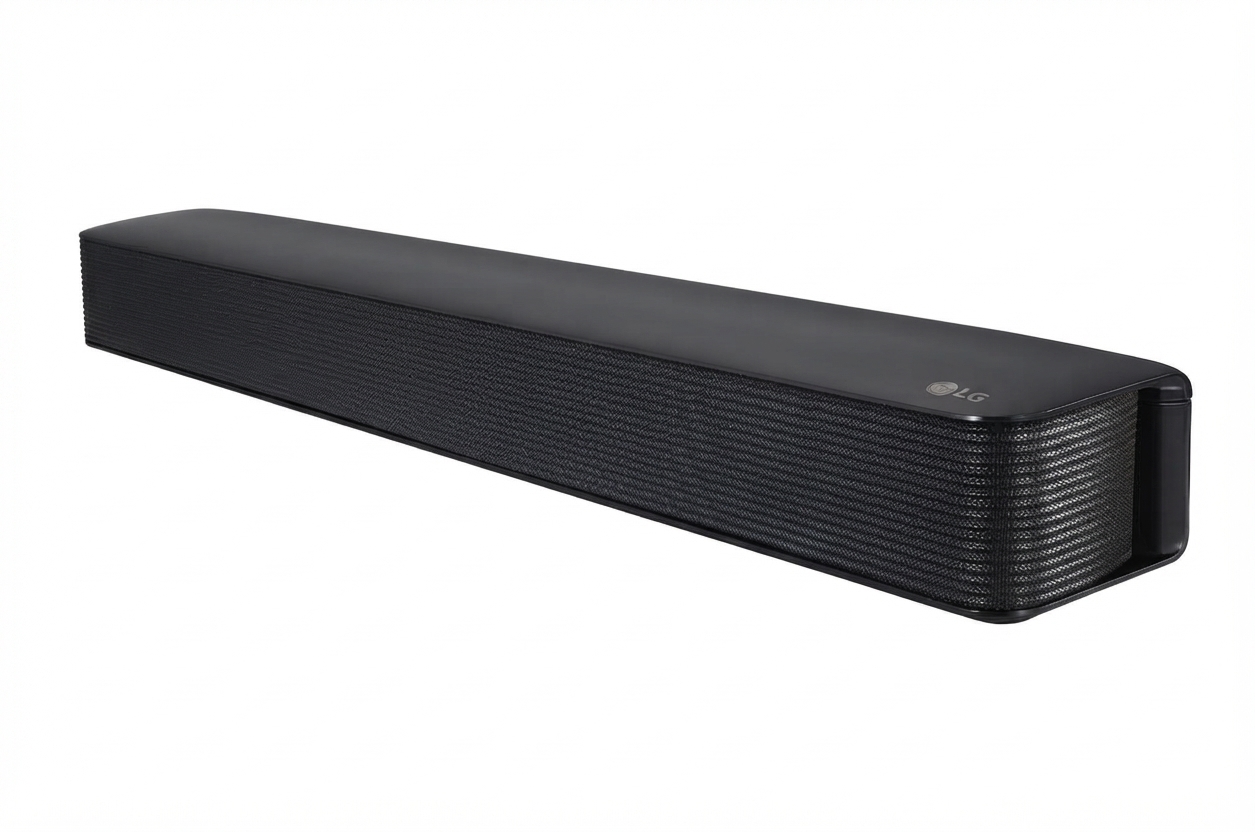
The LG SK1 Sound Bar is a compact, budget-friendly 2.0 channel soundbar designed to improve TV audio without taking up much space. With 40W total output, Bluetooth 4.0 wireless streaming, optical input, and a portable 3.5 mm audio connection, it is a practical upgrade for bedrooms, small living rooms, dorms, and secondary TVs. Its slim profile, simple setup, and wall-mount option make it especially appealing to users who want clearer dialogue and fuller sound without the complexity of a larger home theater system. The LG SK1 Sound Bar is also a smart choice for people replacing weak built-in TV speakers with a more focused listening experience for movies, news, streaming, and casual music playback.
This compact soundbar measures about 650 mm wide, 79 mm high, and 94 mm deep, with a lightweight build of roughly 2 kg, so it fits neatly under most televisions. It is well suited to users who value convenience, low power consumption, and easy connectivity over advanced surround effects. Typical use cases include improving speech clarity during TV viewing, adding better bass presence for everyday entertainment, and wirelessly playing music from a phone or tablet. In most markets, the LG SK1 Sound Bar is usually found in the budget range, often around $60 to $150 depending on retailer, condition, and availability. Because it is an older model, stock may vary, but it still appears through major electronics stores, online marketplaces, and refurbished listings.
Troubleshooting LG SK1 Sound Bar Common Problems and Fixes
If the LG SK1 Sound Bar does not power on, confirm the AC adapter is firmly connected, the outlet works, and the unit is not in standby mode. If there is no sound, check that the TV audio output is set to optical or external speaker mode, the optical cable is fully inserted, and the volume is raised on both the TV and soundbar. If Bluetooth pairing fails, turn Bluetooth off and on again, delete the old pairing on your device, and reconnect from close range. If audio is delayed, switch the TV sound output setting if available and avoid using unsupported playback modes.
Common user concerns are usually connection-related rather than hardware faults, since this model is straightforward and lacks complex menu systems or error displays. Some owners report no visible error code at all, which usually means the issue is input selection, cable seating, or source-device settings instead of a device failure. Preventive care includes using high-quality cables, keeping firmware and TV settings stable, and avoiding physical strain on the ports. If the unit needs service, check warranty status with the original seller or LG support. For help, use LG customer support in your region through the official LG website, live chat, phone support, or the retailer that sold the soundbar. If the product is no longer under warranty, an authorized service center is the safest option for repair.
LG SK1 Sound Bar Pros and Cons: Is It Worth the Money?
Pros
- Compact design fits easily under small and medium TVs, making it ideal for tight spaces.
- Simple setup with optical, Bluetooth, and 3.5 mm aux input options.
- Clearer dialogue than most built-in TV speakers, especially for news and streaming.
- Lightweight and wall-mount friendly for flexible placement.
- Good value for money if you need an affordable sound upgrade without extra features.
Cons
- 40W output is modest, so it will not fill large rooms with powerful sound.
- No HDMI ARC, Wi-Fi, or advanced surround sound features.
- Limited bass compared with models that include a dedicated subwoofer.
- Best suited for casual listening rather than cinematic home theater use.
- Newer alternatives may offer better app control, voice integration, and richer sound.
For buyers comparing options, the LG SK1 Sound Bar makes sense when low cost, small size, and easy operation matter more than premium performance. It is better viewed as an entry-level soundbar than a full entertainment system. If you want stronger bass or larger-room coverage, a 2.1-channel alternative will usually deliver a more dramatic upgrade.
Customer Reviews for LG SK1 Sound Bar: What Users Say
Customer feedback for the LG SK1 Sound Bar is generally positive among budget-conscious buyers, with many users giving it around 4 out of 5 stars for simplicity and compact design. Praise often focuses on clearer voices, quick Bluetooth pairing, and how well it fits in apartments, bedrooms, and secondary rooms. A common testimonial style comment is: “Perfect for my small TV setup and much better than built-in speakers.”
Common complaints usually mention the limited volume and lack of deep bass, especially for action movies or larger spaces. Some users also wish it included HDMI ARC or a wireless subwoofer. Buyers looking for easy setup, reliable TV audio improvement, and an affordable price tend to recommend it. Users who want theater-like sound often look at newer 2.1 channel soundbars instead. Overall, the LG SK1 Sound Bar is best for people who want a straightforward, low-cost upgrade rather than a feature-heavy audio system.
Faqs
How do I set up the lg SK1 Sound Bar for the first time with my TV?
Why is my lg SK1 Sound Bar not producing any sound from the TV?
Can I connect lg SK1 Sound Bar to a smart TV without HDMI ARC?
What Bluetooth devices work with lg SK1 Sound Bar for music streaming?
How do I fix lg SK1 Sound Bar Bluetooth pairing problems?
Does lg SK1 Sound Bar support Dolby Digital and other surround sound formats?
How can I get better sound quality from the lg SK1 Sound Bar in a small room?
What maintenance should I do to keep my lg SK1 Sound Bar working properly?
More lg manuals
Leave a Comment