
Setup & Features: Medline Digital Thermometer MDS9953 User Manual
Content
Medline Digital Thermometer MDS9953: Product Overview and Buying Guide
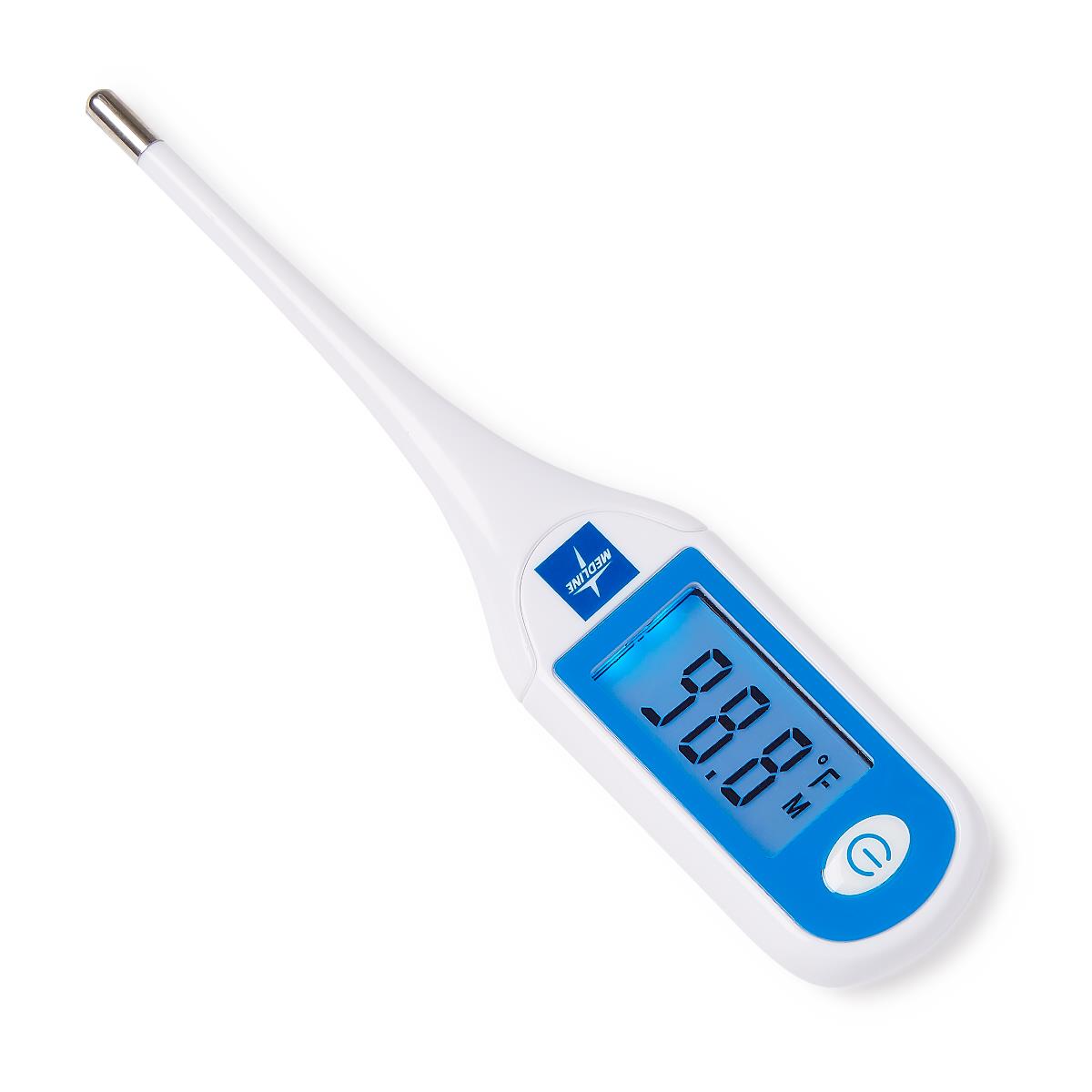
The Medline Digital Thermometer MDS9953 is a large-display clinical thermometer designed for fast, easy temperature readings in home care, clinics, and long-term care settings. It offers a dual-scale Fahrenheit/Celsius display, a backlit LCD, and a simple one-button workflow that makes it especially practical for users who want a straightforward digital thermometer without complicated settings. The model is built for oral, axillary, and rectal use, and its probe tip is water-resistant for easier cleaning and everyday hygiene.
One of the strongest advantages of the Medline Digital Thermometer MDS9953 is its balanced mix of speed, usability, and clinical-style accuracy. It provides readings in about 20 seconds, making it a good fit for parents checking a child’s fever, caregivers monitoring patients, or adults needing a reliable baseline temperature. The thermometer stores the last reading, which helps users compare results over time. Its audible signaling tone also confirms when the thermometer is ready and when a measurement is complete.
This model is typically positioned in an affordable medical-device price range, often sold individually or in case packs depending on the seller. In 2026, typical retail pricing is usually in the low-cost to mid-range segment for digital thermometers, with broad availability through medical supply stores, online retailers, and home-health suppliers. For buyers comparing options, the MDS9953 stands out for simplicity, clear visibility, and dependable everyday performance.
Specifications for Medline Digital Thermometer MDS9953
- Type: Maximum digital clinical thermometer
- Temperature range: 90.0°F to 111.2°F (32.0°C to 43.9°C)
- Accuracy: ±0.2°F / 0.1°C within the normal clinical range of 95.9°F to 107.6°F (35.5°C to 42.0°C)
- Display: 3-digit LCD with backlight and 0.1°C smallest increment
- Read time: Approximately 20 seconds
- Memory: Stores the last measured value
- Power: One 3V CR1225 button battery
- Battery life: Approximately 200 hours of use
- Operating environment: 50°F to 95°F (10°C to 35°C), 15%RH to 85%RH
- Storage environment: -25°C to 55°C, noncondensing humidity
- Water resistance: Probe tip water-resistant; LCD and battery compartment are not waterproof
- Safety rating: IP21 protection rating
- Standards: Designed to meet clinical thermometer and medical EMC requirements
Compared with basic entry-level digital thermometers, the Medline Digital Thermometer MDS9953 offers a larger display, clearer feedback tones, and a more clinical-style temperature range. Against premium models, it may lack advanced smart features, but it delivers strong value for everyday temperature monitoring.
How to Set Up and Use the Medline Digital Thermometer MDS9953
Setting up the thermometer is simple. First, open the battery compartment and confirm that the CR1225 battery is installed correctly. Next, turn the unit on and wait for the ready tone. If the screen is dim or blank, replace the battery before use. The thermometer is ready for oral, axillary, or rectal measurement depending on the application.
For best results, place the probe tip in the chosen measurement location and keep the thermometer steady until the completion tone sounds. The last reading should then appear on the display. If needed, switch between Fahrenheit and Celsius using the unit’s temperature display setting if supported by your package version.
Important safety precautions should be followed at all times. Only the probe tip is water-resistant, so do not submerge the LCD or battery compartment. Clean the probe carefully with an appropriate disinfectant after use. Avoid taking a reading immediately after eating, drinking, or bathing, since that may affect the result. If the thermometer shows a low or high error indicator, confirm that the probe is positioned correctly and that the temperature is within the supported range.
Troubleshooting Medline Digital Thermometer MDS9953 Problems
If the thermometer does not power on, the most common cause is a depleted CR1225 battery. Replace the battery and confirm correct polarity. If the display is unclear or frozen, remove and reinstall the battery, then retest the device. If measurements seem inconsistent, clean the probe tip and allow the thermometer to acclimate to room temperature before taking another reading.
- Low reading indicator: The temperature is below the supported minimum range; retake the measurement in a warmer environment.
- High reading indicator: The temperature is above the supported maximum range; verify measurement conditions and repeat.
- No signal tone: Check battery power and ensure the unit is fully turned on.
- Slow or unstable readings: Keep the thermometer still and ensure proper placement during use.
- Water exposure issue: Dry the unit immediately if moisture reaches the screen or battery area.
Preventive care helps extend service life. Store the thermometer in a clean case, avoid extreme temperatures, and never wash the main body under running water. Warranty coverage and support vary by seller, so customers should keep purchase records and check the retailer or Medline customer service channel for product-specific assistance.
Pros and Cons of the Medline Digital Thermometer MDS9953
Pros
- Large LCD is easy to read for families, caregivers, and clinical staff
- Fast 20-second read time improves convenience during routine checks
- Oral, axillary, and rectal use adds flexibility for different users
- Memory function helps compare the latest temperature reading
- Dual Fahrenheit/Celsius scale improves usability for different preferences
- Strong value for money compared with many feature-heavy digital thermometers
Cons
- Not fully waterproof, so cleaning requires extra care
- Does not include advanced smart features such as app syncing or Bluetooth
- Battery replacement may be needed sooner than expected in frequent-use settings
- Basic design may feel less premium than higher-end medical thermometers
For buyers seeking a dependable clinical thermometer rather than a connected device, the Medline Digital Thermometer MDS9953 is a practical choice. Alternatives with wireless connectivity or more advanced fever tracking cost more and are not always necessary for everyday home use.
Customer Reviews and Real-World Feedback on Medline Digital Thermometer MDS9953
Customer feedback on the Medline Digital Thermometer MDS9953 is generally positive, especially among caregivers and healthcare buyers who want a simple thermometer with a clear screen. Many users rate it around 4 out of 5 stars for fast readings, easy handling, and dependable performance during daily temperature checks.
Praise often focuses on the large display, quick response time, and the ability to use it across oral, axillary, and rectal measurement methods. Common complaints usually mention the lack of full waterproofing and the absence of advanced features found in newer smart thermometers. Some buyers also prefer a more premium case or stronger backlighting.
For most households, clinics, and care facilities, this model is recommended when ease of use and reliable temperature measurement matter more than connected functionality. It is a strong buy for shoppers looking for a straightforward digital thermometer with solid everyday performance.
Faqs
How do I set up the medline Digital Thermometer MDS9953 for the first time?
Why is my medline Digital Thermometer MDS9953 showing an inaccurate temperature reading?
What should I do if the medline Digital Thermometer MDS9953 will not turn on?
How do I switch the medline Digital Thermometer MDS9953 between Fahrenheit and Celsius?
How long does the medline Digital Thermometer MDS9953 take to give a reading?
Can the medline Digital Thermometer MDS9953 be used for multiple family members safely?
How do I clean and maintain the medline Digital Thermometer MDS9953 without damaging it?
What are the most common medline Digital Thermometer MDS9953 troubleshooting steps for unstable or error readings?
More medline manuals
- How to Use: Medline MDS9950 Oral Digital Thermometer User Manual
- Medline Steel Rollator Knockdown Rolling Walker User Guide
- How to Use: Medline Vital Signs Monitor User Manual
- Medline MDSTH1002 Clinical IR Thermometer User Manual
- Medline MDS4003 Automatic Blood Pressure Monitor User Manual
- Medline MDSTH1002 Talking Infrared Thermometer User Manual
Leave a Comment