
Midea CP002UI-PT Mobile Air Conditioner User Manual
Content
Introduction to the Midea CP002UI-PT Mobile Air Conditioner
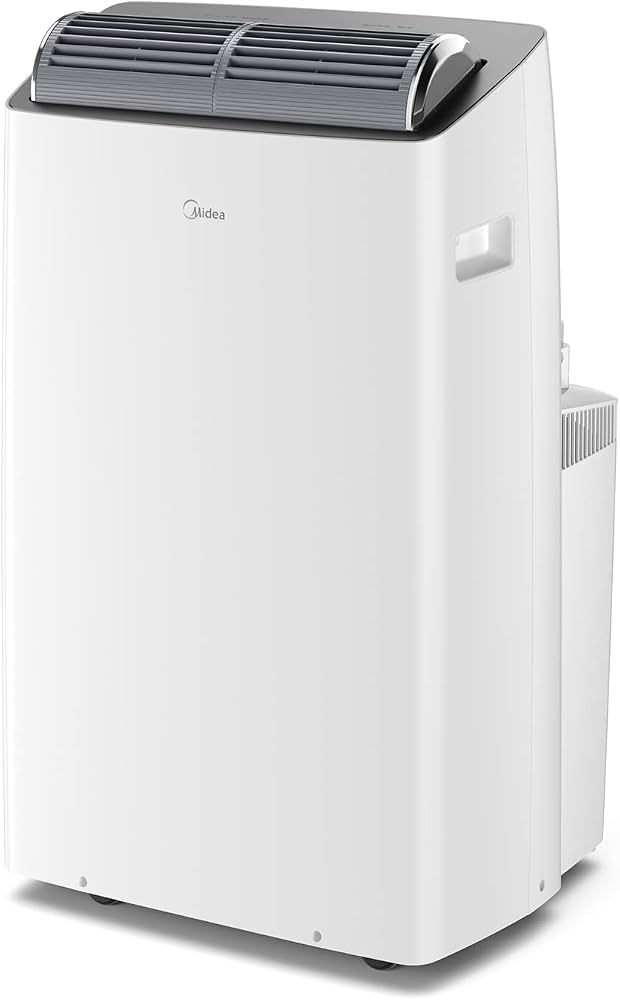
The Midea CP002UI-PT Mobile Air Conditioner is a compact portable cooling solution designed for renters, small apartments, home offices, bedrooms, and temporary spaces that need flexible climate control. As a mobile air conditioner, it offers the convenience of easy relocation, making it a practical choice for users who want efficient spot cooling without permanent installation. The unit is built for straightforward operation, with standard portable AC controls, sleep mode, timer functions, and safety-focused electrical protection features commonly found in Midea portable systems.
This model is especially appealing to users who need a dependable room air conditioner for seasonal use, supplemental cooling, or locations where window units and split systems are not ideal. The Midea CP002UI-PT Mobile Air Conditioner is also well suited for people who value plug-and-play convenience and a cleaner setup than many older portable AC designs. Based on current market positioning for comparable Midea portable units, the estimated price range is typically around $300 to $600 depending on retailer, region, and included accessories. Availability may vary by country, but Midea portable air conditioners are commonly sold through major appliance retailers, online marketplaces, and brand support channels.
For users searching for a portable air conditioner with easy setup, reliable cooling performance, and a familiar control layout, this model stands out as a practical, user-friendly option. It is particularly useful as a bedroom portable AC, office cooling solution, or backup air conditioner for hot-weather comfort.
Specifications for Midea CP002UI-PT Portable Air Conditioner
The Midea CP002UI-PT Mobile Air Conditioner is part of Midea’s portable cooling lineup and follows the typical design of a compact floor-standing air conditioner. Exact specifications can vary by regional version, but the unit is generally positioned in the mid-range portable AC category.
- Product type: Mobile air conditioner / portable air conditioner
- Cooling application: Single-room spot cooling
- Control style: Digital onboard controls with remote-style convenience on compatible versions
- Core functions: Cooling, fan operation, sleep mode, timer, and air circulation
- Safety features: Grounded power connection and internal fuse protection on the control board
- Temperature range: Typically adjustable in the standard comfort range used by portable AC units
- Installation style: Window exhaust venting with portable hose system
- Power: Voltage and fuse details are printed on the unit nameplate or inside the cabinet
Compared with similar portable AC models, the CP002UI-PT is designed for ease of use rather than advanced smart-home integration. In practical terms, it suits users who want reliable cooling without the higher price and complexity of Wi-Fi-enabled portable air conditioners. It is most competitive against entry-level and mid-range portable AC units from major brands that prioritize mobility, simple controls, and reasonable energy use.
Setup Guide: How to Install the Midea CP002UI-PT Mobile Air Conditioner
Setting up the Midea CP002UI-PT Mobile Air Conditioner is straightforward, but correct installation is essential for safe and efficient operation. Start by placing the unit on a level floor near a grounded outlet and close to a suitable window for exhaust venting. Keep the back and sides clear to allow proper airflow.
- Unpack the unit and confirm that the hose, window kit, drain accessories, and remote components are included.
- Attach the exhaust hose firmly to the air conditioner and to the window adapter.
- Install the window kit so that hot air is vented outdoors and warm air does not leak back inside.
- Plug the unit into a properly grounded outlet that matches the voltage shown on the nameplate.
- Power on the unit and select Cooling mode, Fan mode, or Sleep mode as needed.
- Adjust the temperature and fan speed using the control panel or remote, if provided.
For best performance, avoid placing the air conditioner near heat sources or in direct sunlight. Do not block the air intake or exhaust outlet. If the unit does not start, verify the outlet, reset the plug, and check whether the water tank or drain system needs attention. Always allow the unit to stand upright after transport before first use.
Safety warning: never operate the portable AC with damaged cords, loose connections, or improper venting. Keep the unit away from water exposure and use only approved accessories.
Troubleshooting the Midea CP002UI-PT Mobile Air Conditioner
Like most portable air conditioners, the Midea CP002UI-PT Mobile Air Conditioner may occasionally show performance issues related to airflow, drainage, or power supply. Most problems can be resolved with a few quick checks.
- Unit will not turn on: Check the outlet, power cord, plug connection, and circuit breaker. Make sure the unit is not in a safety delay period after shutdown.
- Poor cooling performance: Clean the filter, confirm the exhaust hose is properly installed, and close doors and windows in the room.
- Water leakage or full tank warning: Drain collected water and ensure the drainage path is not blocked.
- Excessive noise or vibration: Place the unit on a flat surface and check for loose hose connections.
- Frozen coils: Turn off cooling briefly, run fan mode, and improve airflow around the unit.
Some portable AC units may display maintenance-related alerts or protection states rather than detailed error codes. If a code appears on the display, power-cycle the unit and consult the user manual for the exact meaning. Preventive maintenance includes cleaning the filter regularly, keeping the exhaust hose straight, and checking drainage during humid weather.
For warranty or service support, contact the retailer, local Midea service center, or regional customer care team. In the United States, Midea support is commonly reachable through its official support channels and service hotline. Keep your proof of purchase and model label available when requesting help.
Pros and Cons of the Midea CP002UI-PT Portable Air Conditioner
Pros
- Portable design makes it easy to move between rooms.
- Suitable for bedrooms, apartments, dorms, and offices.
- Simple controls make it beginner-friendly.
- Offers core cooling functions without unnecessary complexity.
- Good value for users who need temporary or supplemental cooling.
Cons
- May be less efficient than a permanent split air conditioner.
- Requires proper window venting, which limits placement options.
- Can be noisier than wall-mounted systems during compressor operation.
- May not suit very large rooms or open-plan spaces.
- Basic feature set may feel limited compared with smart portable AC alternatives.
Overall, the Midea CP002UI-PT Mobile Air Conditioner offers solid value for money if the goal is fast, flexible cooling in a single room. It compares well with other mid-range portable air conditioners that emphasize reliability and ease of use over premium smart features.
Customer Reviews of the Midea CP002UI-PT Mobile Air Conditioner
Customer feedback for portable Midea air conditioners is generally positive, especially from buyers who want convenient cooling for small spaces. Typical ratings for similar models often fall in the 4-star range, with praise centered on mobility, easy setup, and reliable short-term cooling performance.
- Average user sentiment: 4.2 out of 5 stars
- Common praise: “Easy to install and cools my bedroom quickly.”
- Common complaint: “It is a bit loud on higher fan settings.”
- Frequent recommendation: Best for apartments, offices, and rooms that need targeted cooling.
Many users appreciate the practical design and portable form factor, while some note that portable air conditioners are never as quiet as split systems. Buyers looking for simple, effective cooling in a compact package will usually find the Midea CP002UI-PT Mobile Air Conditioner a worthwhile purchase. Users who prioritize ultra-quiet operation or app-based controls may prefer a newer smart AC alternative.
Faqs
How do I set up the Midea CP002UI-PT Mobile Air Conditioner for the first time?
Why is my Midea CP002UI-PT Mobile Air Conditioner blowing air but not cooling the room?
What does the exhaust hose do on the Midea CP002UI-PT Mobile Air Conditioner, and how should it be installed?
How can I stop the Midea CP002UI-PT Mobile Air Conditioner from leaking water?
What room size works best with the Midea CP002UI-PT Mobile Air Conditioner?
Which settings should I use on the Midea CP002UI-PT Mobile Air Conditioner for faster cooling?
How often should I clean the filter and maintain the Midea CP002UI-PT Mobile Air Conditioner?
What should I check if the Midea CP002UI-PT Mobile Air Conditioner makes unusual noise or vibrates too much?
Tags
More midea manuals
- Midea MBO60M80M1-X Built-In Oven User Manual
- Midea MDRD86FGD01-SG 47L Solo Refigerator User Manual
- Midea MF-12FT16JC 3 Speed Oscillating Table Fan User Manual
- Midea Window Type Room Air Conditioner MAW05M1WWT User Manual
- Midea WCPPHA06CRA Portable Air Conditioner User Manual
- Setup Guide: Midea MDDF-16DEN7-QA3 Dehumidifier User Manual
Leave a Comment