
Midea i5C Robot Vacuum Cleaner User Manual
Content
Midea i5C Robot Vacuum Cleaner: Complete Product Manual and Review
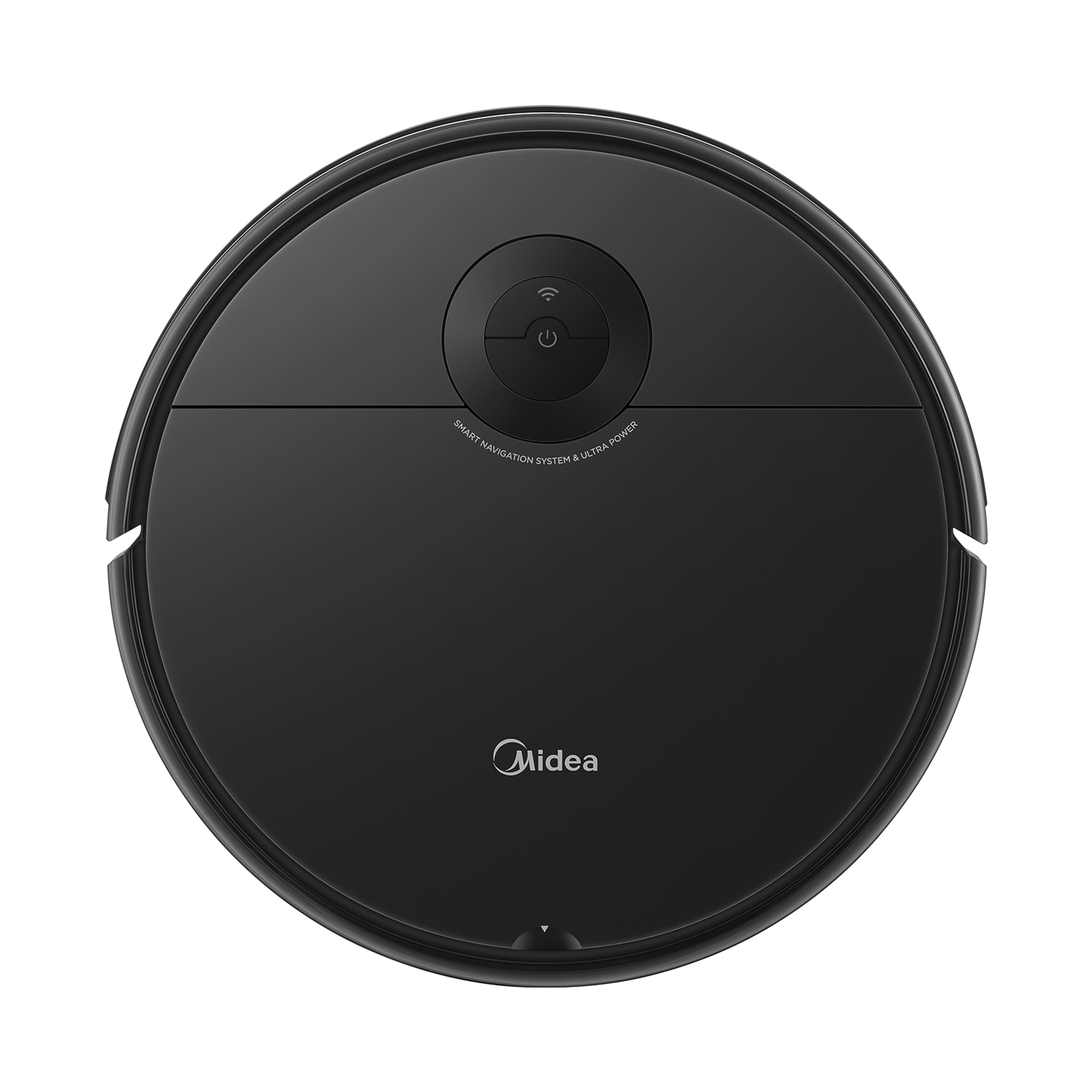
The Midea i5C Robot Vacuum Cleaner is a compact 2-in-1 robot vacuum and mop designed for everyday home cleaning, especially in apartments, medium-sized homes, and mixed-floor spaces. It combines 4000Pa suction, gyroscope-based navigation, app control, and a slim 83mm body to help it reach under beds, sofas, and cabinets with ease. For households that want a practical automatic cleaner without paying premium-brand prices, the i5C stands out as a strong value-focused option.
This model is built for users who need a simple but capable robot vacuum cleaner for hard floors, tiles, low-pile carpets, and routine wet mopping. Its 250ml dust bin, 450ml water tank, and 2600mAh battery make it suitable for daily maintenance cleaning rather than heavy-duty deep-cleaning of large homes. It is especially useful for pet hair, dust, crumbs, and light spill cleanup. Smart features such as scheduled cleaning, room-by-room navigation, auto return-to-charge, and voice assistant compatibility make the Midea i5C Robot Vacuum Cleaner appealing to busy homeowners who want hands-free cleaning with minimal setup.
Estimated pricing typically falls in the budget-to-midrange category, often around $180 to $260 depending on region, retailer, and bundle contents. Availability is generally strong through Midea’s official stores, regional appliance retailers, and online marketplaces, though exact stock may vary by country. For shoppers comparing robot vacuum mop models, the i5C is often positioned as a more affordable alternative to higher-end LiDAR-based robots while still offering useful smart-home features and solid suction power.
Specifications of the Midea i5C Robot Vacuum Cleaner
- Cleaning type: Vacuum and mop combination for dry and wet cleaning
- Suction power: 4000Pa, suitable for dust, debris, and pet hair on hard floors and low-pile carpets
- Navigation: Gyroscope navigation with smart mapping and room-by-room cleaning
- Battery: 2600mAh lithium-ion battery for efficient daily cleaning
- Runtime: Typically 90 to 120 minutes depending on suction level and floor type
- Dust bin capacity: 0.25L, best for regular cleaning cycles
- Water tank capacity: 0.45L electric water tank for controlled mopping
- Dimensions: 340 x 340 x 83 mm, slim enough for low furniture clearance
- Weight: About 3kg net weight
- Noise level: Around 68 to 70dB depending on operating mode
- Obstacle climbing: Up to 15mm to 17mm on small thresholds
- Control options: App, remote control, on-body controls, and voice assistant support
- Power: 55W rated power with three suction levels
In practical use, the Midea i5C Robot Vacuum Cleaner competes well with other budget robot vacuums by offering stronger suction than many entry-level 2000Pa to 3000Pa models. Compared with premium LiDAR robots, however, its gyroscope navigation is simpler and less precise in complex multi-room layouts. That trade-off makes it a better fit for straightforward homes where affordability and convenience matter most.
Pros and Cons of the Midea i5C Robot Vacuum Cleaner
Pros
- Strong 4000Pa suction: Excellent for dust, crumbs, hair, and routine floor maintenance.
- 2-in-1 vacuum and mop design: Good for users who want one device for daily sweeping and light mopping.
- Slim 83mm body: Easily cleans under beds, sofas, and other low-clearance furniture.
- App and voice control: Convenient scheduling and remote operation for smart-home users.
- Good value for money: Offers useful features without the higher cost of premium brands.
Cons
- Gyroscope navigation is basic: Less accurate than LiDAR-based robots in cluttered or complex homes.
- Small dust bin: The 250ml bin may need frequent emptying in homes with pets or heavy debris.
- Mopping is light-duty: Best for surface cleaning, not for removing dried stains.
- Not ideal for very large homes: Battery life is good for moderate spaces but limited for extended coverage.
- Noise can be noticeable: Around 68 to 70dB, which may be louder than some premium alternatives.
For buyers comparing budget robot vacuum cleaners, the i5C offers a stronger feature set than many entry-level models, but it does not match the mapping accuracy or obstacle handling of more advanced rivals. It is a smart purchase for first-time robot vacuum buyers who want reliable everyday cleaning at a reasonable price.
Customer Reviews and User Feedback for the Midea i5C Robot Vacuum Cleaner
User feedback for the Midea i5C Robot Vacuum Cleaner is generally positive, with many owners praising its suction strength, slim design, and easy app setup. Common ratings often fall around 4 out of 5 stars, especially among budget-conscious buyers who value automated cleaning and mopping in one unit.
- Praise: “Great suction for pet hair and crumbs. It fits under my bed and cleans daily without help.”
- Praise: “Simple to use, and the mop function is helpful for keeping hard floors fresh.”
- Complaint: “Navigation is decent, but it can miss spots in rooms with many obstacles.”
- Complaint: “The dust bin fills quickly if you have pets or a lot of dirt.”
Most customers recommend it for apartments, smaller homes, and everyday maintenance cleaning rather than deep cleaning large spaces. Buyers looking for advanced room mapping or stronger carpet performance may want to compare it with higher-end robotic vacuums, while shoppers focused on affordability and convenience will likely find the i5C a practical choice.
Faqs
How do I set up the Midea i5C Robot Vacuum Cleaner for the first time?
Why does the Midea i5C Robot Vacuum Cleaner keep stopping or pausing during cleaning?
How can I improve the suction performance of my Midea i5C Robot Vacuum Cleaner?
Is the Midea i5C Robot Vacuum Cleaner compatible with carpets, hardwood, and tile floors?
How do I connect the Midea i5C Robot Vacuum Cleaner to Wi-Fi and the mobile app?
What should I do if the Midea i5C Robot Vacuum Cleaner cannot return to the charging dock?
How often should I clean and maintain the Midea i5C Robot Vacuum Cleaner?
Why is the Midea i5C Robot Vacuum Cleaner not cleaning the edges and corners well?
More midea manuals
Leave a Comment