
Midea M6 Robot Vacuum Cleaner User Manual
Content
Midea M6 Robot Vacuum Cleaner: A Smart 2-in-1 Robot Vacuum and Mop for Everyday Cleaning
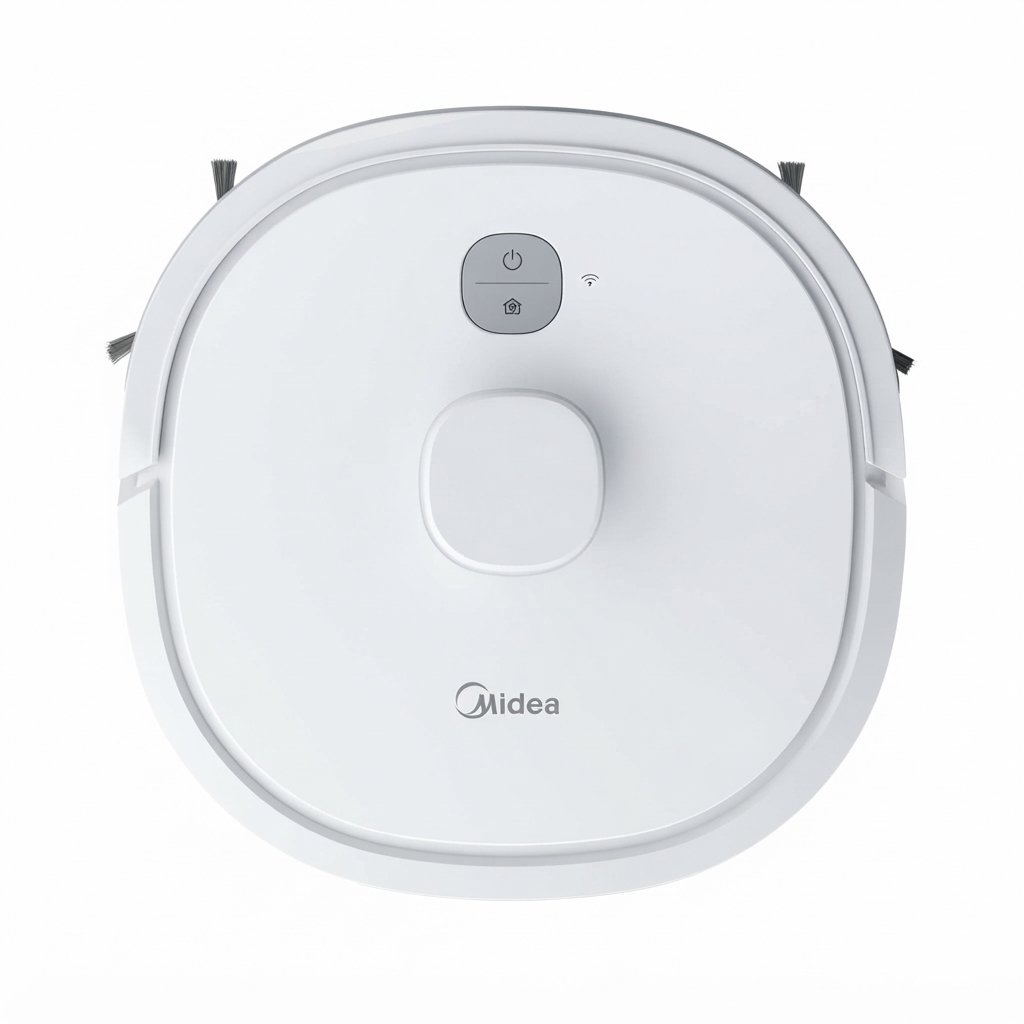
The Midea M6 Robot Vacuum Cleaner is a budget-friendly robot vacuum and mop designed to simplify daily floor care for busy homes. With LDS laser navigation, 2000Pa suction power, and a combined vacuuming and mopping system, it aims to deliver efficient cleaning on hard floors, laminate, tile, and low-pile carpets. Its slim 9.7 cm profile helps it clean under sofas, beds, and cabinets, while the 3350mAh battery supports roughly 110 to 130 minutes of runtime depending on the source and cleaning mode.
This model is a strong fit for apartment owners, families, pet owners, and anyone looking for a practical entry-level robot vacuum cleaner with smart mapping features. The Midea M6 Robot Vacuum Cleaner can be controlled through a mobile app and supports automated room navigation, scheduled cleaning, and return-to-dock charging. Its 0.6L dustbin and 0.25L water tank make it suitable for moderate-sized homes, especially where regular sweeping and light mopping are needed.
In terms of pricing, the Midea M6 Robot Vacuum Cleaner typically falls in the affordable mid-range segment, with common listings around €103 to €160 in European markets, while some retailers price it closer to £200 depending on bundle, region, and promotions. Availability is generally broad through online electronics and home appliance stores, especially in the UK and Europe. For buyers seeking a capable robot floor cleaner without moving into premium pricing, the Midea M6 offers a compelling mix of navigation, suction, and app-based convenience.
Pros and Cons of the Midea M6 Robot Vacuum Cleaner
Pros
- LDS LiDAR navigation: Smart mapping helps the robot clean more methodically than random-path models, which improves coverage and reduces missed spots.
- 2-in-1 vacuum and mop: The 250ml water tank and mop function add value for homes that need light daily floor maintenance.
- Good dust capacity: The 0.6L dustbin is generous for a robot vacuum at this price level, reducing emptying frequency.
- Compact design: At about 9.7 cm tall, it can reach under furniture where upright vacuums cannot.
- Solid value for money: Compared with pricier robot vacuum cleaners from Roborock, Ecovacs, or iRobot, it offers strong core features at a lower cost.
Cons
- Moderate suction power: 2000Pa is fine for dust and crumbs, but not as strong as higher-end models for deep carpet cleaning.
- Light mopping only: The mop feature is useful for maintenance, but it will not replace manual scrubbing on stubborn stains.
- Mixed runtime figures: Some listings show shorter real-world battery life, especially on higher suction settings.
- Better for simple layouts: It performs best in homes with clear floor plans rather than cluttered spaces with many obstacles.
Overall, the Midea M6 Robot Vacuum Cleaner is a smart choice for buyers who want LiDAR navigation and mopping without paying premium-brand prices.
Customer Reviews for the Midea M6 Robot Vacuum Cleaner
User feedback is generally positive, with many owners praising the easy-to-use app, attractive design, and large dust and water containers. Common review themes highlight convenient scheduled cleaning, reliable mapping, and respectable battery life for everyday use. Average sentiment in user feedback often lands around 4 out of 5 stars, especially from households that use the robot on hard floors.
Typical complaints include average suction on thick carpets, occasional docking or navigation quirks in tight spaces, and mop performance that is better for light wiping than deep cleaning. Some users also note that the robot works best when floors are kept relatively clear. A common testimonial style is: “Great for daily dust and pet hair, but not a replacement for a deep clean.” Another frequent comment is that it delivers excellent convenience for the price.
If you want a budget robot vacuum cleaner with app control and room mapping, the Midea M6 Robot Vacuum Cleaner is worth considering. Buyers who expect premium carpet performance or advanced obstacle avoidance may want to compare it with higher-end alternatives first.
Frequently Asked Questions About the Midea M6 Robot Vacuum Cleaner
What type of floors does it clean best?
The Midea M6 Robot Vacuum Cleaner performs best on hard floors such as tile, wood, laminate, and vinyl, while also handling low-pile carpets reasonably well.
Does it support both vacuuming and mopping?
Yes. It is a 2-in-1 robot vacuum and mop with a dustbin for dry debris and a separate water tank for light wet cleaning.
Is it good for pet hair?
It is suitable for light to moderate pet hair on hard floors, though homes with heavy shedding may prefer a higher-suction model.
Is the Midea M6 Robot Vacuum Cleaner easy to use?
Yes. App control, scheduling, and automatic return-to-base charging make it beginner-friendly and convenient for everyday cleaning.
Faqs
How do I set up the midea M6 Robot Vacuum Cleaner for the first time?
Why is my midea M6 Robot Vacuum Cleaner not connecting to Wi-Fi?
How does the midea M6 Robot Vacuum Cleaner map rooms and avoid obstacles?
What should I do if the midea M6 Robot Vacuum Cleaner keeps getting stuck?
How can I improve suction and cleaning performance on the midea M6 Robot Vacuum Cleaner?
Is the midea M6 Robot Vacuum Cleaner compatible with smart home assistants?
How often should I clean and maintain the midea M6 Robot Vacuum Cleaner?
What battery and charging tips help the midea M6 Robot Vacuum Cleaner run longer?
More midea manuals
Leave a Comment