
Midea MVC-S8+ Robot Vaccum Cleaner User Manual
Content
Midea MVC-S8+ Robot Vacuum Cleaner Review and User Manual Guide
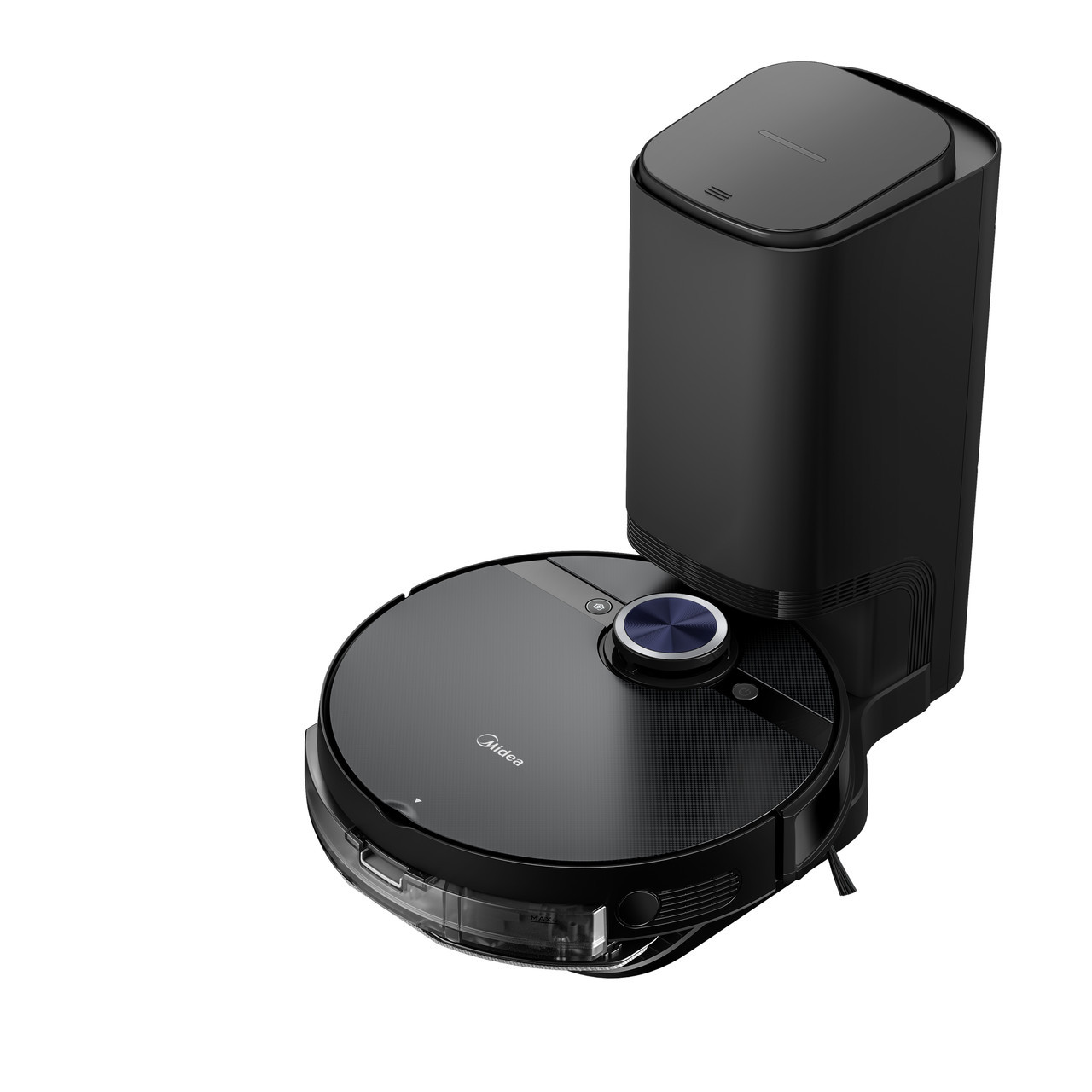
The midea MVC-S8+ Robot Vaccum Cleaner is a premium robot vacuum and mop designed for users who want strong suction, smart navigation, and hands-free cleaning with an auto-empty station. With 4000Pa suction power, LiDAR-based mapping, and a 5200mAh battery, it is built to handle daily dust, pet hair, and mixed-floor homes with less effort than many entry-level robot vacuums. It also includes app control, voice control support, scheduling, obstacle avoidance, and a self-emptying dock, making it a practical choice for busy households, pet owners, and medium-to-large homes.
One of the biggest selling points of the midea MVC-S8+ Robot Vaccum Cleaner is its balance of performance and automation. The robot can clean for up to 180 minutes and cover up to 250 square meters on a single charge, which makes it suitable for apartments, multi-room homes, and open-plan living spaces. Its vibration mopping system adds value for hard floors, while the 2.5L dust bag in the station reduces how often you need to empty debris. Estimated pricing typically falls in the mid-to-premium range, often around $450 to $550 depending on region, seller, and bundled accessories. Availability may vary by market, but it is commonly found through Midea’s official channels and major online retailers.
Key Specifications and Features of the Midea MVC-S8+ Robot Vacuum Cleaner
- Suction power: 4000Pa high-suction BLDC motor for everyday debris, dust, and pet hair.
- Battery: 5200mAh lithium battery for up to 180 minutes of runtime.
- Coverage: Up to 250 square meters per charge under ideal conditions.
- Navigation: LDS rotating laser navigation with smart mapping for more organized cleaning paths.
- Dust bin: 0.4L onboard dust container with a 2.5L self-emptying station bag.
- Water tank: About 0.2L tank capacity, with vibration mopping support for hard floors.
- Obstacle handling: Can climb thresholds of up to around 20mm in many product listings.
- Control: App control, voice control, scheduled cleaning, and room or zone cleaning modes.
- Noise: Generally listed around 67dB during robot use, with higher dock noise during auto-emptying.
- Dimensions: Robot size is typically about 350 x 350 x 97 mm.
Compared with similar robot vacuum cleaners in the same category, the midea MVC-S8+ Robot Vaccum Cleaner stands out for its strong suction, LiDAR navigation, and self-emptying station. It competes closely with other mid-range robot vacuums that offer mapping and mopping, but its 4000Pa suction and long runtime make it especially attractive for homes with pets or larger floor areas.
Pros and Cons of the Midea MVC-S8+ Robot Vacuum Cleaner
Pros
- Strong cleaning performance: The 4000Pa suction handles crumbs, dust, and pet hair well on hard floors and low-pile carpets.
- Smart navigation: LDS mapping helps the robot clean in logical lines instead of random movement, improving efficiency.
- Self-emptying convenience: The 2.5L dust bag reduces manual maintenance for weeks at a time.
- Long battery life: Up to 180 minutes of runtime is useful for larger homes or multi-room cleaning sessions.
- Mopping support: The vibration mopping system adds extra value for everyday floor upkeep.
- Good value for money: In its price range, it offers features often found on more expensive models.
Cons
- Not the quietest option: Auto-emptying stations are usually loud, and this model is no exception.
- Mopping is for light maintenance: It is better for surface dirt than for dried stains or heavy spills.
- App experience may vary: Some users prefer simpler controls, especially if they rarely use mapping features.
- Station size: The dock takes up more floor space than a standard charging base.
- Competition is strong: Alternatives from Roborock, Xiaomi, and Ecovacs may offer more advanced app ecosystems or premium obstacle recognition.
For users who want a robot vacuum with station support without paying flagship prices, the midea MVC-S8+ Robot Vaccum Cleaner offers a compelling mix of automation and cleaning power.
Customer Reviews for the Midea MVC-S8+ Robot Vacuum Cleaner
User feedback for the midea MVC-S8+ Robot Vaccum Cleaner is generally positive, with many buyers praising its suction power, mapping accuracy, and low-maintenance dust collection station. A typical rating pattern falls around 3.8 out of 5 stars, showing that most owners like the feature set but still note a few trade-offs.
Common praise: “Great suction for pet hair,” “easy to map rooms,” and “the self-empty dock saves a lot of time.”
Common complaints: some users mention that the dock can be noisy, mopping is basic compared with premium wet-cleaning systems, and the app may take time to learn. Buyers who want a hands-off robot vacuum for routine cleaning usually recommend it, while users expecting deep mopping or ultra-quiet operation may want to compare alternatives first.
Recommendation: If you want a feature-rich robot vacuum with strong suction and automatic dust disposal, this model is a solid purchase for everyday home cleaning.
Final Verdict: Is the Midea MVC-S8+ Robot Vacuum Cleaner Worth It?
The midea MVC-S8+ Robot Vaccum Cleaner is best suited for households that want reliable vacuuming, smart navigation, and reduced maintenance in one package. It performs well as a daily cleaner for hard floors, carpets, and pet-friendly homes, while the self-emptying station adds real convenience. If you are shopping for a robot vacuum cleaner with mopping, app control, and strong suction in the mid-premium category, this model deserves serious consideration.
Faqs
How do I set up the midea MVC-S8+ Robot Vaccum Cleaner for the first time?
Why does my midea MVC-S8+ Robot Vaccum Cleaner keep getting stuck, and how can I fix it?
What should I do if the midea MVC-S8+ Robot Vaccum Cleaner is not charging on the dock?
Can the midea MVC-S8+ Robot Vaccum Cleaner clean both hard floors and carpets effectively?
How do I improve the navigation and cleaning pattern of the midea MVC-S8+ Robot Vaccum Cleaner?
Why is the midea MVC-S8+ Robot Vaccum Cleaner making unusual noise during cleaning?
How often should I maintain the midea MVC-S8+ Robot Vaccum Cleaner for best performance?
What app settings help optimize the midea MVC-S8+ Robot Vaccum Cleaner for daily use?
Tags
More midea manuals
Leave a Comment